
DOWNLOAD THE APP


Customer Services
Copyright © 2025 Desertcart Holdings Limited
DOWNLOAD THE APP

🚀 Dominate your digital realm with ASUS ROG Rapture – where speed, security, and coverage converge!
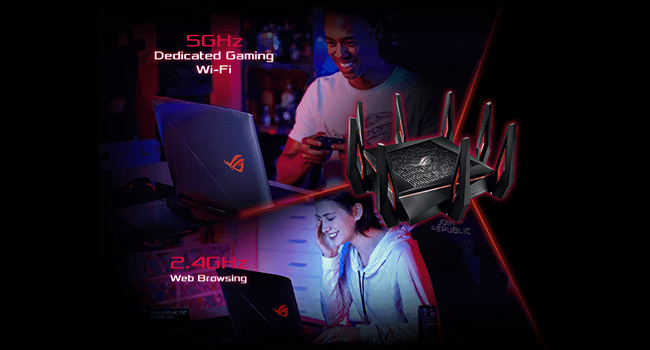
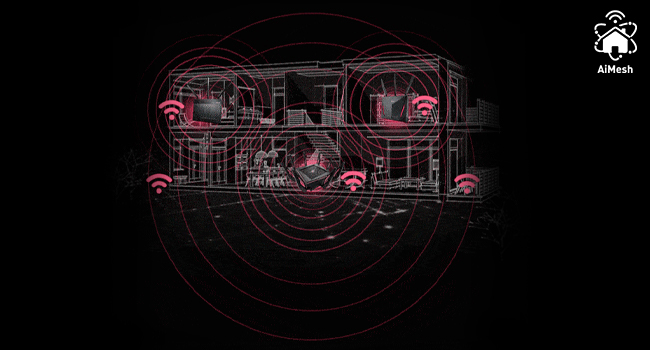
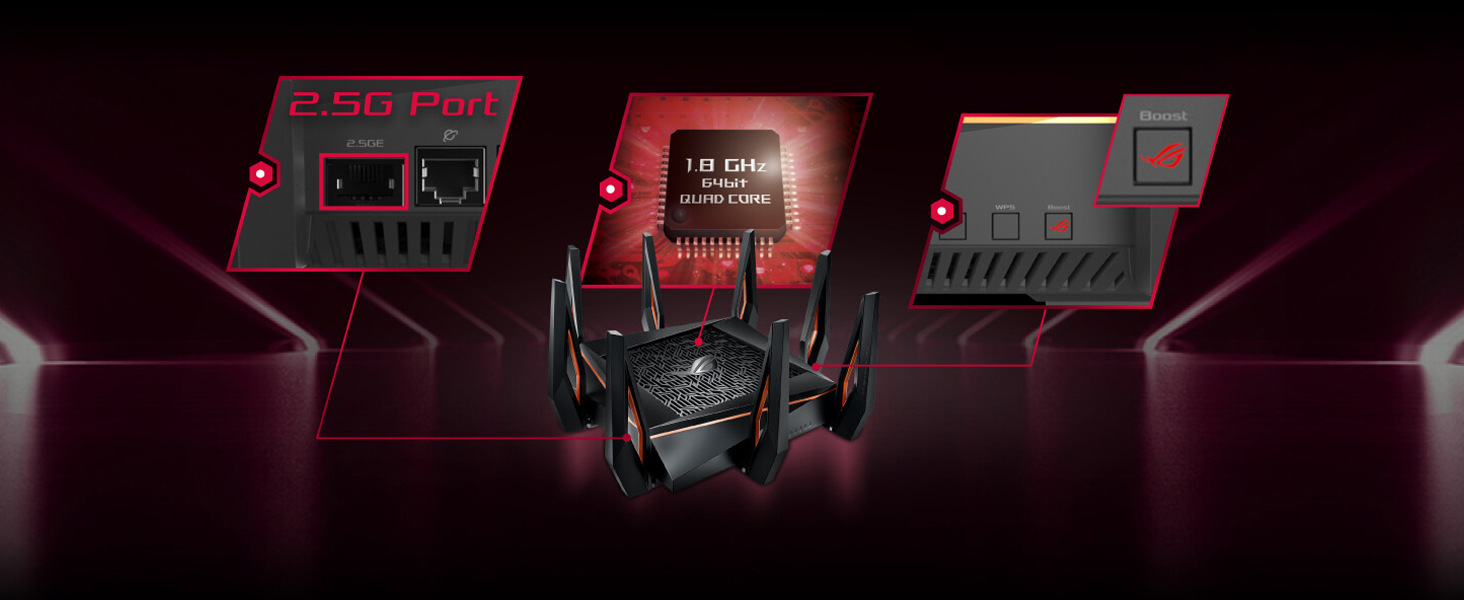
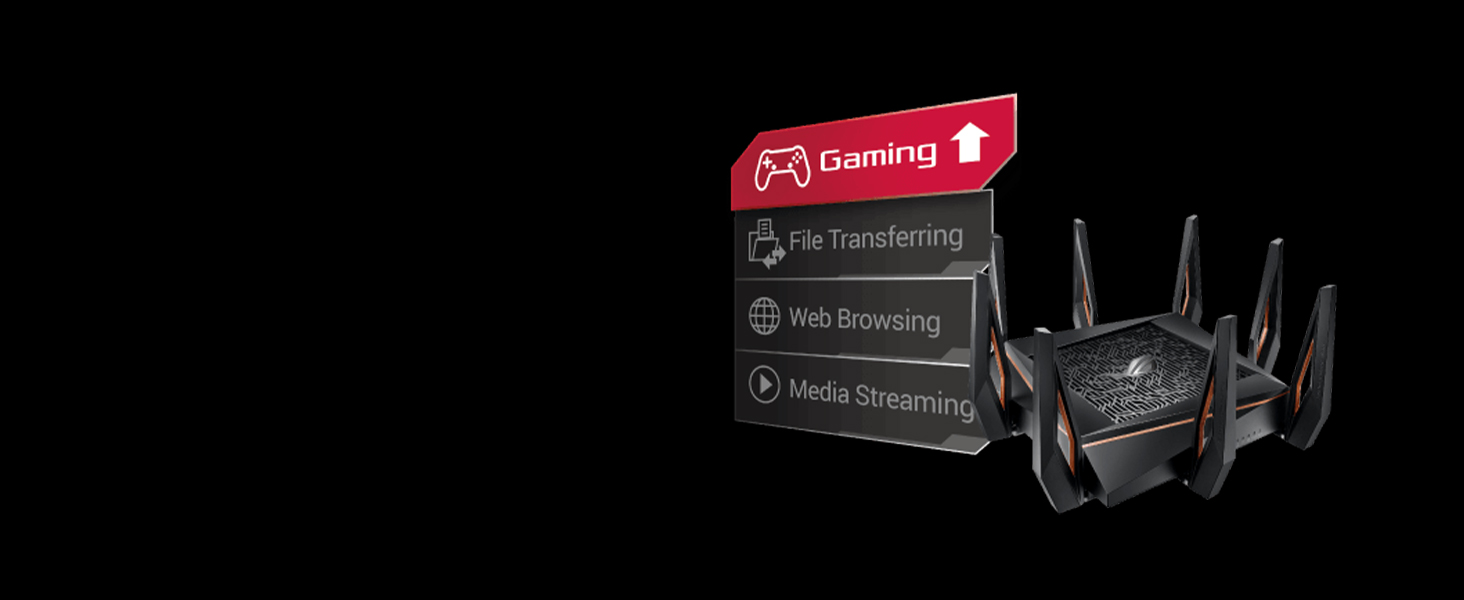
The ASUS ROG Rapture GT-AX11000 is a tri-band WiFi 6 router powered by a 1.8GHz quad-core CPU, designed for gamers and professionals demanding ultra-fast, low-latency connections. Featuring a 2.5G gaming port, triple-level game acceleration, and AiMesh compatibility, it ensures seamless whole-home coverage. With included lifetime TrendMicro AiProtection, it offers enterprise-grade security and advanced network controls, making it a future-proof powerhouse for large homes and high-density environments.












| ASIN | B07MRD1LDZ |
| Batteries | 1 Product Specific batteries required. |
| Best Sellers Rank | #1,350 in Computers & Accessories ( See Top 100 in Computers & Accessories ) #240 in Computer Routers |
| Brand | ASUS |
| Color | Black |
| Customer Reviews | 4.3 4.3 out of 5 stars (3,935) |
| Date First Available | December 26, 2018 |
| Item Dimensions LxWxH | 11.3 x 4.74 x 14.86 inches |
| Item Weight | 4.1 pounds |
| Item model number | GT-AX11000 |
| Manufacturer | ASUS Computer International Direct |
| Operating System | Linux |
| Product Dimensions | 11.3 x 4.74 x 14.86 inches |
| Series | ROG Rapture GT-AX11000 |
| Voltage | 120240 Volts |
| Wireless Type | 802.11ax |
A**M
Why use pfSense? This is perfect for home security and gaming
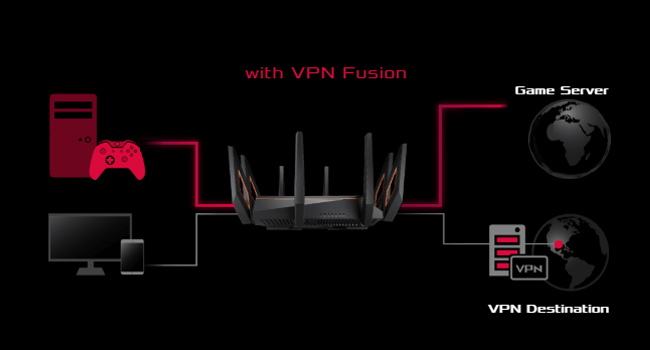
Update July 8,2021: 8 months of 24/7 connections to over 53 devices. Not a single problem. Took the router from the desk it was sitting on the basement and put it on top of a 6’ ladder, now Wi-Fi in the whole house, so I haven’t gotten the Asus node (don’t need it yet). For peace sakes I do have it to automatically reset twice/week around 4am, you set it up in admin settings. It was able to tell me the exact websites any device visits at any particular time, so I was able to catch kids wondering around the internet during school hours. Solid Router!!! Virtual school, teleworking and gaming worked as it should. My gaming ping is always under 40ns (anything under 60ns is good) I would buy again and definitely recommend. The lifetime “WTF” What The Fast subscription is embedded on the router, it really does work, for pc gaming it’s a most. Using a power house of a router running pfSense for my home network security. Unless you are an IT professional the upkeep for the true benefits of pfSense are not worth it in a home network. pfSense is an amazing free router software when paired with enterprise components is awesome, but my needs of Wi-Fi mesh for a happy wife instead of individual Wi-Fi access points made me pair my amazing router with the Orbi mesh solution. So far it has been amazing. Now 2 1/2 years later we are wanting Wi-Fi 6. Awesome Wi-Fi 6 mesh solutions are gonna cost you. 3 main things I wanted to accomplish inside a $700 budget for upgrade. 1-Home network Security 2-Powerful Wi-Fi 6 mesh 3-Play online gaming with true open NAT This router is fenomenal. It comes with free lifetime Trendmicro security with more than capable parent controls. I can assign individual ip to a devices and create profile. Now son has 3 devices under son. I can then assign to son OpenDNS home DNS service and keep him safe without me having to do anything else. I can use google DNS for game consoles and so on. My internet of things (IoT’s) are connected on the guest Wi-Fi with the 2.4ghz channel restriction so it won’t hog my other 2 bands. I can also put the guest network or in my case IoT’s network on a bandwidth restriction. Ok, now the awesome parts of security. I can put all IoT’s through a VPN and all personal computers and gaming console out. Split VPN works phenomenal on this router. Individual DNS per profile. Time schedule per profile. I can see all websites people go on my network. I can see traffic and bandwidth per ip and even apps. So far for home routing network this is pretty good. I know that having to trust Trendmicro with your information can be uncomfortable, but you can fix that by having your personal phones and computers use a VPN on the device itself. So I’m running router level VPN for all IoT’s and device lvl VPN while keeping game consoles and streaming devices of the VPN’s and this router doesn’t even blink. With Trendmicro All my IoT’s are protected like I had an IT guru working for me. Next is the Wi-Fi mesh. My hose is 2 floors plus the basement. Is around 3,900 sq ft counting the basement. I had an Orbi on basement and the other on the 2nd floor. This way it would cover my whole house. I tried many single access points but it would always sacrifice one floor the best was in the middle but even then the outermost parts of the house signal was very bad, or not good enough to FaceTime. So I got Wi-Fi extenders and it got boring havin to change from one SSID to another. That’s why we went to mesh. This router does what I want for my home security so far so good, how about MESH. It’s rated for 5000 sq ft so I thought my house is only 3,900 sq ft it should work, but if it doesn’t I can always get this router as primary router and then get another Asus router for my mesh needs. The second router would become a node. So you an get this and add on to it later as you need it. So with a $700 budget I’m down $400 so this gives me some space for another aimesh capable router form Asus. I put this router in the worst place in the hose. Not the middle but on one side of the far left wall in the basement. Only one device fails to connect on the 2nd floor far right wall, a lamp switch. If I use a laptop, no problem but a small $5 Alexa switch don’t have the power to reach that far away router. I have Wi-Fi in the whole house. Basement and 1st floor I see over 1,000 Mbps connections and on 2nd floor drops down to 300Mbps. If the connection is 1,000 in Wi-Fi my true speed is 500Mbps which is half, but my internet connection is only 300Mbps so internet is not a problem for more than 3/4 of my house. I can easily FaceTime anywhere in my house with any device with this single router. Router assigns best band per device so my laptop can change form 2.4ghz to 5ghz as needed but IoT’s are restricted. So no need to get another router for mesh, in my case. So I’m gonna get a 2.5Gb switch (Qnap for about $100) since this router comes with a 2.5Gb port now I can easily upgrade my internal home network to 2.5Gb with out changing lan cables. If you are a true online gamer you have heard of network bloating. Do a speed test turn on adaptive QOS and input 95% of your service bandwidth. I scored A+ A+ A+ in dslreports bloating test report. I tried to fix that problem with pfSence but running multiple VPNs always interfered with the boating part. All and all I think I got my money’s well worth. The router has very good hardware and the software is truly geared for home security and gaming. This is exactly what I was looking for and what I would have expected at this price point. This router does 3 guest networks so you can separate IoT’s even more or leave IoT’s one one and give your guest a totally new one with no restrictions on bands. It has features only found on Buisness class routers it’s just worded different for their intended costumers. Split VPN is called VPNfusion and multiple SSID’s is like virtual lans for Wi-Fi only found on enterprise access points and DDRT software. So far I’m loving this router, I’m just afraid that it will flip over and chase me up the stairs. Future proof, signal strength, security, and gaming capable, this router is well worth it. I was forced to put it in the basement because it looks horrendous. I did not buy for looks I bought it for it’s features which in my case far exceed the Asus XT8 which looks amazing but can’t do everything I can. In the future I can use this router as primary and add-on a single XT8 zen router by Asus as a node, those look good and also have a 2.5Gb port. If you want to future proof your network you have to start thinking 2.5Gb because Wi-Fi 6 has over 3Gb bandwidth so your Wi-Fi will be faster than anything connected through wires. At least with 2.5Gb it won’t be too far apart.
T**R
VERY effective WiFi coverage for large homes
I purchased the ASUS GT-AX11000 gaming router to improve WiFi coverage of my 3600 square foot, 2-level home in a densely packed beach cities neighborhood where spacing between homes is about 10 feet side-to side, and where there are a LOT of overlapping WiFi domains competing for capacity. Sifting through many, many reviews, the consistently strong points of this WiFi router seemed to be a very broad coverage area, unusually high capacity at a distance plus ability to handle a LOT of throughput and clients. And I found that these claims were quite true, in my application. In particular, I wanted seamless WiFi calling as cell coverage at this location is very poor. Friends who've installed mesh systems reported mixed WiFi calling results, with node handoffs often dropping calls. In this capacity, the GT-AX11000 installation was very successful. I now have seamless WiFi calling throughout my home and yard ... and a bit beyond. (Yay!) In addition, my family has been "sheltering in place" from COVID19, with three of us working remotely (2 VPNs, many video conferences) and my two sons are avid gamers and we all like to stream media (movies, TV, music) from the usual internet sources. This situation severely strained the old LAN infrastructure. Internet service bandwidth to this home is 200+ Mbps down/10+ Mbps up. Service distribution in the home is through a mix of wired gigabit Ethernet and WiFi networks. The previous wired/WiFi system was built around a Linksys WRT1900AC router, with a wired Netgear Access point to extend the network at one end of the home and another Netgear wireless repeater to fill the remaining WiFi voids at the other. WiFi service capacity varied from 90 Mbps in close proximity to the router, down to 20 Mbps at any significant distance, and WiFi calling was unreliable do to many "dead zones" and the different coverage areas provided by the access point and repeater. A key complication is that the home has numerous large mirrored, 2 and 3-panel closet doors and also has very large mirrors in each of its four bathrooms. These mirrors are break up "line of sight" RF transmissions and have been problematic with every WiFi system installed. Plus home construction is stucco over wire mesh - not very RF-friendly, either. Placed in the same exact location as the previous 4-antenna Linksys WRT1900AC WiFi router, the 6-antenna ASUS GT-AX11000 somehow manages to cover the entire property all by itself (no need for the auxiliary WAP and extender) with no dead spots on 2.4 GHz, and just ONE very tiny dead spot on 5 Ghz. The ASUS WiFi router appears to put out a 6-7 dB stronger signal than the old Linksys, but somehow the return channel from wireless clients, like cellphones, is also much cleaner. In most of the home, 2.4 GHz WiFi now supports 80-200+ Mbps, with 35-40+ Mbps out in the extreme front and back yards (lot is 50x150 feet). This is twice the speed and much better coverage than the old Linksys WRT1900AC. Oddly, 5 GHz service is almost uniformly 200+ Mbps (service provider limit) - I expected this band to drop off rapidly with distance but it seems to work at full speed throughout most of the home, except for one very small "dead" location. Remarkable. Of course, it helps that there is absolutely no other routers in range that supports the 2nd 5 GHz band. But our new laptops DO. (Yay!) Setup was easy. The GT-AX11000 was a nearly drop-in replacement for the old WRT1900AC and required only one or two minor tweaks to its basic settings to bring everything else up seamlessly. This includes supporting about 30 clients on a typical day. ASUS went out of their way to make router menus user-friendly and self-explanatory, and since this unit has been out for more than a year, the firmware seems pretty bug-free too, though there are a LOT of gaming tweaks I haven't tried. I did NOT buy this expensive piece of gear for gaming. The whole family seems happy with this new arrangement. Even the gamers. In conclusion, applied as a my home's central WiFi/wired router, the ASUS GT-AX11000 is a stellar performer in a large home in a densely populated area where many WiFi networks compete. The home's many large mirrors and stucco-over-chicken-wire construction, which hampered the performance of previous routers, does not seem to be a problem for this beast. And it IS a beast - looking like a giant alien spider sitting on top of a bookcase. Quite expensive, but delivers and works great (so far) - and that's what I REALLY care about!
L**Z
Son buenos equipos, hay que saber configurarlos y colocarlos en un buen espacio para que la señal se expanda de manera adecuada, compre un pack de 2 color blanco el 1 de octubre de 2024, y el dia de hoy 7 de octubre de 2025, movi los equipos a otra casa, reinicie los equipos a los valores predeterminados para configurarlos con el nuevo módem, y desafortunadamente solo funciono 1, el segundo equipo ya no presento señal wifi, hice todos los reseteos posibles, el reseteo básico y el reseteo avanzado, y ninguno funcionó, pude configurarlo para que me de señal pero solo mediante cable ethernet, pero al parecer la antena se descompuso, porque ya no emite ninguna señal wifi, asi que pues, lo usaré como repetidor para conectar mis consolas y tv por cable ethernet, son buenos equipos en general, pero al parecer no soportan 1 mudanza en el asiento de pasajeros del auto, F por este router caído
J**A
Ojo antes de comprar este producto, debo decirles Que no sustituye al router de tu compañía de Internet sé que hay una opción por medio de la computadora para dejarlo como puente, pero aún no sé cómo así. Que no sirve de nada porque tiene que ir primero que el router de la compañía
P**O
El Asus GT6 es una excelente compra. Al principio pensé que podría ser overkill, pero ya que empecé a sacarle provecho a sus funciones, quedé encantado. Diseño: Los routers gaming suelen verse muy agresivos o demasiado llamativos, pero creo que este está antes de cruzar la línea. Sí es llamativo pero no demasiado. Las luces RGB tienen varios modos, colores y las puedes apagar completamente también. Inclusive puedes programar el botón de WPS para funcionar como switch para prender y apagar el RGB. Cobertura: La cobertura es excelente. Tengo velocidad tope en todo mi departamento, sin zonas muertas ni drops. El router maneja las tres bandas (2.4GHz, 5GHz-1 y 5GHz-2) muy bien y el rendimiento es consistente en todos lados. Funcionalidades: Tiene muchas si quieres tener control sobre tu red. Puedes configurar DNS personalizados, tiene VPN integrado (tanto cliente como servidor), traffic analyzer para ver qué está consumiendo ancho de banda cada semana o mes, y QoS para priorizar tráfico. Si eres de los que les gusta meter mano a la configuración, hay mucho que hacer. Software: La app es buena para tareas básicas, pero limitada. Para configuraciones avanzadas tienes que usar la interfaz web, que funciona muy bien pero se siente un poco anticuada en diseño. No es deal breaker, solo que se nota que ASUS no ha actualizado la estética en años. A veces cuesta un poco encontrar lo que buscas pero nada que una búsqueda rápida en internet no solucione. Conclusión: Es un router potente con excelente cobertura y muchas opciones de configuración. Si buscas algo que simplemente funcione sin complicaciones, tal vez sea más de lo que necesitas. Pero si quieres control total sobre tu red y rendimiento sin compromisos, el GT6 cumple perfecto.
G**A
Comentando mi experiencia, lo compré en Amazon mexico. por año y medio funcionó muy bien y de repente amaneció todos los led en rojo, quise hacer reset con el botoncito físico y no funciona, quise entrar con la Pc a configuración y nada, con el programa de recuperación de ASUS, forzar la instalación de bios y tampoco. E investigue y no soy el único que le pasa lo mismo a ese modelo. Y mi gran decepción fue cuando hablé a garantía de ASUS y me dicen que como Amazon lo importo de usa pues la garantía es en usa, y me comunico a ASUS usa y me dicen que si tiene garantía pero necesito tener domicilio en usa. Como no lo tengo no me pueden hacer válida la garantía. Y les pregunté a ASUS mexico donde lo podría reparar y me dicen que en mexico no existe ningun lugar autorizado. CONCLUSIÓN ME QUEDE CON UN BELLO LADRILLO ASUS.
A**L
Es buen router y Imesh, si quieres algo bonito y potente esto si duda te dejará más que satisfecho.
Trustpilot
2 weeks ago
2 months ago