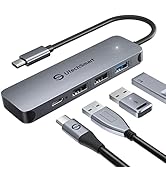
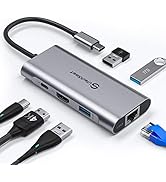
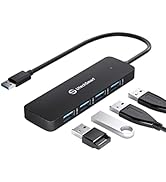
🚀 Elevate Your Setup: Unleash the Power of Connectivity!
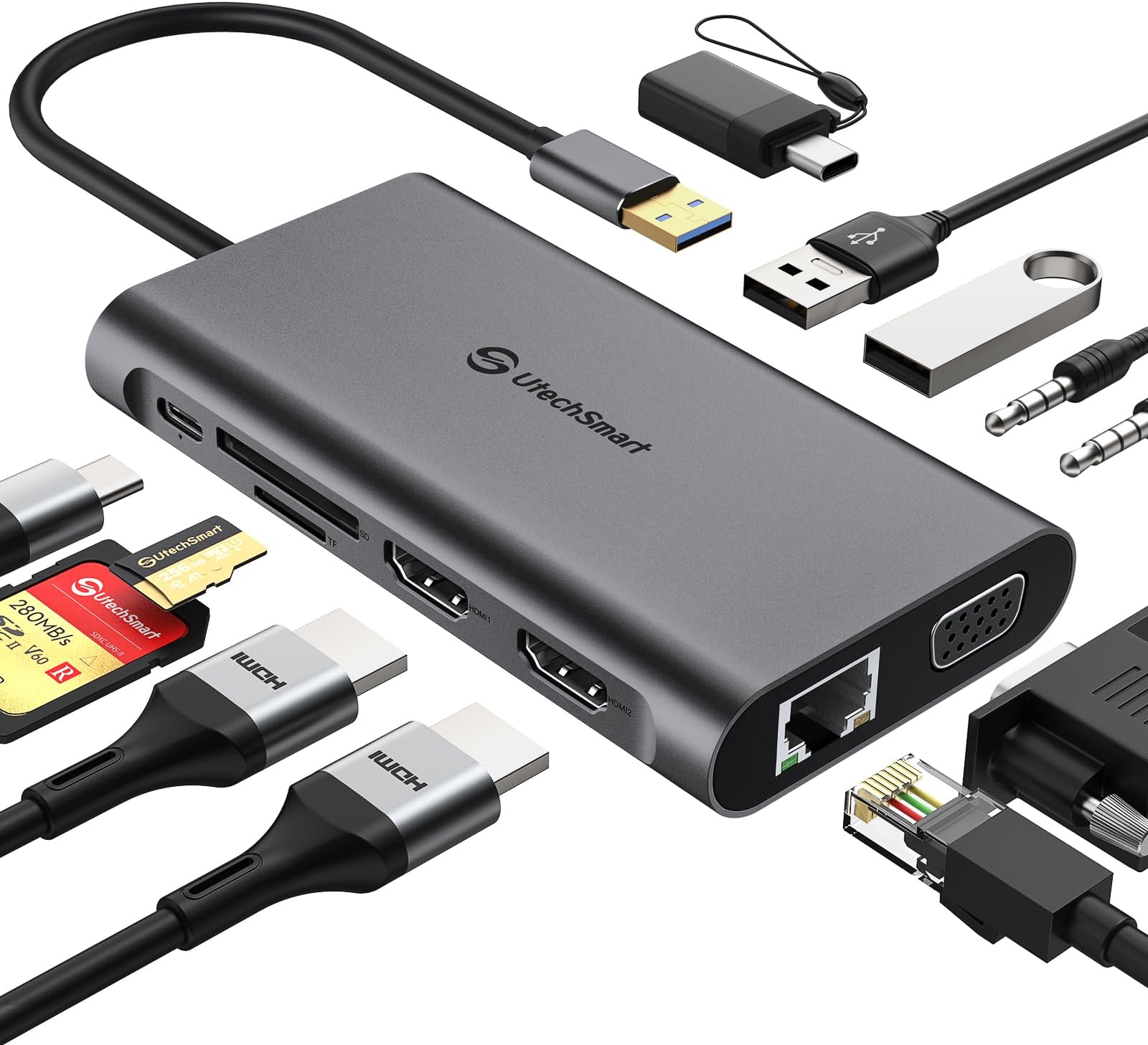
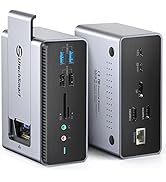
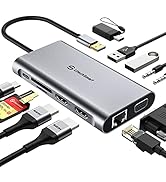
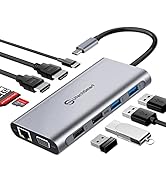
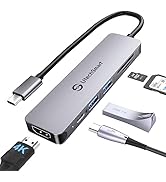
The UtechSmart 11 in 1 Triple Display Docking Station is a versatile and powerful solution for professionals seeking to enhance their workspace. With support for dual HDMI and VGA outputs, it allows for triple display setups, ensuring maximum productivity. Compatible with a wide range of devices, including MacBook and Windows laptops, this docking station features multiple USB ports, Ethernet, and audio connections, making it the ultimate hub for all your connectivity needs.


| ASIN | B07KYL58Q1 |
| Best Sellers Rank | #23,029 in Electronics ( See Top 100 in Electronics ) #333 in Laptop Docking Stations |
| Customer Reviews | 4.4 4.4 out of 5 stars (2,099) |
| Date First Available | November 28, 2018 |
| Is Discontinued By Manufacturer | No |
| Item Weight | 3.5 ounces |
| Item model number | UCN3612 |
| Manufacturer | UtechSmart Technology |
| Product Dimensions | 4.53 x 2.46 x 0.67 inches |
S**Y
Very versatile hub
With most ports you would want all in one place and running off a USB-C connection it is hard to go wrong. The hub seems well built and even has rubber buffers at either end of the short cable which would normally be the stress points. Little things like that show some attention to detail. All the ports are well laid out and labeled which again just shows some attention to detail. The VGA port is a nice extra as my laptop is only HDMI out and often you find yourself in a conference room with only VGA so I need to carry a separate dongle for that. This hub gives me that and more. It has 4 USB connection 2 x 2.0 and 2 x 3.0. I put 2 2TB flash drives into the 2.0 and 3.0 at the same time and a 64 GB SD card into the available slot all at the same time and was easily and quickly able to move files between any of them and the laptop. The hub does have a power connection or can run off the laptop power. It is a Type C power port so you can use any kind of power source that will run through USB C. I also ran the hub through a Type C to Type A connector into my laptop. All of the USB and SD slots worked fine, however, the Ethernet would not communicate with my laptop. I got the green power light, but no recognition that it was there. I am fairly sure this was due to the adapter. Though a high-quality adapter, often there are specific data issues. I just ordered a different adapter and will try it again when it arrives and update the review if there is any difference. Overall, a quality product that puts a lot of capability into one place and even comes with a nice travel bag.
D**N
A True Laptop Dock to Connect your Laptop to Peripherals at Home
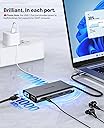
I purchased this dock to connect my laptop up to a home computer screen, speakers, Ethernet cable and some USB Devices. I have purchased these in the past and have for the most part been happy however they have always lacked one function or other until now. With this dock I can get sound out of my speakers, wired network connectivity and peripherals (even SD and TF Memory cards) in one device with one plug in! This is new ground for me so I am fairly happy and thrilled with this! **I did note that I had to plug it in and remove it a couple of times on one computer for the network adapter to connect. After that it worked every time. My other laptop worked perfectly first plug in. I tested the HDMI output to my TV. I even played a video from a flash drive on the USB C port of the dock with its video and sound coming out of the TV. One caveat here. You need to be familiar with your audio playback device settings in Windows to set that up. I had to specify that sound comes out the newly installed USB PNP Audio device and the picture and sound came out of my TV! The Ethernet cable attached and reported Gigabit speeds. I transferred data to a Gigabit attached computer with a network shared folder and the speed was perfect. I transferred data from a USB C drive to my laptops SSD drive and got blazing fast speeds that peaked at nearly 200MB/S though I could only photograph it at the 150MB/S I connected speakers to the audio plug on the dock. I set my default audio device to the USB PNP Audio Device and sound came out of my speakers. If I unplugged the dock the sound switched to internal speakers. I plugged the dock back in and sound switched back out to the speakers! Now that i have a way to connect two screens I will have to get a second one to give this a try. I will report back if I have any problems! All in all I think this will be a great dock for my laptop use at home and look forward to putting it through some paces and plugging less things in to get working at home!
J**G
Dual display supports only mirror on this fantastic and pretty reliable mini device.
I connect this device to my Lenovo ThinkPad T480. It provides a 1-cable connectivity at home, kind of like a dock for my dual monitor, mouse, lan and audio. I love it’s built and size. It’s ports placement are acceptable to me. I am not that particular about how it’s located. Few things I don’t really like: 1) dual display supports only mirror and not extended screen. Argh. I was expecting it to provide dual separate display and not a mirror between the hdmi and VGA. 2) the item gets really hot. Like really-really hot. I don’t recommend it for hours of usage. 2-4hrs are fine and pls turn off the mains after use if you utilize the power delivery of USB c. 3) the usb c cable is a tad short. Fair as it’s meant for traveling! So, I’d recommend that an optional item be added in the order so that others can buy a usb C extension cable.
A**1
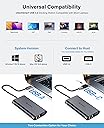
This dongle seems very good so far. All of the ports work, and numerous different ports can be used at the same time. It is compatible with thunderbolt 3 as well as USB-C devices. This device works, as is probably evident in other reviews, so I will focus on some special things I noticed: I just wanted to make sure everyone knew about the way that the female USB-C port on the dongle works. If your device supports charging via USB-c (or thunderbolt 3), you can plug a power cord into it to charge your device while using the dongle. If your device does not support this, it will output power through the dongle's USB-c port so you can charge a phone or something else with it. Note that that port does not pass data through it (so no daisy-chaining dongles) but that was never advertised as one of its capabilities anyways. Overall, this power system works very well. The USB ports, headphone jack also work when I plug the dongle into my android phone, and will likely work with your android too, provided that your phone has a USB -c port rather than the older port whose name I forget. The vga/hdmi video output should work if your phone supports it (mine doesn't, and I can't test it). Plugging a phone into a router to get internet is a bit ridiculous, but that didn't stop me from testing it. Unfortunately, the ethernet doesn't work with my phone (works perfectly with laptop/desktop). I believe this is because android lacks support for ethernet, though I may be wrong. Also, though I never tested the card readers, they probably work with a phone as well. After these 2 things, everything else works as expected, earning this product a strong recommendation.
M**O
Good
S**I
Works well, color matches that of the mac exactly which is nice. Lightweight, the pouch is a nice touch! Overall good product
G**L
Just started using this today with my ipad pro 12.9 and it is worked very well for me. It is lightweight, which is great for portability. I was watching a video (Aux port for headphones), typing notes (using a wireless K400 logitech keyboard a friend gave me. Since the keyboard is not bluetooth I used the usb 2 port) and charging the ipad at the same (usb c port). There was a little heat on the adapter but seems to be normal temp and not worrisome. I recommend it definitely but Can it be a little cheaper though?
T**Y
Completes multiple external device connectivity to MacBook Pro 2019, overcomes the need for four or five other devices and leads purchased with the LapTop when new. Well packaged, and comes with a functional soft protection cover/bag.
Trustpilot
4 days ago
3 weeks ago