🔒 Elevate your home security game—because peace of mind is the ultimate status symbol.
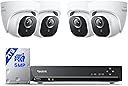
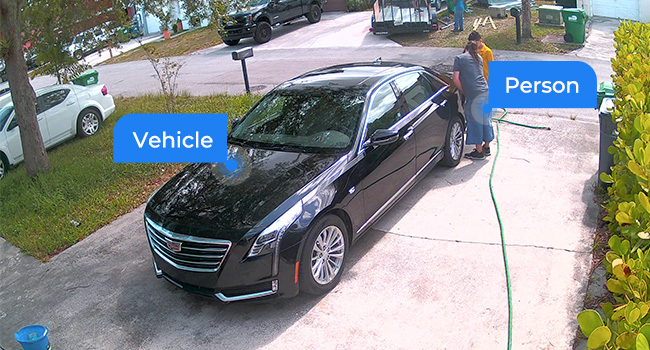
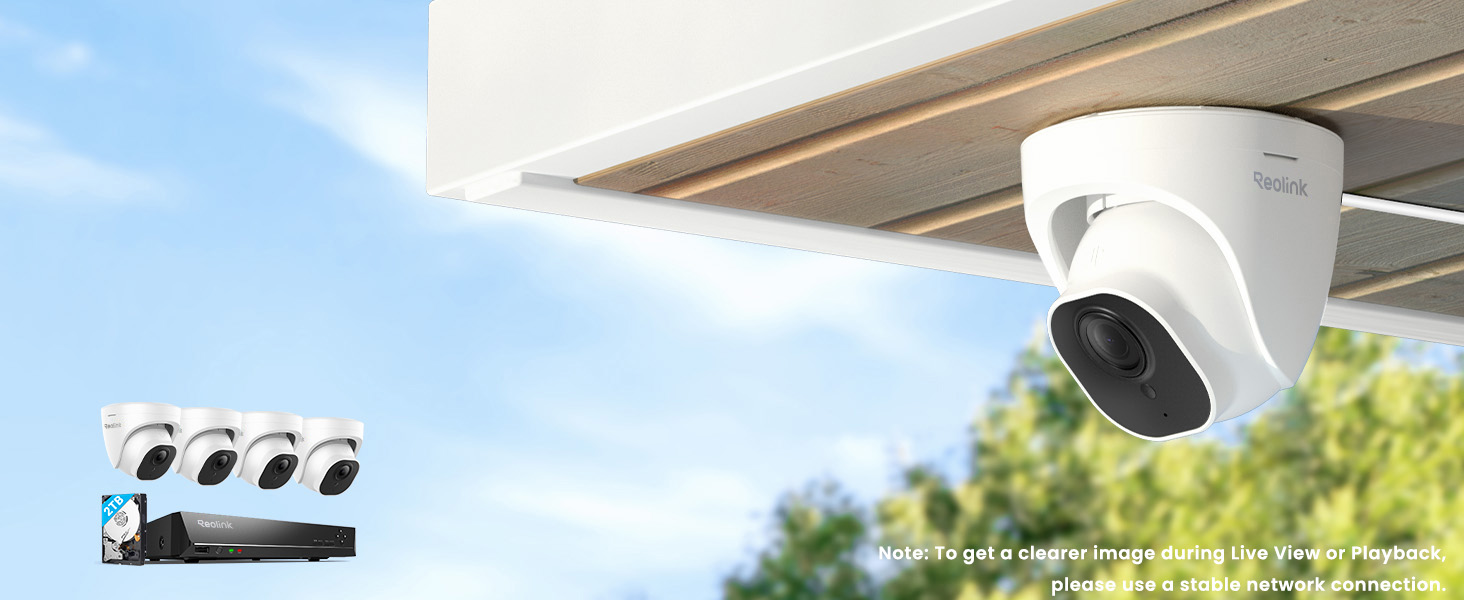
The REOLINK Smart 5MP 8CH Home Security Camera System delivers professional-grade surveillance with four wired PoE IP cameras featuring 5MP resolution, 100ft night vision, and smart person/pet/vehicle detection. Its 8-channel NVR includes a pre-installed 2TB HDD for continuous 24/7 recording and remote playback via the Reolink app, making it a reliable, subscription-free solution for modern homeowners seeking hands-off, high-quality security.


| ASIN | B07H3QVZQ2 |
| Antenna Location | Indoor and outdoor surveillance |
| Best Sellers Rank | #2 in Surveillance NVR Kits |
| Brand | REOLINK |
| Built-In Media | RLN8-410*1, D500*4, NVR Power Adapter*1, HDMI Cable*1, USB Mouse*1, 1m Network Cable*1, 18m Network Cable*4 |
| Camera Description | Front, Rear |
| Color | White |
| Compatible Devices | Cameras, Laptops, Personal Computers, Smartphones, Tablets |
| Connectivity Technology | Wired |
| Customer Reviews | 4.4 out of 5 stars 2,685 Reviews |
| Focal Length Description | 4.0 millimeters |
| Frame Rate | 25fps |
| Hardware Interface | Ethernet, HDMI, USB, VGA, eSATA |
| Item Dimensions | 14.57 x 10.63 x 11.42 inches |
| Item Weight | 0.01 Ounces |
| Lens Type | Fixed |
| Manufacturer | Reolink Digital |
| Manufacturer Warranty Description | customer service (support@reolink dot com); 30-day money back guarantee; 2 years quality warranty; |
| Memory Storage Capacity | 2 TB |
| Model Number | RLK8-520D4-5MP |
| Night Vision | Night Vision |
| Night Vision Range | 100 Feet |
| Number of Channels | 8 |
| Operating System | iOS, Android, Windows, Mac OS |
| Optical Sensor Technology | CMOS |
| Other Special Features of the Product | 100ft night-vision, Adjustable, easy to install, App Control, IP67 waterproof, Smart Person/Vehicle Detection & Motion Zone |
| Power Source | DC |
| Recording Mode | Motion Recording; schedule recording; 24/7 recording |
| Signal Format | Digital |
| Total Usb Ports | 2 |
| UPC | 725423889802 |
| Video Capture Resolution | 5MP (2560 × 1920) |
| Video Input | RJ45 |
| Viewing Angle | 80 Degrees |
M**E
REOlink is a solid system (with REOlink cameras)
I've had REOlink equipment for 3+ years now, and have waited until now to review after buying this latest system. Don't get me wrong, REOlink NVRs and computer/phone apps don't play well with other camera manufacturers and has caused me much grief over the years. But when using REOlink-ONLY equipment, their stuff is pretty bullet-proof. My latest system (NVR+8 cams) worked perfectly on the very first power-up. I have 20 cameras now, everything from RLC-423WS, RLC-423, and C1pro PTZs, to RLC-511 zoom, to 4MP bullets, to 5MP turret cameras, multiple NVRs, blah-blah-blah. I've personally wired 2000ft of CAT6 PoE to most of my systems, snaking through walls, attics, soffit, and even buried a few hundred feet of conduit to get all of the cameras and NVRs as inconspicuous as possible. That-said, here's the pros/cons to all of the REOlink stuff together, not just this item: REOlink CONS: - Doesn't play well with others - I think their inclusion of RCA-audio, reset-button, and power-socket is STUPID for an external camera that is made to be PoE (power-over-ethernet). I have to heat-shrink-seal every single one of those connectors on outdoor cameras (that's 54-connections I've had to meticulously seal) - Doesn't support HKvision encoding (used by virtually all of the doorbell cameras on the market) - Technical support is hit-or-miss; 80% want you to go away, 20% want to help, 0% actually do help - Both of my high-end recent cameras (RLC-423 and RLC-511) 4X-zoom cameras seem to have the same internal malfunction with focus... right-side is out of focus when zoomed-in and left-side is out of focus when zoomed-out - Most of their bullet and turret cameras have great quality, but such a narrow field-of-view that its hard to find good mounting locations (they are too zoomed for 8'-12' range use, which I argue is what most houses have indoors and outside for mounting locations) - Their motion-detection is based on pixels changing, not true motion-detection like Ring somehow accomplishes through infrared or other cameras with PIR-detection, so it is constantly going off for shadows and vegetation - The UUID-setup is so simple that it makes internet-security very questionable... if I can sign in from my multiple devices, other countries probably can too - Their cameras require you to turn on the active infrared-LEDs for nighttime use. They are NOT true nightvision like a passive FLIR would be. The problem with the infrared-LEDs is humans can see your camera and bugs are attracted to the lenses - There are plenty of cameras on the market with more optical zoom. 4X is frankly not enough for me in most cases, and most of their outdoor cameras start off with too much zoom to begin-with (no wide angle) REOlink PROS: - Their stuff plays well with their own equipment, better than every camera company I've tried - Their Apps magically work really well, whether on the same wifi-network or cellular or Internet-remote - UUID setup of apps is effortless - PoE setup of cameras with NVR is effortless, so are their WiFi cameras (as long as on same network) - Cameras have really good control of bandwidth-type adjustments (frame size, frame rate, KB/s) - Their motion-detection is fairly-decent; detects all movement (which is a pain with sun/shadow/bushes) - Their cameras have internal memory slots, incase you want localized non-NVR playback capability - I think their night-vision is actually pretty spectacular, but it requires the red-IR-LEDs to be on (and visible) - All of their stored videos have .MP4 codecs compatible with Quicktime and PC/Mac operating systems - All of their systems (NVR, phone, computer-MAC, computer-PC) work the same way, set-up is the same - I've had some cameras outside for 3+ years and they have held-up well to rain and sun I wish their customer / technical service people were more capable. Every time I talked or emailed them, it felt like I was speaking to an intermediary... like they weren't the company that actually designed the hardware. Frankly, I'd pay more and be more pro-REOlink if they gave a crap. Their ultimate response is basically always the same: our stuff works together and if you want to try something else, don't call us. And basically, they're right.
J**O
It works like it should - perfect if you need a hands off reliable system
I bought this system to put in my moms house that was going to be unoccupied. She needed to move due to medical issues but we weren't ready to sell the house. I live in another state and couldn't be checking in on the house regularly and I was worried about it sitting there with no one in it so I bought this system and set it up so I could keep an eye on things from my house. It has been fantastic, everything is still working perfectly several months later and I haven't had to tweak or reboot or mess with ANYTHING in that time. That is exactly what I wanted in a system and after researching many options I chose this Reolink system and I am glad I did. PROS: 1) RELIABLE. Like I said, this was my top priority. There is no one physically at the property to be rebooting cameras or messing with settings. I needed something I could set up and then it would just work and this system has achieved that goal. 2) Local storage, so no monthly cloud subscription required. This was also a huge priority for me. I don't want to be paying $10 or whatever per month and having all of the video sitting on the cloud. I wanted it stored locally, and have the ability to pull up and review the video remotely on my phone or computer. Again, this system meets all of those needs. 3) Good picture quality, in day and night. 4) Easy setup. Instructions were clear, and everything I needed was included. I did buy a couple of extra 100 ft ethernet cables because I knew I was going to be placing a couple of cameras pretty far from the NVR box. I placed two outside at the front and back door, and then two inside. 5) Playback is easy, I check in on my phone regularly and its easy to locate the moments when there is someone at the door, etc. It can identify pets vs day/night transitions vs people and puts a little icon in that spot on the timeline so you can go right to it and see what it was. CONS: 1) The cameras are POE only, so you have to run an ethernet to each camera (can't be wi-fi only) but at least that one ethernet cable provides the data and the power connection. However, if you are going to be installing cameras outside or somewhere else where it is going to be challenging to get an ethernet cable to keep that in mind. There is no option to connect the camera to the NVR using wi-fi only. I will say though, that having the cameras be POE adds to the reliability. It means there are no concerns about the wifi signal being weak or your wifi router doing something screwy and the camera dropping connection. 2) The adapter cable where you plug the ethernet cable into the camera is unnecessarily bulky. It's already hard enough to get a really "clean look" on these cameras since they are wired, unless you're willing to drill a lot of holes and run the cables behind your walls. Having a bulky connector on top of that just makes it look more unsightly. Luckily for my use case, I didn't care too much about the appearance since no one is even living in the house. I just needed it to work. BOTTOM LINE: If you want a camera system that can be hands off, and allows you to remotely view the recorded video, and doesn't require a monthly cloud based storage subscription... this is probably the best system you can currently buy for your money and it comes with everything you need.
C**3
UPDATED REVIEW! An EXCELLENT system for home video surveillance.
UPDATED REVIEW (3/9/19): After several e-mails to the company, Reolink has updated the firmware for the NVR and it now supports showing motion events only on the timeline with a check box. It is EXACTLY what this app needed and makes it absolutely perfect. Now it is a cinch to find the exact section of video where there was motion. They also added the ability to draw custom motion zones directly on the iPhone app. There is still no fast forward option however that does not affect the app too much. I am beyond happy with the customer service from the company and support staff. Every one of my e-mails was answered and they were true to their estimated timeline for implementing the update. I recommend this system to everyone! ORIGINAL REVIEW: I purchased this Reolink system to replace the Ring Video Doorbell Pro and Ring Floodlight Cam that I had installed at my home. I wanted the Reolink because unlike the Ring and its Wi-Fi competitors, the Reolink records 24/7 and offers a lot more flexibility and user customization. Before I get into the full review I would like to say that I am extremely satisfied with this unit. Unlike other reviewers, my NVR is whisper quiet and makes no sound other than the sound of the hard disk drive writing its data. I have yet to hear a fan noise of any kind. Planning: The most time consuming process of this system (or any wired home video system) is mapping out and installing the wires. I opted not to use the included Ethernet cables which are around 60 feet each. I purchased a spool of Cat5E from the local hardware store for around 60.00 and this proved to be more than what I needed for my installation. After my Ethernet cables were run, hooking up the cameras was quite straight forward. Plug them in, tuck in the wires and snap them to the base. Done deal. Set Up: After running all of my Ethernet cables to the areas where I wanted to mount the cameras, I found that everything hooked up and worked seamlessly. Once a new camera is plugged in, the NVR automatically finds it and adds it. The only configurations I had to make were for custom motion zones and my alert preferences. This system is very much plug-n-play. Because these cameras are POE (Power Over Ethernet), there are no other cables required for use other than one single Cat5 cable per camera. Camera Quality: The cameras are heavy duty and feel well made. Video picture quality is crystal clear and is much better than the Ring products I replaced which were only 1080P and were very dark in my opinion. The Reolink cameras have very good night vision and can light up nearly all of my rear yard (about 75 feet deep). If you have any flood lights or lights near your doors, the Reolink cameras are able to pick up light so well that you can keep them in full color mode even at night. The included cameras all record audio (you can chose to turn this off if desired) and the microphones are crisp and clear. They are quite sensitive and I could pick up my neighbors voice from around 50 feet away. Motion alerts: This is one of the biggest features in the age of home video recording. If I am recording video, I want to be alerted when someone is on my property or at my front door. The Reolink handles this with ease. You can set custom motion zones for every individual camera. Once the zone is set, you can customize the sensitivity and also when and how you would like alerts to be pushed to you (e-mail, push alerts, alarm on the NVR). You can also set custom time blocks where you may want more or less motion sensitivity.. Alerts are pushed instantly and on the iPhone they arrived every time without any delay. Remote viewing from Windows, Mac & iOS: Most people are going to be using this system for real-time alerts on their cell phone or mobile device to know if there is motion at their home. So far this system has shined in this area. The Windows and Mac client offer the full suite of customizations where you can tweak every aspect of the cameras and settings. The iOS app has many of the same features but lack a few abilities such as drawing the custom motion zones. For viewing, the iOS app works great. Upon opening the app, it immediately gives you a live stream of your cameras as well as the audio stream of whichever camera you have selected. Playback and Recording: This took a little time to get used to. Coming from the Ring, I was accustomed to having separate videos for every motion event or every time I pressed Live View. The drawback with Ring was that the videos were not available immediately. They had to be recorded and then uploaded to the Ring server before you could tap on it and view them. Unlike Ring, the Reolink video is a continuous timeline which gets broken down into 1-hour long segments. It is fairly simple to locate the chunk of video you want to view however unless you know the exact time you are looking for, you have to scrub through until you find what you need (I have been told this will be addressed in a future firmware update which will allow going directly to a motion event on the timeline). On the NVR itself, you can easily search by Motion Events and it breaks it down very simply for you. On the remote viewing clients, this is not the case (or at least I have not found the feature as of yet). There is no Fast Forward or Rewind so be prepared to scrub through the videos. Once you know what time you want, saving a video is very simple. On iOS, it saves directly to the camera roll and the videos are crystal clear. While live viewing any camera, you can also tap the record button to make an instant video which will save to your camera roll after you press stop. Overall, I love the ability to remotely view and save video, but I feel it could use some added features to make it better. Conclusion: For the money, this system meets all of my expectations and then some. While it is chocked full of features, I would really like to see the company offer the ability to fast forward and rewind while reviewing video in ALL of the remote viewing platforms. The single feature which absolutely needs to be added to iOS, Mac and Windows Clients is the ability to see any motion events in the playback timeline (again, I was advised this is in the works in a firmware update which will be released soon). This way the user can easily skip to the portion of video that is most important to them. All things considered, I recommend this system to anyone looking to get a good video surveillance system for their home.
K**R
Cameras good, app bad
We had an old system, so we just pulled the wires through using the old ones. It was easy to set up the cameras with the NVR, and the pictures are clear. It was easy to direct the cameras to capture the areas we wanted. The app, though, is a completely different story. Not at all obvious how to work it. When we set up the cameras we had to set a password, but when it came time to link the cameras to the app we had to create a separate password for the "admin" because the first one wasn't recognized. Then linking the cameras to the app required entering the password for admin. Now we find that the only time the app works is when we're at home on our own Wi-Fi network. We can't access the cameras when away from home and on cellular or other Wi-Fi. We're trying to troubleshoot that now. So right now we're not impressed with the app, to say the least.
F**L
System is easy to install, app works well while remote.
So far the system is working great. I installed it a week ago and no issues since. I replaced an older system and purchased two bullet POE cameras to maintain 6 cameras. The set up was easy in selected, identified/labeled and integrated each camera while plugged into my ethernet. All cameras are wired via POE and NVR is nice since all cameras plug into the back. This freed up 6 POE ports on my whole house Ethernet switch. I have a monitor via HDMI cable just below the NVR for real time monitoring. The app works fine while I am away from home. So far I am very pleased with REOLINK. I found that the turret cameras may not give an adequate view in areas up under the roof facia. This is where I installed the bullet cameras. This is something that should be considered.
T**4
Wonderful product
Why did you pick this product vs others?: I was looking at some cheaper ones that were going for like 160 but had some bad reviews so I just spent a little bit more and got these. I'm glad I did. Very high quality. There's some going for so much more. This is all you need. It has 4k video/audio recording. 2tb hard drive. Set up was amazingly easy. You only need to plug one cord into the camera itself and that singular cord (60ft) runs to the NVR. The app is done very well. Night vision is absolutely superb. The cameras themselves look quite stylish. I didn't even have to read any directions it was all so self-explanatory. Now it's only been installed for a few hours so I can't speak on longevity but the other reviews seem to say it works very well in the long term. Which was my biggest concern with going with a cheaper product. If anything ever craps out on me I will definitely come back here and update but for right now I am one happy customer and definitely recommend.
A**R
Customer Service Is AWFUL. Faulty cameras. Go buy something else.
I had one camera dead on arrival, I contacted customer service to get a replacement, and they make you jump threw so many hoops you can’t get any help. I am very tech savvy, and had no problems setting up all the cameras myself. When one camera arrived dead, I tried to get a replacement. Naturally, they wanted to troubleshoot it first. They sent me various links to guides, I followed them all and the camera still did not work properly. Next they asked if my firmware was up to date. My unit is set to auto update, and when I clicked the manual “check for updates” button, it said it was up to date. They told me I was wrong, and sent an attachment to download and manually update it. This caught me off guard, as it seems like their auto updater should have got any available updates. This part annoyed me because I know if it was someone like my older parents handling this, they probably wouldn’t know how to manually download and update firmware. After manually updating to the firmware they sent me, my camera still did not work. They gave me more steps to troubleshoot, and kept saying I must be doing something wrong. None of their suggestions have solved the issue. At this point I figured “nothing helped, they will probably send me a replacement now.” NOPE! They wanted me to make a video recording of the entire troubleshooting process and email it to them. Reluctantly, I made the video, only to discover that the file was way too large to upload to the email. I told them this and they told me I have to upload it to a website that allows bigger uploads. After running into issues with the video, they said they need to call me to troubleshoot over the phone with me. Then I find out that they’re in some foreign country, and their business hours don’t line up with mine. So after failing to get on a call with them, they closed the ticket and haven’t gotten a replacement for the faulty camera. The motion section is horrible. I have spent way too long trying to fine tune the detection, and I finally just turned it off. I set the detection envelopes so that it had to detect for 5+ seconds, and I was getting false detections repeatedly. It got to the point where it wasn’t even worth trying to use it. I have a Ring camera as well, so I just let the motion detection of that alert me. Garbage customer service; and when dealing with security cameras it’s not worth the hassle when you spend that much on their product. Save yourself the heartache and go buy a Ring.
A**R
Would buy a 4th set if needed!
Worth its weight in gold! This is my third set of cameras, I purchased 2 for my business and a set for my home. They have great quality and sound. Very easy to use app to view from your cell phone. Great storage capacity and ability to screen record. Videos can be saved and shared.
Trustpilot
2 weeks ago
2 months ago