Desertcart purchases this item on your behalf and handles shipping, customs, and support to Netherlands.
❄️ Industrial-grade cooling that means business — stay cool, stay ahead!
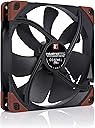
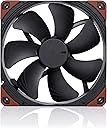
The Noctua NF-A14 iPPC-3000 PWM is a 140mm heavy-duty industrial fan engineered for extreme cooling performance. Featuring a robust fibre-glass reinforced polyamide frame, IP52 ingress protection, and a high-speed 3000 RPM motor with 4-pin PWM control, it delivers superior airflow of 269.3 CFM while maintaining low noise at 41.3 dB. Designed for demanding environments, it boasts an exceptional mean time to failure of over 150,000 hours, making it the go-to choice for professionals who refuse to compromise on reliability and efficiency.


| Air Flow Capacity | 269.3 cubic_feet_per_hour |
| Asin | B00KFCRF1A |
| Best Sellers Rank | #126 in Computer Case Fans |
| Brand Name | Noctua |
| Compatible Devices | Desktop |
| Cooling Method | Air |
| Customer Reviews | 4.7 4.7 out of 5 stars (3,615) 4.7 out of 5 stars |
| Eu Spare Part Availability Duration | 5 years |
| Global Trade Identification Number | 04716123315452 |
| Item Dimensions L X W X H | 5.51"L x 5.51"W x 9.84"H |
| Item Weight | 305 milligrams |
| Manufacturer | Noctua |
| Material Type | Fibre-glass reinforced PBT |
| Maximum Rotational Speed | 3000 rpm |
| Model | NF-A14 iPPC-3000 PWM |
| Noise Level | 41.3 db |
| Number Of Items | 1 |
| Number Of Packs | 1 |
| Part Number | NF-A14 iPPC-3000 PWM |
| Power Connector Type | 4-Pin |
| Unit Count | 1 Count |
| Upc | 842431014412 808114327767 804067727944 801947310715 804904196162 809395327460 |
| Voltage | 12 volts |
| Warranty Description | 6 year manufacturer’s warranty |
| Wattage | 180 watts |
User
Updated 10/22. Highly recommend!! Best fans ever made!!
UPDATED 10-22 : Fan-Tastic!!! Pun intended! Amazing fans.. They're so awesome and powerful, you can stand behind my PC and feel air blowing on you from a foot away. Absolutely love them. Right now I have 2 of these Industrial 3000's, 1 intake 1 outtake accompanied by 4 more fans (140mm Phanteks), 2 intakes and 2 outtakes. I plan to switch out the other 4 Phanteks with 2 more of these. Excited to get the next 2 over the coming months.I would like to state, they aren't that loud, way too many people over exaggerated the noise, even at full speed! Yes, they are louder than your average case fan so if a normal case fan bothers you, these will but take into account were also moving 10K cfpm of air with these vs 500-1K cfpm from your typical case fan. That's ALOT of air! But yea, I don't have to yell at my spouse when they're on when we are near the PC, I don't hear them when they're running from another room (some said it woke up the neighbors!), they don't shake my desk, levitate my PC or sound like a plane landing in my house ect.. I almost canceled buying these because of the really bad misinformation out there, luckily I stuck with my gut.With these fans I am securing the longevity of the investment made in my PC, already just swapping 2 of these in place of 2 of my Phantek fans, everything is 5-10 celscius cooler than before. They are PVM so in my BIOS I programmed them to run at basically 50% idle (20-30 celscius), 70% mid load (30-40 celscius) and 100% full CPU load (50 celsius and above) ensuring my hardware stays cool and my case ventilated. I have better tempts on everything, GPU, CPU, PSU and MOBO. They're expensive but the life they'll add to my components by keeping them cool will pay off ten fold I am sure. If your serious about taking care of your PC, adding longer lifespans to your expensive hardware and want the assurance of being able to run your PC for long times without fans catching flame, then buy these. That was another reason I got these fans, I do lots of downloading/uploading and my PC is on for long periods of time, these fans give me peace of mind that I won't wake up to a house fire.Initially gave these fans 4 stars for the poor packaging and I am still not overly happy with the way they were packaged but the performance they give far outweighs the packaging and so 5 stars is what they are to receive now that I've used them and seen the drastic tempt changes. Very impressed! Not too loud, incredibly efficient and are easy on the eyes too. Highly recommend these fans for serious enthusiast or those who want to throw a PC in a closet/underground for server type applications, it covers all aspects of use and is backed with unsurpassed assure and quality. A+++ 10/10.Noctua: Thank you Noctua, for surprising me again with your incredibly high quality fans. I love you guys and is why I chose your NH-D15 over a AIO/Closed Loop Liquid cooler for my CPU, which by the way rivals them in tempts. And why I buy your expensive fans, you guys are the best in the business and I am a proud supporter of your products. Just wanted to say thanks. I appreciate everything you guys do. Keep up the hard work! One thing I would like to ask is, please consider making a 200MM fan (industrial/redux/ect.) for us and give us the option to have black and brown fans for your coolers over the beige lol Thank you! Bye------------------------------------------------------------------------------------------------------------------------------------------------------------------------------------------------------------I'll update this again shortly but I ordered 2 of these fans and 1 of the fans was missing 1 rubber vibration pad on the corner. I had to remove one from the other side and put in so that when I attached the fan to my case all the vibration pads were snug into place. Disappointed and not sure who's fault it was, you spend 25+ dollars on a single case fan, you would expect it to have everything it's advertised to have. All I got was a box, the fan and 4 screws, the fans weren't even secured into the boxes nor did they come with any type of paperwork or anything other than a fan and screws. The other thing that turned me off was the screws that came with my 2 fans. They were very odd having a huge gouge on the tips almost like that of a flat head screw driver that as it goes up turns into a full screw and because of that, difficult to screw them in as they wanted to cross thread.I'll update this after I power them up and see how they run. Still waiting on some other parts to arrive later today before I can turn on my PC. As of right now, they lost a Star from the packaging/screws. I was expecting more from Noctua honestly but if they perform as advertised then I am more than happy. Just thought I would share my disappointment. I'll report back later. Thank you for your time. Have a nice day.
User
<insert fan-based pun here>
Previously, I had an NF-P14 that was pulling double-duty in the middle of my old NH-D14 heatsink (the other fan that was originally with it currently resides in the case's exhaust slot directly aft of the heatsink). This setup worked fine during winter months, but in recent weeks has resulted in intermittent overheating due to the warmth of the room.Rather than restore the heatsink's stock configuration, I opted to simply beef up the heatsink's fan and move the NF-P14 to the case front to supply it; I'd been intending to replace the low-end Cooler Master fan I had there anyway. As both high airflow and high static pressure were needed...this fan was a bit of a no-brainer, even if it is pricy.First off: if you too have an NH-D14, rest assured that this fan will fit. It won't fit as intended (the original mount kit was designed for 120mm-mount fans, the NF-A14 has 140mm mounts), but the heatsink is wide enough to support the fan, and you'll have a bottom overhang for RAM/VRM/etc cooling as with the original NF-P14. Just make sure that there aren't any components extruding from the board that will interfere with the corners. See attached pictures for my super-exotic mounting method.Secondly: despite Noctua's best efforts, this fan is definitely not quiet at higher speeds. Even throttled at 50%, it's quite noticeable, though it's not unbearable. At 100% (which comes to ~2750rpm on my board...something I find slightly worrying actually), as noted in other reviews, it sounds akin to a small vacuum cleaner. If you plan to run it in a gaming PC, make sure you figure out what speed you need for adequate cooling, and stick to that under load. Look up your CPU to find its maximum safe temperature, and set your fan curve to have it kick up to 100% ~5 degrees before that. The fan has PWM control for a reason...use it! There's no reason to deafen yourself under light or no load.Noctua's site lists the minimum speed as 800rpm, however, my board's minimum PWM setting is able to run it at ~400rpm. I wasn't able to test at what point it becomes "silent", but it certainly is at the lower end. I'd expect it to be no louder than the NF-P14 up to 1300rpm, and I never had a problem with that fan's noise.Finally...it's a solid fan. Noctua, in my experience, makes high-quality stuff; this fan is no exception. The price of it made me handle it carefully, but it didn't feel fragile at all. Even the blades, thin as they are, feel solid...I would recommend not putting your fingers anywhere near them while the fan is running.The box is quite nice, but what you actually get is just barely above OEM-level; the fan and wide-thread screws for plastic fans, nothing more.I imagine that the common user would be disappointed by lack of low-noise adapter and/or splitter, but consider: the fan is PWM (a control method far superior to resistive/voltage-based control), and is rated for more than half an amp at full load. It seems to be commonly accepted that motherboard headers shouldn't be loaded above 1 amp, which would be easily exceeded by pairing two of these at full speed on a single header. I would guess that the cost of including a splitter in every box is a drop in the bucket for Noctua, but they chose to not include one to protect themselves if users decided to overload motherboard headers and potentially burn them out.They can't be held responsible if the user finds a splitter elsewhere and decides to risk it, after all.In summary,It's an expensive fan, costing as much as an 8gb stick of DDR3. But for the price you get a fan that performs well and quietly for day to day use, and unlike Noctua's consumer-grade offerings, can go full-out balls-to-the-wall if high levels of static pressure and airflow are needed. It can be made to fit an NH-D14 with the mildest of adaptation, and (according to reviews and Noctua specs) will directly fit an NH-D15. The included accessories are...well, non-existent, but with a proper setup you won't need them anyway.
User
Extremely quiet! Just need to configure them properly
I love these fans! I was hesitant to order them because of some reviewers saying they're horribly loud and others saying they were quiet. I was willing to take the risk and bet on the fact that those complaining they were too loud just didn't take any time to configure them, and I am so glad I did!I installed 4 of these 140mm fans and 3 120mm in my new rig and I absolutely love them. I have 2 140's as front intake, a 140 as rear exhaust, a 140 as bottom intake next to PSU, 2 120's on my H100i radiator and a third 120 next to the radiator as exhaust. They all come with rubber brackets and I installed all but the radiator fans with Cosmos rubber rivets. Super easy! They all come with rubber sleeved cables that aren't too short and aren't too long. I did have to run a y-splitter for my two front fans because I ran out of pins on my motherboard, and it was enough of an extension to help them make it across the huge case to get them plugged in. If you have a large case and intend to put these near the front of your chassis, you will most definitely need extensions so plan ahead! I'd rather have to extend one set of fans than have 7 fans with super long cables cluttering things up.After the quick and easy installation, I powered everything on and I was shocked at how loud it was. It was loud enough that my 10 year old and I had to raise our voices to hear each other clearly when sitting 4-5 feet away. HOWEVER, using ASUS' UEFI on the Maximus VII Hero motherboard, I was able to use the built in Qfan to quiet them down enough to the point that I could tolerate sitting near it while I installed the OS.Once Windows was installed, I installed AI Suite (included with my motherboard, you may need to locate another fan controller if you don't have an ASUS board) and went into fan setup. It has 4 predefined modes to choose from with further customization possible if desired. Silent mode literally turns off all fans except the CPU fan, which it turns down considerably and the entire rig is dead quiet. Standard mode is a step up but still extremely quiet, even when sitting only 2-3 feet away. When on the other side of the room playing games on the TV, I don't hear it at all. The other two settings include turbo (around 1500 rpm) and full power. When all fans are running at top speed (about 2700-2800 rpm), it is extremely loud. Turbo is tolerable. The sweet spot is around 900rpm, which is enough to keep an EVGA GTX 980 Ti under 60 degrees while gaming and keeps my i7-4790k under 40 degrees, even under load. The result is a very stable, quiet and cool rig. I haven't found anything that can cause this system to break a sweat and I attribute it largely to these fans.I am so very pleased with these fans, I can't say enough good things about them. They are roughly twice as expensive as other popular fans, but I'd much rather take the cool, quiet performance of Noctua fans than have fancy loud LED fans in my rig. I'll definitely be picking up more Noctua's when I build my husband's rig next month.
User
High quality air movement.
I bought two of these puppies to get some good airflow going into my computer case. Holy cow these things move air. They’re loud, only when they get up to high speed. If you’ve got smart fan controls, you can dial in a good fan curve and it will keep your stuff cool. Very high-quality, with some rubber at the mounting points and scientifically wonked air grooves on the fan blades. Look no further.
User
Noctua never disappoints
Another solid win from Noctua. The fan is quiet as a church mouse when idle. When it spins up to full speed, be ready to move some air. Funny enough, this little fan is strong enough that it managed to roll my computer case about 1" off the wall when at full power. Gets a little loud at those speeds but thankfully that doesn't happen a lot in my setup. Well worth the money as always.
User
Not good for computer fan application
I do not recommend these for PC computers. Especially if you are running them in small quarters. While these maybe good for industrial applications where the noise level isn't a concern, using these in a 12'x12' bedroom annoyed the heck out of me.Under 1200 RPMs, these are wonderfully quite. Over 1200RPMs, the noise with three of these installed is discernible and acceptable. But get above 1500RPMs and its annoying. In the upper 2500+ RPM range, they are very loud.The dba level on these 140mm 3000RPM are rated at 41.3dba. A major computing manufacturer (not going to name names), for example has 140mm 2000 RPM fans that range in dba 21-36dba. That gives you an idea how much noisier these are at high rate. 3000 RPM fans are too loud for home/office use.Beside the noise level, there are a few other problems.1) The cables are too short. On a full ATX tower, running the cable from the front panel all the way to the middle of the motherboard where most fan headers are located is too close to call. They are way too short and need to be another 6-9" longer so you can cable manage better. I shouldn't have to snake cables in a configuration to make this work with stress on the cable and pinouts.2) The length of the supplied mounting screws. I was supplied with four short screws that are ok for installing to the back plane of the case. But way too short to install in the front panels. The thickness of these fans won't allow the longer screws supplied with my case to feed through all the way to secure to my case frame.But the most disappointing thing is this. The reason why you buy computer fans is to reduce temperature. When I ran tests with these installed, the difference between temperatures was minimal at best. Difference between my old 140mm fans and these fans affected CPU and motherboard temperature by only -3C. This is nothing to me and with the additional noise, not worth the price.Oh sure when temps rise, the fans can kick in at higher RPMs. Oh sure there is way higher CFM. But these are very loud and impractical. An example is if you use your computer for mic recording (like streaming). The fan noise will get picked up by the mic and make this use case unacceptable. Use this for professional studio audio recording, and this isn't going to work either.Because of this, I returned them.Don't get me wrong. These are very high quality, 3000RPM, hi airflow, expensive fans. But unfortunately, the wrong application use unless you are willing to locate your system in another room.
User
Simply the best cooling fan on the market
First off, let me emphasize if you're looking for a dead silent fan, this fan is not for you. Having said that, it offers phenomenal performance as a cooling solution for the Corsair Carbide Air 540 case and the Noctua NU-14S CPU Cooler. I bought six of these to replace the three stock fans in the case for my Hackintosh, add two more more in the top, and replace the NU-14S stock fan as well. Running all six on the bios "silent" mode setting @ ~1100 rpms brought temps down 7-9 degrees Celsius at idle for the 8086k CPU cores and 7 degrees Celsius for the Radeon VII GPU. Everything now runs at 21 to 25 degrees Celsius at idle and while checking email, web browsing, etc....Yes, they're audible at 1100 rpms in the case sitting 3 feet away at desk height, generating a moderate *whirring* sound, but the cooling benefit far outweighs the temporary distraction that I no longer notice, and the comfort of knowing these fans will keep temps down at 100% CPU utilization while encoding for long stretches. When they ramp up during encoding, they get louder but not obscenely loud and it's tolerable for me. I could drop them to ~ 800 rpms as the minimum and eliminate the sound, but 1100 rpms is fine.I'm also using seven of these fans - in an identical case - in a customized dual Epyc 7702 setup (128 cores, 1.2TB memory) and again, performance is stellar. Encoding at an all core turbo of 3.35GHz for extended periods - 100% CPU utilization - the CPU cores never rising above 49 Celsius during that as well as stress testing. I believe that speaks to the quality of these fans. By the way, the comedy of installing an E-ATX Tyan dual EPYC motherboard, dual Noctua NU-14S CPU coolers and seven of these fans in a Carbide Air 540 is worthy of a tech site video (note - the two 140mm front fans have to be mounted on the outside under the front cover).Bottom line: If you want the best cooling fan available to the consumer market and don't mind some fan sound, buy this fan!
User
The fan that Moses used to part the Red Sea.
I want to start this review off with a great big My Mercy. This is the fan that moses used to part the red sea. He didn't use no rod, he used a Noctua. I have been through many fans in my life. I have a big box full of em. But i finally got my hands on one of these and i must say i am highly impressed. I will now discuss points relevant to my review as either a pro or a con, and end with my conclusion and recommendation of this product.PROS1. Shipping and Packaging - This item arrived within 48 hours on standard non prime shipping. My mercy, that was nearly as fast as the fan itself. The fan comes in what looks like a fancy slim cigar box to me, real high quality. After opening it up you are greated by the fan, which sits in the box surrounded by cardboard cushioning. The item arrive undamaged and in perfect working order.2. Design, Construction and Durability - This fan is the work of a master. Rubber anti vibration feet on all four corners on both sides, Solid non flimsy frame that cant be bent or broken(maybe), solid and massive fan blades that are thick and highly curved for static pressure, and a braided cable over a foot long that has a nice rubber sheath over it, topped off with a solid black 4 pin PWM connector for those of you who would dare connect this to your motherboard. Overall i would say you could play frisbee with this fan and let it hit the pavement a few times and it should work fine.3. Performance - And moses said to the red sea "With one press of the power button on my desktop i shall blow thee away." And so it was. I plugged this thing in as a rear exhaust fan for my PC, and as soon as i hit the power button i could feel the power, hear the power. This thing blows snow off of mountains. On its lowest speed setting it blows more air than my Bit Fenix Spectre Pro i took out on High power. and its quieter. Now when you crank it up to half speed and higher its not quiet anymore, but this fan can be quiet and still pump air. The only fan i have ever seen or known of that blows harder and faster than this fan is those old 5 pin Nidec V fans in old Dell desktops, those things are monster 38mm thick engines of death that chop off fingers and eat children for breakfast. This Noctua will chop fingers, but i don't think it will eat the children. Usual Prime 95 test on my desktop cpu (i7 4770k @ 4.3 ghz yields 180 F average CPU temp, this fan brought that right on down to 165 Average due to it sucking the life out of my CPU cooler.4. Value - I dont care what the price of this fan is you need it now or either its 120MM little brother. You will not find a finer fan for years to come unless they improve on this one.CONS1. Sizes - Not really a con but i wish they had more sizes than 120 and 140 MM. I WOULD DIE to see these in 80, 200, and 230 MM flavors, especially the bigger ones.CONCLUSION - Shut up and give your money to Noctua. All your money are now belong to Noctua, they will set you up the bomb. I highly recommend this fan to all Desktop PC users, Gamers, Server Masters, and all other people who have high temperature electronics, use zip ties and adapters if you haft to. I will definitely be buying more of these and like i said, i would love to see these in other sizes like 200 and 230. Thankyou Noctua for the chance to review this great fan.If you found this review helpful, please like it! Every little like helps me review more and more products which means more and more reviews for you to read!
User
Harika
Egzoz fan olarak kullanıyorum..tam yük altında biraz ses yapsa da harika hava akışı sağlıyor.
User
Working as it should
Great performance as expected. Since it is 3k rpm, the high pitch noise will start around 2000 to 2100 and above. Sharing this just in case buyers are considering this product vs noise.I also purchase the 120mm ones and that one is a higher pitch than this when it hits 2000rpm.It can be annoying when you are doing big file encoding for a lengthy period, ambient temperature plays a big role as always. Got these fans for my Threadripper and IceGiant CPU cooler.
User
Thoroughly recommended.
These fans are incredible. I highly recommend these fans and especially the Noctua brand of fans.I chose the 3000rpm because they have that extra bit of power if needed but they do a great job and just browsing or doing normal stuff that are great at 400rpm, a bit more intensive stuff they go up to 800rpm and for gaming they really shine at between 1400-1800rpm (most I’ve got up to in a game was 2100rpm Total War: Warhammer running at Ultra settings)The NF-F14 PPC 3000rpm moves an incredible amount of air and has great static pressure, the highest on the market. I have two as intake fans on the front of my case and one at the rear as an extractor fan. This create a “positive pressure” inside the case and there’s more cooler air coming in, I have the rear fan running a little faster to extract the warm air inside and the dust won’t settle in and on the parts inside.They are loud above 2000rpm but because of the air they move at around that speed don’t have to go beyond that and run at their the maximum speed except if you’re really pushing the components at a heavy load.I’d recommend to anyone if even you’re concerned about the noise at most they are 40decibels and in comparison are half the noise of a Henry Hoover (~80dcb) you can set it via the BIOS or 3rd party software the speeds that they run at speed you need via fixed RPM or let the BIOS control the temperature to speed ratio thereby running the fans higher at a lower temperature you can prevent a sudden build up of heat which means they have to spin up at higher temperatures rapidly.The only shame is you don’t get the accesories like the cheaper models have and its very sparse in the package but the price is well worth it seeing as how they’re going to massively extend the life of your components and keep your PC going for a long time.
User
Nunca defraudan
Llevo usando el ventilador Noctua en mi PC desde hace mucho tiempo y su rendimiento es insuperable. A pesar de su alta capacidad de flujo de aire, es increíblemente silencioso incluso a máximas revoluciones.La calidad de construcción es excepcional, como se espera de Noctua, y los materiales son muy duraderos. El ventilador mantiene mi equipo bien refrigerado, incluso en cargas de trabajo intensas, reduciendo significativamente las temperaturas de la CPU y GPU.Además, su diseño robusto permite un montaje fácil y seguro. Un ventilador de alta gama perfecto para quienes buscan un equilibrio ideal entre rendimiento y silencio.
User
Correct
Fonctionne bien mais malheureusement un peu bruyant dès 1500 tour min ce qui rare sur le modèle actuel dommage a part ça très v’bien
Trustpilot
3 days ago
1 month ago