

Desert Online General Trading LLC
Dubai, United Arab Emirates
Desert Online General Trading LLC
Dubai, United Arab Emirates


🎶 Elevate Your Sound Game with AlesisV61!
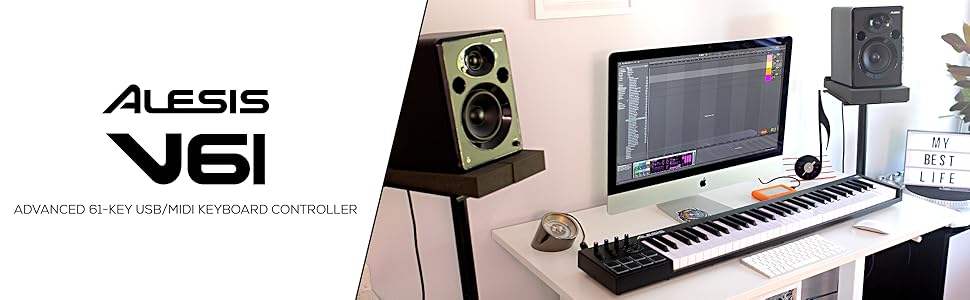
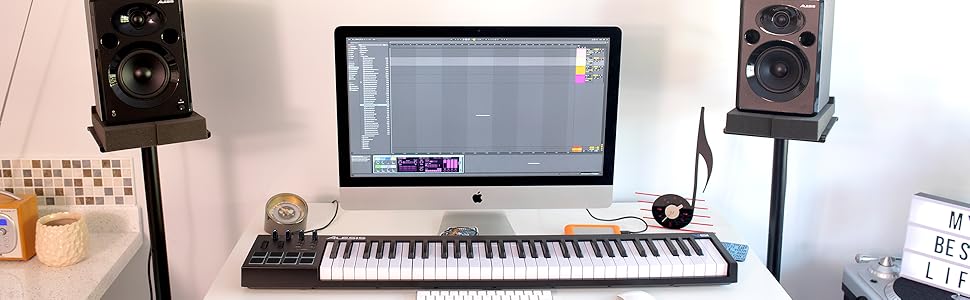
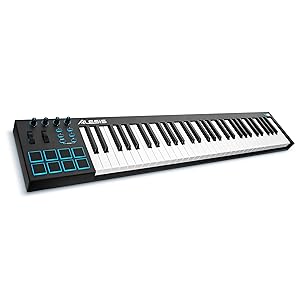
The AlesisV61 is a versatile 61-key USB MIDI keyboard controller designed for musicians and producers. It features velocity-sensitive keys, 8 backlit pads for beat production, and 4 assignable knobs and buttons for enhanced control. Compatible with both Windows and Mac, it includes a professional software suite to help you create and produce music effortlessly.


| Style | V Series |
| Color | Black |
| Platform | Windows 7, Mac, Windows 10 |
| Human Interface Input | Buttons |
| Hardware Platform | PC or Mac |
| Instrument | electronic musical instruments or synthesizers |
| Total USB Ports | 1 |
| Control Method | Touch |
| Noise Control | None |
| Total USB 2.0 Ports | 1 |
| Supported Software | Ableton Live |
| Connector Type | USB |
| Hardware Connectivity | USB |
| Keyboard Description | Ergonomic |
| Control Type | parameters |
| Number of Keys | 61 |
| Connectivity Technology | USB |
| Additional Features | Velocity Sensitive Keys, Keyboard Controller |
| Compatible Devices | Devices with a USB port, such as computers and laptops running Windows or MacOS |
| Size | 61 Keys |
| Item Weight | 3.4 Kilograms |
S**S
Everything is Amazing but Velocity Could Break the Deal
This is a fantastic keyboard! At the time of this review I have used this keyboard for about a month. Ill just give you an idea of who this review is coming from: I'd dabbled with piano for a long while before and I had a really old casio keyboard that I was using for a long while and I was ready to take both my skill and my keyboard to the next level (I'm a junior in high school hoping to be a music teacher and I know piano is a phenomenal instrument to have under your belt for teaching).Pros:I read a lot of reviews saying that the keys were too stiff and in my experience I've found that to be fairly untrue. In fact I really like the weight and while they are different than keys on an acoustic they are piano phenomenal for and electronic keyboard. I've had no problem learning to play on this and going between this and playing on a real piano has been perfectly fine.I've also read reviews saying the drum pads arent the highest quality and while they're not perfect they're certainly not bad. I can easily lay down a drum track using them and as a beginner who's never used an electronic drum pad like this I've found the experience to be very fun and a good learning opportunity. However it is true that they will double trigger on occasion, though not nearly as often as some reviews might lead you to thinkCons:The velocity problems almost everyone are mentioning are certainly true. Adjusting them using the V61 editor does help a great deal but itll still give you a stray high velocity note sometimes in the most annoying moments. Luckily I've been using this keyboard with garageband which has a feature which allows you to adjust the velocity settings to be even lower and after doing that I've really enjoyed the experience. However not all DAWs have that feature and without it the velocity can be very annoying. I would go as far as to say that use of this keyboard would be half as enjoyable if I want able to optimize the velocity the way garageband let me. One other con is that I cant for the life of me find how to assign the knobs and buttons to any sort of parameter. Ive searched the manual, I've searched youtube videos and reviews and theres nothing. I'm guessing they might've just not made it compatible with garageband but even so garageband is such a popular beginner DAW and that's kinda who this keyboard is aimed towards. All in all I've had a great experience with it but well have to see where things go once I upgrade to a better workspace
T**A
Great Item for Beginners
My son is 13 and has been teaching himself piano for a few years now. He has a keyboard but was wanting something he could use with his Bandlab program on the computer to help compose whole songs. He specifically asked for a midi but wanted one with as many keys as possible. This was the happy medium. Not a full piano, but enough keys he can play all the parts of the things he likes to play easily without spending a small fortune.We had this plugged in and software downloaded within 20 minutes of opening it and about 15 minutes later he composed about the first minute or so of Enter Sandman (all the parts including drums/cymbals) and it sounded AWESOME. I have no idea how he does it. He definitely gets his talent from his dad. I just love listening to him play and I am so glad he found a passion for something so awesome.
A**S
Use the Alesis V61 Editor and ignore other customers' complaints
Apparently everyone complaining about velocities can't be bothered to Google the problem.http://www.noterepeat.com/products/alesis/keyboards/v-series/519-alesis-v-series-adjusting-the-velocity-curve-of-the-keys-using-the-v-series-editorGo there and follow the instructions. I recommend setting the velocity curve to #2. Updating the firmware (on Alesis' site) is a good idea, as well. I used this keyboard at practice for the first time yesterday and I love it. The action is a little stiff compared to what I'm used to, but that took all of about 20 seconds to get used to. For the price and functionality, you are going to have a hard time finding a better deal than this keyboard.I love the editor, too. Being able to change the pads from note to CC, change the pad behavior to momentary or latch, and change the CC & on/off velocities for the pads and buttons is absolutely fantastic. I wish all keyboards had such an easy way to reroute and rework the internal commands.Should Alesis have shipped this with velocity #4 as the default? No. Is it difficult to fix? Possibly: if you are blind, paralyzed from the neck down, or just straight up have no arms or legs. I am NOT an Alesis shill, I just think it's ridiculous that this keyboard is getting bashed by people who obviously don't know what they're talking about.
Trustpilot
2 months ago
2 weeks ago
4 days ago
1 month ago