
DOWNLOAD THE APP


Customer Services
Copyright © 2025 Desertcart Holdings Limited
DOWNLOAD THE APP
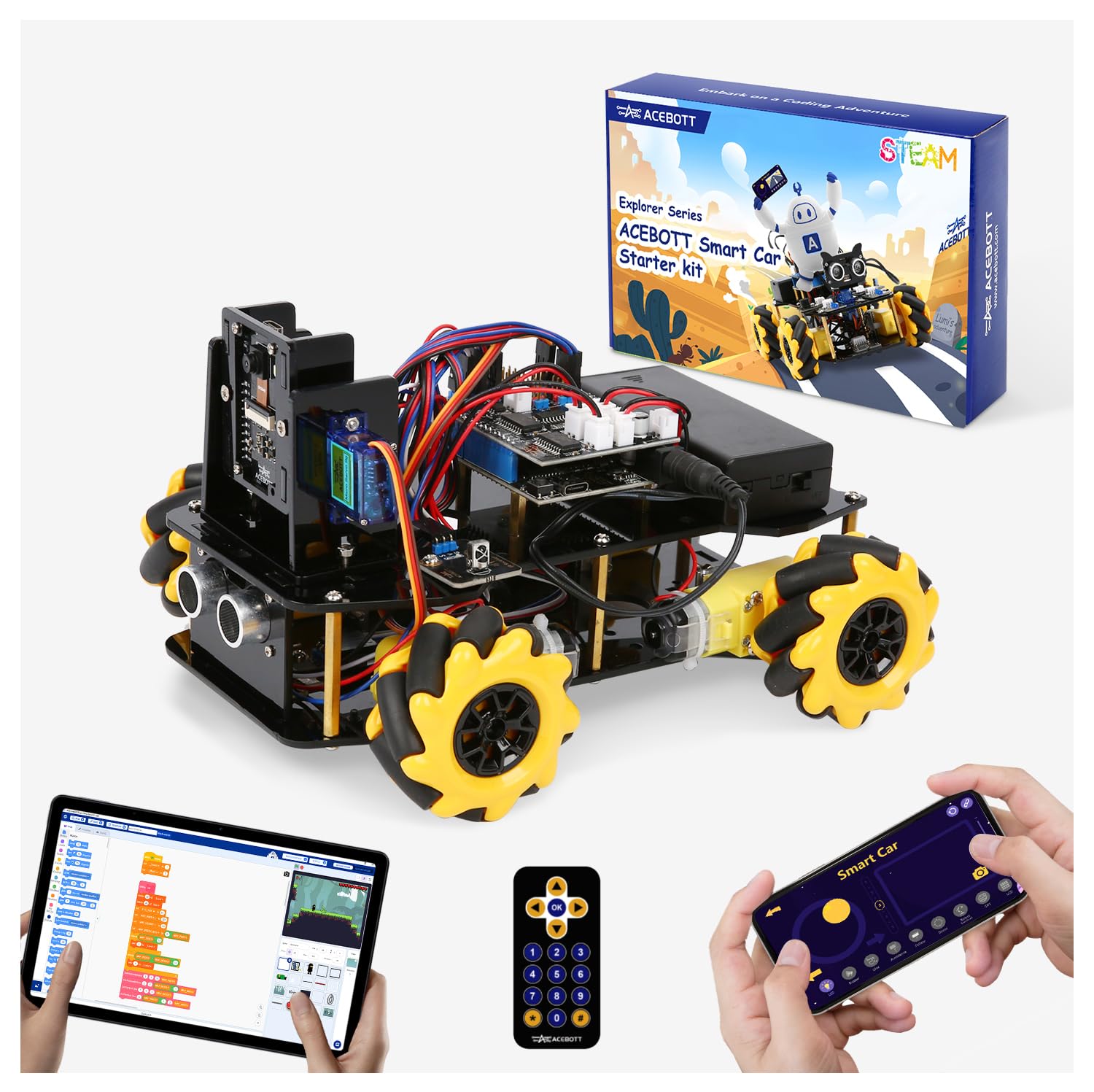
🤖 Unlock the Future of Play with Smart Robotics Innovation!
The ACEBOTT Smart Robot Car Kit is a versatile STEM toy designed for kids ages 8–16, featuring a 3MP HD camera, ESP32 controller compatible with Arduino & Scratch, and omnidirectional mecanum wheels. It offers 16 guided tutorials for hands-on learning in robotics, coding, and mechanics, with app and remote control options. Modular expansions ensure long-term engagement, making it an ideal educational gift that inspires creativity and technical skills.


| ASIN | B0F83XG14J |
| Best Sellers Rank | #73,564 in Toys & Games ( See Top 100 in Toys & Games ) #128 in Remote- & App-Controlled Robots |
| Customer Reviews | 4.0 4.0 out of 5 stars (55) |
| Item Weight | 2.23 pounds |
| Item model number | QD032 |
| Manufacturer | Shen zhen shi ai si bo ke ji you xian gong si |
| Manufacturer recommended age | 13 years and up |
| Product Dimensions | 9 x 7 x 2.5 inches |
M**N
Llego el producto, el manual de armado está fácil de entender
J**A
Muy ingenioso
N**C
This kid is for highschoolers, not elementary
As STEM kits go, this one’s pretty cool. The only issue I have is that the age range does seem to be in accurate, it’s definitely late junior high high school kind of project. Kit is very comprehensive, something like you might see a senior project based on. Because it requires you to do all of the assembly and all of the programming to make anything work. I think the point is that it is not easy to assemble, as that’s part of the project. There’s good value here for someone that wants something that is intentionally not easy to do, but for that 8 to 12 age bracket, I think there is no value at all. So, keep it to the high school realm and you should be OK.
I**H
Dont underestimate it.
I would say that this product is definitely more than what I thought. I bought it for my young kid, and I was thinking its going to be some simple plug-and-play kind of toy. I must say this is beyond that and will help build the right engineering concepts in the kids. I am personally very happy with this purchase. He is not done building fully yet, but once its done, I will share photos as well.
J**R
Frustrating to even start
Incredibly frustrating right out of the gate. There are no printed instructions - just a card saying go to the website to download the instructions. Fine. I go to the website, and there is a version 1 and a version 2. Great. I download them both - they are each a 2GB zip file. I open up version 1 - it contains 9 more zip files, each named with a cryptic string of characters. At this point, my 8-year old, who was fired up to build this, is asking me when we can start. I dig in the zips. I find the tutorial - it's written as a story with no pictures. My son tells me he is bored. I keep looking, but don't find anything else. I try Youtube and find a video. I turn around - my son is gone, off to play with something that makes sense.
M**S
Fun Build, But the App Fell Flat
The building process was actually the highlight here—straightforward, engaging, and a satisfying project to complete. Once built, the robot itself looks decent and has potential for fun, but the app side of things was a letdown. Despite multiple tries (and a very tech-savvy 14-year-old helping), we never got the driving or play features to work the way they were advertised. Maybe it’s a regional issue, but the lack of app functionality really cut the experience short. Overall, it’s about a three-and-a-half-star product: enjoyable to assemble, but the lasting play value just wasn’t there.
T**H
Not sure if you want to buy it.
I am sending this review after I returned my car unfortunately. It was okay but not very good. It’s very expensive. The instruction video of building the car was hard to understand and at the important part (the wires) they were to fast in talking the instructions. When we were done we used the app but it was not connecting. And you need a battery for the remote control! We got a battery for the remote and it did not work. We asked support that next day and they said you need to open the coding app and program the remote so it can work. We tried one time to code one code and it worked but you need a lot of codes! Sometimes the screw gets loose on the tire.
R**W
I’m impressed
Neat little kit. I bought the version with the camera and I’m impressed with the quality and design. It’s perfect for learning robotics. I studied electrical engineering in college and it’s a nice refresher for getting back into it. Probably best for older or really intelligent kids. Unless parents are going to do most of the work.
Trustpilot
5 days ago
3 weeks ago