We remain fully operational. Our teams are working around the clock to ensure your deliveries continue safely.

DOWNLOAD THE APP


Customer Services
Copyright © 2025 Desertcart Holdings Limited
DOWNLOAD THE APP


🖋️ Elevate your digital creativity—write smarter, not harder!
The LAMY AL-star EMR Stylus Pen combines classic design with cutting-edge Wacom EMR technology, offering over 4,000 pressure levels and a customizable shortcut button. Compatible with most EMR-enabled tablets and smartphones, it delivers precise, battery-free performance with replaceable 0.35mm tips and an ergonomic grip for extended use. Perfect for professionals seeking a sustainable, high-sensitivity stylus that blends style and function seamlessly.


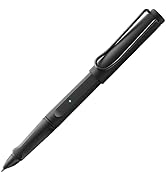


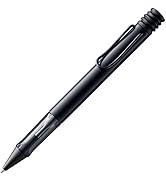


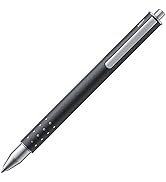


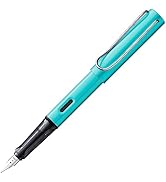
| ASIN | B07ZQK8H1V |
| Amazon Bestseller | #62,976 in Computers ( See Top 100 in Computers ) #405 in Digital Pens |
| Brand | Lamy |
| Color | Black |
| Compatible Device | Smartphone |
| Customer Reviews | 4.3 4.3 out of 5 stars (1,875) |
| Date First Available | November 6, 2019 |
| Included Components | PC/EL Replacement Tip 0.35mm, Tweezers, Instruction Manual x 2 |
| Ink Color | Black |
| Line Size | 0_3mm |
| Material Type | Plastic |
| Model Number | PC/EL tip black |
| Number of Items | 1 |
| Point Type | Fine |
| Product Dimensions | 21 x 8 x 4 cm; 24 g |
| Size | 1 Count (Pack of 1) |
S**_
通常のLamy AL-starと同じ作りでペン先がEMR対応になっています。持ち手が太くて、付属のスタイラスペンよりも持ちやすく使いやすいです。また、消しゴムに使えるボタンが持ち手のところにあります。 付属のスタイラスペンが細いという人にはお勧めです。
ひ**い
Sペンの代わりに利用すること可能です GalaxyS24Ultraで確認 付属のSペンを抜くか、設定から他のSペンを有効にする必要があります(電池持ちに影響すると表示されます) ペン側のボタンも、ホバーも機能します 付属のペンは細すぎるので、こちらのLAMYの方がグリップしやすく書きやすいです 買って3年経って、スペアのペン先は消費しました 折れるときは急に折れるので注意が必要です 折れても書けはしますがディスプレイと接触するとプラスチックで擦る感じになります
V**O
普通のペンの様に使えます。 ポールペン内蔵がよかったかなぁ
夕**丘
galaxy s8をイラスト目的で購入しましたが、Sペンが細くて使いずらいためおすすめであがっていたこちらを購入しました。このブランドの文房具は使ったことがないので再現などはわかりませんが、ペンタブを使ってイラストを描いている人間からすると、持ち手が太く描きやすかったです。 でもペン先の摩耗がはやいきがします(フィルムがペーパーライクなのもあるとは思いますが)。 ペン先はAエクなどで売ってますのでそちらで購入されるとコスト抑えられるので配送日数など気にされない方は参考に。
I**U
It is very easy and good to use.
So much recommended Just like a nomal pen Very comfortable and easy to use
S**Y
全体的にチープな作り 特にポケットに欠ける部分の塗装は剥げると銅色の本体が見え、扱いには注意が必要 ラミー自体キャップポストしない前提なので、ポストすると固定できずすぐ取れてしまう キャップが干渉した部分も塗装が剥げるため、基本的にキャップは付けないで使うほうが良いです
に**ん
booxnoteair2に使用しています。 純正のペンより書き心地はいいです。 純正のでは消しゴム機能がありませんので重宝しております。 以前booxnova3に使用していた時は消しゴムのボタンを押して一回画面からペン先が離れたら、続けて使用できませんでしたが、なぜかbooxnoteair2に変えてからは普通にペン先が離れた後でも問題なく続けて消しゴム機能が使えています。 1つ難点をあげるとするならば、キャップの置き場所に困るということくらいです。 ペン先は交換した方がいいのかなとも思いますが、全体的には満足しています。
公**名
Galaxy tab s9 FE+で使っていますが問題なく使えます。 WACOM ONEやGalaxyのSpenと比べて安っぽさが無く、グリップの形状が握りやすいものになっていて気に入っています。 サイドボタンについて押しにくいとの声がありますが個人的にはちょうど親指の腹の辺りに来るように持つ事で誤作動も無くかなり扱い易く感じます。 ただ個人的にキャップは不要かな。 後ろに付けても重心が下がって絶妙に持ちづらいので外して持ち歩いています。 なんだか物寂しい見た目になるけど。 あと付属の芯がかなり柔らかい書き心地で摩擦もそれなりにあり気に入っているのですが、純正の替え芯はないんでしょうかね? というか素材は何なんだろう? 近い描き心地のものをさがしてみます。
M**W
I was a bit frustrated with the pen that comes with the Onyx Boox Note Air. The software is great, but the pen was a bit slippery and it's magnets were too weak so it often fell off the side of the tablet, ultimately getting damaged. The Lamy seemed like a good alternative, and it is. Pros: - Better nibs: the Lamy has a better feel on the glass screen of the Note Air. It feels like a felt-pen rather than a slippery piece of plastic. That makes writing easier. - Better sensitivity: the Lamy can register very light strokes as very thin lines, and heavy strokes much thicker. The standard Note Air stylus has maybe half the sensitivity range in practice. - Erase button: the button on the Lamy is well positioned (if a little hard to find) and works perfectly as an eraser, making the Note Air's note taking software even smoother to operate. - High Quality: the aluminium body of the Lamy is light (I initially thought it was plastic) and strong, and the lid protects the pen when you're not using it. The pocket clip is also very strong. - Comfortable: the thickness of the Lamy body and the sculpted shape of the nib area of the pen is all nice and comfortable in use. Cons: - Storage: without magnets, and very chunky, the Lamy has no natural storage place on the Note Air or its case. Fortunately, the clip is strong enough to clip the Lamy to your bag or shirt or whatever, just like a normal pen. - Price: I think the Lamy is decent value, but it's more than $0 extra, which is what the standard pen costs you. Having said that, I think the Lamy is a decent investment for its usability across multiple platforms, including Chromebooks, Samsung phones and tablets, other e-notes, and WACOM pads. Conclusion: If you have a Note Air and you use the pen at all for note taking or sketching, this is worth buying: it will certainly improve your experience of the Note Air.
T**8
This was an investment, as it's expensive for a tablet stylus. However, from experience I think it's worth every penny. Two reasons: a) It's by far the best stylus I've used with my re:Markable2 tablet. It actually feels like using a pen on paper, and you can write at normal handwriting speed with it, unlike the many cheap £10-£15 stylii out there. This alone makes it worth it, as it actually makes writing on the re:Markable a pleasure. b) It's WAY more comfortable to hold inthe hand than the thin "stick" stylii that fill the chap end of the market. Not a big deal for a few scribbles, but using those things gets tiresome if you're writing out a brain dump over many pages. Infact it's like writing with a decent rollerball pen, such as the ArtLine's, which are particularly pleasurable to write with. If I had one minor criticism, it's that the clip is a bit too big to fit on the side of the folio case I have for my re:Markable. However, that's a personal preference as I travel a lot, and if I used it only at home, or I had a case with a place to clip it to, it's not a big deal, and can be remedied by buying a case that has this (I bought my case before buying the stylus). On the bonus side, it also comes with two replacement nibs, which is even better as I chose this because I'd already read that the nibs are long lasting. Summary: Expensive, but worth it. If you have a re:Markable2, you'll enjoy using this stylus with it.
P**A
Buon prodotto, fa il lavoro per il quale l'ho acquistata per sostituire penna del Surface vecchio modello. Soddisfatta!!
P**D
J'ai choisi ce stylo au lieu de ceux proposés par reMarkable et suite à mon expérience mitigée avec le Staedtler Noris Jumbo pourtant équipé d'une gomme. Avec le Lamy j'ai vraiment l'impression d'écrire avec un feutre sur du papier ! La pointe fournie est extrêmement précise au point de permettre la reprise d'un trait exactement où on l'a interrompu, cela sans trace de reprise ; un exploit avec de l'encre électronique ! Et le fait qu'il ait un capuchon de protection compense l'absence de gomme. Astuce pour gommer beaucoup plus précisément qu'avec l'outil gomme standard : choisissez dans le menu un mode stylo puis sélectionnez la couleur de trait blanche. Vous pourrez ainsi effacer vos tracés avec la finesse d'un trait de stylo, ce qui est pour le moment impossible avec l'outil gomme ! Et certains ont trouvé le moyen de hacker l'OS pour utiliser le bouton du stylo et l'affecter à un second stylo ce qui laisse entrevoir l'idée...
C**G
Vorab: Der beste Eingabestift, den ich bisher kennengelernt habe. Allerdings habe ich noch nicht sehr viele kennengelernt. Und das Wichgtigste für mich (und vielleicht andere Interessierte): Der Lamy funktioniert hervorragend auf dem EBookreader ONYX BOOX NOTE 2 in 10,3"! Etwas länger: Ich besitze seit kurzer Zeit das Note 2 von Onyx (Ereader mit Eink, 10.3 Zoll) und wollte damit anfangs nur lesen. Vor allem PDFs, und dafür eignet sich ein großer Reader sehr gut. Nicht so wichtig war für mich am Beginn die Möglichkeit auch Notizen (handschriftlich, Skizzen, Anmerkungen, etc.) damit zu tätigen. Beigefügt ist dem Note 2 dafür ein recht billig wirkender Stylus. In kürzester Zeit habe ich jedoch diese Funktionalität zu schätzen gelernt. Es stellte sich damit aber die Frage nach einem möglichen Ersatz für einen eventuell verlorenen Stift und vor allem der sich doch irgendwann abnutzenden Spitzen. Der Originale Stylus ohne Ersatzspitzen kostet bei ONYX BOOX 40€. Ohne Versand. 3 einfache Ersatzspitzen 10€ oder mehr ohne Versand. Der Lamy mit 2 Ersatzspitzen zum Kaufzeitpunkt inklusive Versand 30€. Nach längerer Recherche ob der KOMPATIBILITÄT (Informationen finden sich nirgendwo dafür auf der Herstellerseite von ONYX) schien der LAMY ein sehr guter, wertiger und vor allem im Vergleich dazu "billiger" Ersatz zu sein. Gekauft - probiert - perfekt! 3 Spitzen, viel bessere Materialqualität, besserere Haptik, günstiger. Preis-Leistung: Obwohl nur 3 Sterne, ist der Lamy wohl einer jener Produkte, die ein im Vergleich sehr gutes Preis-Leistungs-Verhältnis aufweisen. 3 Sterne deshalb, da offensichtlich ALLE Eingabestifte mit Wacom-Technologie heillos überteuert sind. Viel ist ja nicht drin, in so einem Stift. Aber das ist eher eine begründbare Vermutung und weniger knallhartes Wissen. Ein Großteil des Stiftes ist jedenfalls leer. Lediglich im Kopfbereich findet sich etwas Technisches. Aber: Der Lamy besteht aus solidem Material (Alu eloxiert, Kundsstoff) und steht offensichtlich den vergleichbaren Füllermodellen in nichts nach. Programmierbare Taste: Ehrlich? Ich habe keine Ahnung, wo ich die Einstellung dafür auf meinem EReader finden soll. Das ist ja wohl auch eher eine Frage der Software in Kombination mit der Wacom-Technik und nicht der von Lamy. Also keine programmierbare Taste für das Note 2. Aber: funktioniert als RADIERER und das reicht. Drucksensor: Funtkioniert auch auf dem NOTE 2 so gut wie der originale Stylus. Passt. Eine Neigungserkennung ist in beiden Fällen nicht gegeben. Liegt wohl an der Software des Note 2. Aufbewahrung der Ersatzspitzen: Ich weiß gar nicht, warum dieses "Feature" nirgendwo erwähnt wird. Die Ersatzspitzen kann man einfach an Stelle der Tintenpatrone im Füller selbst verwahren. Perfekt! Da gehen die nie verloren, was sonst sicher vorprogrammiert ist, bei deren Größe... Kompatibilität mit den Spitzen von ONYX BOOX Note 2: Ein kleines Detail am Rande - die Spitze vom Stylus von Onyx passt mehr oder weniger gut in den Lamy. Perfekte Länge, lediglich der Sitz ist nicht ganz so fest. Man kann die Spitze recht leicht rausziehen, sitzt aber ansonsten gut und ich verwende erstmal diese bis zur Abnutztung und dann jene des Lamy. Begründung: Die Spitzen des Lamy sind etwas härter ausgeführt. Damit ist das SCHREIBGEFÜHL auf dem Onyx (mit Screenprotector in Kunststoff) etwas rutschiger. Der Note2-Stift vermittelt ein etwas besseres Schreibgefühl. - Würde ich den Lamy empfehlen für den Einsatz auf einem EReader von ONYX? Ja. - Ist der Lamy besser als der originale Stylus von Onyx? Ja. - Ist das Schreibgefühl besser als mit dem Stylus von Onyx? Ja. Wegen der besseren Geometrie. Lediglich bei der Härte der Spitze bin ich mir noch etwas unsicher. Allerdings schreibe ich bis dato am Screenprotector und nicht am Mattglas selbst.
Trustpilot
3 days ago
1 day ago