
DOWNLOAD THE APP


Customer Services
Copyright © 2025 Desertcart Holdings Limited
DOWNLOAD THE APP

💼 Upgrade your laptop’s storage game—because one drive is never enough!
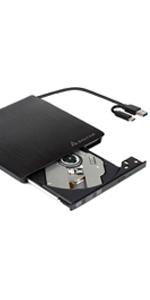
The Salcar 2nd HDD/SSD SATA 3.0 Hard Drive Enclosure Caddy allows professional users to effortlessly add a second 2.5-inch SATA hard drive or SSD into a laptop’s 12.7mm DVD drive bay. Featuring a durable aluminium frame, SATA III interface for fast data transfer, and an included screwdriver for easy installation, this caddy offers a sleek, cost-effective way to expand storage without compromising laptop aesthetics or performance.




| ASIN | B0064WEFG8 |
| Compatible devices | Laptop |
| Connectivity technology | sata |
| Global Trade Identification Number | 04260216387715 |
| Guaranteed software updates until | unknown |
| Hard disk form factor | 2.5 Inches |
| Item model number | 6121 |
| Manufacturer | Salcar |
| Max number of supported devices | 1 |
| Package Dimensions | 13.72 x 13.46 x 2.54 cm; 60 g |
J**T
Very Cheap and Practical Solution
I had 2 woes with this product: My laptops DVD drive has an overhang at the back which allowed it to be screwed into the frame, to stop it from being pulled out, and 2) the front plate on my laptop was curved, the front plate on this is flat. Thankfully both of these issues have been avoided. The bracket and front plate from my original DVD drive and this caddy could be easily removed, and some extra screw holes on the back meant the bracket could be detached from the old and put onto the new without issue. I imagine this is due to standardisation - but I was releived to find this out anyway. This meant that not only does this product work as advertised, it's also been a seamless transition and I've been able to plug my old laptop SSD into my new Laptop, rather than fork out on an M2 drive which was my only other option to expand my storage. I also really appreciate that there is a screwdriver that comes with the product, and not only does is it designed for the HDD, but it fits into the caddy itself, so you can always keep the tool with the product - very handy! All in all this was a fairly successful venture - it does require some knowhow and some delicate handling if you are changing the faceplate and attaching brackets, but worthwhile nevertheless!
1**N
Where to put a 2nd hard drive in a Laptop?
On my laptop one of the most underused items is the DVD drive. So, when I realised that my photo images were impacting on the 'C' drive by their shear number and size, I decided to install a second hard drive. I chose to use a caddy to replace the DVD drive. The caddy took a 2½" SATA hard drive perfectly and slotted into the DVD drive's housing as if it were original equipment. The 2nd hard drive was picked up by the OS and I was set. It was that easy! Regards, 1anson
A**R
OK
Works as expected, BUT it didn't properly fit into my CD slot. I had to push it harder to go inside the laptop and it broke some small plastic inside the slot. Nevertheless, it wasn't an important one and everything works properly. Laptop is Asus K55VJ
W**L
It fits and it works
Added a 2nd drive to up storage space in my old laptop. Took the front cover off the old CD drive and fitted it to the caddy so it sits perfectly flush with the laptop's casing.
P**.
Push, Slide, Click...
Simple to use and replace OD (CD/DVD) with an HD (or SSD). Just clip drive in and slot in to replace OD.. So easy!
A**N
Perfect. Works just as it should and allows me ...
Perfect. Works just as it should and allows me to easily insert an extra HDD in my laptop if required.
A**R
Five Stars
very good
V**N
Exactly what I needed
Good product!
S**.
Ich habe den Festplattenrahmen für ein HP 625 Notebook gekauft, da der Festplattenplatz der SSD zu knapp wurde und mir noch eine SATA -Festplatte zur Verfügung stand. In der Verpackung waren keine Gummis, wie von anderen Käufern beschrieben. Aber dafür sind im Rahmen 2 Schrauben zur Befestigung der Festplatte angebracht. Cool, Festplatte einstecken, die vormontierten Schrauben mit dem beiliegenden Schraubenzieher anziehen und so ist die Festplatte sicher befestigt. Gummis braucht man da nicht mehr. Anschließend das DVD-Laufwerk ausbauen und den Festplattenrahmen einbauen. Der Rahmen passte genau und ließ sich mit dem Befestigungsnippel, welcher sich auch ohne Probleme am Festplattenrahmen befestigen ließ, des DVD-Laufwerk im Notebook befestigen. Es ist auch der oft vermisste Schalter eingebaut, den man wohl bei Shutdownproblemen einiger Hersteller umlegen muss. Den habe ich aber nicht betätigen müssen. Auch eine LED ist eingebaut, die grün leuchtet, wenn die Festplatte betriebsbereit ist und verändert sich bei Datenübertragung (flackern, blinken). Dies ist auch durch die original Blende des DVD-Laufwerks zu sehen, welche sich auch ohne Probleme am Rahmen befestigen lies. Die original Blende passt genau und steht auch nicht vor. Top. Hier hat der Herstellers reagiert und auf die Kundenrezessionen reagiert. Die Verarbeitung ist für diesen Preis O.K. Der Einbau war auch ohne eine Einbaueinleitung nicht schwer. Was soll ich noch sagen, die Festplatte wird unter Linux, hier ein Ubuntu 14.04 LTS, und unter dem Zweitbetriebssystem Windows 10 plug'n play erkannt. Eine Treiberinstallation für Windows war nicht notwendig. Eine Verlangsamung des Bootvorgangs von der SSD konnte ich nicht beobachten. Es ist mir auch gelungen, ein Ubuntu Betriebssystem auf der im Festplattenrahmen eingebauten SATA-Festplatte zu installieren und zu booten. Ob das auch unter Windows funktioniert kann ich nicht sagen. Jetzt muss sie nur noch lange genug funktionieren. Von mir eine Kaufempfehlung.
W**N
Have had 0 issues
B**A
Avevo la necessità di aggiungere un secondo disco nel mio pc fisso Dell Optiplex 7010 SFF, lo spazio è veramente poco e quindi l' unica soluzione più semplice che avevo trovato, era appunto quella di sostituire il lettore dvd con uno di questi Caddy. Non essendo sicuro della corretta compatibilità, ho contattato il venditore, che però mi aveva sconsigliato l' acquisto, in quanto non sarebbe stato possibile utilizzarlo. Dopo aver chiesto un parere, mi sono comunque deciso ad acquistarlo visto il prezzo basso e la mia quasi convinzione che poteva funzionare, l' unico dubbio era l' alimentazione ( sata slim ). Una volta arrivato, ho provato a montare un disco meccanico da 2,5 in attesa di acquistare un ssd, e magicamente, ha funzionato tutto perfettamente, adesso infatti ho due dischi interni, in uno spazio molto ristretto. Attenzione : Non è compatibile ovviamente con tutti i pc fissi, il mio è un caso a parte, visto che il lettore dvd aveva la stessa forma ed alimentazione dei pc portatili, se pensate di acquistarlo avendo un prodotto simile, allora dovrebbe funzionare, altrimenti non ve lo consiglio. Arriviamo al prodotto, è leggerino ma sufficientemente robusto, include un comodo cacciavite che serve per bloccare il disco in posizione, e poi lo si inserisce nuovamente nel suo alloggiamento per evitare che il disco possa avere movimenti strani. Al suo interno, vicino al connettore sata, è presente un piccolo switch, nel mio caso non ho dovuto spostarlo, ma per problemi, prima di dare colpa al supporto, provate a cambiare posizione. Nel complesso per il prezzo lo reputo un ottimo prodotto, permette di montare un secondo disco nei pc portatili, ma anche ( in qualche caso raro ) nei pc fissi. Ripeto nuovamente che NON è compatibile con TUTTI i pc fissi, prima di acquistarlo controllate bene
F**R
Lo recibí en un día. El material me parece correcto teniendo en cuenta el precio. Lo he utilizado para sustituir el lector de DVD de un portátil ASUS A52J y colocar en su lugar el disco duro que traía el portátil. El montaje fue rápido y se reconoció el disco a la primera, solicitándome el sistema operativo el reinicio del equipo. El producto viene con un pequeño destornillador que además sirve para hacer tope con el disco duro una vez insertado en el hueco. también trae dos tornillos laterales de sujeción para dicho destornillador. A la hora del montaje hay que tener en cuenta que debemos reutilizar la pieza metálica de enganche por tornillo situada en la parte trasera del DVD pero que encaja bien. Además, en mi caso cambie, sin problemas, el embellecedor que trae de la vista externa por el del DVD, porque este tiene una forma más curvilínea adaptada al acabado del portátil.
B**M
Support caddy très bien conçu, dont les matériaux et le design inspire confiance (tournevis fourni, clippé dans le caddy). Installation du SSD dans le logement et sécurisation hyper facile avec les 4 vis internes. L'installation du caddy à la place du graveur de DVD (12,7mm) n'a pas été très difficile, juste quelque vis et caches plastiques à démonter, mais cela dépend bien sûr du portable... Le remplacement du disque dur nécessitant un démontage plus poussé, avec détachement de nappes/cable, c'est une des raisons qui explique mon choix d'utiliser la baie DVD avec un adaptateur caddy. Esthétiquement le rendu est plutôt correct avec la façade droite fournie, avec un léger retrait (1/2 cm) par rapport au lecteur du DVD qui avait une forme légèrement biaisée. Le plus long a été le clonage du HDD, une installation directe de W10 sur SSD doit être beaucoup plus rapide. Je n'ai pas eu de soucis de mise en veille/extinction, je n'ai donc pas touché au switch interne. En ce qui concerne la performance du caddy lui-même, l'ordinateur étant matériellement SATA II, pas moyen de vérifier s'il peut fonctionner en SATA III. Mon SSD Lexar installé dans ce caddy atteint quasiment les vitesses maximales théoriques du SATA II (274 Mo/s en lecture; 256 Mo/s en écriture), c'est donc près de 5x plus rapide que mon disque dur mécanique d'origine (conservé pour stockage/back up)! Mon "vieux" HP ProBook 4710s (déjà passé sur W10 après upgrade à 4Go) a encore gagné quelques secondes au démarrage, et plusieurs minutes pour les mises à jour / installations. Très bon choix donc, pour un prix très raisonnable et justifié en neuf (imbattable en offre reconditionnée à 7€).
Trustpilot
2 weeks ago
2 weeks ago