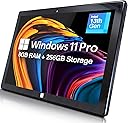
🚀 Elevate your mobile workspace with power, style, and speed!
The Fusion5 10.1" FWIN232 PRO N5 is an ultra-slim Windows 11 tablet featuring a powerful Intel Alder Lake N100 Quad-Core CPU clocked at 3.4GHz, 8GB LPDDR5 RAM, and a speedy 256GB SSD. Its vibrant 10.1-inch Full HD IPS touchscreen delivers crisp visuals with 500 nits brightness, while versatile connectivity options including Micro HDMI, USB-C, and expandable storage up to 512GB keep you connected and productive. Lightweight at 636 grams and equipped with 5G WiFi and Bluetooth, it’s designed for professionals seeking a sleek, high-performance device that seamlessly blends work and creativity on the move.


| Age Range Description | Adult |
| Asin | B0DSWJL6K5 |
| Aspect Ratio | 16:10 |
| Battery Average Life | 5 hours |
| Battery Capacity | 6000 milliamp_hours |
| Battery Cell Type | Lithium Polymer |
| Battery Power | 6000 milliamp_hours |
| Best Sellers Rank | #123,509 in Electronics (See Top 100 in Electronics) #1,782 in Computer Tablets |
| Brand | Fusion5 |
| Camera Description | Front |
| Cellular Technology | 5G |
| Color | Windows 11 Professional |
| Compatible Devices | Keyboards, Mice, Speakers, Headphones, Touch Screen Keyboards |
| Compatible Flash Memory Type | microSD |
| Connectivity Technology | Bluetooth |
| Cpu Model Number | N100 |
| Cpu Model Speed Maximum | 3.4 GHz |
| Customer Reviews | 4.1 4.1 out of 5 stars (53) 4.1 out of 5 stars |
| Display Refresh Rate In Hertz | 60 |
| Display Resolution Maximum | 1920x1200 pixels |
| Display Type | LCD |
| Flash Memory Supported Size Maximum | 256 GB |
| Generation | 1st Generation |
| Graphics Coprocessor | Intel UHD Graphics or Intel Iris Xe Graphics |
| Graphics Description | Integrated |
| Hardware Interface | 802.11 ac/b/g/n |
| Headphones Jack | 3.5 mm |
| Human Interface Input | Touchscreen |
| Included Components | Charger, Manual |
| Item Dimensions L X W X Thickness | 10"L x 6.7"W x 0.43"Th |
| Item Weight | 636 g |
| Lithium Battery Energy Content | 18.5 watt-hours |
| Manufacturer | Fusion5 |
| Memory Slots Available | 1 |
| Memory Storage Capacity | 256 GB |
| Model Name | 232 Pro N5 |
| Model Number | FWIN232 PRO N5 |
| Model Year | 2025 |
| Native Resolution | 1920 x 1200 pixels |
| Number Of Items | 1 |
| Operating System | Windows 11 Professional |
| Operating System Family | Windows |
| Other Special Features Of The Product | Lightweight |
| Photo Sensor Resolution | 2 mp |
| Processor Brand | Intel |
| Processor Description | Intel Alder Lake 13th Gen N100 |
| Processor Speed | 3.4 GHz |
| Ram Memory Installed | 8 GB |
| Ram Size | 8 GB |
| Screen Size | 10.1 inches |
| Set Name | Fusion5 232 Pro N5 |
| Speaker Description | Built-in speakers |
| Specific Uses For Product | [INFERS] Potential specific uses: work, multimedia consumption, creative activities |
| Style Name | 8GB 256GB Win 11 PRO |
| Supported Audio Format | MP3, WAV, AAC, FLAC |
| Total Usb Ports | 2 |
| Video Capture Resolution | HD 720p |
| Video Processor | Intel |
| Warranty Description | 12 Month |
| Warranty Type | Full |
| Wireless Compability | 802.11ac |
| Wireless Technology | Bluetooth, Wi-Fi |
User
An impressive Windows 11 tablet with one BIG caveat
I bought 3 of these tablets a little over a year ago for my company because I needed a smaller touchscreen device that used Windows (not Android or Fire) and didn't cost a fortune. At the time, this was the best Windows tablet that Fusion5 offered.With only 8GB of memory, it will run Windows programs as long as you don't have more than a couple running simultaneously, or have a browser with more than a dozen active tabs. The 256GB SSD drive is large enough for most needs, with Windows 11 taking up about 60-80GB of that space.The big (really big!) problem with this tablet is that the Intel N100 CPU, its chipset and the power supply circuit generate A LOT of heat when you're doing anything more intensive than browsing or data entry. The temperature rises, and at 60-70°C the CPU throttles back its speed from 2.0-3.0GHz to as low as 0.4GHz to compensate. The back of the tablet near the ports and power supply connection get too hot to the touch. You could probably fry an egg on it. Intensive tasks such as monthly Windows Updates or virus scans can take 5-10x longer than what you're used to on a laptop or desktop. And wrapping it in a protective sleeve or popup stand only makes things worse.Fortunately, a couple of days ago I discovered this product:ACEDAYS iPad Cooler,Magnetic Tablet Coolerhttps://www.amazon.com/dp/B0C7PC3155a USB powered, semiconductor chiller + fan that keeps the CPU temps low enough to allow it to run at full speed, and at 20-50% utilization instead of a constant 95-100% utilization. It comes with an adhesive-backed metal plate that sticks to the back of the tablet (I chose the upper corner nearest the ports), and the fan assembly sticks magnetically to the plate so it doesn't move around.The cooler comes with a USB-A to USB-C cable, but since the cooler requires at least 20W, you can't just plug it in to the USB-A port on the tablet. I used a 65W USB-C laptop charger, and in a room with an ambient temp of 85°, the cooler displayed 10°C (50°F) after running for a few minutes. I'm sure a 25W phone charger would be enough to power this.So to summarize, this tablet is pretty useless UNLESS you can cool it down with this or similar chillers (not just a fan) attached to its back. Properly cooled, it runs as well as any 13th Gen Intel CPU with 8GB memory.
User
Somewhat satisfied - enjoying it the more I am using it.
I am somewhat satisfied with the purchase of the:Fusion5 FWIN232PLUSN5Intel(R)N100 - 800 MHz (8GB RAM)Memory: 256gb SSD - M.2.SATAMicrosoft Windows 11 Pro is installed - I paid a little extra for 11 pro.System type: 64-bit operating system, x64-based processorPen and Touch: Pen and touch support with 10 touch pointsOVERALL: For the price point and feature set it is a good little device.PROS:The more I use the Window Tablet the more I like it. While not super speedy, it does the job when we are out running errands and allows me to continue working without a significant loss of productivity. I have not installed Citrix and some of the work apps on it yet I wanted to ensure that it would suit my needs prior to installing those type of apps. I have also not tried it with my USB-C dock to verify that it works as my work laptop is normally docked.You cannot expand the RAM as it is soldered in, but the memory is expandable by using an SD card up to 512gb. It also looks like you can add memory by replacing the M.2SATA SSD drive if you choose.It works for casual web surfing, and allows me to use Microsoft O365 apps and a PDF editor. I can also watch Netflix and YouTube if I choose. For a causal user it is going to be a solid little system out of the gate.CONS (for me at least):My primary complaint relates to the use of a stylus with the device. On a tablet size device, it is one of my preferred methods to interact with the device. I also like to take notes and sign documents with my tablet.The device is listed as having a touchscreen, and Windows 11 Pro, I made an incorrect assumption that the device would work with the Microsoft Pen Protocol. That is on me for not being thorough enough in my research, but it has decreased my enjoyment of the device and simultaneously decreased it utility for me. I have tried:--> Wacom Baraboo Ink with the Wacom AES pen protocol--> Metapen with the Microsoft Pen Protocol neither have worked with the device.--> Finally, I hooked a XP-Pen drawing table to it which worked but gives you a second device to lug and defeats one of the primary reason to get a smaller more portable device.I reached out to customer service who was timely with their response, but did not fully answer the question. They said that they do not test third-party accessories with their devices so they cannot recommend a stylus.I wrote back a second time, thinking my question was not clear enough and asked them what pen protocol the device supports. I got the same answer as above, but this time the agent also said that they do not support any protocol. I will probably try a USI Pen Protocol device for kicks and see if it works, but that is the biggest disappointment for me.
User
Unexpectedly AWESOME tablet!!!
Perfect for my needs. I mainly used it for Excel with several macros and VBS rules I made for the spreadsheet. It runs Excel very well. Start up a tad slow but no big issue. I wish it offers a protective case that actually fits. The one I purchased stated for Fusion 5 but it is loose on the sides. Set up was easy. I was up and running within 8 minutes with the updates for Windows 11. Charging it is quick. Battery life is good. I am happy with this purchase.
User
Excellent tablet, excellent value!
This tablet is so much easier than dragging a laptop around. It does everything a laptop computer can do and more. I love that it has expandable memory. My photos and videos take up a ridiculous amount of space and this lil tablet can handle it. I needed something that had the correct specifications to run my cricket cutting machine and that’s not as easy as you would think. This is easily the best bang a for your buck. Brilliant!
User
No support and defective tablet arrived! Updated
Tablet arrived in an open box, visibly used not new. Once powered, it did not want to load up operating system and touch screen did not work.Amazon will not do replacement just returns for this item. Customer service lied about putting return on gift card immediately, the. after item ship. Now its when they receive it, then 4-5 days later.no support, open box, non working tablet!!!Update:I ordered a second unit for my wife as I liked the specs. Unit arrived exactly the same as the first unit, open box (box of the unit wasn’t sealed, everything is packed but nothing was sealed, anyone at the depot can replace it with whatever they want), and it wouldn’t load up the operating system, wanted to go to recovery mode.After multiple powers up and down, cleaning the USB port(piece of plastic/paper was stuck inside), unit loaded up and setup started.I got to say, my Lenovo tablet that is 4 years old works faster than this one. In 40 min of me trying to go through setup, it rebooted 3 times (updates), and now we are back to operating system not loading up, asking to go to recovery mode, which you can’t even start as touchscreen won’t work without operating system loading.This tablet is horrible. I am sending it back.Second Update:It will take 20 days for a refund. not 7 days as they state, but 20.If I can give it negative reviews, I would. I have never had such a bad experience with Amazon, and I bought 10’s of thousands of dollars from them.
User
Nice little tablet
Overall, a nice little tablet. Best replacement I could find to replace my old hp 10" tablet that finally died. Battery tends to run a bit hot. Of note, I was able to plug a USB-ethernet adapter into it & have it use hard line. Was able to plug in an external bluray drive & watch movies. Have had it since the end of Aug 25, so far working ok. Had an initial major issue, but I think the problem was an incompatibility between a major anti-virus program & Microsoft update. Was able to restore and after removing anti-virus program, works fine. Would have liked more storage capability on MicroSD, but hey... Price is right!
User
Windows based iPad Pro
My old MS Surface can’t upgrade to Windows 11, and compact size is important me. The smaller & lighter, the better. This little gem has a great, bright screen, and plenty of power and memory to download/upload databases and run MS Office 365. It is basically a Windows 11-based Pro iPad. I did buy the keyboard, which makes it a bit thicker. The AC adapter is okay, but you and also charge it with a stronger USB-C.
User
Tablet gets hot
Decent tablet but gets extremely hot on the right side. Product is make with lots of plastic which does not seem distribute the heat well. There is also no bluetooth keyboard or built in stand which can be found in similar competitor products. I ended up returning this for a TVP tablet which was bigger, had better specs, included accessories, and was only about $20 more.
User
Don’t buy this.
Wasting of money, download centre was useless.
Trustpilot
2 months ago
4 days ago