We remain fully operational. Our teams are working around the clock to ensure your deliveries continue safely.

DOWNLOAD THE APP


Customer Services
Copyright © 2025 Desertcart Holdings Limited
DOWNLOAD THE APP


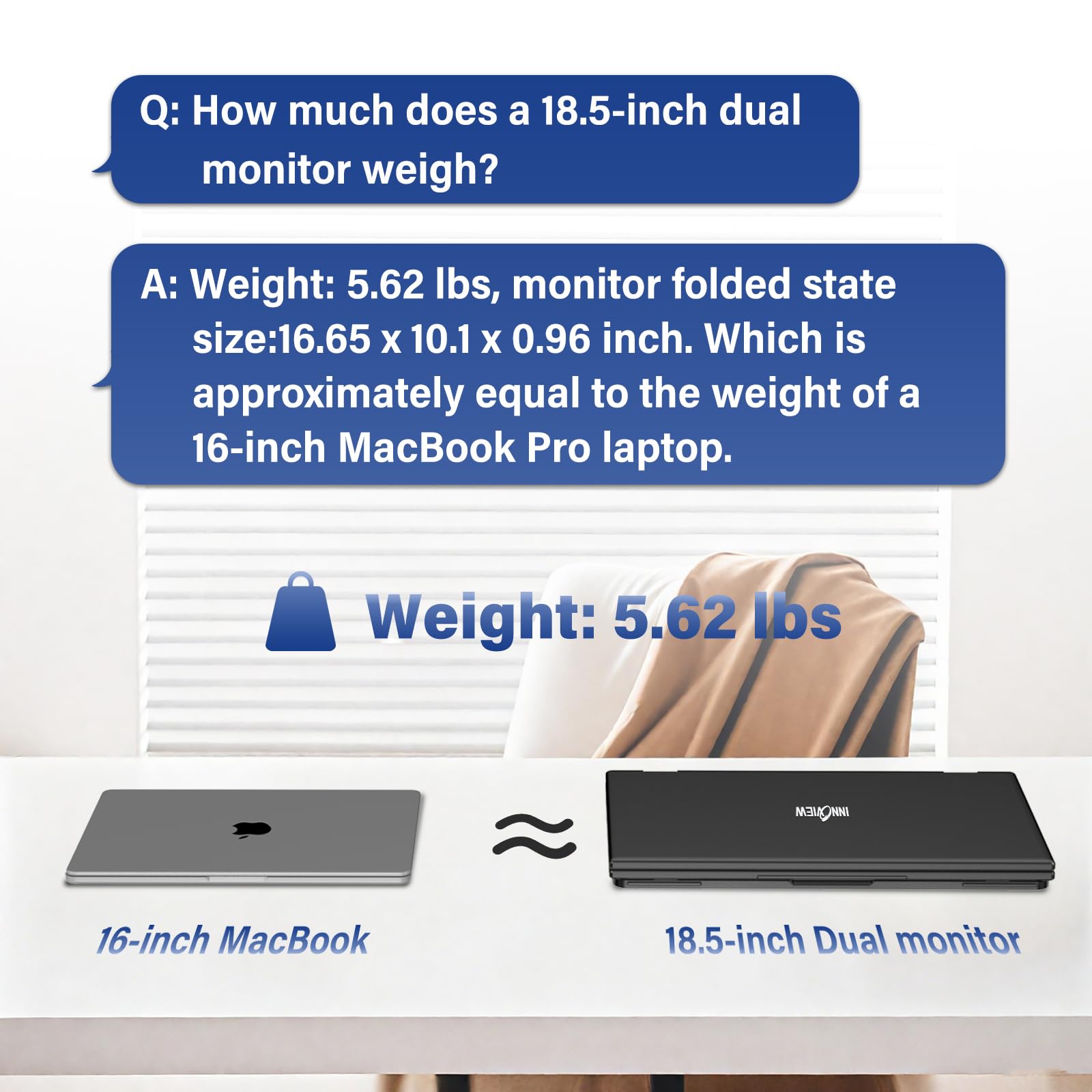
🚀 Double your screen, triple your hustle—work smarter, anywhere!
The InnoView 18.5" Laptop Screen Extender is a portable dual-monitor setup designed for professionals on the move. Featuring Full HD IPS displays with 115% sRGB color accuracy and a smooth 100Hz refresh rate, it connects effortlessly to Windows and Mac systems via Type-C without drivers. Its flexible 180° adjustable stand and auto-rotation capabilities support multiple display modes—expansion, splicing, and duplication—boosting productivity in any workspace. Lightweight yet durable, it includes VESA mount compatibility and comes with an 18-month warranty for peace of mind.


| ASIN | B0DGD72DK5 |
| Are Batteries Included | No |
| Best Sellers Rank | #141,936 in Computers ( See Top 100 in Computers ) #3,233 in Computer Monitors |
| Brand | InnoView |
| Color | Black |
| Customer Reviews | 3.8 3.8 out of 5 stars (88) |
| Date First Available | 27 November 2024 |
| Item Weight | 3.22 Kilograms |
| Item model number | INVPM509-02B |
| Manufacturer | InnoView |
| Number of HDMI Ports | 1 |
| Product Dimensions | 25.65 x 42.29 x 2.44 cm; 3.22 kg |
| Resolution | 1920 x 1080 Pixels |
| Screen Resolution | 1920x1080 |
| Series | INVPM509-02B |
| Standing screen display size | 18.5 Inches |
H**U
Since the pandemic there has been a major shift of office work to partly working from home. This also meant that sometimes I have to take my work somewhere other than my home office. Having this monitor drastically improved my work efficiency. The monitor is very bright and the resolution is very sharp. As advertised it has the ability to splice the screen if you are a programmer to view long pieces of code. The build quality is really solid where one might have concerns. It has a strong built-in kickstand to prop up both monitors. The hinges are not flimsy at all and there is no wobble for the second monitor on top! Since this is an 18.5” monitor it is actually large enough to practically mount it as part of your desktop suite. As you can see from my pictures that the design has included standard VESA holes that you can make this mountable. Overall a very solid product and would highly recommend
B**E
Monitor started off great. All functions worked and could use it as 3 separate screens. Within 3 months the 3 screen function stopped working which was the main feature I was looking forward to using. Support was useless.. told me i was incorrectly using the cables; I was not. I fully detailed how i was connecting it, and asked for next steps then never heard back. 2 months later, now the bottom half of the screen sometimes doesn't turn on at all. Would strongly recommend against this product as support is useless and it was a waste of my money :(
O**E
Excellent dual monitor for the money! It has two USB C ports, one of which is for power supply (included in package), the other for connecting to your computer. Doesn’t matter which port is for which, but you must supply power. So this means a single C port is used for video connection which further means the two panels are treated as a single monitor by default. This last point has ramifications for Mac users (I’m not sure about the other operating systems). My attached photo shows this InnoView dual monitor (each panel 18.5 inches) connected to my MacBook Pro M3 Max in docking mode, together with a LuckyFive 24-inch WQHD monitor. Out of box when connected to a compatible Mac, the InnoView is in “splicing mode,” which means the two panels are used as a single vertical monitor. You can also, of course, use InnoView in mirror mode, where both panels duplicate the main screen, great for one-on-one sales pitches. To use the two panels as separate monitors, on the Mac you’ll need to install a driver that’s supplied from the monitor itself. The instructions are clearly given, although the steps are a little involved if you’re not used to installing drivers on a Mac. Not too bad if you want this “extend mode” (meaning two separate monitors). I didn’t do this. Instead I simply stay in splicing mode but rely on Mac’s windows arranging functions to place windows on the InnoView as I like. Macs remember windows’ positions as long as you don’t update the system and restart, so it’s pretty straightforward. The InnoView panels are each 1080p in resolution, with refresh rates of 60, 75 and 100. The frame is well made and the stand can stop at different angles and support the monitor securely. Image quality is very good for a 1080p monitor. And in splicing mode, the total resolution is 1920x2160. If you trade or code for a living and your desktop space is limited, I highly recommend this InnoView dual monitor. Just make sure your computer supports external displays, especially if you want to use InnoView in extend mode where the two panels display contents independently.
O**L
After we got the driver situation figured out, it is EXCELLENT. Using MacBook 2023 and it is an excellent addition for portability and continued productivity. Should have bought this a long time ago. With the MacBook, we're able to use the USB-C cables and avoid the HDMI which limits screen usage to just a dual monitor system. With the USB-C cable, we can have 3 screens which is what we wanted. We initially installed the power USB-C cable for the monitors into the computer and inadvertently were using the video USB-C cable for power. There is a little tag on one of the cables that tells you "This is for power only." Yeah, we didn't read that and had the cables backwards. That led to having to download the driver from the manufacturer website. Of course it still didn't work after we installed the driver from the manufacturer. Getting frustrated and about to give up, I had the thought to check the USB-C cables and sure enough, they are slightly different thicknesses and foudn the "This is for power supply only." tag. We switched them and with the driver already installed, it worked exactly as expected. (You have to go into Settings and choose the display and configure it like you would any other additional monitor.) Had we plugged in the right cables the first time, I am confident the monitors would have installed on their own without any problems as others indicated has been the case. The screens themselves are sturdy and the picture clarity is great. Stand is sturdy and the hinges hold the top screen without any issues - solid feel. I can run the screens from the laptop without a power supply to them from the laptop by itself but obviously that will drain your battery. It is nice to know it can be done. I haven't tried running the screens from the powered laptop but I'm sure that would work as well. They recommend using the additional power supply. Very happy, would recommend and I will probably buy one for myself at some point, this one was for my spouse.
J**E
ease of use you can literally work as professional everywhere every co-works I met complemented this monitor
Trustpilot
3 weeks ago
1 month ago