


🚀 Elevate your data game with UGREEN NAS — where speed meets limitless storage!
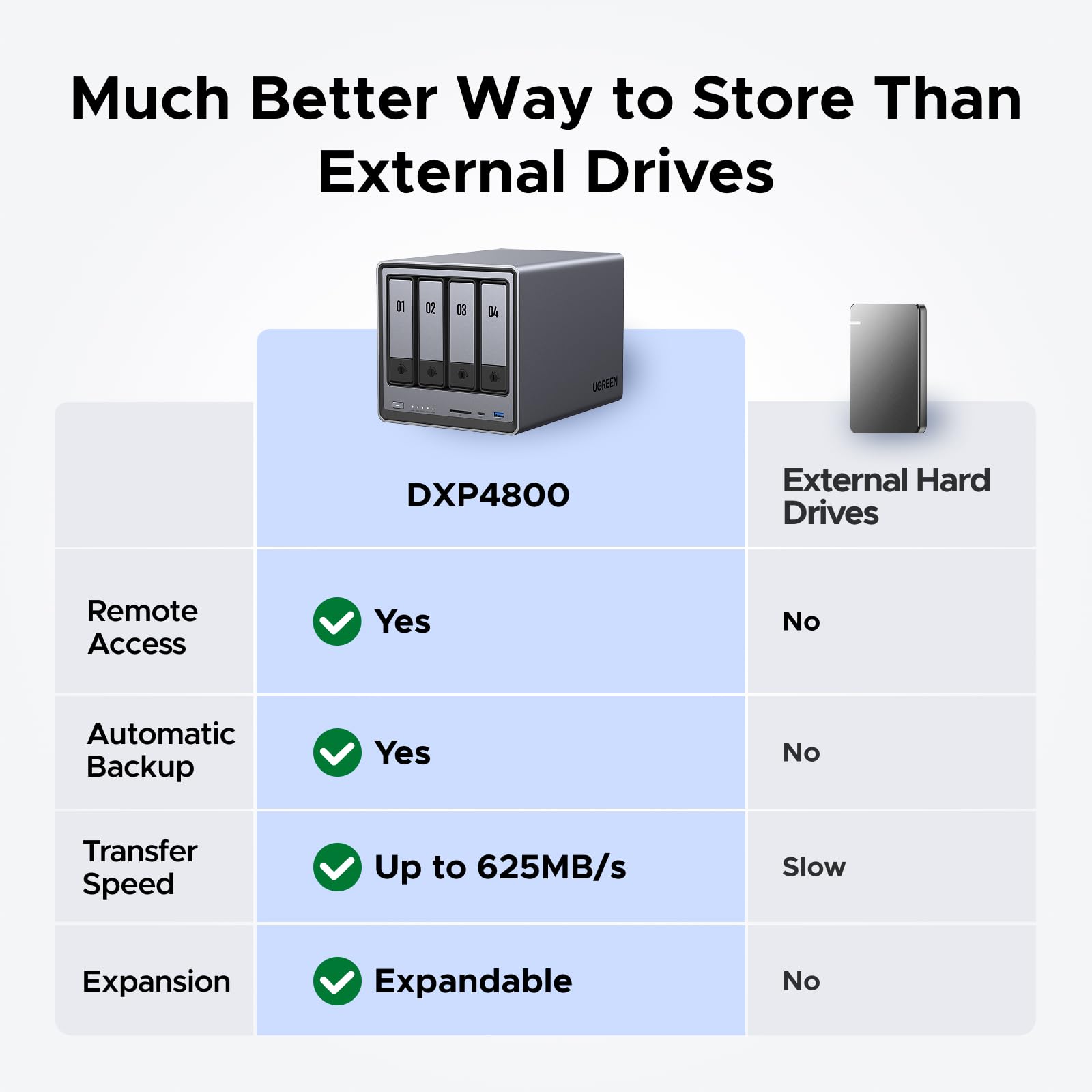
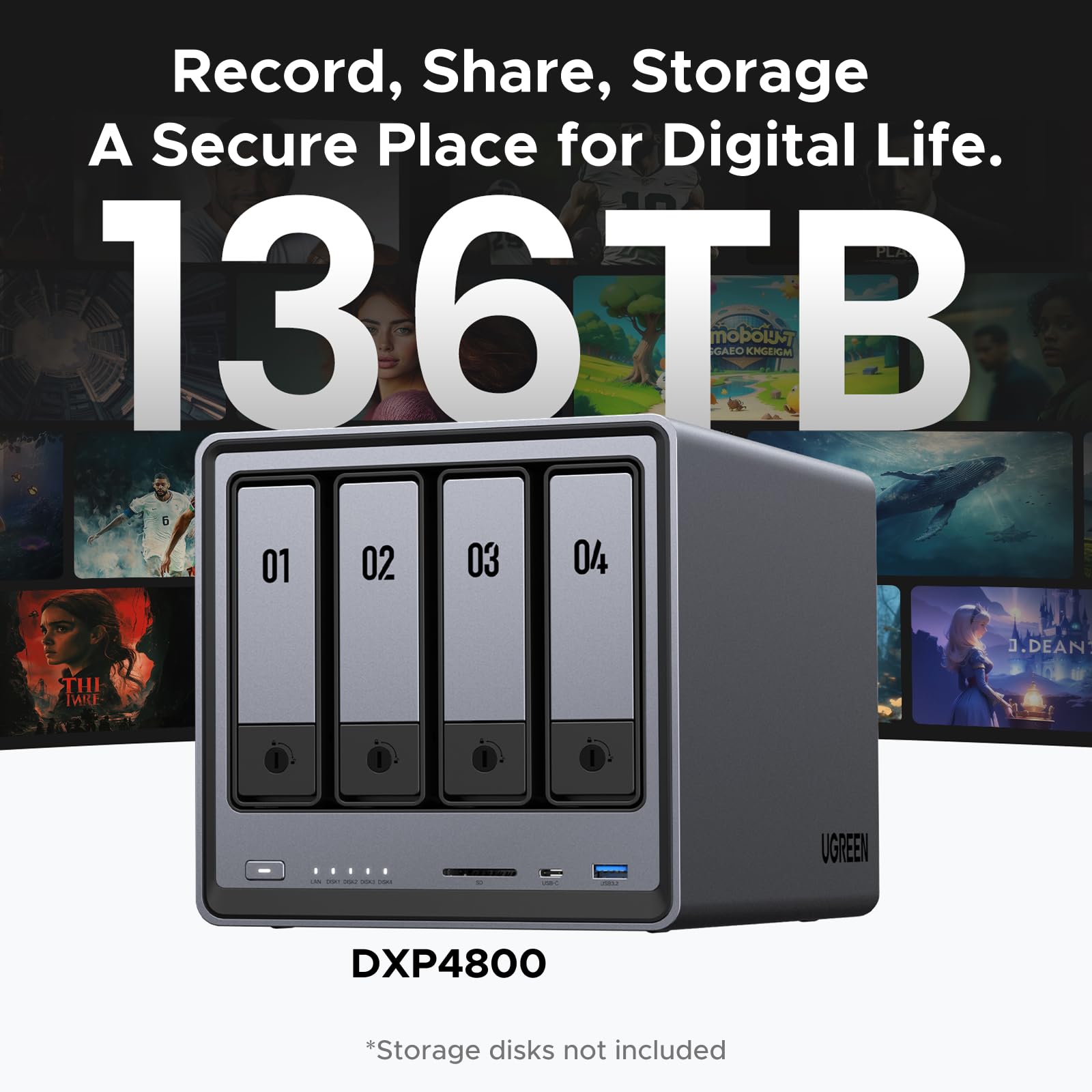
The UGREEN NAS DXP4800 is a robust 4-bay desktop network storage system powered by an Intel N100 Quad-core CPU and 8GB DDR5 RAM. It supports up to 136TB of storage with flexible RAID options, dual 2.5GbE Ethernet ports for ultra-fast data transfers, and dual M.2 NVMe slots for cache acceleration. Featuring a durable aluminum unibody, 4K HDMI output, and broad compatibility, it’s designed for professionals seeking a secure, high-performance private cloud and media server solution.




| ASIN | B0D22HF3VN |
| Additional Features | Intel Quad Core CPU, 8GB DDR5 RAM, 2x 2.5GbE Ethernet, 4K HDMI, SD 3.0 |
| Best Sellers Rank | #29 in Network Attached Storage (NAS) Enclosures |
| Brand | UGREEN |
| Built-In Media | After-sales Card x 1, User Manual x 1, Enthernet Cable (CAT 7) x 2, NASync DXP4800 4-Bay NAS, Power Adapter (DC 12V/10A) x 1, SSD Silicone Pads x 2 |
| Cache Memory Installed Size | 32 GB |
| Color | Grey |
| Compatible Devices | Desktop, Laptop, Smartphone, Tablet, Television |
| Connectivity Technology | Ethernet, HDMI , SATA, USB, USB-C |
| Customer Reviews | 4.5 out of 5 stars 765 Reviews |
| Data Transfer Rate | 625 Megabytes Per Second |
| Digital Storage Capacity | 136 TB |
| Enclosure Material | Aluminum |
| Form Factor | 3.5-inch, 2.5-inch |
| Hard Disk Description | 4x SATA, 2x M.2 NVMe Slots |
| Hard Disk Form Factor | 3.5 Inches |
| Hard Disk Interface | Serial ATA-600 |
| Hard-Drive Size | 96 TB |
| Hardware Connectivity | Ethernet, SATA 6.0 Gb/s, USB |
| Installation Type | Network |
| Item Weight | 6.17 Kilograms |
| Manufacturer | UGREEN |
| Media Speed | 625 Megabytes Per Second |
| Model Name | DXP4800 4-Bay |
| Model Number | DXP4800 4-Bay |
| Number of Items | 1 |
| Read Speed | 625 Megabytes Per Second |
| Special Feature | Intel Quad Core CPU, 8GB DDR5 RAM, 2x 2.5GbE Ethernet, 4K HDMI, SD 3.0 |
| Specific Uses For Product | Business, Multimedia, Personal, Gaming |
| Unit Count | 1.0 Count |
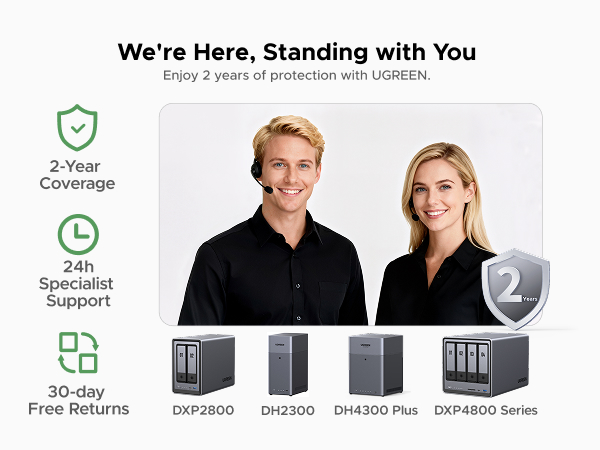
| Warranty Description | 2-year Warranty |
W**L
Great entry level NAS with advanced features to explore
VERY solidly constructed with a thick, HEAVY aluminum unibody, no sharp edges or unfinished surfaces. The design is well thought out and easy to access the M.2 drives and RAM. I thought there were 2 RAM slots but realized you can upgrade to a single 16 GB stick. It would be nice if there were 2 slots so I didn't have to keep a spare 8 GB stick, plus a 16 GB stick adds another big chunk of money to the total cost. Everything was easy to setup and works flawlessly with 2x12TB HDDs and 2x2TB M.2s. With an HDMI port this functions as a low cost HTPC and NAS in one box that doesn't require me to get too deep in the weeds managing things. I was considering the UGREEN mini PC with 4x M.2 drives but this one allows for much cheaper, larger capacity drives with the option for M.2 speed.
B**7
Great NAS, UGREEN is awesome
I'm an IT nerd by trade. Normally, i build my own NAS units out of old machines. This time i decided to bite it and just buy a NAS because i'm lazy in my older age. This NAS is easy to set up and get running. has a ton of options for anyone, completely user friendly, easy to upgrade. Flexible thatit supports most x86/x64 based operating systems. you'd just need to upgrade the primary boot drive internally which is a 128gb SSD i believe. Yes you can run windows server on this thing but the default UOS has everything you'd need with less overhead. You can run TrueNAS or UnRaid if you want. tons of videos online showing you what to expect. Note that if you do change / swap the OS, you should either image the default boot drive or pull the drive and replace it then store the original drive in a safe place because ugreen has said you cannot download the stock base OS and restore it. The image i included or attached is the desktop. this is the web interface. the unit has a physical HDMI port and does supply video but i have not used it. Do yourself a favor though. upgrade the ram. the 4 bay unit has 1 ram slot. uses DDR5 i have DDR5 5900 in it, a single 32GB module. The Ram module runs at 1.1v i believe too. it will speed up the transfers and help the unit do what it needs to. Also drop in a pair of 512gb NVME drives and assign them as cache drives. this will boost the overall throughput too. i dropped in a pair of 2tb nvme drives just because i have a couple of them laying around. My unit i stuffed in 4 24TB sata NAS drives. you can use desktop drives but just know this thing will hammer on those drives so desktop drives might suffer in longevity and might prematurely fail. NAS / Enterprise grade drives will last longer and they are built to suffer. I have NAS grade drives in my unit. All are 7200 RPM. i get anywhere from 240MB/s to about 290MB/s transfer speeds this is before i added the cache drives. now i usually get around 730MB/s the unit manages the cache automatically. it will fill the cache drives then shove the data from cache to long term storage as it goes. I have mine configured for RAID 0, BFS file system. it asks you how you want it configured when you plug drives in and do the initial setup.
O**E
Attractive, high-performance home-office NAS; poor documentation
My old Diskstation DS411 died so I was in the market for a new NAS. I chose this one due to great reviews from the likes of Macworld, its decent price (despite a recent increase thanks to tariffs), and the fact it actually accommodates up to 4 drives: 2 SATA drives (3.5 inch or 2.5 inch) and 2 NVMe M.2 SSDs. I played around with a few configurations and eventually settled on using a pair of Fanxiang NVMe M.2 S880E drives in RAID 1 as storage pool 1 and a pair of old SATA SSDs that had been lying around also in RAID 1 as storage pool 2. I'm using pool 1 as my primary storage and pool 2 as backup; or eventually if I need more storage space I can simply use pool 2. The DXP2800 has two USB 3.2 Gen 2 ports at the front -- one C and one A -- so you can hook up a fast external SSD and achieve up to 10Gbps speeds for backing up your NAS storage itself. I downloaded the UGREEN NAS app to my Mac; it's similar to the web interface but runs faster and seems more stable. The initial software bundle is barebones but satisfies my need which is simply network storage. If you want to run this as a media server, just download apps from the App Center. Otherwise, UGREEN supports all the protocols out there. Hardware-wise, you can hook up a monitor via HDMI and a keyboard and a mouse via a pair of rear USB 2 ports. There's a C-type USB 3.2 gen 1 port back there. Ethernet support is up to 2.5GbE. To install one or two NVMe M.2 drives, you need to access the left side of the drive bay. It's not hard to do but a little harder than necessary, to get each M.2 in place. It took me about 5 minutes to get the hang of it and succeed. The DXP2800 runs fast and feels fast. Even as it indexes the terabyte of files I have stored its CPU usage does not go above 20%, whereas even at idle the DS411 is always above 90% in CPU utilization. The DXP2800 has been quiet so far, and UGREEN puts a magnetic mesh desk filter over the fan outlet, which is really a thoughtful touch because it makes dust cleaning sooooo easy. My only complaint is the lack of documentation from UGREEN. It's disappointing they built a really nice hardware system and puts in a stable and growing software system, yet didn't go the last 1 yard of giving us decent documentation. IF you try to search for anything in the Support app, it's more likely to give you a terse "not found" error than helping you. I'd recommend using ChatGPT or DeepSeek if you have questions; they really helped me navigate a few relatively tricky issues.
N**M
Ugreen DXP2800 – Two Weeks In
After two weeks of use, my Ugreen DXP2800 2-Bay NAS with my older, upgraded ASUS AS6602T (8GB RAM + 500GB dual SSD caching) have shown clear differences in performance, efficiency, and usability. Despite Ugreen’s newer Intel N100 processor, both NAS devices deliver similar overall performance, though Ugreen feels snappier in simple tasks like UI navigation and file browsing. However, Ugreen struggles with resource management, especially when running apps via Docker or Virtual Machine. Even when Firefox (installed through Docker) is not actively in use, it continues consuming CPU indefinitely unless manually restarted. This inefficiency leads to higher CPU usage and unnecessary disk activity over time, something ASUS manages much better due to its more mature OS and application optimization. One clear advantage of Ugreen is power efficiency. Under average load, Ugreen consumes around 17-20W/h, increasing to 25-35W under heavy load, and drops to 9-12W in sleep mode. Comparatively, my ASUS NAS idles at around 20W, runs at 30W under normal usage, and spikes up to 50W during intensive server tasks. While the difference might seem small, over a year, Ugreen’s lower power consumption could save around $40+ in electricity costs, which adds up significantly over time, especially for 24/7 operations. Ugreen’s aluminum enclosure looks premium and dissipates heat well, but it acts like a soundbox, amplifying HDD noise. My ASUS NAS, despite using the exact same WD 3TB NAS 5400RPM HDDs, remains much quieter, likely due to better HDD insulation and optimized read/write handling. If your NAS is stored in a garage, laundry room, or server rack, noise won’t be an issue, but if it’s in your office or bedroom, the HDD noise from Ugreen can be irritating under load. One area where Ugreen clearly outperforms ASUS is photo backup and remote syncing. Ugreen’s Photo Backup for iOS is so efficient that I’m seriously considering canceling my Google Photos subscription. With RAID1 syncing to both my NAS setups across two locations thousands of miles apart, I now have a seamless, private cloud solution. Setting up RESYNC to pull backups from my ASUS NAS over the internet was smooth and reliable, syncing 700GB without issues and continuing to update efficiently. Meanwhile, ASUS’s photo app has been broken for me since 2020, making this a huge win for Ugreen. Ugreen feels fast and modern but currently lacks the mature software ecosystem and refined features of major NAS brands. That being said, if Ugreen continues investing in UGOS over the next 6-12 months, it could become a serious competitor to ASUS and Synology. Right now, I’m happy with my purchase, especially at the discounted price, considering that a comparable ASUS or Synology model would cost nearly twice as much. If Ugreen keeps improving, this might just be one of the best value NAS options out there.
P**B
Very high quality hardware, but instructions leave a LOT to be desired...
The UGreen 2800 NAS is an exceptionally well built, very high quality unit that comes well packaged with quality connectivity cables. However, even if you have been working with PCs the better part of your life do not be expecting a simple 'plug and play' setup. If you are not technologically adept or able to navigate your way through setting up devices to communicate with each other through your home or budiness network, I'd strongly suggest you don't attempt to set this up without the aid of someone who can. The connection of the unit itself is straight forward. Drives load easily and connecting instructions up to the formatting of the drives are fairly clear and easy to understand. But that is where 'easy to understand' takes a holiday for what I would guess is probably 65% of the people who buy this thinking it's going to be like plugging a USB cable in between your PC and a desktop storage drive. A NAS is a computer, not a simple data storage device. The instructions that come with it cover nothing about setting the unit up to properly communicate with your PC through your home network. You are going to have to find out how to do that through your own research. When you have finished familiarizing yourself with the formatting and setup process for the hard drives in your NAS (drives are a seperate purchase and you need to check for their compatibility with your NAS on UGreen's site) be prepared to take VERY careful notes the whole way through the setup process. All the passwords, network addresses, administrator info...write down everything about the setup in detail as you will be using that information to set things up later. I personally found the UGreen site somewhat difficult to navigate, but what you will need to do is go there initially for instructions and app downloads. Even then, you will want to have your AI equipped search engine handy to research the plethora of additional questions that will come up for everyone but a person who has worked with this technology at work or been exposed to it by an associate. UGreen needs to get a layman who is NOT an engineer to write a soup to nuts set up manual covering all aspects of both PC, Mac and mobile device setup and connection of everything to your network so all devices can find and communicate with the NAS and each other. That manual will also need to be written so a kid can understand it. UGreen (like all NAS manufacturers and most You Tube video producers) seems to be of the opinion that producing exhaustively detailed setup instructions on any mental level below that of an IT expert would somehow 'insult' the average user's intelligence. And as most of you will find out, nothing could be further from the truth. This review has already turned into War & Peace, so I will not attempt to leave such a set of instructions here (although I produced one for myself). Still, UGreen really needs to develop one and INCLUDE that manual with the purchase of the device or at the very least on a very obvious spot on their website. If such instructions exist, I was unable to locate them. The best advice I can give is for people new to NAS system technology is to download the UGreen NAS desktop app to your PC or MAC and their mobile app to your phone. Everything you will need to get the NAS to find your PC, Mac or phone through your network is in those apps. It is just a real pain to get all the details correct so it will function. The good news is, once you figure it out, it does practically run itself. The bad news is, unless you are very persistent and have a good AI model search engine to assist you, you may have a lot less hair left once you get to that point. Please note...the UGreen NAS product itself is five stars all the way...my four star rating is due solely to the lack of simplified instructions that anyone could follow.
D**R
Works great, intuitive interface.
Works great! Money well spent. Very flexible, great for nas, automatic backups, docker, and hosting VMs. No complaints.
P**.
Best bang for your buck! One of the best purchases in my life!
After a few months of using it, I can confidently say I’m absolutely thrilled with this little NAS! It’s incredibly powerful for its price and is actually more capable than some $700 models from Synology (one of the top leaders in the NAS market). I loved it so much that I even bought another one as a gift for a friend (the one who also used an external USB drive attached to his router and having issues with it), and he’s very happy with it too. To maximize performance, I purchased a 5 Gbps USB-to-Ethernet adapter from UGREEN ($23), connected it to the NAS, and plugged the Ethernet cable into the adapter instead of the NAS’s native port. This upgrade gave me 5 Gbps speeds, allowing me to transfer files to the SSDs in the NAS at over 500 MBytes/s. Since my router doesn’t support high speeds, I also added a TrendNet 10Gbit switch (model TEG-S762) with 4 x 2.5G RJ-45 Base-T Ports and 2 x 10G RJ-45 Ports. I connected both the NAS and my main PC to this switch (to the 10G ports, of course), enabling them to communicate directly through the switch instead of the slower router. While the number of 1-click installable apps is limited, the NAS includes a Docker app. With Docker, you can install virtually any application from thousands of available containers. To install apps, I ask Grok AI for the correct docker run command, which installs and starts the desired container. Using this method, I’ve been able to install everything I need. The NAS’s UI allows you to easily add users and configure remote access, so you can access your NAS from outside your local network with minimal setup. For torrent downloads, qBittorrent is natively supported, meaning it can be installed with just one click. I now download torrents directly on the NAS instead of keeping my PC running overnight for large downloads. The downloaded files are, of course, available to all devices on my home network. I share storage using the SMB (Samba) protocol. This is typically the default protocol for sharing folders, so don’t let the term SMB intimidate you—you won’t need to do anything special or complex to share folders. And the shared folders are immediately & reliably accessible from all my PCs & other devices. The transfer speeds are consistently fast, and I’ve had no issues with shares becoming unavailable. This is a huge improvement compared to the constant problems I experienced when using external drives attached to my router. I suspect this reliability is due to the NAS supporting the latest SMB protocol versions and supporting them well. The NAS also allows you to connect and share external drives via USB, which is a handy feature. It has a good number of USB ports - 4, including 2 x 1 Gbps ports. One feature I find absolutely essential is the NAS’s built-in Music app. It lets you maintain a music library, create playlists, and automatically updates the library whenever you copy new music to the designated folder. Thanks to the NAS’s remote access feature, I can listen to my music library from anywhere in the world, not just at home. As someone who listens to music for a few hours a day, I absolutely love this feature! The UGREEN NAS is excellent for managing documents. For example, if I’m at a doctor’s appointment and realize I forgot my insurance card, I can easily open the UGREEN app on my phone, access the document stored on the NAS, and share the necessary information. Similarly, when I return purchases (e.g., from Amazon or Walmart), I take photos of the return receipts with my phone and save them on the NAS in the /documents/returns folder with descriptive filenames like HeadphonesSennheiserHD820return.jpg. This system keeps everything organized and easily accessible. How does UGREEN NAS compare to other competitors? The main competitor - Synology - likely holds the largest share of the NAS market. However, its hardware falls short for the price. For example, the Synology DS725+, which costs twice as much as the UGREEN DXP2800, has less RAM and slower and fewer USB ports. Even worse, Synology NAS devices lack a dedicated system drive. This means you’ll need to install and configure the operating system on the drive(s) you install in the NAS. If a drive fails or needs replacement, you must reinstall and set up the operating system from scratch. I’m speechless—how much has Synology saved by omitting a small 32GB system drive, like the one UGREEN includes? Maybe $5–10? It’s absurd. UGREEN DXP2800 uses eMMC for its system drive. eMMC (Embedded MultiMediaCard) is a type of flash storage commonly used in mobile devices due to its low power consumption, which is typically 2–10 times lower than that of SSDs. While eMMC is usually slower than SSDs, it outperforms HDDs in both sequential and random access. Sequential read speeds range from 150–400 MB/s, and write speeds range from 100–250 MB/s. For random reads and writes, eMMC is significantly faster than HDDs, offering 50–500 times higher IOPS (Input/Output Operations Per Second). The IOPS difference does not directly translate to MB/s, but it’s closely related. For 4K random reads/writes, eMMC typically achieves ~10–120 MB/s, while HDDs achieve ~0.3–3 MB/s. Turning to other hardware specifications, no 2- or 4-bay Synology NAS matches the CPU power of the UGREEN DXP2800. The only Synology model with a comparable CPU is the 8-bay DS1823xs+, which can be yours for a mere $1,900 :) In comparison, Synology’s offerings look underwhelming next to UGREEN’s. There’s simply no contest. NAS devices are typically designed for low energy consumption, and the UGREEN NASync DXP2800 is no exception. According to UGREEN's official email, the power consumption for this model is as follows: Idle: 9–10W Disks Running: 16–27W Full Load: 51W When operating the DXP2800 without HDDs, the typical noise levels in different fan modes (adjustable via Control Panel > Hardware & Power) are: Quiet Mode: 29–34 dB Default Mode: ~40 dB Full Speed Mode: Potentially exceeds 50 dB These noise levels are quite low and barely noticeable in a quiet room. For comparison, my nearby mini-PC is significantly louder than the NAS when both are running. Of course, noise levels can be much higher if you install a very noisy HDD :) The DXP2800 maintains relatively low temperatures. Currently, under light workload (mainly just running qBittorrent), my NVMe and SATA SSDs are all in the 32–36°C range, while the CPU stays around 52°C. Initially, I was very concerned about the lack of space for NVMe SSD heatsinks. However, heat dissipation is managed effectively through a thermal pad between the SSDs and the aluminum chassis, which draws heat away from the bottom of the NVMe SSDs. It’s also important to note that the DXP2800’s M.2 slots use PCIe 3.0, which limits speed (still very fast for NAS use) but results in significantly lower temperatures compared to faster slots. An NVMe SSD in a PCIe 4.0 slot typically runs 5–15°C hotter than in a PCIe 3.0 slot, while a PCIe 5.0 slot can increase temperatures by 10–30°C for the same SSD. For peace of mind, I tested the NVMe SSD temperatures during extended full-load conditions, and they never exceeded 42°C—a very safe temperature for SSDs. Final Thoughts: After months of use, I’ve experienced zero issues with this NAS. It’s reliable, powerful, and packed with features that far exceed my expectations for its price. I’m absolutely happy with it and highly recommend it to anyone looking for an affordable and capable NAS solution.
L**S
Great Entry-Level NAS with Room for Improvement
The Urgeen DXP2800 was easy to install and set up, and the overall system runs smoothly without any issues. The included fan is very quiet, which I appreciate; however, the cooling performance is not ideal. I am using a Seagate EXOS X1816TB hard drive, and the temperature consistently stays around 45–48°C. This is not optimal for long-term operation. To bring the temperatures down, you have to increase the fan speed in the system settings, which helps with cooling but results in significant noise. The exterior design is very attractive, and the aluminum alloy chassis feels premium to the touch. However, it seems to attract fingerprints very easily, and they are surprisingly difficult to wipe off—quite puzzling for a metal surface. This is definitely an area that needs improvement. Overall, it’s a solid NAS that performs well and is worth recommending for beginners looking for their first NAS.
Trustpilot
2 months ago
2 weeks ago



