
🚀 Elevate your perspective, own the sky, and never miss a moment!
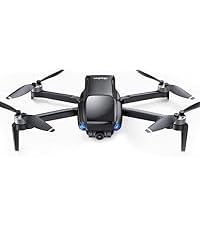
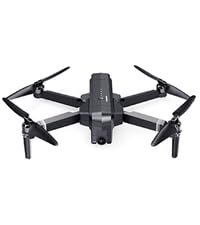
The Ruko F11PRO 2 is a beginner-friendly yet powerful drone featuring a 6K camera with 3-axis gimbal stabilization, dual batteries for 70 minutes of flight, and advanced GPS flight modes. Its long-range transmission (up to 10,000 feet) and intelligent auto-return ensure safe, professional-quality aerial photography and video, making it perfect for millennials seeking to capture life’s adventures with cinematic flair.







| ASIN | B0DHG4G5L2 |
| Age Range (Description) | Adult |
| Age Range Description | Adult |
| Are batteries included? | Yes |
| Battery Capacity | 3200 Milliamp Hours |
| Battery Cell Composition | Lithium Ion |
| Best Sellers Rank | #22,544 in Toys & Games ( See Top 100 in Toys & Games ) #99 in Hobby RC Quadcopters & Multirotors |
| Brand | Ruko |
| Brand Name | Ruko |
| Color | Grey |
| Connectivity Technology | Digital Transmission |
| Control Type | Remote Control |
| Customer Reviews | 4.4 out of 5 stars 9,128 Reviews |
| Effective Still Resolution | 19 MP |
| Included Components | 1 x Rechargeable Remote Control, 1 x Ruko F11PRO 2 Drone, 2 x Battery, Carrying Case, Complete Set of Accessories (Charging Cable, Extra Propeller Blades, Screwds, Screwdriver, Gimbal Protective Cover, User Manual) (Charger not included) |
| Includes Rechargeable Battery | Yes |
| Includes Remote? | Yes |
| Item Dimensions L x W x H | 15.16"L x 13.78"W x 2.56"H |
| Item Height | 6.5 centimeters |
| Item Weight | 357 Grams |
| Manufacturer | Ruko |
| Material | Plastic |
| Maximum Range | 10000 Feet |
| Media Type | 4K, 6K |
| Model Name | F11PRO 2 |
| Optical Sensor Technology | CMOS |
| Remote Control Technology | Remote Control |
| Skill Level | Beginner - Advanced |
| Special Feature | 2 Batteries for 70 mins Long Battery Life, 3-axis Gimbal Stabilization, Beginner-Friendly (One-touch takeoff and landing, GPS auto-return, Smart GPS mode), Solid Aerial Photography, Supports Portrait Shooting, TOF, GPS Follow, Circle Fly, Cruise Control, Waypoint Fly; FAA Compliance Special Feature 2 Batteries for 70 mins Long Battery Life, 3-axis Gimbal Stabilization, Beginner-Friendly (One-touch takeoff and landing, GPS auto-return, Smart GPS mode), Solid Aerial Photography, Supports Portrait Shooting, TOF, GPS Follow, Circle Fly, Cruise Control, Waypoint Fly; FAA Compliance See more |
| Special Features | 2 Batteries for 70 mins Long Battery Life, 3-axis Gimbal Stabilization, Beginner-Friendly (One-touch takeoff and landing, GPS auto-return, Smart GPS mode), Solid Aerial Photography, Supports Portrait Shooting, TOF, GPS Follow, Circle Fly, Cruise Control, Waypoint Fly; FAA Compliance |
| Supported Image Format | JPEG |
| Video Capture Format | MP4 |
| Video Capture Resolution | 4K |
| Video Output Resolution | 4K |
| Wireless Communication Technology | Wi-Fi, RF |
R**T
Great Drone, Unmatched Support.
Great Drone, Unmatched Support. When I got this drone I was nervous. I did not want to started, then see it fly off into the sunset never to be seen again, or stuck high in a tree. Also, when saw the options/buttons on the controller and App, I was concerned about a steep learning curve. Of course it is important to go over the getting started documentation and videos, even easily accessed within the app that controls the drone. There is even an easy to see clickable button on the screen of the app to call for support… Right there on the controller. But flying the drone is very easy. IT was very fun and easy to control and learn from the moment I started it. Within maybe 30 minutes, I was teasing my Golden Retriever so she was, chasing it back and forth wishing she could jump higher, and walking across the street to show my neighbors with the drone in flight hovering, around me. Took it real high and a good distance away a few times on that maiden flight as a test… Never even close to losing control. This is in beginner mode. This drone has tons of capability that will make it very effective for doing the more serious and fun things I bought if for. Extremely solid, obvious very good engineering. No need to go too much into the technical abilities or functionality of the drone, I am sure other reviews will cover that well. The important reason for the review is the amazing customer support. IT feels like a solid focus on process engineering, both for learning how to use and for support. Very thorough and fast. Real people, real devoted to a great customer experience, not some automated AI robot someplace or endless holds and selecting options on a phone. I can only think of one situation in recent years that came close. I ordered the drone late one night. A couple of hours later a special promotion went into effect. The drone hadn’t been delivered yet. The next morning I saw the change and sent a customer support question about if I could be credited w/the difference. It was a Sunday morning. Just after the workday started on Monday, I got an answer from the company, zero questions, just a note telling me the refund was being processed. But the important part… It was an email from a real person, w/their name and contact info in case followup was needed. The second customer service event. I am not real experienced at using those QR(QA?) codes w/camera. When I started trying to get the app installed, I began getting malware things popping up. Diffferent apps not for the drone…. Paid subscriptions, etc. I thought at first it was maybe their fault. I sent another customer support question. Almost instantly, I got an in depth response from the company, w/a persons’ name, with very specific instructions, including a strong warning that I should never run apps that could contain malware… Just solid information, not even associated directly w/the drone. At the same time, I asked my daughter for help. It was my fault the malware was popping in. I had downloaded a third party code reader that inserted the malware. The moment I uninstalled that software, the process was flawless. Throughout the support process I got very thorough, very fast assistance. I even got a follow-up email before the second was done, apparently from management, checking to ensure it was being resolved. If it wasn’t , please contact them so they could work it. The support was so good that while a phone number was provided to talk to them, I never needed to use it. I had been getting some recommendations other than this company when I made my purchase. I am super glad I went the way I did.
G**T
Three year review with four year update
Rather than repeat the many very thorough five star reviews, I will just say I agree with them. I had wanted a recreational-use drone for years prior to 2020, but I waited as the quality and technology rapidly improved and prices went down. When the F11 Pro became available for under $300 in 2020 I took the plunge. As the reviews of the F11 said back then, it was (and still is) a great drone with some amazing features for the price. I had never owned or even flown someone else's drone at that point and in reading stories of lost and/or crashed drones over the years I was a little apprehensive at first. I had read so many stories of people spending hundreds of dollars for a drone, taking it out for a flight, it flies away and they never see it again. However, by 2020 drone technology had progressed by leaps and bounds. and the tech contained in the F11 including the Return To Home (RTH) feature makes it almost foolproof. After a quick reading of the instructions and watching a couple of demo videos I took mine out and started flying it right away with zero issues. The closest thing to a problem I've ever had was on one occasion it stopped responding to my commands and began hovering over a fenced-in field just at the far edge of my line of sight. Assuming there was something interfering with my signal, I moved as close as I could to the drone, which was the fence at the edge of the field about 100 yards from where it was hovering, and at that point It responded to my RTH command and did just what it was supposed to do - it flew back to where I had launched it and safely landed itself. I was reassured by that experience. Even though it temporarily lost my signal, it didn't fly away or crash, it executed the RTH function appropriately. In fact, I liked mine so much I bought another one for my son in 2020, and we have sometimes flown them together (the app auto separates the signals). Four year (Aug '24) update: I recently returned from a multi week cross country road trip to visit family. I took the F11 and flew it several times on the trip. The drone itself still performs as new, however the four year old original batteries were starting to get tight going in and out of the compartment (swelling) and not holding a charge nearly as long as they used to. In other words, typical issues with aging rechargeable batteries. I shopped around online and considered ordering one of the non Ruko replacements but ended up spending the few dollars more for the Ruko branded replacement and received it the next day. The new battery works well and the copter is back to full range. While shopping for the new battery here on Amazon I noticed some inexpensive accessories compatible with the F11, such as snap-on rotor blade guards and landing gear skids. It had always bothered me a little that the copter had to land directly on the ground, so I ordered the skids and rotor guards. For the little bit of money they cost it was worth taking a chance on them not fitting well, but both work well with the F11. They snap on and off easily and so far have no problem staying connected in flight, although of course they do have to be popped off prior to stowing the copter in its case. Another issue I encountered on this trip for the first time was the app not holding a connection to the copter at all, or losing only the camera feed. I did some online reading including reviews here on Amazon and discovered the auto connect feature in my phone's wifi menu was activated. I turned that off as is recommended in the comments, and poof, the connection problems went away.
D**S
Great Flying Camera
Have to say I am impressed much more than I expected. Figured this would be another overhyped toy that wouldn't get more than 300 feet down range and stop sending video back. Level 5 wind resistance probably means 5mph or less. Boy was I ever wrong! The only thing this drone lacks is object avoidance and I can live with that. I have tried drones in the past. The ones that cost 2-3k or more were a joy to fly. Smaller drones in the $100 and under were toys that were not suitable for outdoors and I could throw them further than they could get away from the controller. So I took a chance on this drone. I live in a very rural area so there isnt the interference you may experience in the city. This drone also requires registration with the FAA. No big deal since I'm registered with the feds 3 ways to Sunday as a former firearms manufacturer, an extra class ham radio operator, and have flown fixed wing models for years. Anyway this was an easy drone to setup. Download the app, charge the batteries, and go fly. Out of the box I needed to calibrate the compass, wait for a GPS lock, and off it went. First flight was up 150 feet and just seeing how the controls responded. They are not bad. Camera is rock steady. Took it up another 100 feet to 250. Wind that day was 15 to 20mph with higher gusts. It hovered in place but you could hear it working hard to do so. So now I tested limits. 400 feet is the hard limit vertical. Distance wise I was out 5000 to 8000 feet and never lost contact. One complaint is the color. Light grey is not the color for good contrast, especially when up at the limit. After about 20 minutes I received a low battery warning. I was pretty impressed with this. Remember it was fighting winds I'm sure well over 30 mph that high up. So I pushed the return home and lost sight of it. I could hear it, just not see it. It came back home at the 175 foot height I had set for return home and over the spot it left from I watched it land within a couple feet of where it left from. I've flown several other times and all were as easy as the first. GPS follow works great. Photos and video are very good. And all around this is a solid drone for the money.
D**H
So much fun! Totally worth it!
I didn’t expect to rnjoy this drone as much as I do! It was super easy to set up so I had it flying in no time. The battery life is decent and the camera quality is way better than I expected for the price. Overall, this little drone has been a blast to use. Great quality and easy to fly. Definitely recommend!
M**N
Perfect drone for recreational users
Great drone, functional and responsive app as well. For the price, this has a lot of features. I have been around drones and have tried some smaller drones and always crashed them. With this drone, set to beginner mode, I was flying first try. Do I wish it had obstacle avoidance? Sure, my wife would like a drone following her through a wooded trail but that can come later. This drone gets plenty high, and has great range. I have taken mine out a quarter mile in tree dense city setting and still had smooth video and great control. Even with winds in excess of 20mph with 30mph gusts this drone kept smooth video and tried its hardest to stay in one spot. You can tell when wind hits it if its in ear shot as the propellers will get noisy pushing that wind through them. For a hobby user, the batteries that come with it would provide ample time to capture where you are and you can use a fast charger to get them back up and ready to go again. The drone and all included accessories are light and easy to carry in the included case. Just because its light does not mean it will fly out of control though, I do not consider myself a season drone pilot at all and have only crashed this drone once and it was my fault for trying to land on a very small area next to the garden. Because of this I can tell you it has an alarm on it which makes it easy to find if you do end up crashing into a tree a half mile away. One thing I would like to point out is the CD card. Get a good 128gb SD card, insert it into the drone and connect the controller. Tap on the SD card in the app to format it, then shut everything down, take the card to your computer and insert it there. Once you see the contents, put it back in the drone and it will show up and allow recording. Keep in mind that more interference can lead to shorter distances and could produce some lag between the drone and the app. To me, this is not a negative and I have yet to even experience it. If I do, its not hard to tap RTH and it will turn around and come home. I have had this so high and so far I could not see it or hear it but the app allowed me to know where it was and hitting RTH I could keep recording as the drone will turn around and fly home instead of just flying backwards.
C**H
Great First Drone
I have no complaints about the drone so far. This is the first one I’ve purchased and flown. It’s super easy, ready to fly out of the box, just download the app and connect phone. It’s very easy to fly and navigate. I’ve used it at our ranch to check cattle and scout for predators. It’s a nicely made drone, doesn’t feel cheap. No lag in the controls and responds easily but not too sensitive. The remote comes with a cheat sheet which is super handy and the picture, video quality is great for an entry level drone.
A**O
Great purchase!
This drone is fantastic! I had what I thought was an issue with the drone.. but reached out to support. Within 5 minutes they called me back and diagnosed a non formatted sd card for not having video quality. Fantastic drone for beginners or pros. Excellent stability, picture quality and easy to fly. Make sure to download the Ruko Mini app.
U**C
Learning Curve For Beginners, BUT WORTH IT!!!
This is my first drone and jumped in head first. Long story short as I can...pairing with the GPS can be DIFFICULT, but once learned, it's easy. You NEED to register it with the FAA and take a FREE safety test online. Using google search type registering your drone with the FAA and the rest is not that hard to follow. You do need to pay a $5 fee for three years registration. You also MUST dl the air aware app along with the Ruko Pro app. Reason for the air aware app, is that when you are ready to fly your drone, opening the app, will lyk if the area that you're in has been cleared by the FAA in REAL time. I also recommend that you order FREE stickers (no cc or ANY info like that) to put your registration number on your drone (through pilotinstitute), which is REQUIRED by the FAA. I am waiting for mine and used a label maker in the meantime to get this accomplished. After all of this, pairing and setup was the next step. Turn the drone on, then the controller. move the L stick up and then then down and 2 tones, along with a white light on your controller, will lyk it's paired. Immed AFTER this step, is where I got confused and it took me a while to figure this out. You then need to pick up the drone and rotate it litterally in a circle 2 times horizontally (till the back lights become solid, then place it down), then pick it back up again, with the camera facing the ground (vertically) and again rotate it 2x in a cirlce until the front lights turn solid, then place it back on a flat surface again. At that point, you MUST connect it through your phones wifi. Go to your phones wifi list, find ruko in there and connect it. Once you do that, open the app. It will NOT finish the GPS pairing UNTIL you open the app and click on controls towards the upper right corner of the app. You will then see the view from the drone camera itself and you then know that you're gtg!! After that, move BOTH thumb sticks at the SAME time towards one another (the left goes bottom R, 5 o'clock position and the R stick goes bottom L 7 o'clock position) which starts up the props and your FINALLY ready for flight. My personal opinion for the drone itself is FANTASTIC!! First time flyer I thought I could easily use it in my SMALL back yard in my residential neighborhood. Big miscaluation on my part. Learn from my error and go to a empty parking lot or field UNTIL you get the hang of it. I CRASHED my drone 3 times in a matter of 15 min and almost hit numerous trees and power lines!! I thought for sure that my drone was toast!! Especially AFTER I HIT my own lamp post in my back yard. While there are a few nicks and dings (not too bad), to my surprise, it STARTED RIGHT BACK UP EVERY TIME AND CONTINUES TO WORK PERFECTLY!!! I was SHOCKED to say the least!! What a STURDY/WELL MADE piece of equiptment!!! My complimence to Ruko for making such a well built drone with SOLID electronics and pieces. After realising that I should not press my luck any further, I headed out to a baseball field and learned how to operate it properly. It took about and hour or so, but I got so competent with it, that I can NOW fly it in my small back yard with ZERO issues. I even know how to take pics and adjust the camera in flight. It has an auto follow feaure and auto land, which is why going through the difficultuy to pair it with the GPS is SSSOOO important. I crashed in my yard those times because I got frustrated, not being able to figure out the GPS pairing and flew it at that time, bypassibg this important step. Other than that, the camera is excellent, the drone itself is obv solid, and it's feaures are plentiful. This also includes being remote ID compliant with the FAA, by having a built in transmitter that constantly broadcasts your drones ID, speed, heading and so on. It comes wtih TWO batteries that provide 30 mins flight time each and are recharged via USB-C and the remote controller is charged the same way. My advice, is to buy the extra landing gear with the extra caps in the package and buy extra props as well. I also recommend buying an extra RC controller that you can find on Ebay (new) for half the cost, especially since it is sold out from Ruko. I am so impressed by this drone, I am going to buy the same exact one to have as a backup. It's nice to see a company (esp from China) put out a solid product of this QUALITY. Worth EVERY penny!!
Trustpilot
1 week ago
2 weeks ago



