
🚀 Upgrade your WiFi game—fast, smart, and everywhere you need it!
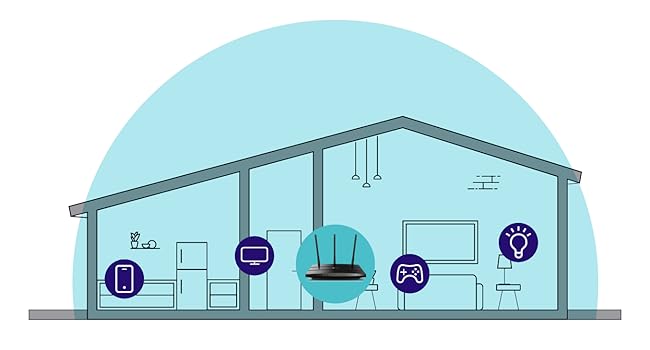
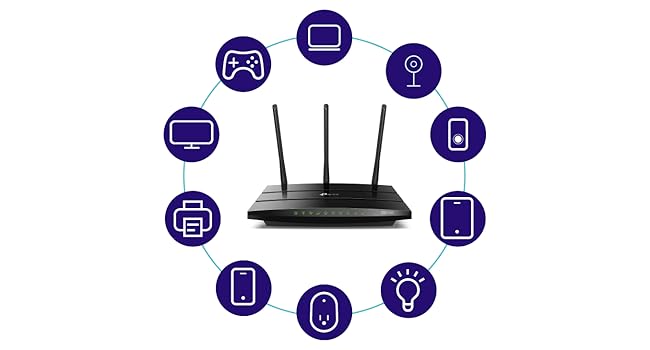
The TP-Link Archer AC1750 is a dual-band gigabit router powered by a Qualcomm CPU, delivering reliable WiFi coverage up to 2500 sq ft. Compatible with all major operating systems and Alexa-enabled, it features four gigabit LAN ports and a USB 2.0 port for versatile connectivity. Ideal for home and gaming use, it supports 802.11ac devices and offers easy setup via the TP-Link Tether app, making it a top-tier choice for millennial professionals seeking fast, stable, and smart home networking.

| ASIN | B079JD7F7G |
| Best Sellers Rank | #6,507 in Computers & Accessories ( See Top 100 in Computers & Accessories ) #243 in Computer Routers |
| Brand | TP-Link |
| Color | Black |
| Customer Reviews | 4.4 4.4 out of 5 stars (71,815) |
| Date First Available | November 10, 2025 |
| Hardware Platform | Windows;Mac;Linux-based;iOS;Android |
| Is Discontinued By Manufacturer | No |
| Item Dimensions LxWxH | 9.59 x 6.32 x 1.29 inches |
| Item Weight | 14.9 ounces |
| Item model number | Archer A7 |
| Manufacturer | TP-Link |
| Number of USB 2.0 Ports | 1 |
| Operating System | Microsoft Windows 98SE, NT, 2000, XP, Vista or Windows 7, Windows 8/8.1/10, MAC OS, NetWare, UNIX or Linux |
| Product Dimensions | 9.59 x 6.32 x 1.29 inches |
| Series | Archer A7 |
| Voltage | 120240 Volts |
| Wireless Type | 802.11ac, 802.11b, 802.11g, 802.11n |
A**O
I don't know if it's the best but it's pretty amazing !
I don't know if it's the best but it's pretty amazing ! Without going into details, I will say it just that everything advertised is true for a very good price. Very good web interface to setup, a good app for your phone (TP-Link Tether), easy to setup. The great thing is that you can have separated logins for 2G and 5G, for regular use and guests, and you can individually turn them on/off, this is a sweet thing. For all the technical details just read the description here or on their website and enjoy. They have a more detailed manual on their website. Important note : Intel Wi-Fi cards for laptop requires 160 Mhz band to reach 1300 mbps which AC A7 does NOT have. So, if you Wi-Fi card is Intel on your laptop you will be limited to 866 mbps at 5G even if the Wi-Fi card specification says it can reach more because it requires 160 Mhz band and T-Link Archer A7 does not have. This is a great router, but if you looking for 1300 mbps on 5G I not sure how it is possible. Another important note: On phones probably you get much less than 1300 mbps. In my case, a iPhone 11, I can reach max 550 mbps. Any way it improves the speed. Compared with my old router and my Wi-Fi router provided by ATT, it was a big difference. The USB port works great for a shared drive, I could never make it work with other routers. If you install the app FE File Explorer on your iPhone you can easily save or transfers pics or any file back and forth to your computer through the shared drive without the hassle of clouds and emails, this app also works like a browser and music player on the shared drive. I particularly hate clouds :) , I prefer to have my private cloud. I ordered and will receive today a TP-Link Wi-Fi extender with OneMesh, actually a luxury for the size of my apartment :) , I will update later if it works fine.
J**L
Easy to install, this router upgraded our wifi performance and range
It works as described, and increased our wifi speed from about 30 mbps to 70 on the 5ghz band. We have a router/modem combo (b/g/n, I think) that seemed to max out around 37 mbps over wifi. I turned off the router functionality on that unit, and connected it to this router, and the speed increase was instant. Setup was easy, too. The Tether app makes running things from your smartphone pretty easy, too. We have since received a speed increase from our ISP, and I have tested speeds as high as 400 mbps on the 5ghz band (100-160 is the normal average). The 2ghz band is significantly slower (maybe around 50 mbps), but that's the nature of that band. The range is also greatly improved. I would lose signal in various parts of our yard, but I can now go across the street and get high speed (I've tested as high as 63 mbps before our ISP increased our speed). If you're looking for a budget-friendly way to upgrade an older (especially if you don't have an AC router) setup, I recommend this router. We have about a 2500 square foot house, and signal is great everywhere. I imagine you could have a much larger house and still get great signal with this router. The only issue that I've had is that, after a recent firmware update, the name of the router changed. I had to reset security options and save the password again. This was a minor annoyance. The LED indicators can be turned off via the Tether app, and after this update, the timer function for this seems to have lost functionality. Again, just a minor annoyance. I just decided to keep the lights off all day, instead of timing them to be off at night.
V**Y
Works Great When It Works, Which Is Most of the Time
Review originally titled, "Plan to Buy A New One Every Few Months" Here's what I originally wrote: "When this device works it's great. Mine failed after 8 months, and trying to deal with TP-Link for technical support or warranty fulfillment is an exercise in futility. Yet at this price I guess the "rent" for this unit is about $8 per month. "So I will just buy another one and hope it lasts at least that long again." I stand by what I said about TP-Link technical support. However, I was able to get this box to work again. I did buy a replacement unit but have not opened it. If my current one continues to work, I will probably return the replacement unit to Amazon unopened. My problems originated with the cable internet provider, Spectrum. Somehow, my internet modem "fell off the grid." Although we were getting internet service at home, Spectrum reported that our modem was "off line." Then after the sixth day in this status our service stopped altogether. It turned out that our modem needed to be "provisioned" again -- basically set up as though it was brand new service. Spectrum used obsolete information to do this, so it took several phone calls and two technician visits to get a working internet signal to come out of the cable modem. I could get internet service with a single computer plugged directly into the cable modem. But the rest of the household was dark. The problem was that this TP-Link router would not "shake hands" with the cable modem. The router could see the modem, but would not engage with it to deliver internet service to the router customers. None of the troubleshooting advice in the TP-Link manual or from their chat-based technical support made the slightest difference. What finally did make a difference was this: Holding the reset button in (with a bent paper clip) for more than 30 seconds. The manual says more than 5 seconds is enough, but that's wrong. After 30 seconds of reset, I was able to navigate to the router's setup screen from my laptop with a hardwired ethernet cable and re-initialize everything (language, time zone, type of service, etc.). The router finally made a successful connection to the internet signal being provided by the cable modem, and now everything works. Things have been working now for a bit more than a week, so I suspect they will continue to work with this current box. Clearly the initial blame for everything lies with Spectrum, which messed up our service by somehow un-provisioning it. But the process of getting this router to work again was needlessly difficult, which is why I offer only four stars. Performance-wise, this unit is quite good, and better than a more expensive Motorola unit that I used previously. The three antennas on the back seem to generate a very powerful wi-fi signal that easily covers our household. The wifi signal is servicing two laptop computers, two iPhones, an iPad, a Kindle Fire tablet, an Apple TV box, and a Sony Blu-Ray player's online streaming functions. They all seem to coexist happily. The unit is also servicing a Brother printer/scanner and a third computer via hardwired Ethernet (there are four outlets on the back). For the price is seems pretty hard to beat. And if I run into this kind of problem again I expect to be able to solve it much more quickly.
S**L
Going strong 2+ years
Using it for two years now with no issues, works good for 1200sqft house, videos speeds are up to par and simple to use.
M**C
Router Has Been Great, Customer Service Is Even Better
This router has served me well and I haven't had any issues. I recently had to change some settings due to my internet provider's maintenance and I was stuck. I reached out to customer service and was helped by their representative, James Ivan. He was able to get my router working again in no time. Thanks James Ivan!
M**H
I bought this to add to another TP-Link Archer C7 I bought a couple of years ago with the aim of putting OpenWRT on it. I discovered this model was now no longer made but ordered it anyway since OpenWRT is known to work on it. However, it is an American model with a USA power supply (it came from Florida) but that is no problem with a UK adapter. The router is also an Archer A7 which apparently is identical to the Archer C7 according to the OpenWRT site. Seems to be working fine.
N**L
It was easy to setup. Works well in my garden room. The only problem I had was that it came with a US plug on it. So I had to get a adapter uk to us adapter.
D**A
Super intiutivo y fácil de configurar. Lo compré para mejorar la potencia y estabilidad del módem Telmex que cada vez son más austeros. Mejoró en 40% el alcance y la eficiencia de señal a distancia. Además me sorprendió la compatibilidad con los repetidores TP link. Recomiendo hacer la configuración con la app y el celular.
A**R
Compré este router después de regresar un TENDA AC1200 que no cumplió con las expectativas, conexión lenta en ambas bandas y con puertos fast ethernet que no dan la velocidad contratada con Infinitum (150 Mb). Este router tiene mejor calidad de materiales y hasta ahora ha cumplido con lo que esperaba, solo que sigue siendo lenta la conexión en la banda de 2.4 Ghz (no sube de 30 en las mediciones de velocidad, aun a pocos metros). En la banda de 5 Ghz, ya es otra cosa, se obtienen 200 Mb de descarga en dos de los cuartos, lo cual es excelente. Los puertos son Giga-bit y permite conexiones de hasta 1000 Mb, en los cuales conecto el AppleTV y el PlayStation. Lo innovador y que me gustó mucho de este router son dos cosas: - Maneja una sola señal de 2.4 Ghz y 5 Ghz, Conexion Smart, que permite a tu dispositivo conmutar automáticamente la conexión a la banda de WiFi que proporciona mayor velocidad. Es decir, salvo que deshabilites esta función, no veras dos señales (2.4 Ghz y 5 Ghz) de manera independiente y el dispositivo se mantiene conectado a una sola señal y conmuta entre ambas bandas. Con otros routers, normalmente te conectas/seleccionas la de 5Ghz, por ser la más rápida, pero tan pronto se debilita la señal salta a la de 2.4 Ghz y allí se queda, por ser una señal más fuerte (pero más lenta). - El Archer A7, con hardware V5, viene habilitado para la función OneMesh, que te permite agregar, dentro de una misma red (nombre y password), repetidores (compatibles) para armar una red inalámbrica en tu casa (mesh), cosa que otros proveedores ofrecen a precios exorbitantes. No tiene tecnología Mu-Mimo para conexiones múltiples simultaneas a mayor velocidad, pero creo que sigue valiendo mucho la pena este equipo.
C**N
El mejor router con excelente relación calidad-precio. Ya puedo trabajar tranquilamente a través de una VPN haciendo RDP mientras los demás dispositivos de mi red hacen sus actividades cotidianas.
Trustpilot
2 days ago
2 weeks ago



