


🚀 Clone, transfer, and cool like a pro—speed and efficiency in one sleek enclosure!
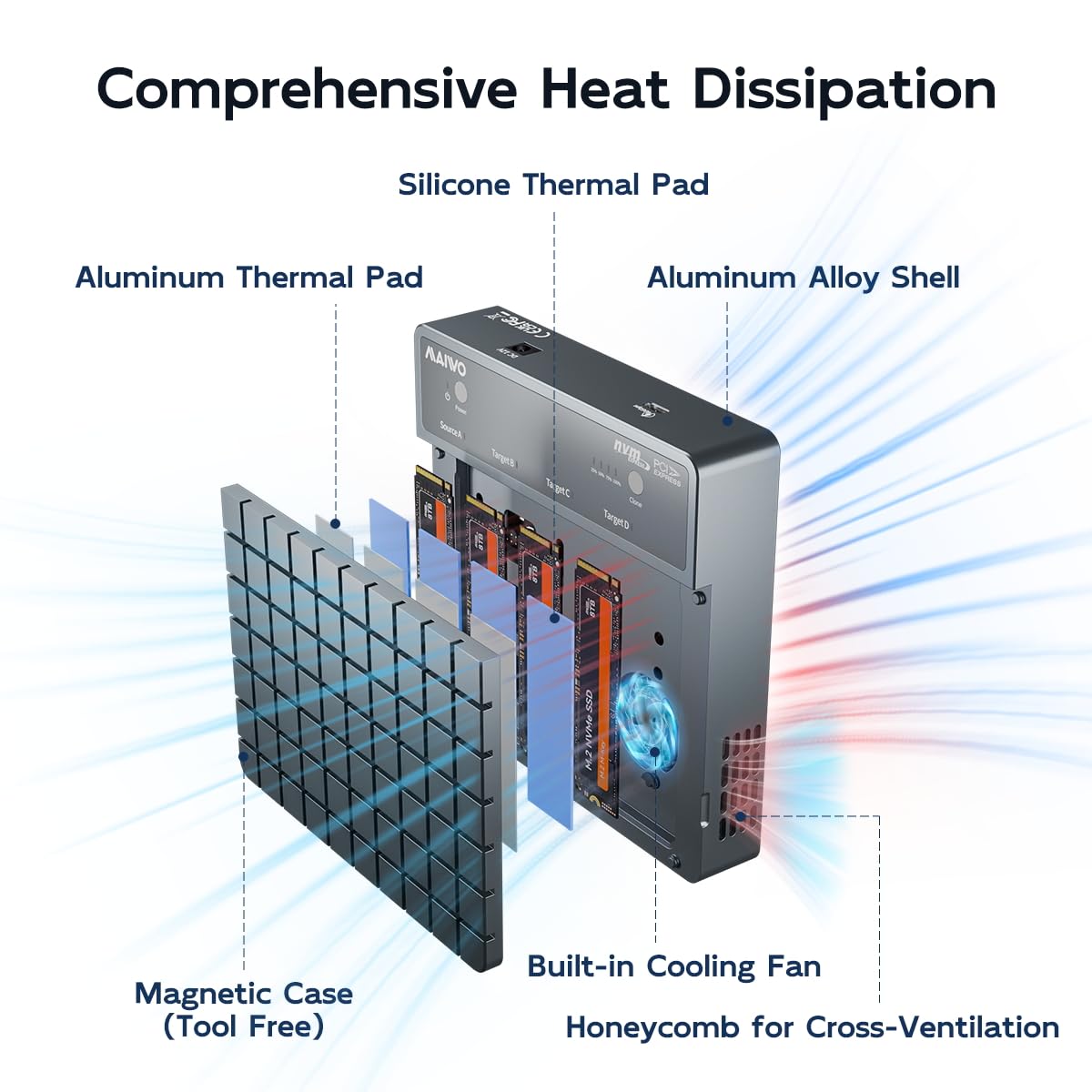
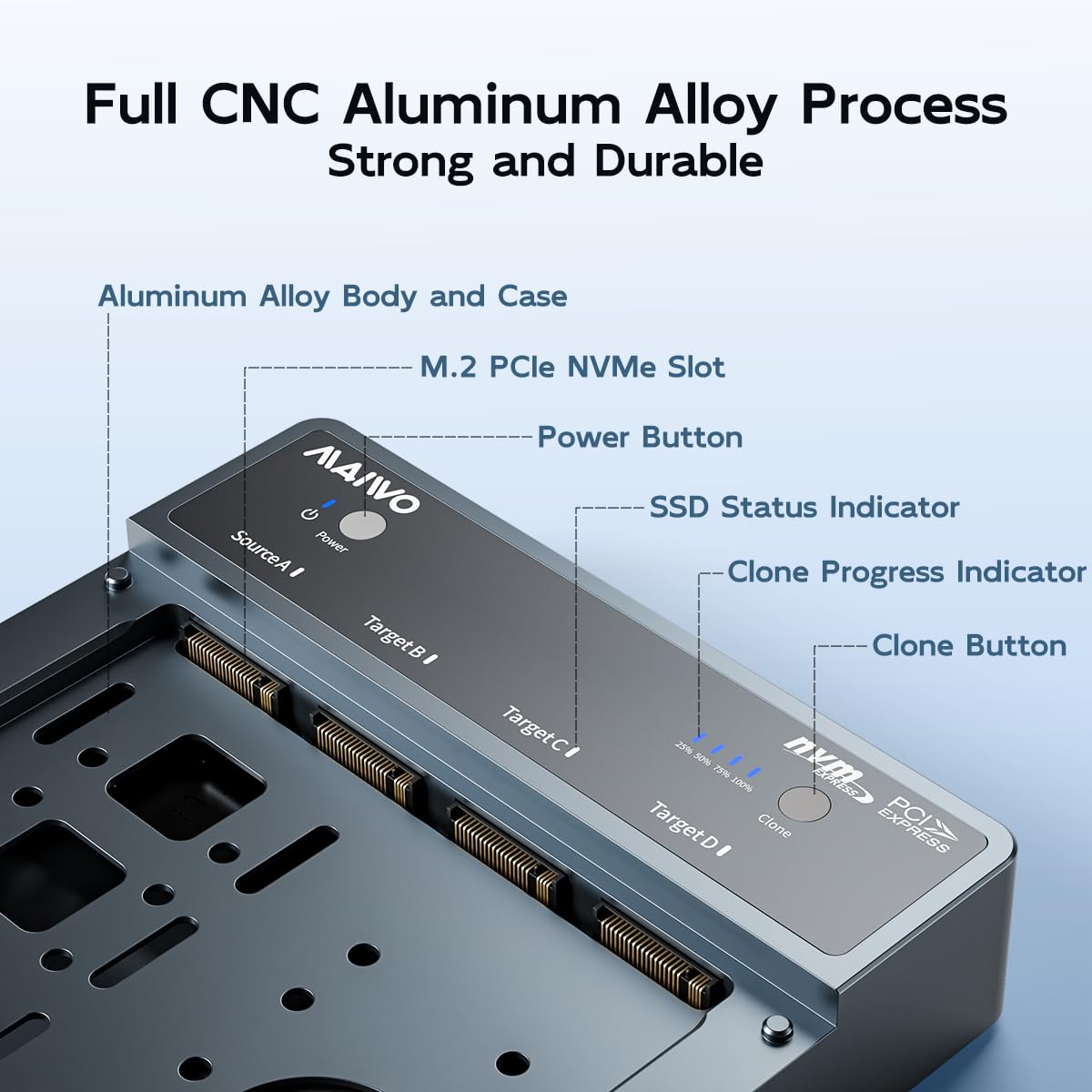
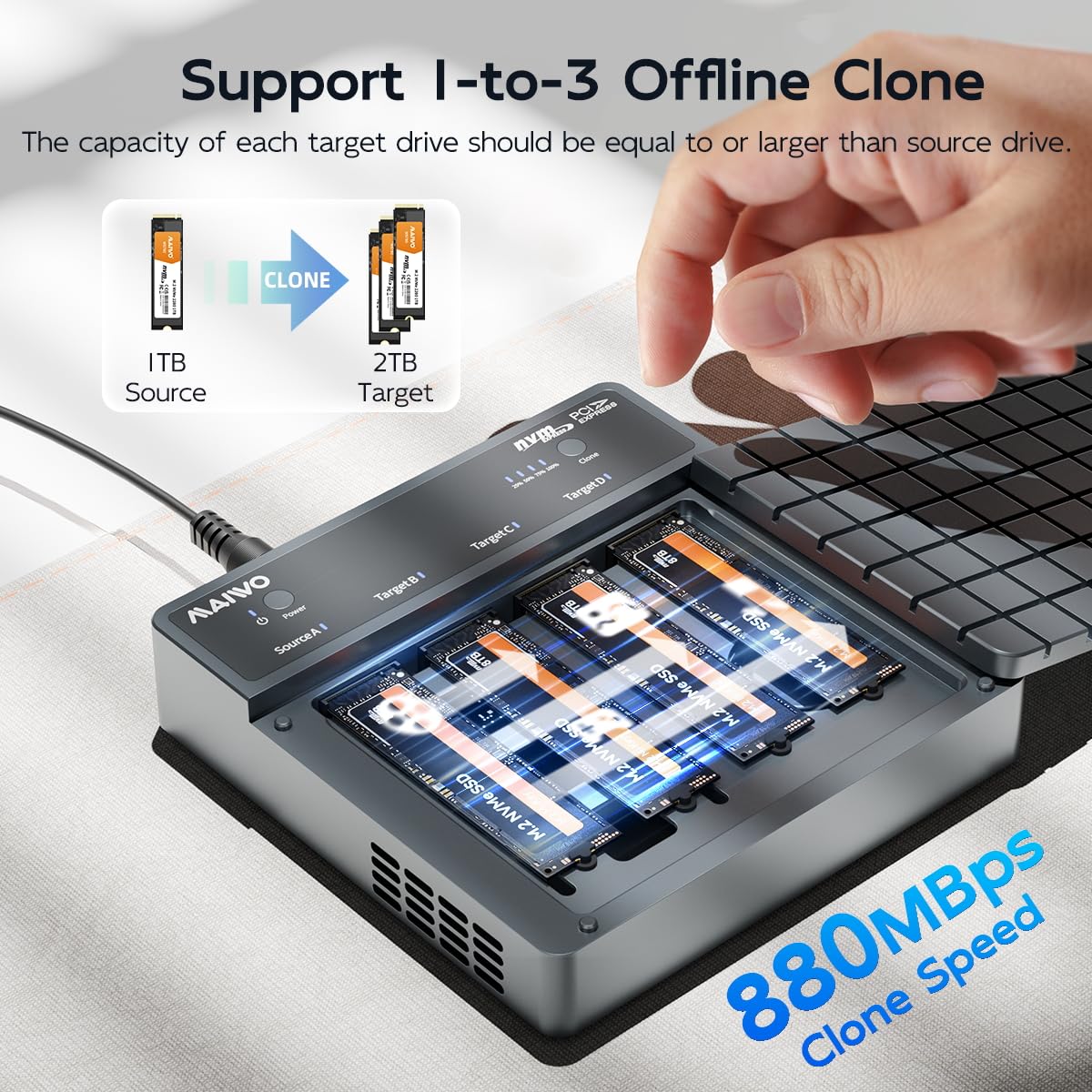
The MAIWO 4 Bay NVMe Cloner Enclosure delivers professional-grade 40Gbps USB4 data transfer speeds with support for up to four M.2 PCIe NVMe SSDs. Featuring 1-to-3 offline cloning, versatile RAID configurations, and advanced cooling solutions including a built-in fan and aluminum body, it ensures high performance and reliability. Its tool-free magnetic design offers effortless installation, compatible with macOS, Windows, Linux, and Thunderbolt 3/4 devices, making it an essential hub for data managers and tech-savvy professionals.


| ASIN | B0D5B8KYLW |
| Best Sellers Rank | #580 in Enclosures |
| Brand | MAIWO |
| Built-In Media | 1x 12V 5A Power Adapter (47inch), Power Cord (47inch), 1x 4 Bay M.2 NVMe SSD Duplicator, 1x USB-C to USB-C 40Gbps Data Cable (27.5inch), 4x Silicone Thermal Pad, 4x Aluminum Thermal Pad, 6x Silicone Plug |
| Compatible Devices | Desktop, Gaming Console, Laptop, Macbook Pro/Air, Mac mini, Xbox, Smart TV, Router, Smartphone(should support OTG), etc., Tablet |
| Customer Reviews | 3.8 out of 5 stars 121 Reviews |
| Data Transfer Rate | 40 Gigabits Per Second |
| Enclosure Material | Aluminum |
| Hard Disk Form Factor | 22 Millimeters |
| Hardware Interface | Solid State Drive, USB Type C |
| Hardware Platform | x86, x86_64 |
| Item Dimensions L x W x H | 5.71"L x 5.71"W x 1.26"H |
| Item Height | 3.2 centimeters |
| Item Weight | 0.2 Kilograms |
| Manufacturer | MAIWO |
| Material | Aluminum |
| Memory Storage Capacity | 32 TB |
| Product Dimensions | 5.71"L x 5.71"W x 1.26"H |
| Supported Devices Quantity | 1 |
| Warranty Description | One Year Manufacturer Warranty |
J**S
Yes, I do like this but read the rest to make sure you will.
Why did you pick this product vs others?: I will say the jury is still somewhat out on this, but I really like it. I put four 4TB m.2 drives in it in a RAID 5 setup. I've been using the m.2 form factor for a long time now and I knew the heat would be an issue with the high-capacity drives, so I added some rather husky heat sinks and, following some advice in the other comments here, added an external fan on the top of the case. It's been working perfectly for about 4 months now. The Thunderbolt connection is solid and fast. Look in the other reviews for the Amazon link to the heat sinks and the cooling fan that's mentioned as quiet. It's a minor project to set all of this up and get it to fit inside the case (heat sinks are a tight fit) and you will have to drill a hole for the fan wire to get to the PCB plug. Do all that and you'll be happy.
M**T
Solid Performance, but Runs Warm
I tested the MAIWO 40Gbps M.2 NVMe SSD Enclosure with a Samsung 980 PRO 2TB SSD, and the results were impressive. Sequential read and write speeds reached 3793 MB/s and 3432 MB/s, respectively, which is excellent for an external NVMe SSD enclosure. Random read and write speeds were also reasonable, though write speeds on smaller blocks could be improved. The build quality is solid, and setup was straightforward. However, I noticed the enclosure does heat up during sustained workloads. While it didn’t throttle performance in my use case, it’s something to consider if you frequently transfer large files or use it intensively for extended periods. Overall, this is a great product for those looking for a high-performance external SSD solution, but be mindful of potential heat buildup during prolonged use.
N**G
High-Speed Value with a Hot Drawback
Offers excellent value for its price, supporting high-speed data transfer up to 40Gbps and compatibility with Thunderbolt 4/3, USB4, and a wide range of NVMe SSDs. Its tool-free design and sturdy aluminum alloy case make installation and daily use very convenient. However, there is a significant drawback: the enclosure tends to overheat during sustained transfers. Once it gets hot, the throughput drops noticeably, which can be frustrating if you’re moving large files or using the drive for extended periods. This thermal throttling limits the otherwise impressive performance. While the enclosure does feature a grooved design for heat dissipation, it’s not enough for heavy workloads. A better heatsink or active cooling solution would make a big difference for users who need consistent high-speed performance. If you’re looking for a budget-friendly, high-speed NVMe enclosure for occasional use, this is a solid choice. But if you plan to push your SSD with long transfers or heavy workloads, be prepared for thermal throttling. Consider adding an aftermarket heatsink or looking for a model with better cooling.
R**S
Good speed, very reliable, it does get hot
I like it. Very nice speed. I use it to boot my Mac mini from it and no issues. It gets hot so I use my old intel processor fan to keep it cool. It has been working great so far
M**T
Does not work in Thunderbolt or USB4 mode
This review is for "MAIWO 40Gbps M.2 NVMe SSD Enclosure USB4 Type-C to 2280 NVMe Adapter Groove Heat Dissipation Support Thunderbolt3/4 USB4/3.0/2.0 Tool Free 8TB Capacity Aluminum Alloy Case (K1717)": The drive is supposed to have a Thunderbolt 4 / USB 4 controller. But when connected to Thunderbolt 4 it crashes the computer every time (and causes kernel panics on boot). When connected to Thunderbolt 3 the drive is in the Thunderbolt device tree but doesn't mount or appear in Disk Utility. The conclusion is it only works in USB 3.1 mode or lower. Plus, it was missing parts: The "What's in the box" and "Package Content" both say that it includes 2 silicone pads and 1 aluminum pad. Mine came with 2 aluminum pads and 1 silicone pad. Which, I suppose, is the same total quantity of pads. But extra aluminum pads is not as satisfactory as getting extra silicone pads, since that part is less reusable.
S**N
Teally Solid
I was not sure about the magnetic lid on this unit, but I love it. It has a really solid feel to it and it stays cool in operation. Another thing I was dubious about was the little rubber plugs it uses to hold the drives in place instead of screws. I find the plugs much easier to use rather than fiddling around with tiny screws. The unit works perfectly both for copying drives and as an external storage unit.
A**E
Very nice and fast
Works great on my M1 Mac Mini and a 4TB Lexar NM790 SSD, get read and write that is pretty much as fast as you can expect for thunderbolt. I only got one thermal pad with this, the listing and manual seems to imply I should have some metal strip and another thermal pad, but didn't have those. Instead I had a spare very thick thermal pad which I put on top to touch the top of the case, and put the included one below the SSD. The SSD I have uses less power and generates less heat than normal so even with one thermal pad it would probably have run fine. Copied 2TB to it already with no issues. The case itself is neat thick metal and opens without any tools just by pulling and still has a snug fit when putting it on, so it won't come off by accident. It uses this annoying rubber screw to secure the SSD, and 2-3 spares were included. Comes with a very short thunderbolt cable, and I replaced it with a longer one.
C**T
So far so good but Windows users read this
I'm using Windows 11 with an MSI Motherboard and Thunderbolt 4 connections on the back. Inserted a WD_Black SN7100 2GB NVME. Its working good so far. Speeds are as expected for Thunderbolt 4 on Windows. There is one thing you need to do in order to get full write speed. You need to enable the write cache located in Device Manager > Disk drives > your NVME > Policies (see photo). Otherwise the write speed will be much lower. The cooling fan definitely keeps the enclosure cool but its not a quiet fan. Knocked off one star for that. Otherwise its working and will follow up long term if something happens.
Trustpilot
3 weeks ago
1 month ago



