Desertcart purchases this item on your behalf and handles shipping, customs, and support to Netherlands.
📚 Dive into color, sound, and freedom—read anywhere, anytime!
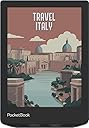
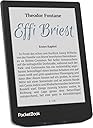
The PocketBook Verse Pro Color is a sleek 6-inch e-reader featuring the latest E Ink Kaleido 3 color screen technology for eye-safe, glare-free reading. Equipped with Bluetooth 5.4 and Text-to-Speech, it supports audiobooks for a versatile reading experience. Its IPX8 waterproof rating ensures durability in any environment, while SMARTlight lets you adjust screen tones for personalized comfort. With 16GB storage and a quad-core processor, this compact device is designed for avid readers who demand both style and substance.
| ASIN | B0D9QTSVXC |
| Battery Description | Lithium-Ion |
| Best Sellers Rank | #33,276 in Electronics ( See Top 100 in Electronics ) #80 in eBook Readers |
| Brand | PocketBook |
| Built-In Media | E-reader, USB Type-C cable, documents |
| Color | Stormy Sea |
| Connectivity Technology | USB |
| Customer Reviews | 4.2 out of 5 stars 365 Reviews |
| Display Technology | Electronic Ink |
| File Format | At least one or more of the following: FB2, EPUB, MOBI |
| Human-Interface Input | Touchscreen |
| Item Weight | 349 g |
| Manufacturer | PocketBook |
| Memory Storage Capacity | 16 GB |
| Mfr Part Number | PB634K3-1-WW |
| Model Name | Verse Pro Color |
| Model Number | PB634K3-1-WW |
| Native Resolution | 800 x 600" or "1024 x 768 |
| Number of Items | 1 |
| Other Special Features of the Product | Adjustable Front Light, Anti-Glare Screen, Audiobooks, IPX8 Waterproof, Text-to-Speech Function |
| Screen Size | 6 inches |
| Warranty Description | 2 years |
K**M
excellent quality, privacy, features, price
Easily the best quality, privacy, and feature set, for a steal of a price. Incredibly light, battery efficient, boots/sleeps in seconds, easy on the eyes, and passable colors. NO accounts or online access is required. Pocketbook is headquartered in Switzerland and Ukraine, which may have better handling of privacy data than other countries. Per their privacy notice, it seems they only collect the bare minimum necessary, and only if you actually use their optional online services. Copying DRM-free ebooks is incredibly simple: connect to your computer via USB, and the Pocketbook shows up as an external drive. Copy any files/folders, then safe disconnect -- the Pocketbook will automatically detect new books. Pocketbook library can be browsed via folder structure too, if you prefer to organize that way. Connecting via USB also exposes the underlying Linux file system, for tinkerers. Online transfers can be done via optional Dropbox, PocketBook Cloud, or Pocketbook's email service. Using FTP via the browser is a private/account-free option. It has handled all EPUB, MOBI, PDF, and CBZ (comic) formats that I've tried so far with no issues. The Gallery function is also nice for viewing images and art. Even the browser is surprisingly capable, able to handle FTP and even YouTube. Videos are not very watchable due to low framerate, but it could work in an emergency. The only minor downside is that a Bluetooth audio device is necessary if you want to listen to music or audiobooks, but it's not a huge deal. I recommend buying a flip cover to improve protection and handling.
A**0
Fantastic compact colored ereader!!
Finally got an open system ereader and I’m lovin it more than I expected. Main reasons I bought it, I won’t be locked in an ecosystem, I can customize it at no cost (no more jailbreaking) and it can read a lot of file types. - it’s slim and fits easily in my purse VERY customizable. - You can add your own wallpapers and change the power off wallpaper and boot wallpaper in Settings or just set it to the book cover of the one you’re currently reading. You can install fonts too. - Sideloading ebooks/audiobooks is as easy as 123. Drag and drop! But if you want you can also sync it with your Pocketbook app on your phone. The stock reader is great with the TTS, dictionary and all but if you love using Koreader like me, then you’d be delighted to know that installing it in this device is super easy too. No need to jailbreak. Again, drag and drop! - Superb reading experience. Text looks crisp and does not fade when you’re outside under direct sunlight. And with the Smartlight (aka warm light) and night mode feature, it’s perfect for reading in low light. - has Libby app so you can download/borrow books from libraries - has TTS feature which kinda turns your ebook into an audiobook. You can download a lot of voices (english in different accents and even foreign languages like french, dutch, spanish, german, chinese and so on) - From opening ebooks to turning pages, it’s fast. Faster than my two previous ereaders. - The book recommendations (aka Ads) on homescreen is enabled by default but you can turn it off in Settings under Personalization > Widget. - the usb-c port not only serves as a charging port but you can use it to plug in your usb-c earphones as well - Has a dedicated Music player. You can add songs and listen to them while you read. - there’s an option to set a passcode lock - Has bluetooth and wifi that is compatible with both 2.4 and 5ghz.
A**S
So close to fantastic, it's almost aggravating.
Hardware-wise this reader is spectacular. It's a pretty standard size, about the same as a Kindle, but maybe a little thinner and (in my opinion, at least) with a lot more style. The offset PocketBook logo on both the front and back, the metallic band around the body, and the molded stripes on the back give it some personality instead of being a dull slab of a device. It's just small enough to slip into a pocket (if your jeans aren't too tight) and the flush power button means it shouldn't accidentally be turned on too easily (but I'd recommend a cover nonetheless). The screen is nice and still plenty sharp, but certainly softer, darker, and with less contrast compared to the black-and-white E-Ink Carta displays. Pretty standard for an E-Ink Kaleido display as I understand it. A limitation of the technology, in other words. You can make up for this with the backlight, thankfully, but it's a shame that in all but very bright lighting you'll probably really want it. Page-turning buttons are nice to have too, even if I usually prefer them on the side rather than the bottom bezel. The more frustrating part of this device, however, is the software. It's not unusable, most of what you need is there, it's very open and supports a lot of formats and is easy to add extra readers and so on, but it's just slightly janky enough to really be frustrating. Sometimes touch response hangs. Sometimes swipes don't do what you'd expect, that sort of thing. It lacks polish. Closing the cover (if you buy one) for example puts the device to sleep like you'd expect, but by default the device shuts down entirely in 10 minutes, and then opening the cover doesn't turn it back on, because... it's off completely, so the sensor isn't being read anymore. It's easy and quick enough to turn back on, but lacks that seamless feeling you get with a Kindle (and, I assume, a Kobo as well). You can get around a lot of this by tweaking some options and disabling shutdown in settings, though battery drain when the device is only sleeping and not completely off is more than I'd like to see. I've found that the best compromise is to let the device shut down like it wants, and also to just use KOReader (which is incredibly refreshingly easy to install, by the way) with the ZenUI plugin to make the interface nicer, and then associate it with all my book formats. Doing this they all open directly into KOReader, which has a very nice and sleek interface with ZenUI and is almost like running entirely different software on the device. If e-Readers had a custom ROM community like many Android phones, this thing would be prime real estate, in other words. It's a shame, then, because for this price, and if the team at PocketBook really hammered out some of the software quirks, they'd have a venerable Kindle Killer. As it is, though, while I'd still recommend it purely for being a more customization-friendly device and the best price I've seen on a color e-Reader, I do think it's important to know what you're getting into. If you're not the tinkering, modding sort, it might not be for you.
M**Z
Won't register a press on the screen
Update. The new one came in and the touch screen work and i love it also the TTS is awzome. I recommend this product. When the order arrived. The touch screen would not register a press. I am exchanging it for another one will update if the other pocketbook arrived with the same issue or if it arrived in great condition.
B**N
You probably want a bigger screen...
I wish I would have purchased a larger screen, but it has done everything I've wanted it to do eventually. There are a few times it has frozen on me. It also keeps pushing it's online store, but they all do. I love the freedom of being able to swap my own books with the cable. The color screen is fun, but it's far from photo quality.
M**L
Compact and easy to sideload
I love the size and weight of the the Pocketbook Verse models - fits in the hand very comfortably and the buttons are in a great location for page turning. The new color layer dims the screen a bit but can be worked around once you turn on the frontlight. Color makes the covers pop and color images in some of the books I read looks great. Everyone has their own opinions on the color vs. b&w contrast but I personally don't mind it that much. Pocketbook's built in store is pretty useless if you're in the US - it is one of the first things I moved off the quick access bar. However, the system is practically built for sideloading so purchasing epubs from Kobo/Google Play Books/Etc and easily transfer them over with a computer or via email with Send-To-Pocketbook. Another bonus is that this model has usb-C OTG capabilities so the 16gb isn't that much of a limitation as long as you have a flash drive. The black and white Verse Pro does not have this capability. I also love how Pocketbook allows you to look directly at your folder structure so organization can be as simple as creating folders/subfolders on the computer and drag/dropping everything into place. Edit: Added photos to compare the screen of the Verse Pro to Verse Pro Color (Verse Pro Color on the right in the photos). First photo has no backlight on, second is with the Verse Pro Color's backlight on about 33%.
S**A
Terribly slow and inaccurate presses. Into doom cycles of waiting on the machine.
Extremely slow, even worse is it will open something that you didn't press but waited 5-10 seconds for. So your now waiting 4-10 seconds for the drop down screen to wait 5-10 seconds to see if the home button to begin again to wait 5-10 seconds to open (maybe) the correct file. The cloud from the app never synchs and they don't warn you that the feature is advertised but not functioning. Only way is to get on the website on the machine and download, so lots of 4-10 seconds waits. Or just plug into the PC and drag and drop files. While writing this I had to drop the stars.
J**K
Landscape mode is a game changer, tweak both lights for best contrast, solid build, I like it.
Note: I am a Vine reviewer, but bought this Verse with my own money. This is not a Vine review. Early days, but so far I am very happy with the Pocketbook Verse Pro Color. I bought it after my old Kobo Libra H2O finally flaked out after being dropped and sat on a few hundred too many times. Yeah, I am very hard on electronic gadgets, especially e-readers. I wanted to essentially replicate the Libra, but sadly Kobo no longer makes a simple e-reader with a smaller screen and physical page-turn buttons. The Verse comes close to the features, size, and price of the Libra, plus it adds color. The most important part, the e-ink screen, works well for reading text, much better than I expected after seeing many reviews which warn of "screen door" effects and washed-out gray contrast. Probably the key thing to do to make text reading clear and easy on the eyes is to adjust both the regular (white) light and "smart" (soft white / yellow) light balance. After futzing with the settings on both lights, the text is very clear on the screen and the contrast is excellent. Maybe not quite as good as on the Libra, but quite close. It does mean futzing with both light settings any time I move to a differently lit room, but since they're controlled by swiping up and down on the sides of the screen, it's not a huge hassle. Of course, leaving both lights on does reduce battery life, but with wifi off, it still lasts for many days. Speaking of wifi, you are not required to turn on wifi or "register" the Verse *at all* in order to use it. You can copy your e-books to the Verse over USB, since it looks like a thumb drive when you connect it to your computer. And after that, futz with the settings, set the date and clock, and it is ready for reading. I have yet to turn on wifi on mine, and do not intend to ever do so. But Libby users might need to use wifi. YMMV. The color feature is nice. I don't really make much use of it yet, but it does enhance maps and photos included in the books. It is surprisingly good at displaying PDF files. It isn't great for scientific papers due to its small screen, but at least it can open them. It opens most files I've thrown at it, including some .MOBI files. The Verse feels very solid and well-built. The physical buttons are great, with positive, clicky action. Better than those on the Libra. We'll see if it can withstand 8 years of neglect and abuse like the Libra did. Putting the Verse into "landscape" page-viewing mode instead of the default "portrait" mode is a game-changer for me. It allows me to effectively have the buttons on the right side (like the Libra), rather than on the bottom, so I can easily hold and control the Verse right-handed. It is very non-distracting and pleasant to use for hours on end in this mode. The Verse comes with a bunch of free books on it in many languages, plus a few audio files. Decluttering seemed like a hassle until I realized that I could just copy the books I wanted to keep to my computer, delete all the other books on the Verse, then copy the kept books back, along with books from my library. Overall, I really enjoy using the Verse, and feel that it is a good deal for the price.
N**R
Kesinlikle tavsiye ediyorum
Uzun süreli araştırmalarım sonucunda bu markada karar kıldım. Eğer ben farklı formatlar kullanmıyorum, sadece cihazın sağladığı kitaplar, mangalar benim için yeterli diyorsanız BU ÜRÜNÜ ALMAYIN. Ancak, farklı formatlarda dokümanları farklı kanallardan edinip tek bir çatı altında toplayabilmek istiyorsanız, bu ürün tam SİZE göre. Kendi içinde çok fazla seçenek yok, ancak az önce söylediğim gibi ben zaten arşiv biriktiriyordum. Dropbox ile kullanım oldukça kolay ve konforlu. Bilgisayarınızdan dropboxa yüklediğinizde 30 saniyeden kısa süre içinde 100 ekitap eşzamanlandı. Arayüz kolay, dokunmatiğin yanında tuş olması benim için çok daha kullanışlı. Renkli özelliği de olduğu için manga okumak çok keyifli. Herhangi bir görüntü kaybı yaşanmıyor
C**E
Práctico y enfocado a lo que es, lectura
Me ha fascinado el lector, es del tamaño que esperaba, pequeño, de bolsillo justo para viajar. Es muy fácil pasar libros desde la aplicación Calibre. Había leído varios comentarios que no les gustaba que el lector no es completamente blanco, esto es así, para mí no es un problema es como leer en periódico con ese tono grisáceo y es un gran descanso para mi vista. También trae pequeños juegos un ajedrez, sudoku y solitario, el concepto es divertido, los he explorado poco, realmente disfruto de la lectura en este dispositivo y esto otro gran acierto bastante enfocado en lectura sin mayores distracciones.
P**J
Poręczny, mały czytnik
Fajny mały czytnik, w celu dodania empik go i legimi wystarczy napisać do supportu legimi prośbę o dodanie wsparcia dla urządzenia
A**E
Top!
Ich bin begeistert vom Pocketbook Verse Pro Color. Dieses kleine Kraftpaket hat sich in kürzester Zeit zu meinem liebsten Lesebegleiter entwickelt. Besonders hervorheben möchte ich das fantastische Farbdisplay. Endlich kommen Cover, Illustrationen und sogar Comics auf einem E-Reader richtig zur Geltung. Die Farben sind angenehm und nicht zu grell, sodass das Lesen weiterhin augenschonend bleibt. Ein echter Genuss! Ein weiteres unschlagbares Feature ist die nahtlose Integration der Onleihe. Bücher direkt über das Gerät auszuleihen und zu lesen funktioniert reibungslos und ist unglaublich praktisch. Kein lästiges Übertragen von Dateien mehr – einfach stöbern, ausleihen und loslesen! Das handliche Format des Pocketbook Verse Pro Color ist perfekt für unterwegs. Es passt problemlos in jede Tasche und ist dabei angenehm leicht. So habe ich meine Lieblingsbücher immer dabei, egal ob in der Bahn, im Café oder im Urlaub. Die Synchronisation zwischen zwei Geräten funktioniert ebenfalls einwandfrei. Ich kann auf meinem größeren E-Reader zu Hause beginnen und unterwegs nahtlos auf dem Verse Pro Color weiterlesen, ohne die Seite zu verlieren. Das ist unglaublich komfortabel und spart Zeit. Zusammenfassend lässt sich sagen, dass der Pocketbook Verse Pro Color ein rundum gelungenes Gerät ist, das mit seinem Farbdisplay, der einfachen Onleihe-Nutzung, dem praktischen Format und der reibungslosen Synchronisation absolut überzeugt. Auch der Akku hält für so ein kleines Gerät sehr lange. Eine klare Kaufempfehlung für alle Leseratten!
M**.
Perfecto para leer libros gratis con eBiblio
Estaba deseando renovar mi Kindle Paperwhite de 2015 y esta vez quería probar algo diferente, así que elegí este Pocketbook. Lo más importante para mí era poder abrir los ebooks de eBiblio, y cuanto más fácil, mejor. Estoy encantada con este ereader. ✅ Ventajas: • Tiene cargador USB-C. • La pantalla se ve genial, tanto en color como en blanco y negro. • Cuenta con luz cálida y modo oscuro, ideal para leer de noche. • La navegación es rápida y fluida. • Es muy sencillo cargar libros desde Pocketbook Cloud, Dropbox, eBiblio, enviarlos por email, etc. • Puedes configurar casi todo: el menú, los gestos, los botones, hasta cargar tus propias tipografías. • Es muy ligero. • Si subes los ebooks a Pocketbook Cloud (tienes 5GB de espacio gratis), puedes leer desde el ordenador, la app del móvil y el ereader, y se sincroniza el progreso de lectura. ❌ Inconvenientes: • Subrayar es más difícil que en el Kindle, cuesta un poco que el marcador se quede donde quieres. • No te muestra el tiempo restante para terminar el capítulo (pero sí el número de páginas que quedan). • La tienda de Pocketbook es muy limitada y no tiene nada interesante. La he quitado del menú de inicio. ⭐ Lo mejor: Leer libros de eBiblio. En el vídeo enseño cómo descargar libros de eBiblio para leerlos gratis. Kindle no es compatible con eBiblio y Kobo requiere conectar el ereader al ordenador con USB para cargar los libros, pero con el Pocketbook puedes hacerlo solo con WiFi. Aunque va bastante rápido, navegar con una pantalla de tinta electrónica no es lo mismo que con una tablet, por lo que recomiendo consultar el catálogo y pedir el libro desde el móvil o el ordenador, y después solo descargarlo desde el navegador del Pocketbook. Me encanta que puedas ver en la portada cuántos días te quedan para devolver el préstamo, algo que no he visto en otras marcas.
Trustpilot
2 months ago
2 weeks ago