
DOWNLOAD THE APP


Customer Services
Copyright © 2025 Desertcart Holdings Limited
DOWNLOAD THE APP


🚀 Unleash desktop power in a mini frame — work smarter, faster, everywhere!
The KODLIX GD90 Mini PC packs a 12th Gen Intel i9-12900HK processor with 14 cores and 20 threads, paired with 32GB DDR4 RAM and a 1TB PCIe 4.0 SSD. It supports triple 4K UHD displays via HDMI, DisplayPort, and USB-C, making it ideal for multitasking professionals and creatives. Featuring ultra-fast 2.5Gbps Ethernet, Wi-Fi 6E, and Bluetooth 5.2, this compact powerhouse delivers premium connectivity and silent, efficient performance for home or office use.


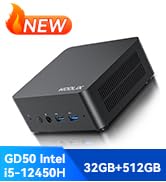
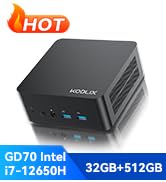

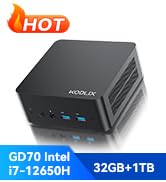


| ASIN | B0D7M92FZ2 |
| Best Sellers Rank | #31,377 in Computers & Accessories ( See Top 100 in Computers & Accessories ) #882 in Mini Computers |
| Brand | KODLIX |
| Card Description | Integrated |
| Chipset Brand | Intel |
| Color | Silver |
| Computer Memory Type | DDR4 SDRAM |
| Customer Reviews | 4.4 4.4 out of 5 stars (92) |
| Date First Available | June 20, 2024 |
| Flash Memory Size | 32 GB |
| Graphics Card Ram Size | 2 |
| Graphics Coprocessor | Intel Iris Xe Graphics (Frequency 1.45GHz) |
| Hard Drive | 1 TB SSD |
| Hard Drive Interface | PCIE x 4 |
| Hard Drive Rotational Speed | 7200 |
| Item Weight | 2.57 pounds |
| Item model number | MiniDesk |
| Max Screen Resolution | 3840x2160 Pixels |
| Number of Processors | 14 |
| Number of USB 2.0 Ports | 2 |
| Number of USB 3.0 Ports | 2 |
| Operating System | OS |
| Package Dimensions | 7.13 x 6.1 x 4.49 inches |
| Processor | 5 GHz core_i9_12900hk |
| Processor Brand | Intel |
| RAM | 32 GB DDR4 |
| Screen Resolution | 3840 x 2160 |
| Series | MiniDesk |
| Standing screen display size | 50 Inches |
| Wireless Type | 802.11ax |
C**N
Powerhouse little mini PC for a bargain price!
This mini PC features last years Intel flagship mobile processor. While the 12th gen is a year old, there is not much difference in performance in the latest 13th gen version. However, there is a massive price difference. This mini PC has 32GB of DDR4 RAM (not DDR5, which is more expensive and not much faster). There are two sticks of RAM, so you get the added performance of dual channel mode. The installed Windows 11 Home is 22H2, which is over a year old. The benefit here is during the initial setup of Windows (during your first boot) there is no requirement to add an online Microsoft account (as long as no network connection is made - do not set up the computer for your network until AFTER you set up Windows on your first boot if you want to use a LOCAL account instead of a Microsoft account). The downside to this is once you are done setting up Windows for the first time, you will have a ton of updates, reboots and more updates to get Windows 11 current and secured. The system has the RAM, 512GB NVMe (gen4, 4800 MBps sequential read), and m2 wifi/bluetooth card easily accessible from removing the bottom panel (be careful as the panel extends to become the back side of the computer, making removal a little tricky since the panel is 'L' shaped and needs to clear all the ports in the rear to be removed properly. If you are forcing it, you are doing it wrong. When done properly, it will come off with little effort. Unfortunately, they've decided to put rubber feet with sticky tape over the access holes to the screws. Therefore, you must remove the rubber feet first, being very careful of not damaging the foot or adhesive, as they give no extras. On my unit, the sticky tape stuck to the mini PC, leaving the screw access holes covered and the rubber feet coming off without any sticky on them. I then had to use a small jewelers screwdriver to puncture a hole in the tape and access the screw about 1" deep. This requires a narrow Phillips screwdriver to reach that deep in to the hole. Once all four screws are removed, all components are easily accessible to upgrade RAM, NVME, WiFi or even a 2.5" drive to the bottom panel and use the included sata cable to hook up to the drive and motherboard. I do not recommend adding any device that gets hot, as there is no fan in this part of the mini PC. While they do make it easy to add a 2.5" drive, keep in mind you are also adding more heat to the area that contains your RAM and NVMe drive. For this reason, I strongly recommend you buy a USB-to-SATA cable here at Amazon and use your 2.5" drive externally. No drive enclosure is necessary and SATA is so slow (compared to todays NVMe drives) the drive will perform the exact same speeds through USB as it will directly wired to the motherboard, while also keep the drive cooler and the internals of your mini PC cooler. All that said, this is a monster performer! Granted, its not for playing games. While you can easily play older games and retro games, the latest AAA titles often require a discreet GPU that cost 3x this entire PC. Gaming is an expensive luxury for those who can afford both the time and money modern AAA titles require.) For every task, from surfing the web, home theater, doing any work-related apps from Microsoft Office, TEAMS, video editing and rendering... pretty much anything you can think of this Kodlix GD90 can do without even breaking a sweat. It stays cool and quiet, no RGB or unprofessional glitz to attract attention. Just a high performing, quiet, very capable and inconspicuous mini PC for half the price of what it would cost you to build it yourself from new parts. I think you will amazed that you can get so much computing power in such a small box with such a small price! If I'm wrong, Amazon has a 30 day free return window. You have nothing to risk by trying it. See for yourself and tell me if you agree with my review!
D**E
Fantastic mini PC with more power than my large tower that it replaced.
This worked great to replace an older large server I had. It booted up super quick and has run great now for a few months. I plugged in an external 4 bay storage drive and hooked it up on the network and it's running everything I wanted to fantastically. I don't hear much noise from it and haven't noticed any heat issues it seems to run nice and cool.
S**G
would be 5 stars
Lightning fast and runs great but...would be 5 stars if seller specified OS which they don't for some reason. For those of you wondering, it's windows 11 home 64 NOT pro like everyone else.
D**S
It's a good product
I've been using the mini PC for several months and haven't really had any problems. It's very powerful for its price. I thought it would get hotter, but that's not the case; however, it's still important to keep it in a well-ventilated place. The only thing I've noticed is that when I'm downloading something and I have Bluetooth connected without listening to anything, it disconnects because of the download, so I have to reconnect it. I think this is because the card integrates Bluetooth and WiFi, meaning they are linked, which is why I haven't been able to find WiFi drivers in Linux and had to stick with Windows 11 Pro, which came as standard. Otherwise, everything is fine. Very good product.
P**T
Wow, very fast and capable, would might be good for gaming, but I don't game anymore.
This is a very fast and reliable computer, had a glitch with wifi, but Windows 11 fixed it. I canceled my DSL service and went to a microwave link, and new wifi 6 router, and wow screaming fast. This should be good for gaming but I stopped gaming when Flight Simulator 2000 got old. This thing can perform over 4 Teraflops, I hit the nyquest limit, with this unit. The computer has to sit there and wait on me to put it to work, overkill I know, but I think of something. Buy one, for the price it is a must have!
C**S
garbage and will drag their feet to refund your money
this was garbage and not only that when I returned it, they still have not refunded my money some almost 2 months later they're saying that they will refund it sometime next month
A**.
Great value compared to name brand that costs 3X more for same value.
I've had this for a bit now & wanted to make sure it worked as expected before leaving a review. I got this. Because it has everything I needed with processor, memory, RAM, etc. It was a mini which I knew I was going to need an USB adapter to fit everything I needed. I have hooked up 2 monitors, 2 web cams, digital microscope, thermal printer for my YouTube streaming & it has had no problems with anything. I'm very pleased it was 12th Gen i9 because 13 & 14th Gen i7 & i9 has BIOS problems. I also had to get an adapter for my HDMI cords so I could hook up both monitors since it only has 1 HDMI slot. For what I paid, it is better than what I was expecting for a mini. It has allowed me to edit videos, live stream etc.
Trustpilot
1 month ago
2 months ago