Buy anything from 5,000+ international stores. One checkout price. No surprise fees. Join 2M+ shoppers on Desertcart.
Desertcart purchases this item on your behalf and handles shipping, customs, and support to Netherlands.
🚗 Cut the cords, not the drive—wireless CarPlay/Android Auto freedom awaits!
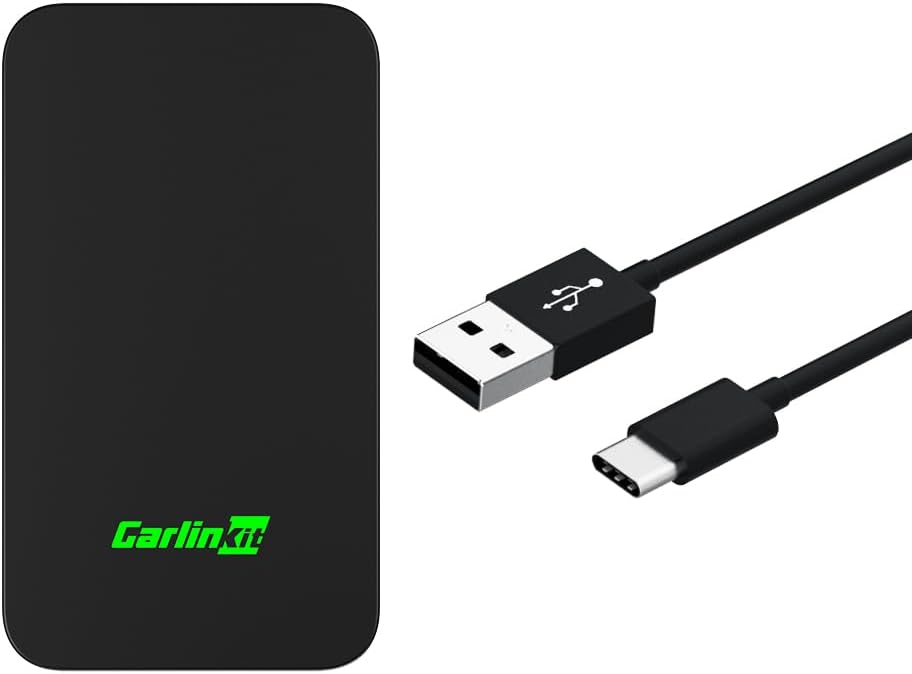
The CarlinKit 5.0 Wireless Adapter transforms your factory-installed wired Apple CarPlay or Android Auto system (2015-2026 models) into a wireless experience. Featuring plug-and-play USB connectivity, broad smartphone compatibility, and advanced Bluetooth/Wi-Fi tech, it delivers stable, low-latency performance. Compact and portable, it supports OTA updates to future-proof your in-car connectivity, making your daily drive smarter and cable-free.


| ASIN | B0CYZQJ37J |
| Additional Features | wireless carplay & Wireless Android Auto |
| Best Sellers Rank | #79 in Car Audio & Video Accessories |
| Brand | Carlinkit |
| Built-In Media | Packing box*1, product*1, data cable*2, product manual*1 |
| Color | black |
| Compatible Devices | For car with factory-installed wired CarPlay or wired Android Auto system, iPhone 6+(iOS 10+); Android phone(Android 11+) Compatible Devices For car with factory-installed wired CarPlay or wired Android Auto system, iPhone 6+(iOS 10+); Android phone(Android 11+) See more |
| Compatible Phone Models | for iPhone & for Android phone |
| Connectivity Technology | USB |
| Connector Type | USB |
| Current | DC |
| Customer Reviews | 3.6 out of 5 stars 903 Reviews |
| Enclosure Material | Acrylonitrile Butadiene Styrene, Polycarbonate |
| Included Components | Packing box*1, product*1, data cable*2, product manual*1 |
| Item Weight | 35 Grams |
| Manufacturer | CarlinKit |
| Mfr Part Number | CPC200-C2Air |
| Model Name | CPC200-C2Air |
| Model Number | CPC200-C2Air |
| Mounting Type | Travel/Portable |
| Number of Items | 1 |
| Number of Power Levels | 1 |
| Output Current | 0.15 Amps |
| Output Voltage | 5 Volts (DC) |
| Portable | Yes |
| Power Plug | No Plug |
| Power Source | DC |
| Special Feature | wireless carplay & Wireless Android Auto |
| Specification Met | FCC |
| Total USB 2.0 Ports | 1 |
| Total Usb Ports | 1 |
| Unit Count | 1.0 Count |
| Warranty Description | 1 year |
M**Y
Version 5 is a fine upgrade over version 3.
I have a 2007 Mercedes in which I replaced the head unit with a 2015 Kenwood, which gave me (wired) CarPlay. In 2021 I bought a Carlinkit 3 which gave me wireless carplay. This was great but there were three big problems: 1. about once a week the carlinkit unit would hang and have to be power-cycled 2. about once a month the negotiation between the carlinkit and the kenwood would hang, and the kenwood would have to be power-cycled 3. from starting the car to hearing carplay audio out of the kenwood took longer than I liked. A few months ago I took the plunge to buy a carlinkit 5 hoping it would fix these three problems. The good news is that it does seem to, enough so that I don't regret the purchase. I have so far not encountered problems 1 & 2. Let's talk about problem 3. Installing the carlinkit 5 is much more painful than it should be. Superficially it seems easy - connect the carlinkit to the head unit via USB cable - give the car power, so the head unit starts - expect some sort of guidance as to what to do next Unfortunately while this last step does eventually happen, it happens after a frighteningly long time (like three to five minutes) of apparently nothing. During this time I was frantically screwing around on my iPhone, trying to get the device recognized first in Bluetooth, then in Carplay. There may be a fast path to this installation, but the manual doesn't describe it, and this stupidity is probably responsible for most of the returns of the device. It works REALLY well -- but only once you have figured out how to connect it, which is far from obvious. I can't give the fast path because, like any normal person, I was trying one thing after another, and I'm not going to reset the carlinkit and my iPhone to try to recreate the optimal setup path! Once you have connected, the next non-obvious thing is to optimally set up the carlinkit. Once again the documentation is basically useless! What you want to do is, once carplay is active (meaning that your phone is connected to the carlinkit via the in-car wifi network created by the carlinkit) open Safari and go to the web address: 192.168.50.2, which will connect you to the config page for the carlinkit 5. Now we have various options. Here's my understanding of what they do and how to use them: Auto Connect: I set this to CarPlay so it doesn't waste any startup time trying to negotiate an Android Auto connection. Video Resolution I didn't touch; whatever it chooses is correct for my head unit. Likewise for FPS. Media Delay you are supposed to change if the audio seems out of sync with the video. I'm not sure why that matters (I don't think CarPlay allows video apps!) but some people seem to feel the audio on their system lags relative to play/pause, so maybe changing this would help? Start Delay is, I THINK, if your head unit is really slow, so that the carlinkit is read and trying to talk to it before the head unit can answer. I set this to 1 (I think 0 means auto, so I wanted the fastest possible, without whatever delay auto imposes). GPS switches between using GPS from the phone and the GPS antenna of the head unit. Whether this works well or not depends on details of your system... In principle the car can have a much larger GPS antenna with better visibility. Or it might be a head unit like mine with no GPS antenna... Try it either way and see which seems better. For WiFi I chose the fastest option (again no wasting time negotiating). With all the above set, what's the situation? On the plus side the carlinkit 5, unlike the 3, has a bright led that changes colors to show you the steps as it is powering up. On the minus side, no actual improvement in start up time compared to the carlinkit 3 :-( Both take about a minute to get to audio. That seems like a failure BUT it's not as bad as it looks! The reason for the slowness is that the carlinkit gets power from the head unit. So the startup sequence looks like - car powers on - a few seconds later head unit powers on - after about 30 seconds (ridiculously slow, but what can you do) the head unit has booted up at which point (and only then, so stupid!) it supplies power to the USB cable that's the CarPlay input - this power starts the carlinkit which takes its own 30 seconds to start up. So how can we fix this? My solution was to buy this cable: xiwai Type-C USB-C to USB 3.0 Male & USB 2.0 Dual Power Data Y Cable for Laptop & Hard Disk https://www.amazon.com/dp/B07VPNSMN8?ref=ppx_yo2ov_dt_b_fed_asin_title and plug the power USB-A connector into a USB-power jack (standard cigarette lighter to multiple USB ports thing that we all have) and to plug the data USB-A connector (the blue one) into the head unit CarPlay connector. Now when the car switches on - the head unit powers on - the carlinkit simultaneously powers on - the two pretty much simultaneously both reach a state of actually working, and time to audio is now 30 seconds rather than a minute! I might have been able to get this same speedup with the Y-cable and my old carlinkit 3. But the 5 does give me the colored LED status, it's slightly smaller, and the not-having to power cycle it and/or the head unit every so often is a nice bonus. I don't know how well the Android Auto part works, I've never needed that. But the CarPlay part is great! Just a shame that the manual is so awful and useless regarding first setup, and then detailed setup via the web page. (Oh, and quick hint. You can use Contact velcro strips to place it somewhere handy on the dashboard so it's out of the way but the led is still visible, nd you can still pull it off the dashboard every so often if you do need to move it.)
J**B
Drops connection to phone constantly to where you can't even enjoy your music.
Bought after changing out the USB port in my 2016 F-150 to the updated version that can actually use carplay. Don't want to plug and uplug my phone all the time so I figured "let's get a wireless adapter". This had pretty decent reviews, and worked pretty good initially but then it just started dropping signal so I'd be in my car jamming out to a song and then the song stops and then picks back up a few seconds later and just rinse and repeat. If this happened once per trip then whatever, but it started to do it constantly. Anyway I ended up getting gifted randomly a different wireless carplay adapter (one of the ones that has Netflix and YouTube and stuff) that I've been using for a couple months now and it works 1000x better than this ever did since it doesn't ever lose connection. So don't even bother with this product, find a different one to spend your money on unless you really just want to be driving and be pissed off that you can't even listen to a full song without being interrupted by a dropped connection multiple times per song.
I**E
Still gauging
It’s an interesting piece of tech. It does what it should. I tried this because I had some issues on my CX-30 with phones connecting and disconnecting when wired. I like that it auto connects. That part is generally pretty seamless. The first few times it was a pleasant surprise and then I got used to it. I didn’t notice until it didn’t happen once and I’m pretty sure it was me and weird Bluetooth/wireless configurations. In fact, I started by giving this four stars but on reflection, I think any issues I have with it are my own and the device works as it should. I’m a ridiculous techie and have a tendency to have several Bluetooth connections to my phone at once while driving: watch, some pogo catcher of sorts, driving devices, etc. Also I have two passengers who have several Bluetooth connections crossing paths not to mention the car’s WiFi. There’s a lot happening in my car. Again, I changed my review because awhile back, I had the same initial connection issues when I introduced the Spotify Bluetooth device they discontinued. I can say with confidence that my specific use case is not covered under most situations. Lots of beta devices. Never have an issue with a reasonable amount of Bluetooth devices connected to my phone simultaneously (and even unreasonable). Ok, so sound. It’s not lousy. I have stock speakers and they’re meh to begin with. I’d venture to guess if you had the Bose option speakers that you might notice a quality difference but I can’t speak to that. If there is a sound quality difference, I’d say it’s minimal but I’m also older now and am happy the tech works. It is also seamless with calls. No issues. I have only used this with iOS 17 and 18 beta. Have not tried switching to the android and mostly because I don’t want to create issues if there are any. I doubt it would but I’m set it and forget. On my stock CarPlay, I’d annoy myself by adding all of my devices and forgetting to change the hierarchy and it connecting to another random device so I just avoided that altogether for now. If I ever test it, will update comment with results. It’s been awhile but I recall set up being simple. Something about connecting to its WiFi me thinks. Oh this might mean that if you use your car WiFi you might have complications but can’t see why you’d do that with cellular often. Your hot spot uses cellular too so switching to it usually doesn’t help. I think I only noticed this because I tried to jump on it on my phone to share the password and a message pops up saying if you switch WiFi the device would disconnect. Connecting briefly pops up a menu screen on the console, I’m guessing to choose if you have multiple connections but since I only have one, it auto connects and moves on to the CarPlay screen.
H**H
Seems to fix GPS wandering issue with Toyota RAV4 Carplay
We have a 2024 Toyota RAV4 Hybrid with the OEM 10.5" display. The car already has support for both wired and wireless carplay but has quite possibly the most annoying (and dangerous) issue where the GPS will just randomly start drifting meters away from where you are, flying through buildings, rivers, and often onto different roads resulting in it constantly renavigating. Not great when driving on a highway at high speeds to somewhere you've never been to say the least. Unfortunately that issue seems to be an issue affecting many makes and models from different manufacturers and affects it both when wired and wireless. My current theory is that it is due to the head unit having a GPS versus using the phone GPS when using carplay because my prior car had an aftermarket head unit with no GPS and had zero issues using just the phone's GPS and as soon as I disconnect my phone from carplay my location is then correct on the phone. Annoyingly, Apple has refused to add a toggle to disable using the car's GPS in favor of the phone's GPS and so far so has Toyota despite it being a constant complaint online. So long story short, I found that the CarlinKit has a toggle to disable using the GPS signal from the car so I bought one to test the theory. Sure enough, we've now been driving for a couple months with zero GPS issues whereas it used to happen almost 50% of the time we drove without it. So I'm glad we have a solution though the CarlinKit itself is not perfect. Sometimes it bugs out when trying to connect to your phone and it takes longer to connect to the car than the built in wireless carplay that the car comes with, but those issues are much easier to come to terms with than the GPS wandering issue so I will keep using it until hopefully either Toyota or Apple decides to make the very easy fix of adding a toggle built in.
R**1
Been Using My Old Carlink Dongle For FIVE Years- decided to upgrade!
I purchased the original wireless Carplay dongle from Carlink back in January of 2020. YES--- you heard that correctly! Jan of 2020! I think I was one of the original buyers when they first released their dongles. I think I paid around $150 for it back then when it was new. I have been using it EVERYDAY for the past 5 years in my 2017 Honda Civic and it has served me well. There were little bugs here and there over the years but I kept the software updated and in time they fixed all the bugs. It is still working perfectly to this day which sounds hard to believe but it is true. The only reason why I decided to purchase their new 5.0 version is because the USB plug on my old dongle is a little loose. It works fine but if you touch it while plugged in it will reboot itself. I could keep using it but figured why not upgrade to a newer model after years of wear and tear from normal use. But 5 years of use is amazing and I swear I am not making that up! I have the Amazon reciept from 2020 to prove it! I recently tried using a different brand but it had all kinds of issues. Then I figured "why not go back to carlink since their original product served me well". I just picked up their new carlink 5.0 today and it is working flawlessly like my old dongle. The other brand I tried was losing the connection while I was on the phone. It looked like it was connected and the screen said it was but I couldn't hear them talking to me. Also, I have a seperate display by the speedometer that shows show album song and artwork (all Honda Civics have this). The album art was not showing up with the other brand I tried. I am not seeing these same issues with the carlink. Everything is working perfectly with the carlink. Time will tell if this product holds up but so far it is looking good. I may even purchase another one of these to give to a family member. If you want the best wireless carplay dongle, buy a carlink. ********** UPDATE. A couple of months later and the carlink 5.0 is still working great. I feel like it connects faster to the car then the older model and seems more responsive. It is a nice upgrade. But be aware... some people claim it is causing their carplay to disconnect from the car. THIS IS NOT TRUE. The PROBLEM IS APPLE. After months of complaining to Apple they finally admitted there is an issue with the combination of some iphones and certain cars. Carplay is crashing for some people especially while on phone calls. There is an apple software update coming soon that will help make carplay more stable. So don't blame Carlink.
H**Y
Not my 1st choice
Connection has a delay, but it’s expected with this type of device. However, the delay when on a phone call was extremely noticeable. Within the first few months of use, I started to have issues. First issue related to visual - glitches or artifacts on the screen appeared and made it difficult to read the map for navigation. I had to switch to another screen and back to completely refresh and fix itself. That worked for a minute or two before it started to glitch again. Second issue related to audio - all audio periodically went silent. I had to pause audio, wait a few seconds, and then resume. Sometimes that fixed the issue for a while and other times it would go silent again almost right away. I tried factory resetting the device and going through the setup process again. The problems persisted. I’m disappointed with the performance. I’m not sure if this was a dud or indicative of a widespread issue with build quality. I’ve been using a different wireless adapter by Anyfar for the last couple of weeks with faster connection times and no issues yet. Also, Anyfar only requires a Bluetooth connection instead of both wifi and Bluetooth that Carlin requires.
M**R
No stable connection in 2018 Audi Q7
I wanted to use it in 2018 Audi Q7 Prestige in combination with iPhone 13. Set up is easy and it seemed to work well. However, every time I use it the connection is initially clear but starts progressively having interferences like radio static. Those get so bad that listening becomes impossible. If I then jump back to weird connection there are no problems. Unfortunately I’m out of the return window. Waste of money for me.
L**Y
Does not Connect
I had the previous version of the CarlinKit which worked well but would drop connection in certain areas around town. I thought the upgrade version might be better. The Good: when the CarlinKit does connect, the connection seems more stable than the previous version The Bad: more times than not the CarlinKit does not connect with my phone when starting my Jeep, even in areas where there are no other devices/signals; the CarlinKit Bluetooth shows on the phone but does not allow a connection with the phone. When this happened I had to delete (forget) on the phone both the bluetooth and wifi of the CarlinKit and then go through the steps for an initial setup. This happened frequently. The Ugly: When the CarlinKit drops connection while driving, it locks the entire head unit and the only way to recover is to disconnect the device, turn off the head unit, and try again (usually multiple times) to reconnect the CarlinKit and phone ... not fun while driving and relying on directions. This would not always work, then I would have to delete the CarlinKit bluetooth and wifi on the phone and re-setup. Note that I am using an iPhone 15 in a 2018 Jeep Wrangler. The iPhone connects every time to the Jeep bluetooth (when the CarlinKit is not plugged in). The iPhone connects every time to my Infiniti Q60 wireless CarPlay. I have never had an issue with the phone connecting to other bluetooth devices or wifi networks. The previous version of CarlinKit did not have this issue, thus I have returned this version and went back to using the previous version. I DO NOT RECOMMEND THIS ITEM ... RETURNED
P**6
Très bon compromis .
Très bonne surprise avec ce CarlinKit 5.0 carplay. Précédemment, j'ai un long câble avec USB-A connecté à la voiture et USB-C sur mon iPhone 16 posé sur un support MagSafe Belkin (sans l'induction). Maintenant c'est le CarlinKit 5.0 carplay qui est branché sur l'USB-A de la voiture grâce aux câbles fournis, et mon long câble lui récupère l'alimentation sur l'autre prise USB-A du CarlinKit 5.0 carplay. Au bout de mon long câble je viens d'installer et de brancher un support Voiture Induction Qi 15W. Après un appairage facile grâce au petit manuel fourni, j'ai à présent un très bon CarPlay sans fils. Rien à brancher, je pose mon iPhone sur le support à induction 15w et le CarPlay s'active au bout de quelques secondes, le temps de choisir la source qui se connectera sur le CarPlay, l'iPhone de mon épouse, mon iPhone ou mon iPad mini. En avant la route...
A**U
Frequently disconnected
The item is very handy and it does exactly as per description... but there is a major flaw...it keeps disconnecting. Ten days after started using it disconnected 4 times in one day.
A**R
Works with Kenwood head unit!
I can confirm that this works with my Kenwood head unit that only has wired CarPlay. Hooked it up to the USB cable running to the deck for power, paired it with iPhone and wireless CarPlay works. There is a slight lag when advancing to next track but really not a bid deal. Would recommend!
F**7
Per il momento ottimo
Dopo una settimana di utilizzo devo dire che funziona perfettamente. Il Telefono si collega automaticamente e parte car play. Funzionano tutti i comandi come Siri comandi al volante ecc. Ovviamente ha un po’ di latenza dall’imputato del comando (2 secondi) Dopo una settimana molto soddisfatto!
A**N
Wie beschrieben
Super! Kann ich sehr mit gutem gewissen empfehlen
Trustpilot
1 month ago
5 days ago