
DOWNLOAD THE APP


Customer Services
Copyright © 2025 Desertcart Holdings Limited
DOWNLOAD THE APP

🚀 Elevate your clean game—60 days hands-free, powerful suction, and smart navigation in one sleek robot!
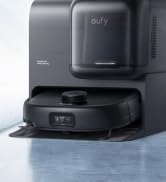
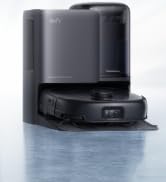
The eufy L60 Robot Vacuum combines a robust 5,000 Pa suction power with a self-emptying station that holds up to 2.5L of dust, enabling up to 60 days of hands-free cleaning. Equipped with precision Lidar navigation and AI.Map 2.0, it offers efficient, customizable cleaning routes and multi-floor mapping. Its innovative hair detangling technology prevents brush tangles, while app and voice controls provide ultimate convenience for busy professionals seeking effortless home maintenance.
















| ASIN | B0CDB831GV |
| Are Batteries Included | Yes |
| Batteries | 1 Lithium Ion batteries required. (included) |
| Batteries required | Yes |
| Battery Life | 120 minutes |
| Best Sellers Rank | #1,723 in Industrial & Scientific ( See Top 100 in Industrial & Scientific ) #3 in Commercial Indoor Robotic Vacuums |
| Brand | eufy |
| Capacity | 260 Milliliters |
| Color | Black |
| Compatible Devices | APP, Amazon Alexa, Google Assistant, Mechanical button |
| Control Method | App, Touch |
| Customer Reviews | 4.0 4.0 out of 5 stars (29,806) |
| Filter Type | Washable |
| Form Factor | Robotic |
| Included Components | 1 x Robotic vacuum cleaner, 1 x Safety book, 1x Self-Empty Station, 1x Side brush&Dust bag, Charging Adapter |
| Item Weight | 14.17 pounds |
| Item model number | T2277 |
| Manufacturer | eufy |
| Model Name | L60 with Self-Empty Station |
| Power Source | Battery Powered |
| Product Dimensions | 12.85"L x 18.71"W x 14.22"H |
| Smart Home Compatibility | Smart Home Compatible |
| Special Feature | 5,000 Pa Suction, 60 Days Hands Free, Hair Detangle, Not Support Mop, Self-Emptying |
| UPC | 194644154196 |
L**Y
Eufy would not run . . . and then, boy, did she!
I plugged it in. The light blinked orange for a couple hours, indicating that shewas charging, the light turned blue, indicating she was charged. I pushed the button for her to start cleaning. She beeped. The light blinked orange, indicating that she was charging (for an hour or so), the light turned blue, indicating she was charged. I used the remote to get her to start cleaning. She beeped. The light blinked orange, indicating that she was charging (for an hour or so), the light turned blue, indicating she was charged. I was getting nowhere. Eufy did not run . . . due to operator error. Operator error occurred because my vision is so poor from cataracts that I could not see the on/off button in the instructions, nor on the bottom of the unit. I did manage to feel around this morning until I found the toggle. Happy days! Eufy worked like a dream . . . quiet enough not to be disturbing and purring loudly enough that I was aware of where she was when I was in or near the room where she was working. I vacuumed the house a couple of days ago with my regular vacuum and dragged a damp microfiber mop over the floor. Then, for the test, I set Eufy loose. I have a long-haired cat . . . and my hair is long as well, so I thought I should probably check the dust bin after about 20 minutes since she'd been working under my bed, where the cat hangs out. (The cat is not sure if Eufy is acceptable or not, but at least she isn't tearing to the other end of the house like she does with the big vacuum.) The bin was FULL. This is not an indictment of the bin. The unit is small and fits very well under most of my furniture. So does my cat, who sheds a lot. So do I (I shed a lot . . .but, I don't fit under the furniture.) The brush was matted with cat hair and with strands of my hair. I removed the brush, cleaned it, and replaced it. By the time Eufy ran her full cycle and docked herself (I could tell she was REALLY tired), I had emptied the bin three times . . . and I know she's holding another full load. Cleaning the brush and emptying the bin emptying are intuitive and easy, and the handy cleaning brush really helps defuzz the roller brush. I figure it's going to take a few times of running her before I get all the cat hair under control. Then, I'll have to figure out how frequently I need to run her for maintenance mode. I will say that one of the reasons I got this unit is because I am a gardener. Every time I come in the house, I bring in dirt from the garden. I have rugs by the doors to catch some of it, but it invariably gets tracked through the house on the tile floors and, even worse, the bamboo floors. Sand and finished hardwood don't mix . . . I might have my floors sanded down to get refinished, but I don't need them sanded every day. Anyway, by the time I got through the house to the shower and got myself cleaned up, I had a major vacuuming job to do . . . but I was already exhausted from working in the yard. I can see it now. Walk in from the garden and push Eufy's start button as I head to the shower. YAY! I expect both my yard and my house will improve out of this one. As for the complaints about Eufy "skipping rooms," I found an easy fix on that one . . . or maybe a couple of easy fixes.I know certain areas of my house need deeper or more thorough cleaning than others. Today , I picked up everything on the floor in my daughter's room (chairs, waste basket, etc.), then put Eufy on the floor in the room, turned her on, shut the door, and set the stove timer for 20 minutes. Figured she would do a pretty thorough job on a "cleared" 10 by 13 room in 20 minutes. She did . . . after she had done my living room, sitting room, kitchen, breakfast nook, office and some of the family room. She's charging now. I'm going to "clear" the office and give her a second chance at that . . . and the same with the family room, blocking that off as well. Anyway, other than closed doors, I was thinking about cutting the stopper strips in various lengths and just placing these strips on the floor in doorways or at room transitions temporarily to force Eufy to focus on particular rooms or areas. (The family room itself will probably take a full half hour and it is more likely that Eufy will do a thorough job if I can clear some of the floor items to an adjacent room and if she doesn't have the option of wandering off to do my bedroom. (I did find I had to tuck in the bedskirts to get her to go under the bed. Guess she was afraid of the dark.) The strips are NOT something I want to stick to my bamboo floors . . . and are unsightly on my white tile, but I would think they would probably still work even if they weren't stuck down. I do have one safety concern. When Eufy is off "cleaning," what happens if my cat happens to lie down on the nice, warm charger? Or if my grandson is crawling on the floor and rolls a metal truck over the contacts or sits on it? I don't want to short the unit out testing to see if it's "live." It needs to be plugged in for Eufy to find her way "home," and I'm using the time that Eufy is vacuuming to attend to other chores (I'm not sitting and watching the charger) so are those two shiny, silver, child-attractive contacts a shock risk? Anyone have any knowledge on this? I suggested to the Eufy Company that they make the easy start instructions available on its website so that older customers, whose eyesight is failing, might be able to increase the image size to something readable. The lines on the drawings are delicate, making the details very hard to see for old eyes. Many of us can still see SOME, but many of us need letters and pictures larger and bolder than what came with the unit. Perhaps, the company could even make a large print guide available upon phone request for those who do not use computers. The elderly market, OMG! Our adult children are busy with careers and raising children, so they need this kind of help. Older people? Our joints don't like hauling around big vacuum cleaners. We don't get down on our hands and knees as easily as we used to--or at least we don't get up as well. We don't have the energy we used to have. And, many retirees that I know are busier now than when they were working--caring for grandchildren, helping their even-more-elderly parents, starting a second career, or putting a lot of time into volunteer work. So, I'm a happy camper. I didn't have to pull out the heavy vacuum today and by the end of the day, I will have made a BIG impact on "defuzzing" the house. I've got this in mind for 3 people as a Christmas present. I just hope Eufy has a long and healthy life. Moving a little furniture to help her out . . . not a problem. Go for it, Eufy!
L**E
The best model to get for under $300
I have spent weeks researching robotic vacuums. After comparing and contrasting different models from big-name brands like iRobot, iLife, Eufy, etc, I figured this would be a good budget vacuum. I bought this a few weeks ago and have been using it. Here are my thoughts. Build/Physique: This is a very sturdy unit. It has the classic round shape other robotic vacuums have. It weighs a few pounds but isn't too heavy. It's big enough where it can suck up a good amount of dirt, but not so big where it can't get underneath things like tables, but chairs can be a bit of a different story. Setup: Setup is easy. I just followed the instructions and put everything together as described/shown. Controls: What’s nice about this vacuum is that you can control it with a physical remote (that comes with it) or the Eufy app on your smartphone. The app has slightly more functionality than the remote, but it’s trivial depending on your needs (see below). I don't personally need the app, but I can see why it would be convenient. Some folks may want to run the vacuum while they're away from their house. Maintenance: Remember, the only robotic part about the vacuum is its ability to scour your house and suck up dirt and muck. It is not a self-maintaining machine. That being said, emptying the dustbin is simple -- you just press a button, release the bin, unfold it, and dump it out. The filter is also easy to pop in and out. If I'm not mistaken, there are one or two filters that are washable, along with some disposable ones. Cleaning the roller brush and the side brushes is also very easy, and there are extra side brushes that come with the unit. If you need more, you can order individual parts or a kit that (I believe) 8 side brushes, one or two roller brushes, and some filters (sorry, I don't know the quantities). Performance: This is where the fun begins. If you're not familiar with how robotic vacuums operate, here's a quick breakdown -- models like this one and many of the lower-end machines just blindly roam around and pick up whatever they find. More expensive units have navigational systems that allow them to map your house and create a floor plan so it knows where it is, where it's been, and where it hasn't been. Both WILL vacuum well, but the higher-end vacuums perform more efficiently. This vacuum roams around blindly, and it can be very frustrating to watch it move sporadically around your house. I also own an iRobot Roomba 980 which does have the mapping capabilities, so it covers the same amount of space in far less time. All this being said, however, it does have great suction and picks up things very well, including dog hair. I have a medium-sized yellow lab that sheds profusely, and it manages to suck up the hair very well off of hardwood floors. It also manages low-pile carpets well, too. Don't get this vacuum (or any robotic vacuum for that matter) if you're planning on vacuuming deep carpets, especially if you're trying to get dog hair out. Make sure that you pick up loose wires or any obstructions on the floor. These vacuums need as little interference from objects as much as possible. If you do forget to pick up a wire off of the floor, the vacuum has a feature where if it accidentally sucks it up, it will recognize it is a wire and drop it after a few seconds and move on. My Roomba 980 doesn't do that (to my knowledge). In general, it does well with not getting itself stuck. I have a pretty large divider that separates my kitchen floor from my dining room floor (about 3/4 of an inch), and it manages to get over the hump easily. Another nifty feature the vacuum has is cliff detection, so if it approaches stairs, it will not fall down them and get damaged; however, there's a drawback to this. If the vacuum encounters carpeting that is dark, the it might think it's seeing black and not continue to clean that area, so it'll move away. Stray away from dark-colored carpets if you can. It may bump into things from time to time, but there won't be any scratches on the unit. It has a bumper on it that will receive the impact of any collisions it has with objects it finds. There are three suction power settings, escalating in power from 1 to 3. You can adjust with the remote and I would assume the app. It even beeps the number correlating to the suction power when you press the button, so 1 beep for suction power 1 (or the lowest setting), 2 beeps for suction power 2 (or the medium setting), etc. If something goes wrong, it will beep in patterns, and you can check what error message is being denoted. I also like this feature, and the beeps are pretty loud, too. The unit is fairly quiet. You can clearly hear when it's on, but it makes a fraction of the noise a regular vacuum makes. This would be good for people who work from home but want to run the vacuum. Other vacuums (including Eufy's 30C) has a feature known as boundary strips or virtual walls. These are devices, or magnetic strips in Eufy's case, that send out a signal that prevent the vacuum from crossing a certain point/line. If you didn't want the vacuum to enter a certain area of your living room, you'd just have to put down one of the strips/set one of the walls at that area to prevent it from entering that area. The 15C Max does NOT have this feature, which I personally enjoy and would prefer to have, but, like having a regular vacuum, you're going to have be tidier if you want the vacuum to run without any problems/hiccups. You can also schedule the vacuum to run at certain times, which can only be done through the app. This feature is meant for folks I mentioned earlier that want to run the vacuum while they're not home. The app also shows you the current state of the vacuum: whether it's in standby mode (which just means it's docked and turned on), cleaning, and offline. Battery Life: At a full charge, I managed to get about an hour and a half (90 minutes) worth of a cleaning cycle out of it at the highest suction power. Eufy claims you can get up to 100 minutes at a full charge, so I'd say this checks out. The extremely convenient feature of this vacuum is that it is self-docking, which means if you press the power/home button on the remote or app (or if the unit's battery is low), it will stop cleaning and return to the charging base all on its own. It does behave strangely if the base isn't in a clear location/up against a strong-walled surface. So, make sure you don't have anything blocking the path for the vacuum to get to the base, and ensure that the base is firmly against a wall. This is easily one of my favorite things about this unit. The Bottom line: For $280, this vacuum rocks. You won't find a more powerful machine. It has some great features like painless setup, automatic self-docking charging, auditory suction power and error codes, cliff detection, compact size, a great battery life, powerful suction, flexible control devices (remote/app), easy maintenance, scheduling/automation, and cheap replacement components for order. There are certainly some drawbacks like darker carpets interfering with cliff detection, randomized roaming that doesn't make sense, and no boundary strips, but again, consider an iRobot Roomba 980 whose price is currently $900 as of 07/21/2019. It does have mapping and virtual boundaries, but you need to consider the significant price hike comparing these two particular models. Is it worth three times what this unit costs to pay for a machine that does have those features? This is in no way an insult to iRobot, but not everybody can just drop nearly a grand on most things, especially a vacuum. Take it from me who has a machine capable of efficient navigation. I'm glad I got both and was able to test them out. Watching the 15C Max after using the Roomba 980 is painful. But again, three times the price. The Eufy is still very powerful and picks up dirt/hair great. The Eufy BoostIQ RoboVac 15C Max performs very well and has plenty of awesome features with just a few drawbacks, and I truly believe you won't find a better robotic vacuum for under $300.
S**R
La verdad es una aspiradora robot muy buena por su precio, limpia super bien. Su poder de extracción es mucho mayor a las de iRobot de precios similares. Tiene schedule para que se prenda, es sumamente inteligente a pesar de tener tecnología básica (no se cae, golpea cosas fuertes, no se suele atorar, etc). Si bien no es inteligente propiamente y quizá sea mejor guiarla con el control, es una aspiradora que por su precio no se puede vencer, hace super bien su trabajo y lo hace relativamente eficiente. Recoge todo tipo de basuras, pelos y hasta ha logrado recoger un plato roto que se me cayó. Sumamente excelente producto, lo recomiendo sin duda. Lo único que veo extra y que no añade mucho son las tiras magnéticas, que si bien sirven como barrera digital no conviene utilizarlas mucho.
R**Z
Me sorprendió su desempeño. La marca es muy buena y la aspiradora es muy eficiente. Realiza un recorrido inteligente y aspira con bastante fuerza. Me gustó mucho. Sin duda alguna la recomiendo completamente
G**O
Ya llevo un tiempo considerable usando este producto: Precio, calidad, duración de bateria, interfase WIFI, reportes / notificaciones muy claras.. duracion de los accesorios muuy buena.. Los modos que tiene ayudan mucho y la programación ha sido de mucha ayuda.. Lo recomiendo ampliamente, yo lo uso en piso de cemento y ha trabajo muy bien .
M**A
Ok, this thing is AMAZING. Seriously. My hubby and I have a 750 sq/ft condo, all laminate hardwood (except for a tiled bathroom), and we pride ourselves on a clean home. We vacuum daily with our Dyson, and thoroughly clean our home weekly. I’m having back surgery soon, so I thought it would be a good idea to get this little Eufy to help keep our home in top shape. It arrived yesterday, and it was easy peasy to set up, and charged itself rather efficiently. My hubby had already vacuumed our condo in the morning, so I wasn’t expecting the Eufy to pick up much in its first run around the house. (Like I said, we pride ourselves on our clean home.) Anyways...low and behold, when I opened up the Eufy’s dirt receptacle, my mind was officially blown. It was already half full of dirt/dust/etc that the little Eufy had picked up on what we had thought was an already ‘clean’ floor! What?!?! This is amazing!!! So amazing, in fact, that I took a picture to show you all. Other awesome things are that it’s super quiet, bumps into things gently (rather than ramming into them), and the magnetic boundary strips work like a charm. We put them around our puppy’s pee pad - I’ve heard horror stories of poop being dragged around by robot vacuums, lol, so the magnetic boundary strips are brilliant! Totally recommend this. We are so, SO impressed!
A**R
We bought this for picking up cat hair in the house, and ended up buying a second to have one on each floor. You can find detailed reviews on Youtube. It is a simple robot vacuum with few functions, but seems to work well on our hard wood floors and their mats. It can operate with or without a cellphone app. We tend to carry it to the area that needs cleaning, then let it wander about. It does a serious job of cleaning, provided the floor is clear of junk. Over time it seems likely that brushes & filter will need replacing. You can find these sets on Amazon for a reasonable price. The app for this model (15C Max) only works with 2.4GHz networks, which probably explains the price reductions. However, for most applications the act of pressing the On button on the device or on the app are no different. The app gives access to different cleaning modes which might be useful on occasion, esp. if you want to run it when you are not around (not necessarily a good idea if your cat coughs up a fur ball). The manual mode only cleans in the default mode Auto (unless you have previously changed in using the app). Therefore, if you need the app, make sure your network is 2.4 GHz. (I have installed the app, but find I never use it.) After cleaning, dust and hair can be easily tipped from a cartridge at the side (daily). From time to time (weekly at least), the brushes need to be cleared of hair and fur (the tool provided helps with this), and the filter needs to be washed. I am quite pleased with it so far. If the motor lasts a couple of years, and the accessories do not need too much replacement, I will consider it an excellent purchase. Only time will tell.
Trustpilot
2 months ago
3 days ago