
DOWNLOAD THE APP


Customer Services
Copyright © 2025 Desertcart Holdings Limited
DOWNLOAD THE APP

🚀 Elevate your hustle with the AI-ready Swift Go 14 — where power meets brilliance!
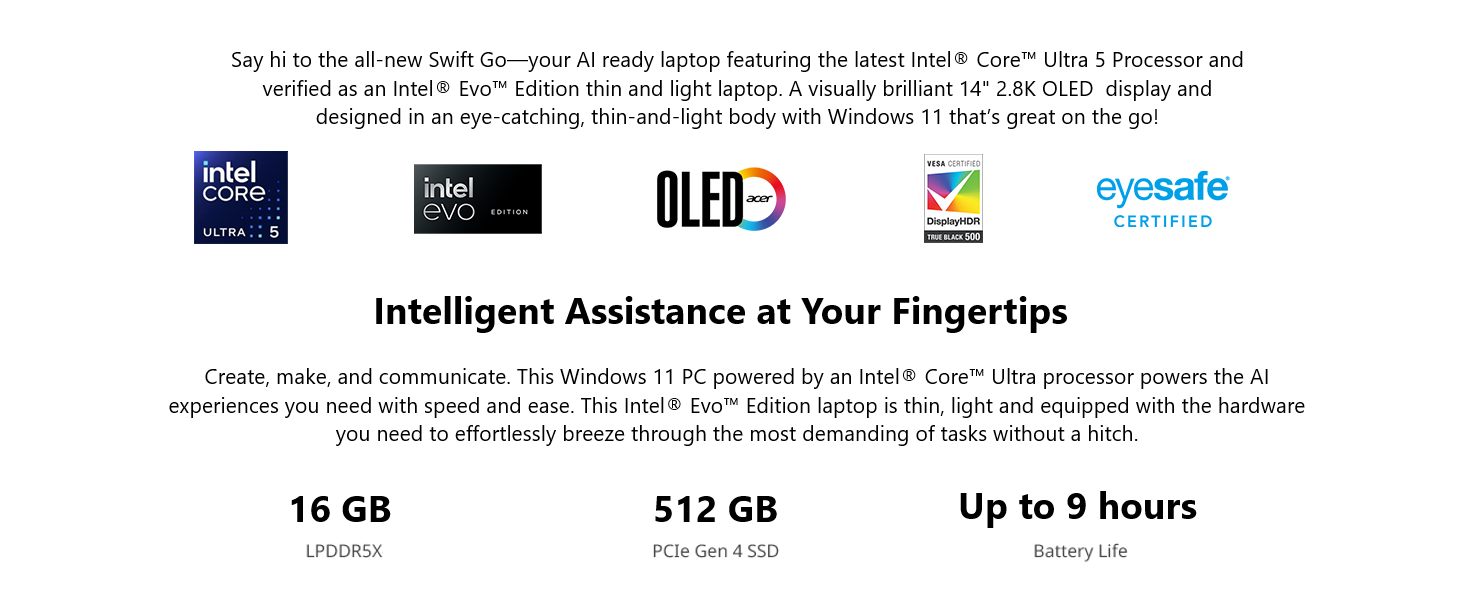
The Acer Swift Go 14 is an Intel Evo certified thin-and-light laptop featuring a 14" 2.8K OLED 90Hz display, powered by the latest Intel Core Ultra 5 processor with 14 cores and Intel ARC graphics. Equipped with 16GB LPDDR5X RAM, 512GB PCIe Gen4 SSD, and advanced AI capabilities integrated via Intel AI Boost and Windows 11 Copilot, it offers exceptional performance and AI-enhanced productivity. Connectivity includes Thunderbolt 4, Wi-Fi 6E, and Bluetooth 5.3, while the battery supports up to 9 hours of use with fast charging, making it ideal for professionals on the move.




| ASIN | B0CNF7KCWS |
| Average Battery Life (in hours) | 9 Hours |
| Batteries | 1 Lithium Ion batteries required. (included) |
| Best Sellers Rank | #17,501 in Computers & Accessories ( See Top 100 in Computers & Accessories ) #2,508 in Traditional Laptop Computers |
| Brand | acer |
| Card Description | Dedicated |
| Chipset Brand | Intel |
| Color | Silver |
| Computer Memory Type | DDR5 RAM |
| Customer Reviews | 4.2 4.2 out of 5 stars (119) |
| Date First Available | December 14, 2023 |
| Flash Memory Size | 512 GB |
| Graphics Coprocessor | Intel ARC |
| Hard Drive | 512 GB SSD |
| Hard Drive Interface | Serial ATA |
| Item Dimensions LxWxH | 12.32 x 8.58 x 0.59 inches |
| Item Weight | 2.91 pounds |
| Item model number | SFG14-72-53BP |
| Max Screen Resolution | 2880x1800 |
| Number of Processors | 14 |
| Number of USB 3.0 Ports | 4 |
| Operating System | Windows 11 Home |
| Optical Drive Type | No Optical Drive |
| Power Source | Battery Powered |
| Processor | 1.2 GHz apple_ci5 |
| Processor Brand | Intel |
| Product Dimensions | 12.32 x 8.58 x 0.59 inches |
| RAM | 16 LPDDR5X |
| Screen Resolution | 2880 x 1800 pixels |
| Series | Swift Go 14 |
| Standing screen display size | 14 Inches |
| Voltage | 110 Volts |
| Wireless Type | 802.11ax, Bluetooth |
G**A
Blazing Fast and Brilliant OLED Screen!
I have been using this Swift GO 14 (SFG14-72-72YK) for about a month now. It is blazing fast, booting to Windows 11, opening apps and so on. I also added a 2nd NVMe (1 TB) inside the slot, this is much better than attaching an external storage. It has been running quietly, once in a while the fan kicks in, but it goes back to silent after 10 seconds or so. I also like the Acer LiveArt app (pre-installed), in which background removal tool is very nice and gets the job done quickly. I also have Adobe Photoshop and use the background removal tool, which requires a few steps. This Acer LiveArt is just one click and done. This Swift GO 14 is a powerhouse and brings a lot of features at a very affordable price!!!
S**E
Nice laptop for the price
This is the first non-business laptop I have bought in many years. I was looking for a mid level model. I am impressed with the quality so far. I have just started to migrate data from oId laptop and load software. So far no issues. The screen seems quite nice. I will connect this to an external monitor eventually. Having wireless 6 is great. Using speed test I have gotten as high as 800mb.
F**8
Will it last? Also, how Debian 12 didn't work, but Linux Vanilla installed okay.
Update March 2025, bought Oct 2023. 1) battery life so so with linux. 2) charger port not working well after being on third charging cable - the pin is too thin and bends, and apparently the socket is not 100% anymore - takes some fiddling to get it to charge, and a slight bump will stop it from charging. Also, with LInux, I have not been able to access the microphone. Never knew this nor needed it until a recent zoom meeting. For non linux I doubt it's an issue. The skinny charging plug though is a downgrade from earlier acer. Time will tell if this Swift lasts or dies, so I'm not gonna give this a bunch of stars yet. My Acer Aspire 5 is still working with Linux Mint, but with short battery life, wifi that switches off and requires a restart (annoying), and keyboard that has different letters get less responsive at times, and touchpad click not the greatest. And the junkiest speakers. But it worked at home, at work, got transported in a backpack, and still runs, even if it crashes with too many tabs open, using Linux Mint. My Acer Spin 3 ran Fedora, seemed great as what I think is called a "budget" ultrabook, but had a screen failure in under a year. Not cool. Just tried Debian on this Swift 3 Evo. Explored BIOS first but not sure I needed to change anything. Downloaded Debian using my aspire, right clicked to make it bootable onto a thumb drive, and then installed debian to the swift. For wifi, selecting our network didn't work, but leaving it blank, it accepted the password. Weird. However, after install, it said I didn't have a wifi card. I spent some hours trying to get some wifi drive, couldn't find clear procedure, and gave up. Got Linux Vanilla, installed, and, it worked fine, so far. Time will tell if this Swift lasts like the Aspire, or dies like the Spin, so I'm not gonna give this a bunch of stars yet.
S**N
OK, but not much value in it
I guess I was expecting a better performing computer... that being said, it is good for a first computer for someone in school that just needs a fast computer to do homework and play some games. PROS: fast to start, open and close programs. Very good screen. Large storage capacity and Memory (RAM). and very light weigh which is good for carrying it around. CONS: Short battery life -only lasts 5 - 6 hours (longer if the computer is not active). The advertised 12 hours battery life is why I bought this computer but it falls way short and I'm disappointed with this. The mouse pad is too sensitive and works erraticly if you are not careful (this probably has to do with my heavy handed actions. The keyboard feels rough to the touch and you have to depress the keys kind of hard... this is ok by me except the keys are loud (at least louder than my old hp elitebook computer). Finally, the screen does not go past 105-110 degrees (this lack of flexibility does not allow me to work from my bed or when I'm doing Yoga and have to find the a better position for the screen). I'm glad I bought this computer at a discount on Black Friday, otherwise I would have returned it immediately. Would I recomend this computer? The answer is only if you buy it for less than $500 taxes included... I bought mine for $640 plus taxes and I feel I overpaid! NOT A GOOD VALUE for me.
N**S
Great budget OLED laptop
I needed a budget laptop but after using OLED monitors, I couldn't buy anything without an OLED screen. This fit the bill and has come in handy many times when I need to do something quick but don't feel like sitting down at the desktop. It's light and portable, and has decent performance for being a budget machine. The battery lasts a lot longer than my heavy monster work laptop.
C**D
Aswesome Bit of Tech
I bought one of these to replace my wife's 9-year-old 17" HP Touchscreen Laptop. She loved it. The screen is sturdy with absolutely no wobble to it when typing, it's brightness is wonderful in any kind of light, and it's very speedy when processing. It was extremely easy to get setup and using. I liked it so much that I bought one, myself, to replace my 10-year-old 15" HP DVT6000 which is still works wonderfully but is a bit slow and bulky. I'd recommend this "budget laptop" to anyone. Although, I do have to admit that I miss my number pad and the keystrokes for Home and End are bit weird, but these are minor in the grand scheme of things. As for gaming, this laptop's not designed for gaming, but Minecraft doesn't lag like it did on my HP and I'm able to play Star Wars: The Old Republic without any issues too. Quite simply a wonderful purchase.
I**O
Excelente computadora cumplió todas mis expectativas
J**M
Buen equipo. Lo uso con Photoshop y tiene buen desempeño. La pantalla es muy nítida.
N**D
I use it for in code etc...
D**U
Top Notebook!!!
Y**L
Buena calidad solo el cargador se ve frágil y el touchpad también se siente algo de baja calidad. Fuera de eso está muy bien en cuestión de rendimiento de software.
Trustpilot
2 weeks ago
5 days ago