✍️ Elevate your Surface experience with precision and style — don’t just write, create!
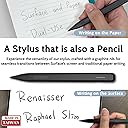
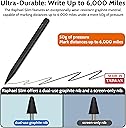
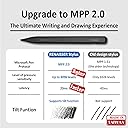
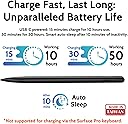
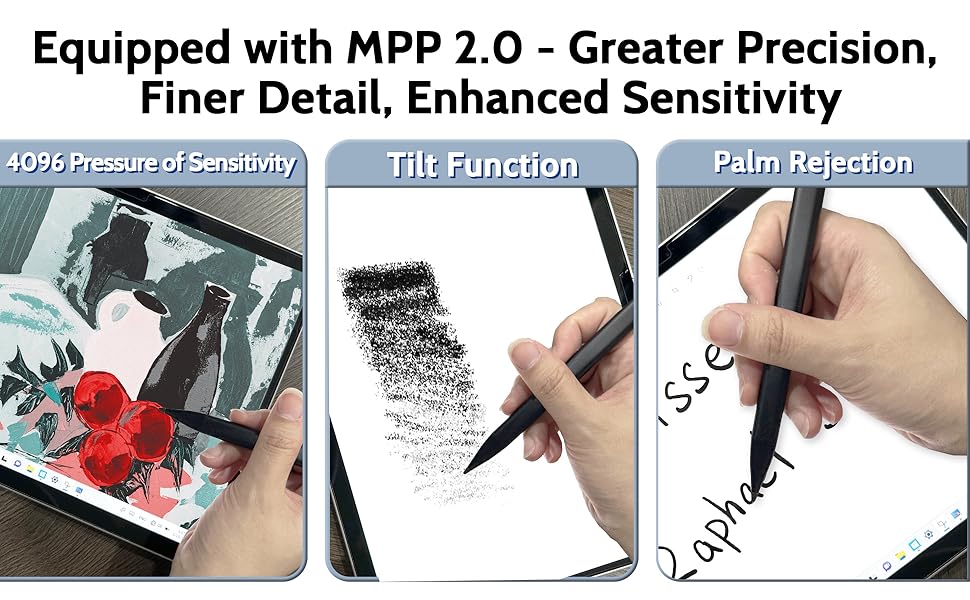
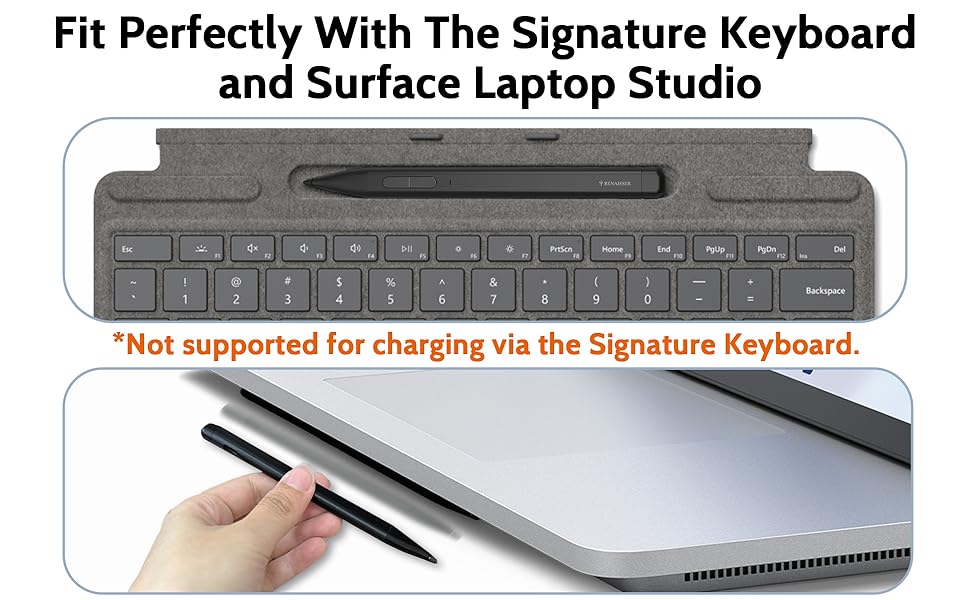
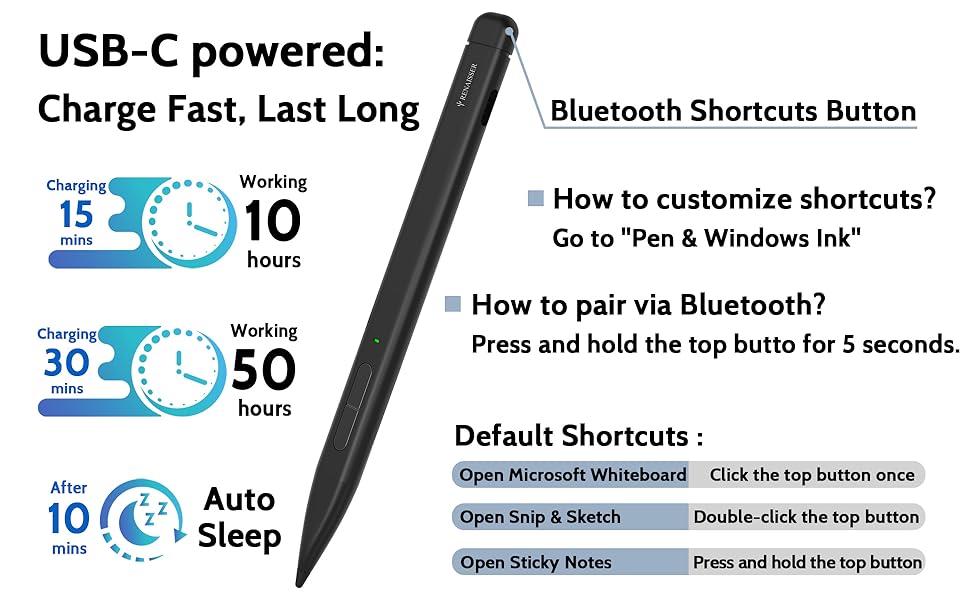
The Slim Pen 2 by Renaisser is a premium stylus designed for Surface Pro and Laptop Studio devices, featuring 4096 levels of pressure sensitivity, tilt support, and a unique dual-use graphite tip for both screen and paper. It offers ultra-fast USB-C charging with up to 50 hours of battery life, a customizable Bluetooth shortcut button, and a slim profile that fits neatly into Surface Pro keyboard slots. Made in Taiwan, it combines professional-grade performance with portability and affordability, making it the smart choice for creative professionals and multitasking millennials.


| ASIN | B0CQTBGC3Y |
| Batteries | 1 Lithium Ion batteries required. (included) |
| Best Sellers Rank | #130,573 in Cell Phones & Accessories ( See Top 100 in Cell Phones & Accessories ) #2,694 in Styluses |
| Customer Reviews | 4.2 4.2 out of 5 stars (814) |
| Date First Available | December 22, 2023 |
| Item Weight | 0.459 ounces |
| Item model number | RPH-SLIM |
| Manufacturer | RENAISSER |
| Package Dimensions | 7.36 x 2.36 x 0.75 inches |
R**A
Great pen option especially for Surface devices
I have used this pen for the past ~3 weeks and I’m very satisfied with it. For the last ~4 months I have been using Renaisser’s other product (530, pictured here as comparison), and they are very comparable in specs. Unique feature: - the dual-use graphite tip is a great feature to have if you ever needed to scribble something quickly on paper while using your laptop-tablet Pros: - Fits in Surface keyboard’s pen recess - Excellent battery life and charge time (in the ~3 weeks that I have used it, have never needed to charge it) - Great pressure and tilt sensitivity - Much more affordable compared to OEM pens - Bluetooth button in the back is compatible with Windows and can be configured natively Cons: - Unable to charge in the Surface keyboard pen recess, but this is a minor point due to the pen’s great battery life - Barrel (side) buttons can be difficult to press, especially compared to Renaisser 530. This is my only gripe with it. Overall, I would recommend this pen to anyone who has a compatible Surface device. It is much more affordable, fits in the your keyboard like the MSFT Slim Pen, yet it is comparable in performance.
M**O
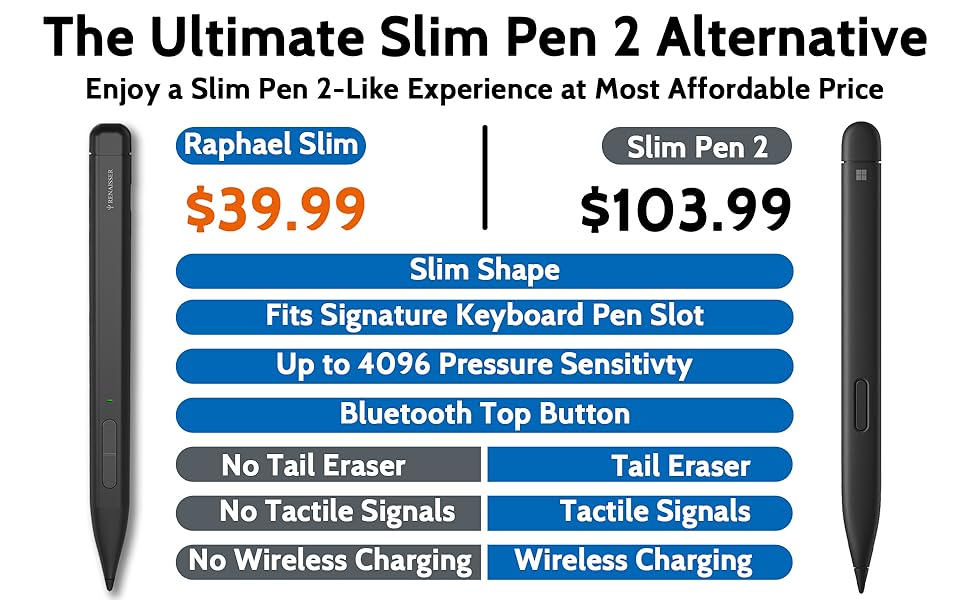
Pretty darn close to the slim pen 2 for a helluva lot less.
I am going to start off this review by pointing out that I paid $30 (with a coupon) for this stylus. Keep in mind the official Microsoft Slim Pen 2 is $120. If you are expecting this stylus to function exactly like the Slim Pen 2 for four times the price, you are going to be disappointed. That having been said, I do think this stylus provides excellent value and Renaisser is a pretty good brand. My first experience with them was a duo stylus that had a push button and could work with both my Surface Pro and my iPad. I have since upgraded my Surface Pro and wanted the cool form factor of the slim pen (fitting in my keyboard) but did not want to drop the major money MS demands., The Renaisser stylus does a great job, it marks, it writes, it has pressure sensitivity. I am not sure how much I can go into about how great it is - it just works. It does not have the haptic touch of the Slim Pen 2, but neither did my old Surface Pen, so I am not sure that is really worth the money. Also, it does not charge in the keyboard like the Slim Pen 2, but I was still changing out stupid batteries on my old Surface Pen, so USB-C charging is still an upgrade. The only complaint I might possibly have is that it does not have an eraser. However, if you have ever purchased a non-MS stylus, that is almost always the case, so I don't think that is a big deal breaker for me. Overall, another great product by Renaisser. I know there are lot of crappy off-brands out there, but these guys have never let me down.
J**R
Reliable quality from RENAISSER
I've used RENAISSER previously with their Raphael 520C mainly for digital art and note taking. PROS: - The flat design makes it 10x easier to hold and is much more comfortable than other pens. This is my main reason for buying it. - It connected right away to my old Surface Pro 5 and worked perfectly in terms of pen pressure. - Comes with an alternate nib that isn't graphite (this is great when you have a screen protector) CONS: - The only problems I've run into is that sometimes the pen will get stuck doing a double left click. I've found that just letting it turn off gets rid of it, but it is annoying when trying to draw. - The buttons are also a little hard to click because they aren't raised like previous Raphael pens, probably to fit the flat design. - Small disappointment that the end of the pen isn't an eraser like the original Slim Pen 2. Overall, a very good tablet pen for Surfaces. Really happy that RENAISSER continues to make really good tablet pens for a cheaper price.
M**I
An excellent alternative to the Surface Pen 2!
I bought this after my third Surface Pen (SP2) broke on me. (The stupid plastic cone of the SP2 broke after I dropped it once.) However the 520BT has a sturdy, full aluminum body, feels really sleek in your hand, and is a pleasure to draw with! It boasts tilt sensitivity and a bluetooth button, but I haven't really used those features. It's also the only other stylus I found that works with the Surface Pro magnetic mounts! This is a great stylus, and is slightly cheaper than the SP2. Compared to the SP2, the 520BT: [+] Single piece of aluminum (vs. aluminum and a flimsy plastic cone for the tip) [+] Is rechargeable, but don't lose the charging cap! (Though replacements are available) [+] The 1-year warranty can currently be upgraded to 2-years for free! [?] Is noticeably thinner, though still has a nice heft. [-] You have to click to wake the pen up (vs. the SP2 which is immediately responsive) [-] Doesn't hit the maximum pressure levels...? Waking the pen up is only slightly annoying, but that last bit is interesting. It seems that the pressure caps out before hitting the highest pressure levels? For drawing, this means that a 10pt brush will only go up to, say, 9pts. In practice, you can usually just use an 11pt brush to draw your 10pt lines, but some might consider this a deal-breaker. Personally, I find that the 520BT responds to pressure changes more smoothly than SP2, so my lines actually look cleaner. I'm using a Surface Pro 7 with Clip Studio Paint, and it works well.
C**C
Slim Pen Magic
This is a great pen! Love the slim design both for writing and for storage. Writing: The slim design makes it very easy to not only grip the pen but also to use it to write. I was skeptical of the design but it has grown on me. I don't want to go back to a traditional round design. The pen functions like any other stylus except for the one fact that it has an interchangeable lead tip that can be used to write on paper. This is pretty cool and swapping the tips is very easy to do. Storage: I like the way the pen fits neatly into place in the keyboard. It is discreet and secure. Charging with a cable is simple and straightforward. Battery life is excellent. Connecting to my laptop via BT is seamless. Highly recommend this pen.
A**.
den är bra och funkar perfekt som det ska.
R**E
RENAISSER Microsoft Surface Slim Pen 2 arrived about a month ago and it works very well. The writing is smooth and the eraser works by pressing the first tab. If this pen continues to operate for at least the next year, I will be very happy with the purchase since the cost of the pen was about 1/4 of the MS version and my MS slim pen lasted 4 years
進**S
520BTが充電できなくなったのでこちらを購入 520BTよりは確実に書きやすい 個人的には純正より良いと思います。 ペンが軽いのもよい 1点だけ,2種類のペン先がありますが,紙にもかける方を使うと画面に線が残るのがちょっと ペーパーライクフィルムを貼っているせいかもしれませんが
M**O
Lo utilizo para trabajar . De momento cumple con lo prometido
S**I
Tut was es soll , bin zufrieden.
Trustpilot
3 weeks ago
3 days ago