We remain fully operational. Our teams are working around the clock to ensure your deliveries continue safely.

DOWNLOAD THE APP


Customer Services
Copyright © 2025 Desertcart Holdings Limited
DOWNLOAD THE APP

🎮 Capture Every Moment, Stream Like a Pro!
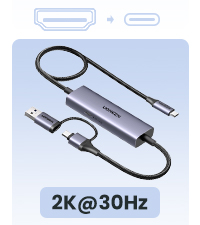
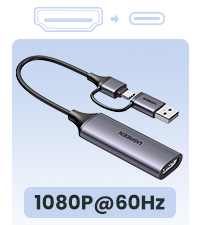
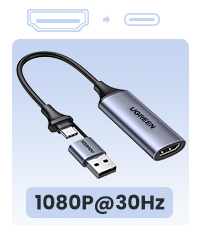
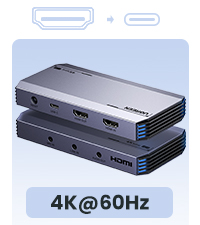
The UGREEN 4K Video Capture Card delivers ultra-low latency Full HD 1080P 60FPS capture with 4K passthrough support, making it perfect for seamless streaming, gaming, and conferencing. Featuring plug-and-play USB-C 3.0 connectivity, mic input for live commentary, and broad compatibility across major platforms and devices, it ensures professional-grade video capture with zero fuss.





| ASIN | B0CM9C91MK |
| Best Sellers Rank | #90 in Internal TV Tuner & Video Capture Cards |
| Customer Reviews | 4.1 4.1 out of 5 stars (965) |
| Date First Available | December 12, 2023 |
| Item Weight | 11.3 ounces |
| Item model number | 15390A |
| Manufacturer | UGREEN GROUP LIMITED |
| Product Dimensions | 3.94 x 2.17 x 0.79 inches |
G**3
Works as intended!
Back in Christmas of 2023: I ordered a capture Dongle from Temu for $20.00; but the kicker about the dongle was not just the build quality, but in how it performs. There was so much screen tearing—combined with audio delay, and the plug for the dongle broke off from a weak solder connection. Ended up throwing it away after the disastrous aftermath in both performance, and build quality. We were without a capture card for Nintendo Switch for the longest time—thankfully, she had emulation through BigBox, so that was a miracle we can continue streaming via OBS! Fast-forward to present day: I ordered this for my girlfriend’s birthday, and it worked right out of the box! No screen tearing was present, and unlike the dongle—it allows for output as to not interfere with OBS, relying on the software’s preview window along with any potential input lag. You can actually play it on the TV as you would with any other game console! Just make certain you have a USB-C to USB 3.0 cord (blue plug), otherwise the computer itself will not recognize it! I tested it with regular USB and while it did power on, the computer wouldn’t recognize it. Keep this in mind whenever you are trying to connect this to your PC or Mac (as with USB 3.0 products in general—thankfully the company has the kindness and courtesy to give you a spare power cord that also accepts either USB-C or USB 3.0, and HDMI cable)! Overall, if you have a Nintendo Switch, and are wanting to stream games off of it via HDMI, I would not hesitate to recommend this product!
C**N
Dope
Works as intended.. Easy To Use.. Works with Nintendo Switch 2 also
F**R
Works well with switch 2
Works well with Nintendo switch 2 Not sure if it’s a computer issue or one in general but when playing for extended periods of time (2+ hrs) with obs viewer open my Mac with an M1 chip ran out of space to run the application along with discord
J**1
Easy to use and setup
For those that use this with OBS make sure to follow their guide which is included. You can only record at 1080P 60FPS, but it does has like advertise the 4K 60FPS pass through but no HDR. Another thing to add the device UVC compliance, you can use this on your PC with Linux and also your iPad Pro or any iPad with USB C and the latest iOS version. I tested a stream from my iPad as well as from my PC with a Linux partition.
D**Z
Worst capture card ever
First one worked but would not record any sound, ordered a replacement and waited ANOTHER WEEK and this one won't do anything. No audio no video. I know it's 'cheap' for a capture card but so not worth it. If I could leave zero stars for this experience I would.
W**E
One of the best values for the price and options you can do with OBS.
This capture card is amazing at producing video quality with OBS and if you know what you're doing to sync it with various upscaling device settings as well. I have not had any issue with using this device as it is perfect for someone who has a very adept knowledge of OBS, and video signals, and color profiles. If you know what you're doing you can be very creative with a device like this. Hands down one of the best I've ever used even with Elgato, and EVGA. Also a great value for the money, functionality, and speed.
A**O
Muy no bueno , calidad y precio
R**E
Does what it says
Super simple product, almost too simple at times. Works okay with OBS
M**J
في البداية بوضح نقاط اساسية عشان تكون تجربتي مفيدة لك الهدف منها اني اوصلها مابين ١-اكسبوكس ون اس ٢-لاب توب ماك ٣-شاشة جيمنق //اكيد اذا انت قاعد تقرأ عنها يعني عندك مشروع ستريم او تسجيل// تجربتي مع القطعة:التركيب كان سهل جداً مدخل واحد In put و مخرجين out put اول ماشغلتها و سويت نفس الخطوات في ورقة التعليمات القطعة اللاب توب اكتشف القطعة بس بدون صورة(يعني تلقط شاشة فاضية) اخذت اكثر من يوم وانا احاول احل المشكلة ،زبدة الكلام اللاب توب مصنف القطعة على انها كاميرا (اذا واجهنك نفس المشكلة حاول انك تركز على اللاب توب و تشغل الكاميرا في اللاب توب و اذا قدرت انك تشغل الكاميرا في اللاب توب حول من الكاميرا على القطعة وبتشتغل معاك معاك) بعد ماقدرت اني اشغلها اقدر اقول اذا كنت شخص جداً محترف فالمجال ممكن تشوف خيارات ثانية اقوى بس اذا كنت حاب انك تسوي شغلك كلو بجودة ممتازة(١٩٨٠/٦٠ فريم( وبدون تقطيع و تعليق او اي مشاكل انصحك فيها خذها و انت مطمن لانها افضل شي بتاخذه اذا ماكنت تدور على الاحترافيه الكاملة افضل ميزة:عندك خيارين لتشغيلها ١-USB ٢-USB-C اتمنى اني افتدك
A**H
Good working i trust ugreen
H**G
close to 4 months of consistent use (15-20 hrs daily). No issues no far :)
S**Z
He empezado a hacer streams en Twitch y decidí comprar esto para iniciar. Llegó super rápido y viene con la capturadora, un cable USB, y un HDMI. Es muy sencillo de usar y de configurar en OBS, y la imagen se mira perfecta, y graba el sonido de la consola y todo. Es recomendable si seguir las instrucciones que lleva el manual para que tenga la mayor ventaja cuando quieran grabar. Para su precio y la simplicidad que tiene, es una excelente compra para los que desean comenzar a hacer stream como yo. Vale mucho la pena.
ち**す
早速ですが、配信や動画投稿の為にキャプチャーボードを探しているのであれば本製品が個人的に最強だと考えています。 理由としてはUGREENという知名度のあるメーカー製の安価で高画質キャプチャーボードだからです。 もちろん上を見ればキリが無い世界ではありますが、配信をしてみたい人や動画投稿の為の録画をしてみたいという人であれば、十分満足できる製品だといえます。 まず、価格について触れておくと、約6,000円で字面だけ見れば高いのか安いのか分からない人が大部分だと思いますが高い物だと何万もするジャンルなので比較的安価と言っても差し支えないでしょう。 一応上を見ればキリが無い一方で下も数百円で購入可能な物もあるので下を見てもキリが無いジャンルなのですが、安い物程機能に制限がかかっていたり、性能が安さ相応な物だったりで安定した物は少ないので、後述はしますが約6,000円で十分キャプチャーできる本製品は価格と性能という点では圧倒的なコスパを持っていると言って良いと思います。 で、肝心の性能についてなのですが、パススルー機能が標準でついているのはもちろん、ゲームのキャプチャなら気になる低遅延も万全なので、本当に1フレーム単位を争うプレイをしている人でなければまず満足できると思います。 また、キャプボを通してパソコンで表示する際もほとんど違和感の無い映像で出力されます。 こんなの当然かと思うかもしれませんが、ほぼ同価格帯の製品には本製品より少しだけ高値にも関わらずやや黄色くキャプチャーされるので、キレイで問題無いキャプチャーが可能なのは当然と思うのは少し危険です。 細かい画質調整ができる人であれば問題ないかもしれませんが、初心者がそういった操作をするのは結構敷居が高いので、つなげるだけでほぼゲーム画面同様の映像が出力される本製品にどれだけ価値があるのかが分かるかと思います。 総じて初心者~中級者が触れるにはコスパ最強の本製品ですが、強いて問題点を挙げるとすれば付属のケーブルが結構固く柔軟性が無い、という点です。 本製品でキャプチャ―する場合は、パソコン・ゲーム環境次第ですが、別途長さや柔軟性があるケーブルが必須という事を覚えておきましょう。
Trustpilot
3 weeks ago
5 days ago