
🚀 Power your professional edge with seamless, smart, and silent networking.
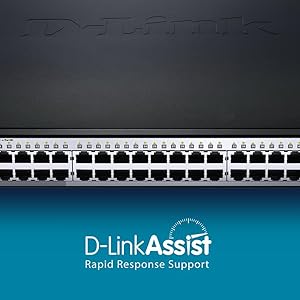
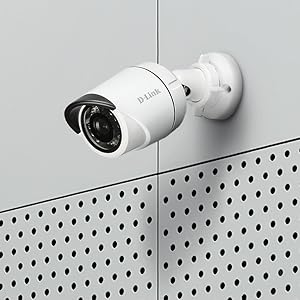
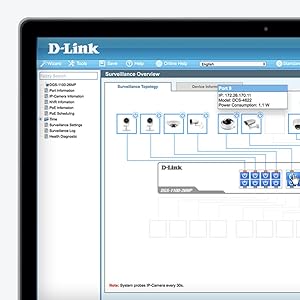
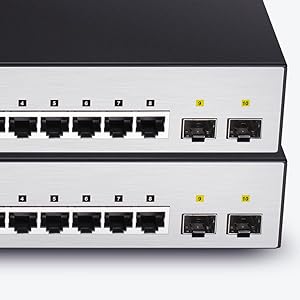
The D-Link DGS-1210-52MP is a robust 52-port Gigabit smart managed PoE switch designed for professional environments. It delivers 370W PoE power across 48 ports, supports advanced Layer 2+ static routing and security features, and offers flexible fiber uplinks via 4 combo GbE/SFP ports. Its fanless, energy-efficient design ensures silent operation, while an intuitive web-based interface simplifies network management, making it ideal for expanding business networks and surveillance systems.


| ASIN | B00PVES4IK |
| Are Batteries Included | No |
| Batteries | Product Specific batteries required. |
| Best Sellers Rank | 36,608 in Computers & Accessories ( See Top 100 in Computers & Accessories ) 230 in Network Switches |
| Case material type | Metal |
| Current rating | 0.01 Amps |
| Customer Reviews | 4.2 4.2 out of 5 stars (646) |
| Data transfer rate | 2000 Megabits Per Second |
| Date First Available | 22 Jan. 2015 |
| Global Trade Identification Number | 00790069409592 |
| Guaranteed software updates until | unknown |
| Interface type | PoE, RJ45 |
| Item Weight | 6.19 kg |
| Item model number | DGS-1210-52MP |
| Item weight | 6.19 kg |
| Manufacturer | D-Link |
| Operating System | PC |
| Processor Count | 1 |
| Product dimensions | 44L x 44W x 4.3H centimetres |
| RAM Size | 128 MB |
| Series | DGS-1210-52MP |
| UPC | 790069409592 |
| Voltage | 240 Volts |
| Wattage | 410 watts |
M**Y
Reliable and trouble-free
I've had one of these installed in our home office for about 9 months now, replacing a 'consumer' 8-way switch which had run out of ports. Installation is uncomplicated, it has a web-form based control interface which you can drive from any browser, so there's no software to install. The only real setup to do is giving it an IP address (assuming the default isn't what you want), then it's ready to go as a simple 10/100/1G switch. You can then turn on additional settings (packet filtering, VLAN, etc) as required. I'm pleased to report that in my setting it's performed flawlessly since it was first turned on; I'm not doing anything particularly esoteric with it, but it's never crashed or needed fiddling with. Importantly (for me) it's silent in operation and doesn't use a lot of electricity (under 10 Watts), so doesn't get hot. One thing to note - this isn't the version which does power-over-ethernet; that's the -28P model. Update 27/7/14: If you're curious as to what a managed switch will let you do, I'm using these features: (a) Traffic Segmentation, which lets you control which destinations traffic arriving at a particular port can be sent to. So, I have a 'guest' wi-fi access point; its port can talk to the Internet gateway, but not any other machines (e.g. workstations and servers) attached to the network. (b) ACL (access control list) - this lets you set up a pretty comprehensive firewall between ports. I've got a server which is allowed HTTP access by anyone, but with general access (e.g. SSH) only from specific devices as identified by MAC address. (c) SNMP, which lets you monitor statistics (packet counts, byte counts, etc) on a port-by-port basis.
C**E
Quality piece of kit
This is a good reliable switch with PoE. Amazon was by far the cheapest place we could find it. At least with D-Link you know exactly what quality to expect.
P**N
An excellent POE switch
Excellent for the price, my unit runs a bunch of POE wireless routers spread over an 18th Century London house - now offices. Easy to set up. Gave up on VLAN's -not because of this device but the £1000+ HP switch that needs £2K+ worth of training just to understand. 10 ports is a great idea when 8 are just not quite enough.
O**Y
For home/small office use it is a good contender for the price
For home/small office use it is a good contender for the price. Delivery was good too. Pros: it is good for expansion and is manageable and works straight out of the box. Cons: not for the light hearted you do need to know how to configure it. As this is the case I would prefer to have got myself a Cisco switch.
D**B
Works very well. Easy to install.
Straightforward to install. Works very well. Neat package. Only problem I had was some of my devices have non-standard POE (two Panasonic cameras still needed their own old POE).
T**Y
Good product, complicated to set up
Good product, does take some time to set up, this is not just a plug and play item, you have to go into the smart wizaed and set up individual ip addresses. No really practical for home use, box is very big & you have switch inputs on the front of the box, with mains lead at the back, ideal for rack mounting not for the desktop. Once set up though works very well. A bit pricey though.
J**M
'little bit more pricey than I'd like. But I needed trunking.
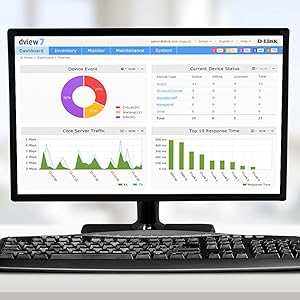
'little bit more pricey than I'd like. But I needed trunking. I'm relieved that it has a web interface. There is also a Windows based app available for managing multiple devices. GUI is clear and intuitive. I am still unsure which changes require the Save button at the top left to be used, so I tap it all the time.
A**R
Excellent smart switch at a great price.
Excelent smart switch. Good price. Completely silent.
G**T
Dlink switch is simple to setup with web access, mounted quickly into the rack unit. It arrived on time, I like good shipping companies. I will purchase this switch again if I need another one.
S**K
Sehr schöner Switch für günstiges Geld! Ich kann den für alle die zuhause bzw. für Hobbys oder ihr Smarthomesystem ein bisschen Netzwerkverteilung benötigen echt empfehlen. Er hat einen niedrigen Stromverbrauch und wird auch kaum warm. Ich höre nichtmal ein viepen. Aber ich muss leider die Installation etwas bemängeln, es wäre einfacher gewesen, den Switch bei Werkszustand auf DHCP zu setzen. Denn um den Switch zum ersten Mal in Betrieb zu nehmen, muss man mehrere Netzwerkeinstellungen des PCs verstellen um in das Subnetz des Switches rein zu kommen. Wenn man DHCP dann eingeschalten hat, dann lässt er sich auch ganz einfach betreiben. Ich würde auch nicht empfehlen den Switch Nachts auszuschalten, da er ein bisschen braucht bis er hochgefahren ist. Aber er hält sein versprochenes Gigabit, leider benutze ich die Glasfaser Ports noch nicht, daher kann ich nichts darüber sagen. Aber die LAN Ports sind auf jeden Fall vollkommen ordentlich verarbeitet und der Switch ist auch ziemlich leicht gegenüber meinem Alten. Ich würde ihn wieder kaufen!
R**K
Since 2011 I have been using two D-ink DGS-1024 unmanaged switches, along with another brand of 16 port POE switch to power my POE devices. They have worked perfectly, during this time I never had any problems with them, never had to power-cycle them, etc. Recently the other switch I was using for my POE devices had an issue, so I purchased two of these DGS-1210-28P POE switches to replace everything. They have been running with no problems since June 2, 2016, with no issues. I like the fact that every port has POE capability. I have had no issues with POE devices properly connecting to the switches. I have included two photos. Please note that the device above the switches is a Samsung phone system. Update 5 May 2018 -- Switches are still working great, been in service almost two years. Just upgraded firmware to 4.10.004 with no issues. I have the C1 hardware version Update 17 February 2020 -- I am still using these switches, been in service almost four years. I note the firmware available on the D-Link web site, version 4,10.051 has a date of 2019, although I am still using version 4.10.004. Since I have had these switches I have never once had to reset them. They currently are showing uptime of over 489 days since their last reboot (they are powered via a UPS). This switch will do a lot of L2 functions, supports Radius, SNMP, etc., which I have not used; however I have used the link aggregation function to aggregate two gig ethernet ports to my Synology server, and I have also tested Spanning Tree Protocol, and it works perfectly. I did this test with my two switches to demonstrate how STP works for a friend who is using several of these switches in a commercial application where the switches are separated by considerable distance and connected via Ethernet radio links. In my case, I simply activated STP on my switches which are normally each connected via Ethernet to router, and then connected an extra Ethernet cable between the two switches. In the event any one cable was disconnected, the Ethernet packets would use the alternate links and everything stayed connected. In my friend's case, he was able to set up two switches at separate locations, each of which were connected via a Ubiquiti Ethernet radio link to a router at a third location, with a third radio Ethernet connection between the two switches. In this case, if any one radio link fails, the traffic will continue running through the other available links, and it works flawlessly. Firmware upgrade is easy and can be done from a web browser or using TFTP, and the switch also has a command line interface if so desired. The switch also has a number of security capabilities which I have not needed to use since the switches are in a residential situation and sit behind a firewall.
T**4
Livré rapidement, comme d'habitude. Placé derrière une Freebox Révolution pour alimenter en étoile le Freebox player et tous les appareils connectés y compris le point d'accès Wi-Fi D-Link en POE (distant de 10 m) : rien à redire, tout marche nickel et avec peu de chauffe, zéro bruit. Le boîtier d'alimentation chauffe peu, est un peu volumineux mais il est caché. Le paramétrage est assez facile, même pour le Freebox player qui communique avec le serveur en mode VLAN. Je recommande !
L**H
great switch better than cisco switch i have verified with d-link that you will get life time warranty with this product
Trustpilot
3 weeks ago
3 weeks ago



