💼 Elevate your workspace with sleek, silent, and seamless optical power.
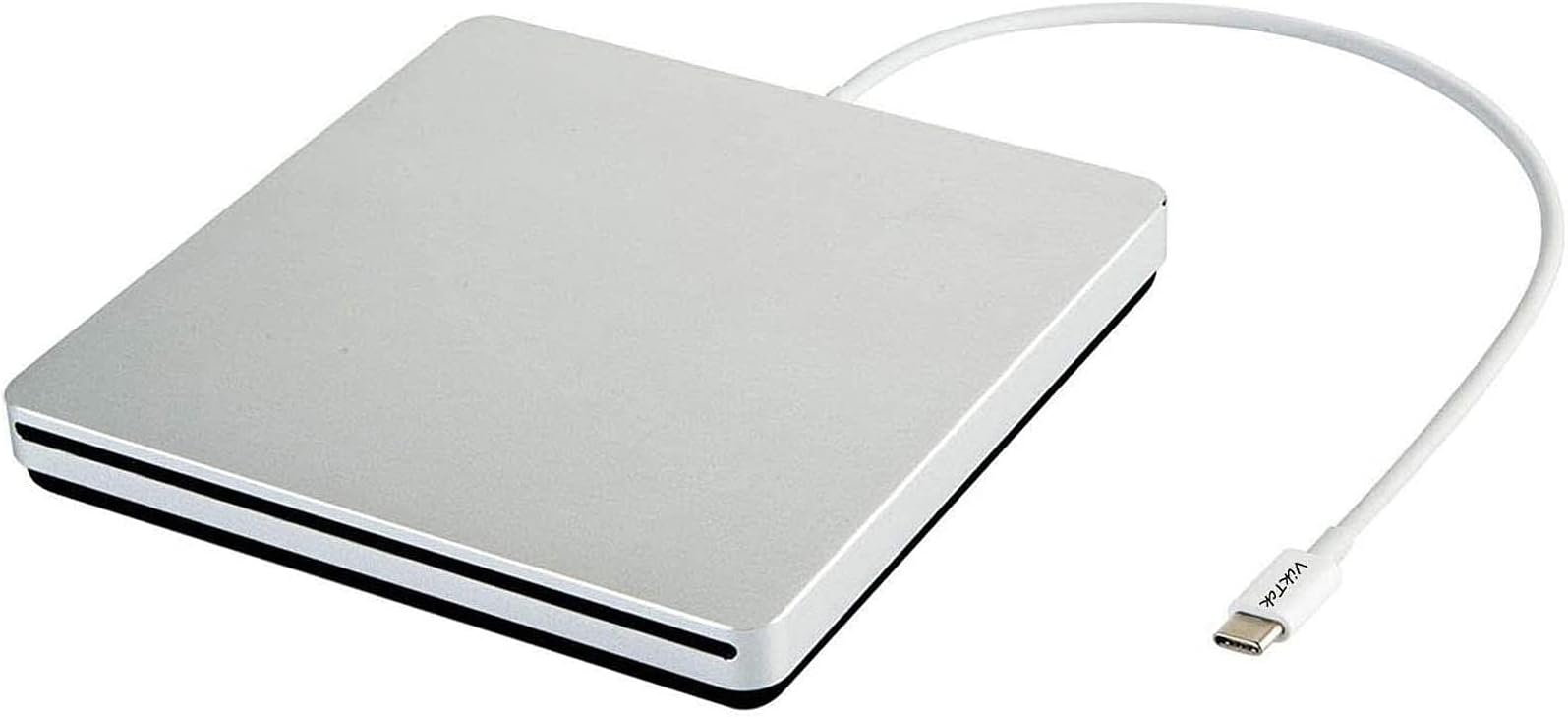
The VikTck USB-C Superdrive is a compact, plug-and-play external DVD/CD reader and burner designed for modern laptops and desktops with USB-C ports. Compatible with MacBook Air/Pro, iMac, Windows, and Linux systems, it features advanced error correction, anti-shock, and noise reduction technology. Powered solely by USB-C, it requires no external adapters, making it an essential, portable optical drive for professionals who demand reliable media access and burning capabilities on the go.


| Hard Drive | External CD DVD Drive |
| Brand | VikTck |
| Series | VT967 |
| Item model number | VT967 |
| Hardware Platform | Laptop, Mac, PC |
| Operating System | Linux, Mac OS, Windows 10, Windows Vista, Windows XP |
| Item Weight | 10.6 ounces |
| Product Dimensions | 5.4 x 5.4 x 0.6 inches |
| Item Dimensions LxWxH | 5.4 x 5.4 x 0.6 inches |
| Color | Silver |
| Optical Drive Type | CD-ROM,CD-R,CD+/-RW,DVD-ROM,DVD+/-R,DVD+/-RW |
| Manufacturer | VikTck |
| ASIN | B077PLWFH5 |
| Is Discontinued By Manufacturer | No |
| Date First Available | November 22, 2017 |
E**N
Access pictures on CD’s
This makes it so we can access pictures we have stored on CD’s.
A**R
DOES NOT WORK. CANNOT PROPERLY EJECT YOUR DISCS!
While it DID work when I plugged it in AND when I inserted a CD, it COULD NOT eject the disc when needed. The opening must have a slight rise in the cutout as the disc would start to eject and then collide with the "frame" (the exterior silver cover, which would send the disk back in, as if I'd inserted a new CD. It did that repeatedly. I had to hold the drive in my and and pry the bottom of the opening down just so I could get my disc back out. VERY POOR QUALITY which almost caused me to lose a valuable disc of backup files.
J**T
Enables all grandkids pics on cds to show on laptops
Works perfectly to play cds on laptop computers
M**O
It works
This device will plug into newer devices that connect via the USB-C, and works fine with my MacBook Air. The only problem is that sometimes it's reluctant to eject the disc.
E**S
Good replacement for a item Apple no longer makes.
As expected, it works! The problem wasn't my old Apple drive, it was a software problem, but I had the old drive for a long time, so I retired it. This new one so far so good!
T**C
Didn’t work.
Took it out of the box. Plugged it after watching a few videos on setting it up. First thing, it made this clanging and vibrating sound like it was grinding at something and like there was a flat tire inside the device. After about 30 seconds or so it stopped. I tried to insert a DVD it would not receive it. I unplugged it again, and then re-plugged it in and it gave me the same noise. I also tried inserting the disc, and nothing happened. finally, I did it one more time but this time I tried to insert the DVD since it wasn’t registering I thought that having a disc in it would make it register. It did accept the DVD. The sound didn’t intensify, but didn’t get a whole lot better initially but it did finally settle down to a grinding sound. It wasn’t near as loud. The computer did not recognize that there was a DVD player or even a DVD or anything and it just quit and now I really can’t get it to do anything. The DVD is stuck in the device and I can’t get it out as well.
A**R
Software to download files
Little bit of a learning curve.
H**N
Unreliable burn quality
Creates errors on the discs you burn - I think this is because the unit is loud and buzzy. It self vibrates when in operation. I found it works better if you lay it on a pad of some kind. I burn discs from iTunes to play in my car’s cd player and most of the discs have songs that skip
Trustpilot
1 month ago
1 month ago