
DOWNLOAD THE APP


Customer Services
Copyright © 2025 Desertcart Holdings Limited
DOWNLOAD THE APP
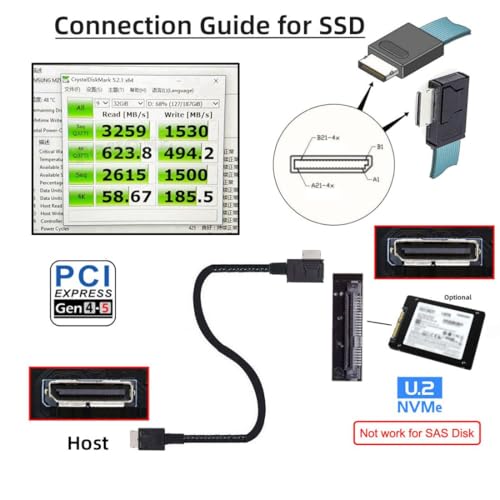
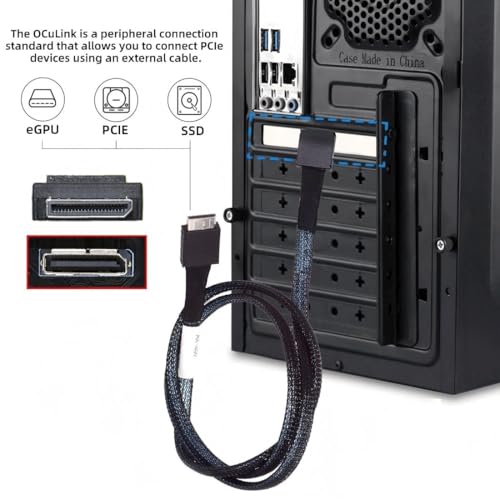

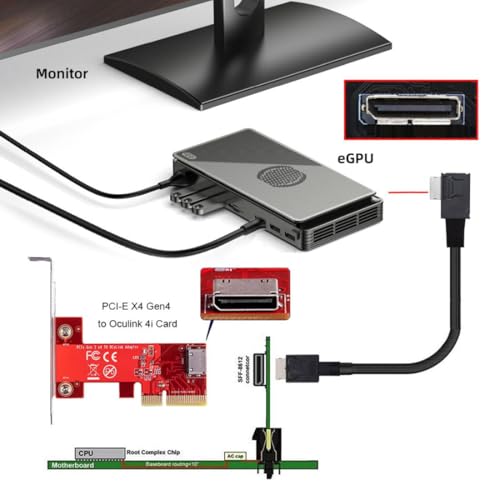
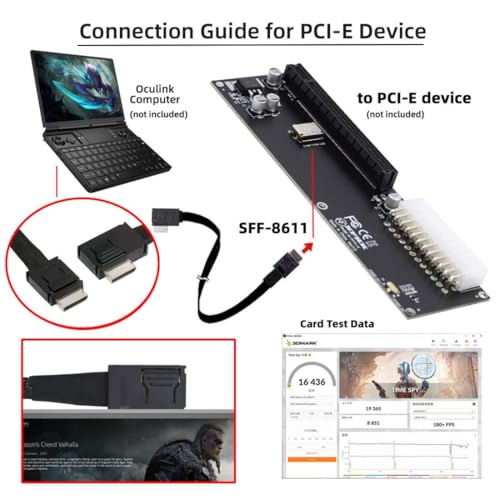

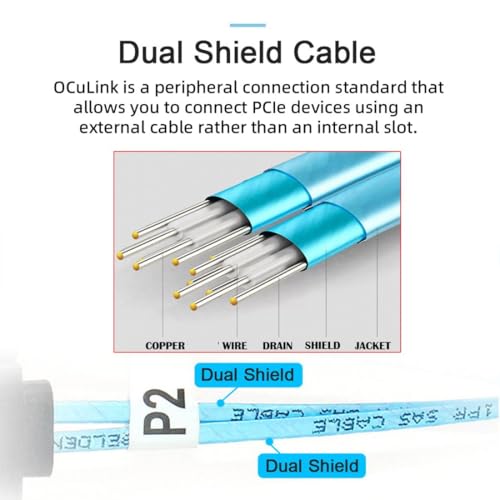


⚡ Elevate your external GPU & SSD game with ultra-fast OCuLink power!
The Chenyang SFF-8611 OCuLink PCIe 4.0 cable delivers ultra-high 64Gbps data transfer speeds over a 50cm length, connecting external graphics cards and SSDs with the latest SFF-8611 interface. Designed for professionals seeking top-tier performance and reliability, it supports PCIe 4.0 signals with minimal latency and proven compatibility with devices like the GPD Win Max2 and Intel Arc GPUs.


| ASIN | B07TG9DK4W |
| Are batteries included? | No |
| Best Sellers Rank | #43,315 in Computers & Accessories ( See Top 100 in Computers & Accessories ) #24 in SAS Cables |
| Brand | chenyang |
| Cable Interface | Oculink SFF-8611 |
| Colour | SFF-8611 - SFF-8611 0.5M |
| Compatible Device | SSD |
| Connectivity Technology | OCuLink |
| Customer Reviews | 4.4 4.4 out of 5 stars (193) |
| Data Transfer Rate | 64 Gigabits Per Second |
| Date First Available | 19 July 2023 |
| Hardware Interface Type | PCI Express x1 |
| Item Dimensions LxWxH | 11 x 11 x 11 Centimeters |
| Item Height | 11 Centimeters |
| Item Weight | 8 g |
| Item Width | 11 Centimeters |
| Item model number | SF-014-CY |
| Manufacturer | CY |
| Model number | SF-014-CY |
| Net Quantity | 1.0 Count |
| Number of Memory Sticks | 1 |
| Number of pins | 24 |
| Operating System | Any (OCuLink compatible) |
| Product Dimensions | 11 x 11 x 11 cm; 8 g |
| Special Feature | Data Transfer |
K**I
intel arc a750にて動作しました。 ミニPCのm.2がpcie3.0だったこともありベンチマークスコアとしては直挿し4.0×16より15%〜20%ほど下落しています。 特に不具合もなく相性問題などeGPUではよく話題にあがるものも発生せず安定しています。 ただ私の構成では電源連動はしなかったです。 m.2スロットには付属のカードではなく、別のoculinkメス端子と止めネジがついたものを使用しケースに固定していました。
H**E
Product works with my gpd win 4 2024, for people struggling to get it to work here's some tips 1. There's a microscopic on and off switch on the board, make sure it's switched on ( i found it after scratching my head for ages ) 2. If you are trying to connect an nvidia card and get code 43 look up nando4 fix You are welcome
T**G
Really happy with this purchase, it comes with the oculink cable and wifi slot to oculink connector but I bought another one with extender through the nvme slot. Much better than the noisy overpriced Aoostar. The build is combined with RTX 5070 and Corsair RM750e modular PSU for a clean build. Zero noise build, the fan only goes up if temperature passes 50 degrees Celsius. The GPU is turn on and off according to the laptop power state. Plug in, Power up, Install latest Nvidia Driver, Gigabyte control center, code 43 script. I write low level CUDA for a living, so here’s some extra info: - nvidia-smi shows 2 GPUs (my original laptop GPU rtx 3050Ti and this one) - 2 GPUs can communicate through PCIe, I tested a NCCL code for vector addition on 2 GPUs and it worked. - CUDA Code can compile with sm_120, and run no problem. Pytorch recognizes 2 GPUs and set the 5070 as GPU 0. Nsight compute works with debugging and uses 5070 if the code is compiled with sm_120.
M**.
Klappt super mit einer RTX3060. Ich habe im Laptop eine GTX 1660ti. Hier gab es Probleme. Google hat dann geholfen mit [SCRIPT] nvidia-error43-fixer. Das hilft wenn die eGPU ständig deaktiviert wird. Bei mir muss ich außerdem beim starten das HDMI Kabel entfernen um auch den Laptop Bildschirm nutzen zu können.
S**E
Used it with N100 mini PC . worked with older hd4770 , failed to work with RTX 2070. Problem is the hd4770 is worst than the integrated graphics. Update: Ended up making the 2070 work on a ryzen 9. So the problem was the N100
Trustpilot
3 days ago
2 months ago