We remain fully operational. Our teams are working around the clock to ensure your deliveries continue safely.

DOWNLOAD THE APP


Customer Services
Copyright © 2025 Desertcart Holdings Limited
DOWNLOAD THE APP

🚀 Stay connected everywhere, power through anything!
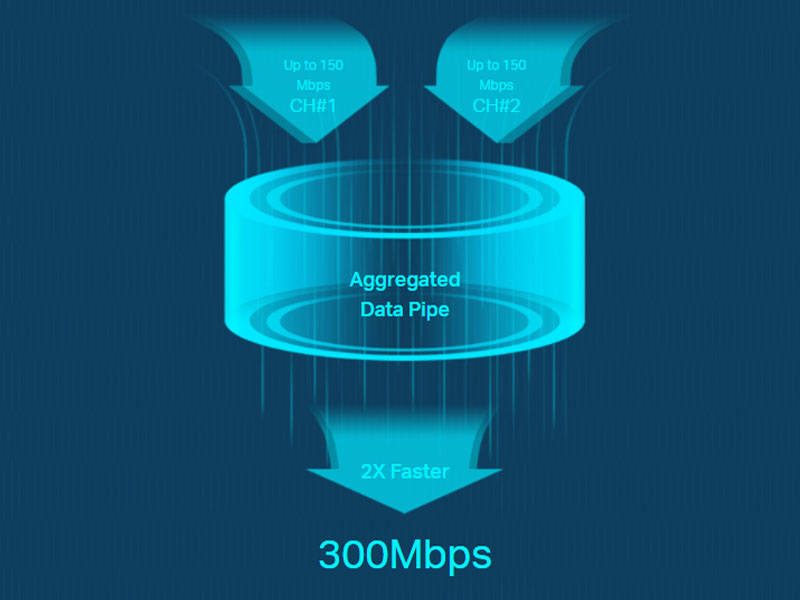
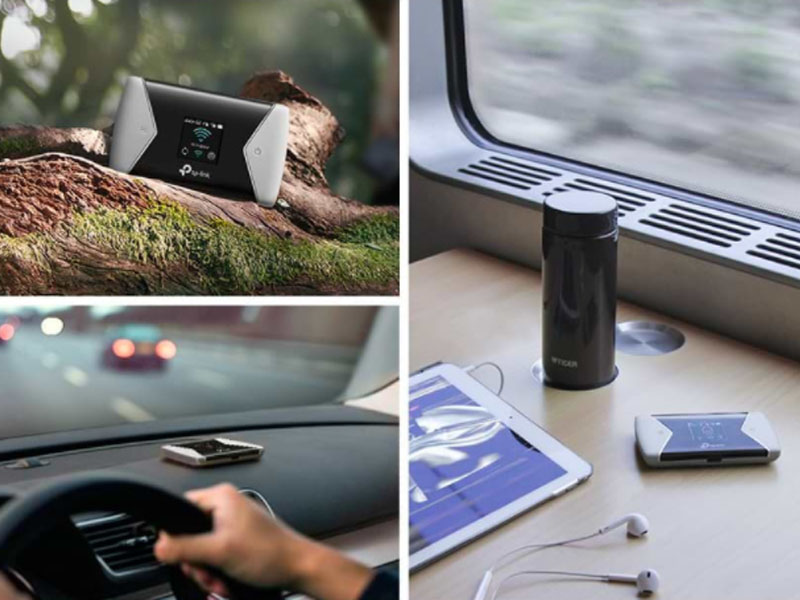
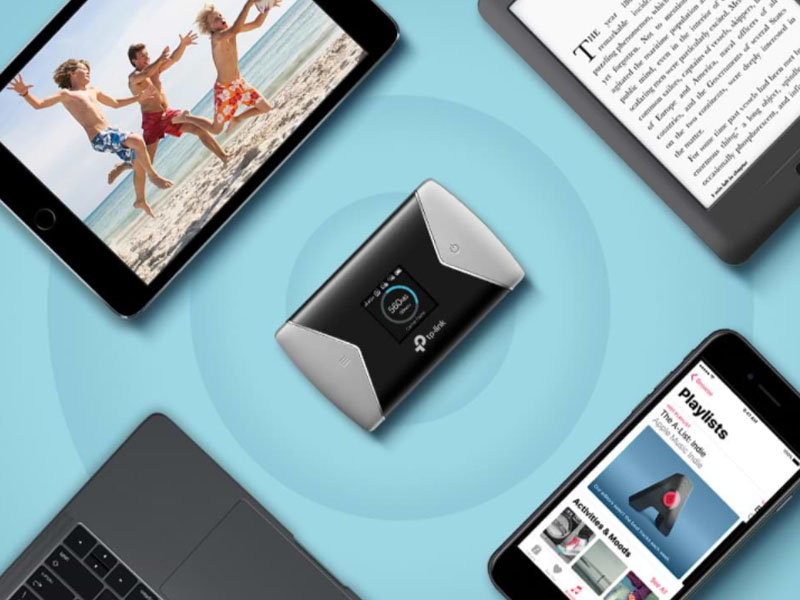
The TP-Link M7450 is a sleek, portable 4G+ LTE Cat6 mobile WiFi hotspot that delivers blazing speeds up to 300 Mbps download and 50 Mbps upload. With a powerful 3000mAh battery offering up to 15 hours of use, it supports dual-band WiFi for up to 32 devices simultaneously. Its unlocked design and microSD card slot make it ideal for global travel and flexible storage needs, all managed easily via the tpMiFi app.


| ASIN | B0711ZS29Y |
| Antenna Location | Home |
| Antenna Type | Internal |
| Best Sellers Rank | 41,520 in Computers & Accessories ( See Top 100 in Computers & Accessories ) 88 in Mobile Broadband Devices |
| Box Contents | 300Mbps LTE-Advanced Mobile Wi-Fi M7450 Micro USB Cable Nano to Micro SIM Card Adapter Quick Installation Guide 3000mAh Battery |
| Brand | TP-Link |
| Brand Name | TP-Link |
| Colour | Black/White |
| Compatible Devices | Laptop, Personal Computer, Smartphone, Tablet |
| Compatible devices | Laptop, Personal Computer, Smartphone, Tablet |
| Connectivity Technology | Wi-Fi |
| Control Method | App |
| Controller Type | App Control |
| Coverage | global |
| Customer Reviews | 4.2 out of 5 stars 300 Reviews |
| Data Transfer Rate | 300 Megabits Per Second |
| Frequency | 5 GHz |
| Frequency Band Class | Dual-Band |
| Frequency band class | Dual-Band |
| Global Trade Identification Number | 06935364081836 |
| Is Modem Compatible | No |
| Item Dimensions L x W x H | 6.7L x 1.6W x 11.2H centimetres |
| Item Weight | 90 Grams |
| LAN Port Bandwidth | 100 Mbps |
| Manufacturer | TP-Link |
| Maximum Upstream Data Transfer Rate | 300 Megabits Per Second |
| Model Name | M7450 |
| Model Number | M7450 |
| Model name | M7450 |
| Number of Ports | 1 |
| Operating System | TP-Link firmware |
| Other Special Features of the Product | Wireless |
| Product Warranty | 3 Years |
| Security Protocol | WPS |
| Special feature | Wireless |
| Unit Count | 1.0 count |
| Wireless Compability | 802.11ac |
| Wireless communication standard | 802.11ac |
M**E
A must have for ultimate connectivity
I absolutely love the TP-Link M7450 mobile Wi-Fi. This device is the perfect example of why I rely on the TP-Link brand for all my connectivity needs from my home broadband to my range extenders, everything works flawlessly and seamlessly together. Setting up the M7450 was incredibly easy, the great connectivity was immediate on Vodafone and good signal. the fact that its sim free means you can use any network, making it flexible and travel friendly with a good battery life. But what really sets this apart from other mobile Wi-Fi units is the software quality. Unlike the basic apps offered by other brands, the TP-Link app allows you to read and send texts messages directly, which is a massive convenience I never thought I needed. The M7450 also clearly has a design upgrade. the sleek Black casing looks incredibly stylish and modern, it’s a device you don’t mind having out. If you’re looking for high quality, great features, and a premium feel, TP-Link delivers every time and great value for money
F**U
Excellent replacement for fibre Broadband
SIZE MATTERS The TP-Link M7450 mobile router is smaller than S23 smartphone. So it's very portable or can be used as a permanent home router. QUALITY LOOK It looks 'cool' and feels good quality in the palm of the hand. FIBRE BROADBAND ALTERNATIVE I bought the TP-LINK M7450 to replace home fibre broadband and its proved to be even faster than the Vod Essentials broadband I had for 2 years. COST COMPARISON WITH LANDLINE BROADBAND I compared mobile networks signal strength I bought a bought a 24 monthb Unlimited Data SIM with a good strong 4G signal that works out at £10/month with no hidden additional costs. INTERNET SPEED My 4G signal is delivering average 46mbps download and 19mbos upload, which is more than adequate for streaming Amazon Prime video and Netflix, and to run my 14 devices connected to the router. ADDING UP TO 32 DEVICES WITHOUT LOSS OF PERFORMANCE The router can be set to 2.4 GHz or 5 GHz. Which is important because all 12 of my smart plugs are 2.4 GHz + Amazon Alexa Echo (2nd Gen). I have successfully connected 10 smart plugs and Amazon Echo to the TP-Link M7450 router. with no performance issues. ROUTER SETUP Setting up the router is simple. Make sure the battery is charged. Insert your SIM card, switch on the router, and then search for the Wi-Fi access on your smartphone just like you would when connecting to any conventional broadband router. Enter SSID and Password as you would on any landline broadband router. ADDING DEVICES The procedure is exactly the same as when adding smart plugs and other devices to a router. Remember to select 2.4ghz on the TP-Link M7450 if your smart plugs/devices ONLY work on 2.4ghz. TpMiFi ANDROID APP The TpMiFi App which you can download, allows you to adjust router settings without pressing buttons on the router. There are also other settings available on the app that are not immediately accessible on the router. POWER SOURCE & BATTERY LIFE I keep the router plugged in with a USB cable. I've found that the claim of battery life lasting 15 hours is dependent upon low usage. If you using the router when travelling and spend a LOT of time on the Web, then have a powerbank or USB mains adapter handy and have a long USB cable handy. The micro-USB cable provided with the router is very short. GETTING THE BEST WiFi SIGNAL If using the TP-LINK M7450 for permanent 'home broadband' you will need to experiment to find the best location for the strongest signal. I use a small adjustible mobile phone stand and double-sided-sticky-tape to position the router in the perfect sweet spot at just the right angle. Using a broadband speed test App the router itself is working at 250mbps and my smartphone connection to the TP-Link M7450 is 46-54mbps. USE COMPATIBLE HARDWARE To get the best from this router your smartphone / laptop / tablet needs to have 4G compatible hardware. If your hardware is old and outdated then don't blame the TP-LINK router if your internet speed is poor. VERDICT Considering connectivity, security, portability, and price, I consider this to be one of my best buys this year on Amazon. Amazon custome support is also excellent, which I've used often over the years, and which I greatly value for consistency in delivering the highest quality customer service.
P**N
Almost Perfect
I bought this for use in our caravan when away from home. We find our phone data disappears quite quickly, but at home it's more than adequate so paying for more data on our phone contracts didn't make sense. I bought a pay as you go card and fitted it to this device. All our Android services connected easily, however my Windows laptop just would not connect. I tried my wife's Windows laptop and got the same error message. So I live chatted with the product help desk, they were very nice and friendly but their knowledge seemed limited to re-set the device or ensuring it is operating correctly with the Android devices that would connect. I asked if it was possible to manually put the wifi settings into the laptops, and they side stepped the question - obviously not knowing the answer. In fact I was eventually told to return the device "as obviously being faulty" for not automatically connecting (to the laptop). We were due away the next day, so I fumbled my way through manually inputting the WiFi settings on my laptop and bingo - it connected! That was very useful when we were away for streaming etc. I may be doing the device a disservice only giving four stars as it may be a Windows issue - but I feel if two Windows computers in the same household won't connect then this can't have been the first time this issue has come to light and that product support should be better informed. Other than that, it worked perfectly while we were away and I was so pleased we had it and that I had persevered with it rather than send it back.
A**R
The Ultimate Travel Companion: TP-Link M7450 4G+ MiFi
I recently purchased the TP-Link M7450 4G+ MiFi, and it has truly revolutionized my travel experience. Here's why this little device deserves a full 5 stars: Portability and Design: The compact and sleek design of the M7450 makes it the perfect travel companion. It's lightweight and easily fits into any bag or pocket, ensuring that I have reliable internet access wherever I go. Performance: The performance of this MiFi is outstanding. With LTE-Advanced Cat6 technology, it delivers lightning-fast internet speeds. Whether I'm in a bustling city or a remote area, the connection remains strong and stable. Ease of Use: Setting up the M7450 was a breeze. The tpMiFi app management is intuitive and user-friendly, allowing me to monitor data usage, manage connected devices, and adjust settings effortlessly. Connectivity: This device is a connectivity powerhouse. It supports dual-band Wi-Fi and can share the connection with up to 32 devices simultaneously. Whether I'm working on my laptop, streaming on my tablet, or connecting multiple smartphones, the M7450 handles it all with ease. Additional Features: The inclusion of an SD card slot is a game-changer. It allows me to share files and media with connected devices seamlessly. The fact that it's unlocked means I can use any SIM card, making it perfect for international travel. Battery Life: The battery life is impressive. It lasts all day on a single charge, ensuring I stay connected without constantly hunting for a power outlet. Overall Experience: The TP-Link M7450 4G+ MiFi has exceeded my expectations in every way. It's reliable, fast, and incredibly easy to use. Whether you're traveling for business or leisure, this device is a must-have for anyone in need of dependable mobile internet. I highly recommend the TP-Link M7450 to anyone looking for a top-notch portable Wi-Fi solution. It's an investment that pays off every time you use it. Five stars well-deserved!
B**K
Absolute RUBBISH. Do not even be tempted
Absolute RUBBISH. Do not even be tempted as the Battery Overheats and does NOT hold charge very long. The previosu version is much better. Stay well away from it.
E**D
Just about made it to second stage of interview…
Neat little thing. I bought it because I want a decent internet connection when off grid in our motorhome. I’ve not tested it outside the house tbf because it should be working as well as it could with the mobile service we have here. Pretty bold claims from TP Link that you should be getting “Dual band Wi-Fi selectable 2.4 GHz 300 Mbps or 5 GHz 867 Mbps Wi-Fi with up to 32 Wi-Fi devices”…I feel triumphant if (when testing using Ookla) it achieves double figures. It’s coming out to play in deepest darkest wild Wales next weekend…watch this space. May keep if any good or it could just find itself in Room 101.
D**S
seems well made and easy to set up
works well as a backup wifi router. Easy to set up and simple to use. I mostly got this for holidays and days away and it has been super useful. Also saved the day when our home internet and landline went down for a couple of days.
J**K
Nice little portable wi fi.
We brought this to use when we go camping. Small handsize portable wi fi. Purchased a sim card to put in it. Speed has been great with it. Can you any sim card into the slot. Took it to Thailand and purchased a sim card from there and was able to get wi fi easily. Brilliant little device.
Trustpilot
1 month ago
3 weeks ago