Desertcart purchases this item on your behalf and handles shipping, customs, and support to Netherlands.
๐ Unlock storage speed and scale like a boss with TERRAMASTER D6-320!
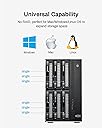
The TERRAMASTER D6-320 is a robust external hard drive enclosure featuring USB 3.2 Gen2 connectivity for blazing 10Gbps transfer speeds. It supports up to six 3.5" or 2.5" SATA drives, delivering a massive 132TB total capacity. Designed for professionals, it offers hot-swappable bays, broad OS compatibility, and intelligent cooling to maintain optimal performance and reliability in demanding environments.


| ASIN | B0BZHSK29B |
| Best Sellers Rank | #12 in Enclosures #774 in Data Storage |
| Brand | TERRAMASTER |
| Built-In Media | Hard Drive Enclosure |
| Compatible Devices | Windows, Mac, Linux |
| Connectivity Technology | SATA, Thunderbolt, USB |
| Customer Reviews | 4.2 out of 5 stars 561 Reviews |
| Data Transfer Rate | 10 gigabits_per_second |
| Enclosure Material | Metal |
| Hard Disk Form Factor | 3.5 inches |
| Hardware Interface | USB 3.2 Gen 2 |
| Hardware Platform | Windows, Mac, Linux |
| Item Dimensions L x W x H | 8.58"L x 5.12"W x 8.9"H |
| Item Weight | 4.1 kg |
| Manufacturer | TERRAMASTER |
| Material | Metal |
| Mfr Part Number | D6-320 |
| Model Number | D6-320 |
| Product Dimensions | 8.58"L x 5.12"W x 8.9"H |
| Supported Devices Quantity | 1 |
| Warranty Description | 2 Years |
R**E
Excellent 4 Drive Enclosure
For years I used OWC Mercury Elite Quad Pro enclosures with SoftRaid. One unit was replaced under warranty about a year ago. A second unit just died a year out of warranty. I contacted OWC for support, hoping it was an easily fixable issue, but it was not. The tech support guy said he felt bad as these units don't typically die in 2-3 years and offered a discount to purchase a replacement. When I clicked on the discount link, the offer was for a 4% discount. FOUR PERCENT! I researched alternatives and came up with this unit. Yes, it is plastic while the OWC unit is steel, but I placed my 4 discs in, powered up and I was back in business for $90 less with all my files intact. This enclosure has tool-less drive mounts that work very well, is fairly quiet and remains cool to the touch. It appears to be very well made.
K**N
Fantastic DAS - But Throw Away the Stock Cable Immediately (1.5-Year Review)
I have been running the TerraMaster D4-320 for a year and a half now, and it has performed flawlessly. My setup consists of four 22TB Western Digital Ultrastar DC HC570 enterprise drives configured in a software RAID10 array on a Linux NAS. It has been so reliable and stable that I just ordered the 2-bay version, the D2-320, to expand my storage even further. However, looking at the negative reviews complaining about random drive disconnects, frozen transfers, and data corruption, I am confident that a huge percentage of these bad experiences come down to one single, easily avoided issue: the factory USB cable included in the box. These 320-series enclosures operate on a high-speed 10 Gbps (USB 3.2 Gen 2) interface. When you are multiplexing data from up to four separate hard drives down a single USB line, the connection is incredibly sensitive to signal degradation. The stock 1-meter cable included with the unit is simply too thin and too long for this specific high-bandwidth hardware specification. Under heavy or sustained write loads, the signal degrades over that distance, causing the data packets to drop. The host operating system loses track of the connection, panics, and resets the drive link - which looks to the user like a random disconnect or a corrupted array. The Fix is Simple: Do not use the factory cable. Instead, replace it immediately with a short, thick, heavily shielded USB cable rated explicitly for 10 Gbps or USB 3.2 Gen 2. I personally use a high-quality 0.5-meter (1.6 feet) heavily shielded cable (the kind typically bundled with external NVMe SSD enclosures). Keeping the cable short and thick does two vital things: 1. Eliminates Signal Loss: Shorter distances mean the high-frequency data signals arrive clean and error-free without the enclosure needing to constantly re-transmit corrupted data. 2. Reduces Electrical Resistance: Thicker copper wires ensure that when the enclosure spikes in power usage during heavy metadata operations, the voltage remains completely stable across the connection. If you treat the stock cable as temporary packaging and swap it out for a heavy-duty, short 0.5m cable from day one, this enclosure is an absolute tank. Highly recommended, just budget an extra ten dollars for a proper data cable!
Z**S
Great 4-disk enclosure
The self-noise is very quiet although there isnโt much dampening for hard drive noise so the actual drives may be very audible. The fans work great and keep my drives consistently below 40C. The case feels a bit cheap because of all the plastic but I kind of prefer this since itโs so light weight. Despite the plastic case, it feels really solid. The case should hold up for years. The lights on the front are really helpful to confirm disk activity. I only have two complaints: how the drives show up in windows and the quality of the USB-C connector. Each drive shows up individually which is great for software RAID, but ejecting the drives means each one has to be removed from windows separately. I wish there was a way to eject them all as one device before I disconnect the enclosure. The USB-C connector also could be stronger. If something accidentally bumps into the cable while itโs in, it can disconnect from the host even if the cable looks like it should still be connected. Despite these concerns, Iโm very happy with this enclosure.
R**N
aweful support
One Year Later: My Honest TerraMaster NAS Experience - bought this with f4-424 pro After a year of using my TerraMaster NAS, I have to say: the operating system (TOS 5) is, frankly, horrendous. As a NAS OS, itโs almost useless. The system becomes unresponsive every few days. Sometimes you can restart the broken service, but more often than not, youโre forced to reboot the entire deviceโwhich completely defeats the purpose of having a NAS thatโs supposed to be always available. Every reboot seems to bring a new wave of issues, making the experience feel like a never-ending tornado of problems. Iโve reached out to their support several times, but itโs been frustrating. Most of the time, I end up fixing things myself because their responses rarely address the actual problem. For example, my last support ticket clearly stated that I had already reinstalled the system but was stuck on boot due to โskinny extents.โ The engineerโs reply? โReinstall the system.โ It was as if they hadnโt even read my message. Iโve finally decided to give up on this useless operating system. If you ever encounter the โskinny extentsโ issue and get stuck on boot, hereโs what actually worked for me: Get a USB drive and create a Linux rescue disk (like SystemRescue). Boot from it and scan your Btrfs filesystem. Let the scan finish, then reboot. You might lose a few files, but thatโs a small price to pay compared to losing 150 TB of data. In summary: TOS 5 has been a huge disappointment. If you value your data and sanity, be prepared to use your own tools and knowledge to recover from inevitable problems.
R**.
intrinsically works but with issues
D2-320 arrived and looked good. solid construction high quality cables, parts fit well together. Installation is intuitive. So simple, in fact, I had it installed with 2 SSDs, THEN looked at the installation instructions. Transfer speeds are pretty good. USB 3.2 is a speedy boy, even with both drives hammering large (700G) transfers at the same tiime. Now, the issues. It has an EXTREMELY small supported product list. Trust me if your device isnt on the compatiibility list, its probably not going to work well. Support, while available pretty much 24 x 7, are extremely slow to respond in live chat...and in fact one of them went for an hour meeting while in chat with me without saying so. Support attitude is poor, at best. In regards to knowledge, they didnt tell me anything of value other than obvious things like "change what bays the drive is in"... well duh...rocket science. They even said that "Sharing" a drive via standard windows file sharing required a NAS rather than a DAS. sorry...wrong... Despite their fumbling support and extremely restrictive compatibiility list, I AM still using the product, and its functioning pretty much as good as it looks (which is pretty boring, but thats a good thing with computer hardware. boring means its working). I managed to sort out the issues myself, which werent really attributable directly to the product other than it not supporting faster, newer SSDs, and very few of the older generation drives. Would I recommend it? Probably not. Spend a little more. Update - New Samsung 870 EVO 1Tb drives arrives. Inserted into the DAS which proceeded to not see them. Windows Disk Manager did, however see them both and proceeded with addiing them and letting me format them. The DAS automatically detected the drives once they were partitioned and formatted. Setup Windows shares and they work perfectly across the network to another Win 11 machine and a Win 10 machine. Care must be taken on shares if you are hot swapping disks since it seems to be the slot in the DAS uniit that gets the share name and permissions rather than the actual disk. This is NOT the fault of the D2-320 but a windows thiing. Rating increased from 2 to 4 stars.
B**E
Excellent NAS!
This is an excellent NAS for the price. It works great; drives are simple install in the trays, no tools needed. The only addition I would like is an ethernet port, but for the money its excellent. I will probably buy extra drive trays later to swap drives in and out. The hot swap is great. I would buy it again!
R**.
The RAID1 functions as expected.
I purchased the D2-320 2-bay RAID enclosure with USB 3.2 Gen 2 10 Gbps My purpose with this unit was to mirror (RAID1) two 6TB WD Reds with a Linux machine. Iโm not familiar with this brand, so I decided to test it a little before copying a lot of my files over to the D2-320. Getting everything working was pretty easy. I pulled out each bay, installing the drive was pretty easy, no screws needed. They provide a video on it if youโre unsure. I set the selector on the back of the unit to RAID1, shoved in both drives, connected the USB (drives are powered but wonโt spin up until the USB is connected), then held the RESET button with the provided pin until the disk lights flashed. The system found one drive - as it should have. I wrote approximately 18K files and directories of various sizes to the array and then without disconnecting the USB or turning off the power, I pulled out one drive. I then connect the pulled drive directly to another computer to see that the files were in fact written to the drive. They were. All good to go. I replaced the drive. Both lights are green. Since no changes had been made to either drive, this is perfect, it didnโt try to rebuilt the array Next, I pulled the second drive out hot. Then connected that drive to the other computer and checked to make sure all files were also written to this drive as well. They were! It is working as it should be. I then created a couple files on the other drive and then replaced the pulled drive back into the D2-320. One drive light was blinking green, the other blinking yellow. According to the online documentation, this means it is rebuilding the RAID1 mirror. Perfect .. Everything is performing as expected. It did take a few hours to rebuild .. but these are 6TB drives, so that was expected. The USB cable provided seems adequate, USB C on both ends. If you need a different cable, consider that when purchasing. Average 1G file write 156 MB/s, average 1G read 221MB/s. Slow but these are mechanical drives connected via USB. Acceptable. Later, I watched a video using Jellyfin and reading, transcoding, and streaming worked perfectly fine. The large fan is quiet and seems to keep the drives cool. Airflow looks to be sufficient. How noisy the unit will be will depend on your drives. Some are louder than others. These drives will be part of a system I have in place which will be up and running 24/7. Iโll be very interested in seeing how well the Terramaster D2-320 performs in the long run. Iโll post updates after I have used them for some time.
J**H
Fatal Flaw to what could be the solution for photographers
Update 3/26/2026 Sorry for the false alarm below. The issue was with the power supply, not with the device. The power supply had the same brand name and appeared virtually identical, so I just plugged the new one into the same power supply, but then out of abundance of caution I glanced at the fine print on the old power supply and realized it says 72 watts (W) of output, and then I glanced at the new one, but it said 120 W of output. A huge difference, clearly. After carefully untangling the cables needed to take out the old power supply from my double-layered set of Bluetti and CyberPower battery backups, and put in the new power supply, the 6-bay model does work flawlessly, and has enough power to spin up all four drives at once. Just a note of caution, since 72 W of power is NOT enough for four drives, this means each drive probably needs at least 20 W apiece to spin up (for Exos enterprise drives). Thus, six drives would likely need at least 120 W total, meaning that the new power supply may or may not be enough power to actually spin of six drives. When I do ever sometime install six drives at once, I might run into the same issue of not having enough power to spin all the bays up that the machine is rated for, just like I experienced with the 4-bay version not having enough power to spin up all of its bays. But for now, when I am only using my four drives in this 6-bay unit, and with its correct PSU included in the box, rather than the prior one, it does have enough power to spin up the four drives with two of the bays empty. It's kind of an extreme cost cutting measure that the PSU included saves like 15 cents of cost by only putting out 72 W for one model and only 120 W for another model, but I respect the right of a company to just include the bare minimum to make its product work. Although the prior 4-bay model did NOT work with 4 drives loaded in it, and it still awaits to be seen whether the 6-bay model will work with a full load of 6 drives in it as well. Other than this power issue, this unit has worked flawlessly and perfectly for over a year on my MacBook Pro M4 Max, and hopefully it will keep doing the same on my new MacBook Pro M5 Max. Update 3/26/2026 For the past year, I have been stuck with hot swapping the 4th drive after powering up this model just so that it can boot, as it powers off from a voltage deficiency over and over in an infinite loop when 4 drives are loaded. So today, in the spring sale, my package arrived with the new 6-bay version. Obviously, with 6 bays, it should have more voltage to be able to spin up just by 4 existing drives, right? Wrong. I am attaching a video showing the infinite loop STILL happening of trying to spin up just four drives, then failing, which happens on the 6-bay model, just the same as on the 4-bay model. DO NOT BUY THIS PRODUCT. IT CANNOT LOAD MORE THAN 3 PHYSICAL HARD DRIVES AT A TIME, EVEN THOUGH IT CLAIMS TO SUPPORT SIX. The package has been opened and all the screws taken out, but hopefully I can still do a return and go back to my 4-bay model, and keep on living with this terrible situation of loading in the 4th drive after waiting for the first 3 to spin up. I live in daily terror that at some point my timing will be off, and my computer will see the missing drive as a corrupted software RAID array, instead of getting the timing just right so that my computer thinks there is just a small delay in loading up the fourth drive from the enclosure, instead of seeing it as a missing drive/corrupted RAID. Original Update: when used with 4 seagate 28 TB drives, it cannot spin up because inadequate voltage. One drive has to be slid out partway when turning on, then slid back in after the first 3 spinup. Otherwise, still works great. Only this drive so far can't spin up with 4 drives inside. Other drives don't need so much voltage, apparently. -- I generate over 20 TB of media a year as a photographer, and I now use software raid only after way too many unrecoverable hardware raid failures. And I also use backups on additional DAS devices, never trusting just raid alone for safety. But I have always been frustrated that good enclosures are close to $300 or even $1000, just to provide a decent 1000 MB/sec of combined speed from multiple drives. Lots of DAS devices are available, but until this one, it was always close to $300 or far more just to get true drive speed like 250 MB/sec for one drive times four = 1000 MB/sec total. Why should I pay the price of an entire new PC just to provide a SATA connection and power cable to my drives that doesn't bottleneck my speed when accessing more than one drive at once with RAID? Finally this one is available for half the cost, and it really works. I've bought four and will buy more.
H**R
Justo lo que necesitaba a precio adecuado
En la mayorรญa de artรญculos este podrรญa decir que se ajusta a muchas de mis necesidades, un adecuado precio y me sirviรณ como extensiรณn de mi NAS, creando mรกs habรญas para acoplar mas discos NAS y no tener que cambiar todo mi equipo. Con la conexiรณn USB C logra buenas velocidades y al ser RAID da la posibilidad de acoplar de la mejor manera los discos. Creando un RAID para tenerlos como discos separados o discos unidos y visualizar una sola unidad (aunque con dicha configuraciรณn se pierden TB de almacenaje) Lo que me llamo la atenciรณn es que hace juego con mi NAS negro en lugar de desentonar el color con los clรกsicos blancos o grises
A**R
A perfect storange solution for desktop with powerful mini PC or home lab!
It is exactly as described in the description of product. No second thoughts on buying. Using it as partial RAID and simple storage for homelab. For mounting SSDs, screws are provided, this information is missed out in the product package contents. R/W Speeds match the described information.
C**N
Terramaster
Muy buen producto, agregando discos duros podemos tener bastante almacenamiento
J**J
So Far its been great
Installed this with two large 14 TB storage drives. So far its works flawlessly backing up all my media. My hobby photography had huge amounts of photos and video. Very quick file transfer speed. Set up wasn't difficult but its best to read the instructions and learn to verify your approach on the internet first. It is much easier to set up up exactly right from the start then to change it. You have several options to suit your personal needs. I chose to mirror my back up disk.
J**A
Nice Product
Easy to use. Fan is less noisy.
Trustpilot
1 month ago
1 week ago