Buy anything from 5,000+ international stores. One checkout price. No surprise fees. Join 2M+ shoppers on Desertcart.
Desertcart purchases this item on your behalf and handles shipping, customs, and support to Netherlands.
⌨️ Elevate your desk game with the MX Keys S — where smart meets sleek.
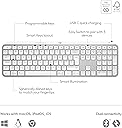
The Logitech MX Keys S Wireless Keyboard UK QWERTY is a premium, full-size, low-profile keyboard designed for professionals who demand seamless multi-device connectivity, smart adaptive backlighting, and customizable automation. Compatible across major OS platforms, it features a rechargeable 1500mAh battery, quiet linear switches, and an intuitive app for personalized workflows, making it the ultimate productivity tool for the modern workspace.


| Antenna Location | Personal |
| Asin | B07W5JK38Y |
| Best Sellers Rank | 426 in Computers & Accessories (See Top 100 in Computers & Accessories) 4 in Keyboards (Computers & Accessories) |
| Box Contents | Keyboard, Logi Bolt USB receiver, USB Cable, User documentation |
| Brand Name | Logitech |
| Button Quantity | 104 |
| Colour | Pale Grey |
| Compatible Amazon Tablet Models | Amazon Fire HD 10 11th Generation |
| Compatible Devices | Chromebook, Mac, PC, Smartphone, iPad |
| Compatible Operating System Family | ChromeOS, Linux, MacOS, Windows |
| Compatible Tablet Computer Models | Amazon Fire HD 10 11th Generation |
| Connectivity Technology | Bluetooth, Logi Bolt USB |
| Country Of Origin | China |
| Customer Reviews | 4.5 4.5 out of 5 stars (785) 4.5 out of 5 stars |
| Enclosure Material | Plastic |
| Generation | 1 |
| Hand Orientation | Right |
| Item Dimensions L X W X H | 43L x 13.2W x 2.1H centimetres |
| Item Type Name | Wireless Keyboard |
| Item Weight | 810 Grams |
| Keyboard Backlighting Color Support | Single Color |
| Keyboard Description | Standalone |
| Keyboard Layout | QWERTY |
| Language | English |
| Manufacturer | Logitech |
| Manufacturer Part Number | 920-011585 |
| Mechanical Keyboard Switch Model | Meccanico |
| Minimum Required Operating System Version | ChromeOs 134, Mac OS X 10.0 Cheetah, Windows 1 |
| Model Name | MX Keys S |
| Model Number | 920-011585 |
| Number Of Keys | 104 |
| Power Source | Battery Powered |
| Product Features | Backlit, Customizable Display Keys, Hotkeys and Media Keys, Rechargeable |
| Product Warranty | 2 year manufacturer |
| Style Name | Modern |
| Switch Type | Linear |
| Unit Count | 1.0 count |
User
expensive but good quality
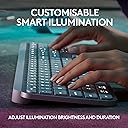
good build quality, feels very solid. connected to pc quickly and very stable. backlight works well and can be adjusted in strength and time for how long it stays lit. app works well and no problems finding the keyboard. the keyboard can connect to 3 different devices with quick switch buttons. I tested and worked well with pc, mac and android tablet.It feels nice and quiet to type on and there is a little travel of the keys - not quite as usable for gaming as it is for office work. travel is shallow and deeper travel is often more suitable for gaming.its not a cheap keyboard and maybe a little on the premium end of the market.
User
Expensive but worth it
Well as a stand alone keyboard for a computer, £83 is exteremely expensive but this is where this keybopard comes into its own.I currently have the main computer that i do a lot of work on and a laptop that i use when the mrs wants to watch tele as i use the big tv screen on the main computer. I also have a work computer that i connect up to a system i have in the house on a three monitor setup.This keyboard has the ability to connect to three computers so as long as they are not all being used at any one time, a simple press of the button switches its connection to the computer you need to connect to. This for me is what drove me to get this as we rarely have more that onr computer on at a time. You can also get a mouse that i have that does the smae thing and used the one USB adaptor to connect to but you can also use bluetooth to connect with.The weight oif this keybopard is unreal, it really does weight a fair bit by far the most of any i have ever had but it comes accross as super sturdy.Functionality of the keys is a dream, super feedback and allows for really fast typing.Worked as soon as i connected the keybpoard but there is an app to go with this called Logi Options and shows all applicable connected devices and displays tjhe current battery strength which i really like.Keyboard comes with the dongle to connect to but if you get he mouse, it does not come with one so something to be mindful off.Also comes with a USB C charging cable that is top quality although it is only a meter in length.Brightness of the keyboard works great and is easy on the eye but it loods superb when lit. Has an auto shut off so when nothing is pressed it will go off but pops right back up once you pick it up.
User
Fantastic Keyboard
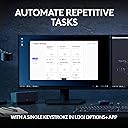
This is a fantastic keyboard. I did question paying nearly £90 for it but it is well worth the price. It has a good weight to it and build quality is great. I am sure it will last a good number of years. I decided to purchase this keyboard so I could set up a workstation at home as well as being able to use it in the work office because I will be hybrid working and I wanted a good keyboard to use at home and at work.It's taken a couple of days to get used to the keys but it's a joy to type on and it's virtually silent, even quieter with the keyboard cover I purchased to help protect the keys from crumbs and dust.Great to be able to program some functions such morning start up for opening all the apps and programs I use for work at the touch of a button but you do have to give up whatever the function key was originally assigned to do in order to do this. I do find a number of the function keys to already have some useful quick access functions already built in, so I am limited with the number of keys I am willing to give up and program. It would have been good if there were some completely user programmable keys not already assigned to a function.The battery is lasting as expected when I have the backlight on so I would expect to have to give it a charge every 2-3 weeks going forward. I do use the backlight on middle brightness most of the time.It's great to have the ability to have it linked to my work PC and my personal Mac at the touch of a button and there is still a spare key to assign to another device such as my iPad or phone. The keyboard is going to get a lot more use as a result of this function so in my view helps justify the high price paid.The only thing I don't like is the lack of riser legs which I would have thought would have been incorporated in a keyboard of this price. I do find the fixed rise of the keyboard to be minimal and could do with it being more of an angle. I have purchased some extra height risers that clip on which should make the keyboard the perfect height.Also purchased is a carrying case to keep the keyboard in pristine condition when putting it in my backpack for work.Overall this is just a fantastic keyboard and you won't be disappointed if you take the plunge and purchase one.
User
Amazing Keyboard….
I've been using the Logitech MX Master Keyboard for a few months now, and it has quickly become an essential tool in my daily workflow. Here’s a detailed review based on my experience:Design and BuildThe design of the Logitech MX Master Keyboard is both sleek and functional. Its low-profile, minimalist aesthetic fits well on any desk. The build quality is outstanding, with a solid construction that feels durable and premium. The keys have a slight concave shape, which enhances comfort during long typing sessions.Typing ExperienceThe typing experience on the MX Master Keyboard is exceptional. The keys provide a satisfying tactile feedback with just the right amount of travel. This makes typing fast and accurate, significantly reducing fatigue during extended use. The keyboard is also remarkably quiet, which is a bonus in shared or quiet environments.ConnectivityOne of the standout features of this keyboard is its versatile connectivity options. It can connect via Bluetooth or the included USB receiver, allowing seamless switching between multiple devices. This multi-device functionality is incredibly convenient for those who use different devices throughout the day.Battery LifeThe battery life is impressive. A full charge lasts several weeks, even with heavy daily use. When it does need recharging, the USB-C port makes it quick and easy to top up the battery.Additional FeaturesThe keyboard comes with customizable function keys that enhance productivity. The Logitech Options software allows you to assign specific functions or shortcuts to these keys, tailoring the keyboard to your workflow. The backlighting is also a nice touch, automatically adjusting to the ambient light and ensuring visibility in any lighting condition.Comfort and ErgonomicsThe MX Master Keyboard is designed with ergonomics in mind. The slight incline and comfortable key spacing reduce strain on the wrists and fingers. It’s suitable for prolonged use without causing discomfort, making it an excellent choice for professionals who spend a lot of time typing.Pros:- Premium build quality and design- Exceptional typing experience- Versatile connectivity options- Long battery life with USB-C charging- Customizable function keys- Ergonomic and comfortable for long useCons:- Higher price point compared to basic keyboards- Initial setup and customization might be overwhelming for some usersConclusionThe Logitech MX Master Keyboard is a top-tier choice for anyone looking for a high-quality, versatile, and comfortable keyboard. Its premium build, excellent typing experience, and advanced features make it a worthwhile investment, especially for professionals and power users. Despite the higher price tag, the value it provides in terms of productivity and comfort is well worth it. I highly recommend it to anyone in need of a reliable and feature-rich keyboard.
User
Lovely to type on. Odd Cmd/CTRL & Vol Key layouts... but would recommend.
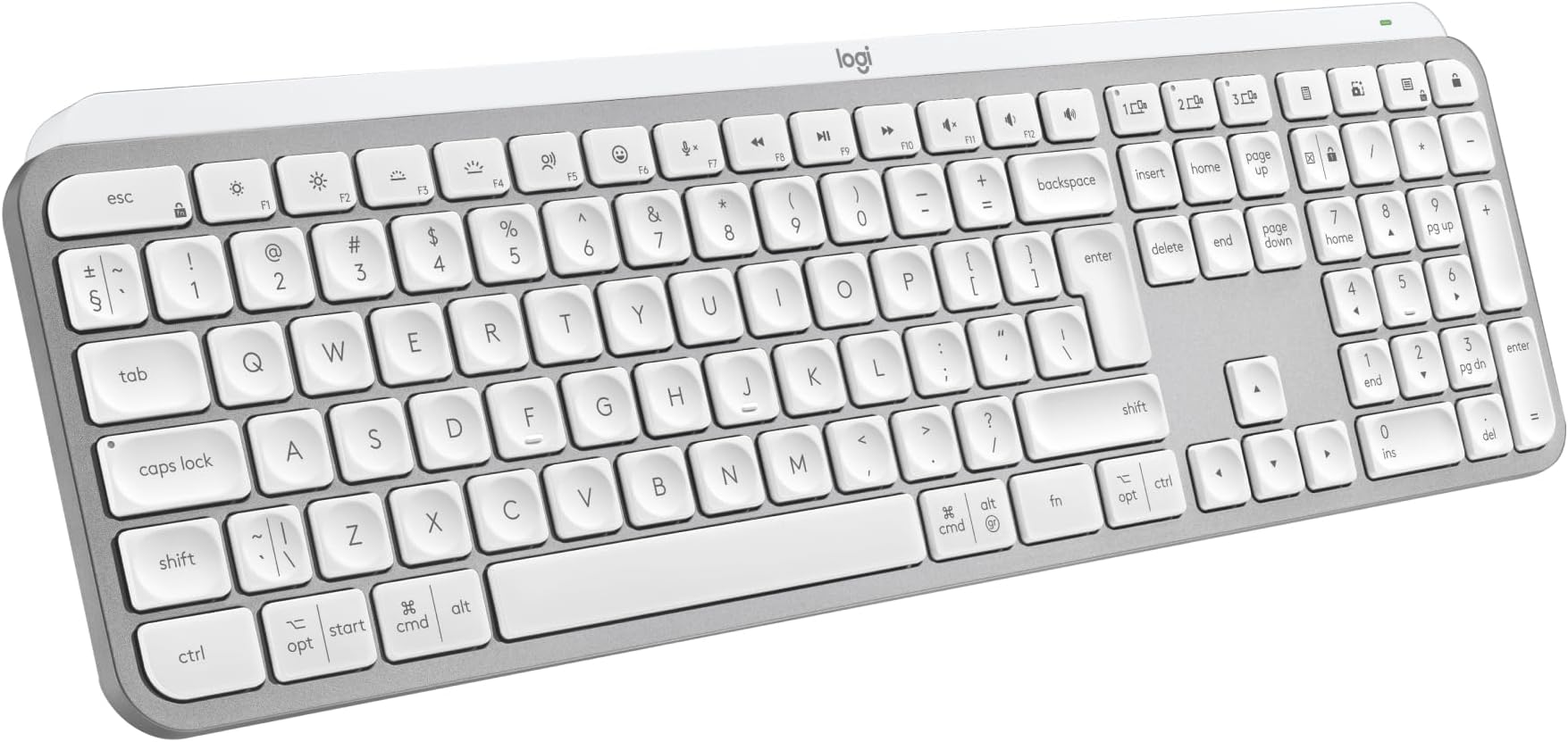
For those wanting a cheaper version of the Mac Keyboard, this is not it. In white it certainly looks very similar. It's raised slightly more, which I prefer. The keys feel terrific quality. Time will tell if they keep their texture or go 'shiny' like another Logi keyboard I had in black (this one is white).I had a few problems, but these were more down to my settings. Whereas on a Mac Keyboard there is just a £ above the 3, on here there is a £ and a # in acircle. My Mac Mini was set to British PC.So if you are getting a £ when you do Opt/3, change your Lang to just 'British'.I like that it does have a nice look to it. The metalic look is not shiny, just a sort of shimmer. It's a quiet keyboard on which to type. Can't compare to the Mac one as not had one, but this feels nice. I can touch type at speed and it's not all "clicky".Three things I wish were different.1) The on/Off Toggle on the back. I wish it was a little easier to use. It's not flush, but almost is, making it a bit tricky to switch. But only a bit...2) I wish the Volume buttons were independant. The Volume UP us a button all it's own, The Down and Mute are NOT. So you have to press Fn to get it to reduce volume, which if you was not aware at the time, is a worry.I know it can't do it, but 3) is lack of Touch ID, but that's prob down to Trademark etc with Apple. But if you have a Watch, ait unlocks with that anyway, so no big deal.On a MAc, you have from bottom left: Function, Control, Option, Command.On this, you have CTRL, Options, Command. No Function, that's on the right.On the Right on a Mac you have Option, Command, Control.On this it is Cmd, Fn, Option.So if you are getting this keyboard instead of Mac, as it is "the same".... it isn't. Not sure why Logi did it like this, when people would get this, instead of the Apple one.That being said, I still like it. I'm growing use to the positions of those keys. The Volume one is just strange. Either all in Fn or none. Not just one. Can't quite understand how that was signed off.It's like having a car indicator, and to go Right to click it up. To go left, you click it down, but you also need to press something.Anyway... Id recommend it over Apple's as theirs is very costly, as one would expect from Apple.
User
Beautiful Excellent Keyboard
Beautiful keyboard with solid metal construction (it has a metal heft when you lift it which feel premium) with lovely key stokes. I now understand the rave about this productivity keyboard.I love the shortcut buttons above the number pad.The not so good: you have to create an account to access the software and they ask for you DOB (why?).
User
Useful Replacement BT Keyboard
Got this due to lack of USB slots on new laptop.I've previously used a variety of Logitech mice and keyboards, and have generally had no issues (except for terrible keycap paint on G915, but that's a pretty isolated incident).Keyboard was straightforward to pair on Bluetooth on Windows 11. I already had the Logi Options+ software in use for an MX Anywhere 3 mouse. Keyboard was picked up straight away, and there seems to be a useful amount of functionality.I found the keyboard comfortable to type on, but it does feel a bit different typing on a gaming or office keyboard with raised keycaps. Noise level's excellent, hardly a sound.Battery life still to be tested, but keyboard arrived with around 50% charge, and a couple of hours on USB-C while in use, took it up to 100%.Also fits nicely in a standard laptop bag, which is a bonus!
User
Excellent keyboard if you use Mac, Windows - or both!
I've been using Apple stuff since 1998, when it kept looking like they were going to go out of business. In the decades since they've brought out some great products, and changed the world in the process. I've been loyal to them, and have always bought their kit - including Apple keyboards. But recently, setting up a home office where I'd be alternating between a new Mac Mini M4 for personal stuff and a Windows laptop for work, someone recommended this Logitech keyboard. It is a genuine gamechanger, and I'm typing this review on it now with real pleasure. I touch-type quite slowly, but his feels natural and better than the two Apple keyboards I have. Above all, the quick Bluetooth switching is fantastic, instant and seamless. I love that it shows both Apple and Windows layouts, and the Fn-O (Mac OS), Fn-P (PC) toggle is just brilliant. I've had it a couple of weeks now, and I like it so much I bought the MX Mini version to take with me to work. For less than £100 this really high-quality keyboard is a real bargain, and frankly I wouldn't swap back to the Apple one now if you paid me!
User
Amazing keyboard
This is the best keyboard for programming
User
Worked really well!
I have bought this product last year 2024. But it is still alive and worked, never disappointed me. 👍
User
The best
Best keyboard ever
User
Wonderful product
Simple to install, lovely to use a great keyboard ⭐️⭐️⭐️⭐️⭐️
User
NO es un teclado del Reino Unido - ¡NO hay clave £ GBP!
Puede obtener una tecla £ mediante mayúsculas y hash, pero no está en el teclado. Estoy tratando de descubrir cómo obtener una clave hash y @ encima del 2 son en realidad las comillas dobles encima de la coma a la derecha. Es un teclado hermoso pero es un dolor de cabeza. Aún no he intentado iniciar en Modo seguro: las últimas claves MX no funcionaron.
Trustpilot
3 weeks ago
3 weeks ago