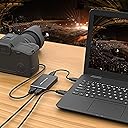
🎥 Capture Every Moment Like a Pro—No Excuses, Just Epic Content!
The DriverGenius USB 3.0 HD Video Capture Device Box delivers smooth, lag-free 1080p video capture at 30fps with durable metal housing and easy plug-and-play USB 3.0 connectivity. Compatible with Mac and Windows, it’s the ideal tool for gamers, educators, and content creators seeking professional-grade streaming and recording performance.
| Brand | DriverGenius |
| Product Dimensions | 9.5 x 5.6 x 1.2 cm; 140 g |
| Item model number | 30fps |
| Manufacturer | Fly Kan Tech Co., Limited (H.K.) |
| Series | 30fps |
| Colour | Black |
| Operating System | Mac OS, Windows |
| Are Batteries Included | No |
| Item Weight | 140 g |
| Guaranteed software updates until | unknown |
L**Y
Excellent 1080p60 capture device!
I really like this capture device now. After having dealt with what I thought was an issue with the unit or probably the signal I was feeding it, this is now a trusty part of my streaming setup. It does:Full and Partial YUV601 and 709.The settings that worked out for me best were 709 full with 1080P 60fps on mjpegOne thing to note before you panic: this device needs a USB 3.0 port and it's not joking about it either. I had various issues come and go depending on which way the wind blew until I realised that they stayed regardless of the signal I fed it. 1080p24, 30, 59.94, 60, 8 bit, 10 bit, ALL-I or LongGop, didn't matter, I'd have some random scanlines pop in and out as well as a 20 px tall horizontal black bar flickering at the top.Once I connected it to a USB 3.0 port on the motherboard rather through a powered hub and then the motherboard, all of those issues went away completely. Now I have my Panasonic GH5 pumping 100mbps 1080p 60fps signal into it and it looks beautiful.Note #2: there's a 300-ish msec delay on the picture. For those of you who get audio from a different source, such as a low-latency USB microphone, you'll have to delay the sound by about 300msec to match it with the picture.Brilliant bit of kit, I'm very happy with it not just for the price. I'm happy with it period.
A**R
Does the job, but a bit pricey
This is a basic little device for recording gameplay footage from a console via a HDMI cable. It records to your PC via USB 3.0.Setup is very simple, anyone who has used OBS or a video capture device before will get it working in minutes.Anyone else, follow the instructions and you will be fine.The main thing to watch out for during use is that it needs a full power + full speed USB 3.0 port, and by this I mean one of the rear motherboard ports on your PC. USB hubs, even powered ones, will probably not work. I tried three, all had problems.Encoding is via H.264, which although now an old standard and not particularly efficient, does a decent job and is compatible with basically everything.During use the unit does get a bit hot, but it’s nothing to worry about. Just don’t leave it lying about on a carpet, I have it vertical so that convection can cool it.Overall I have to say it does the job okay, however the price seems a little steep considering the electronics inside this thing. I suppose it’s a bit of a niche market, hence the price.
J**C
Works great.
Easy to set up and install and starts working as you want it to straight away. The captured images are very high quality and look great. It's small and stores away easily when not in use. Good value too.
◀**�
Nice unit but doesn't work on my setup
I've tried changing settings, stopping and re-starting, etc, but I simply cannot get this to work with my PC setup.I already have OBS installed and it works flawlessly with my other hdmi usb stick. I was hoping to use this as a pass-through HDMI recorder for Xbox gaming, etc, however this won't work with my setup and hdmi input video stutters, jams up and there's no sound what-so-ever.Maybe it just doesn't like my setup, but it seems odd when the same input device and usb ports work perfectly with my other device.Unfortunately I cannot recommend, but that doesn't mean that it won't work OK for others. The unit is built well, is otherwise simple to use and has a good usb cable with it.
D**L
Does 1080 30 fine but make sure you use USB 3.0
Whatever you do make sure you use this in a USB 3.0 or higher port, it will play up if you do not. Working fine for 1080 30, simple to install the driver as it was pretty much self install, download OBS and that's about all there is to it. The construction is nice and the image quality fine.
N**I
Impressive amount of hotkeys
Easy to set up and use, 1080P HDMI, video capture device.Packaged well. Arrived in a small cardboard box.This is a good compact design. It's all black, lightweight metal housing. It's roughly 10.2cm x 6.4cm x 1.7cm. this comes with a small USB cable provided, this is to connect the device to the pc.This is really easy to set up -• Plug your TVs HDMI cable into the 'out' port on the device.• With another HDMI cable, connect the device to the pc with the 'in' port.• Plug the USB cable into the device and to the pc.Download the OBS software from the website. This is quick and easy to start up. Now this is where it gets good.The software is full of a multitude of different options, advanced features, you can create different styles for different games. If you're an advanced user, this can get very technical, with a more extensive list for you to play with for streaming and recording, or if you're a beginner, you can start with the basic options too and learn as you go.There are a lot of things to play with on this software, some of them are -• Start streaming with just one click• Start recording, this doesn't start recording until your game has started, so you've no need to worry about what's on your desktop/home page.• Studio mode to edit videos• Show previous recordings• Scene selections• Switch scenes• Add captions, this is a new thing.• Join the discord server. Brilliant for those who are new to this or even those with a technical problem.• Switch between different resourcesYou can see how long you've been live for, you can see how long you've been recording for. You can turn off your mic to work a voice over later. There is more than this and this is before you get even more technical with the settings, which also have advanced features too.In the settings, as I said, there is so much more to play with, if you're unsure what does what, start with the basics before attempting to further/better your videos.Here are some of the things you can play with -• STREAM - choose where you're streaming to (Facebook, twitch, YouTube etc). Connect your own account and add a stream key.• OUTPUT - play with display qualities for each of the streaming and recording, this has advanced features, which get quite technical.• AUDIO - lots of additional settings to play with.• VIDEO - play with resolutions for the base and output separately. Downscale filter and FPS values.• HOTKEYS - there is an impressive amount of hotkey options. This includes adding some for the mic, desktop, some you will be able to play differently with different games.This video capture device barely touched the CPU resources, this also displays a counter at the bottom, so you can keep track of it.This is such an easy device to set up and use. The quality of the stream and recording is fantastic, given you've the correct resources to show it and upload it to. Really easy to start streaming and recording. You can find all of your recordings in file - show recordings, this will open up a new window with them all in.I would recommend this. I think it's worth the price. I'm definitely impressed with the hotkey placements and how easy it is to use. Good for the price.
Trustpilot
1 day ago
1 week ago