
DOWNLOAD THE APP


Customer Services
Copyright © 2025 Desertcart Holdings Limited
DOWNLOAD THE APP
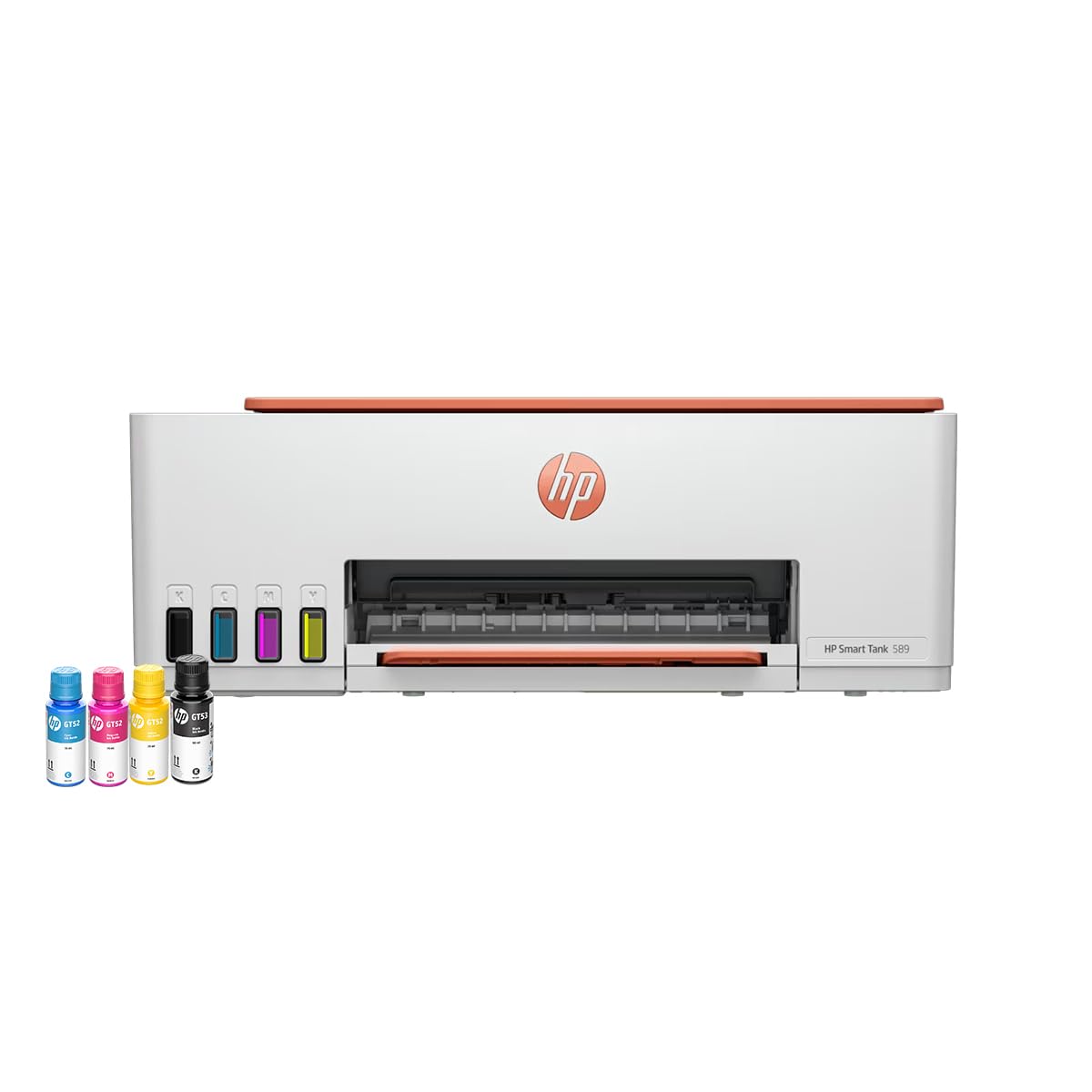
🖨️ Print smarter, work faster — never run out of ink or momentum!
The HP Smart Tank 589 is a high-capacity all-in-one WiFi color printer engineered for home and office use. It delivers professional-quality prints at speeds up to 30 ppm (black) and 24 ppm (color), powered by original HP GT53XL and GT52 ink bottles that yield up to 4000 black and 6000 color pages. Featuring versatile media support, a user-friendly LCD display, and seamless connectivity across Windows, macOS, Android, and iOS, it’s designed to handle up to 3,000 pages monthly with a 100-sheet input tray, making it the perfect productivity partner for the modern professional.


| ASIN | B0BN1XT6TF |
| Additional Printer functions | Copy |
| Are Batteries Included | Yes |
| Best Sellers Rank | #339 in Computers & Accessories ( See Top 100 in Computers & Accessories ) #2 in Ink Tank Printers #3 in Inkjet Printers |
| Compatible Devices | Smartphones |
| Connectivity Type | Wi-Fi |
| Control Method | Touch |
| Controller Type | Android, iOS |
| Country of Origin | China |
| Customer Reviews | 4.0 4.0 out of 5 stars (2,898) |
| Date First Available | 21 November 2022 |
| Dual-sided printing | No |
| Duplex | Manual |
| Form Factor | Copy Print Scan |
| Generic Name | Inktank |
| Hardware Interface | USB 2.0 |
| Importer | HP India Sales Private Ltd. 24, Salarpuria Arena, Hosur Main Road Adugodi, Bangalore- 560030 |
| Included Components | HP Smart Tank 589 All-in-One Printer; HP GT53XL Black Original ink Bottle; HP GT52 Cyan Original Ink bottles; HP GT52 Magenta Original Ink bottles; HP GT52 Yellow Original Ink bottles; HP Black Printhead; HP Tri-color Printhead; Power cord; Ink caution flyer; Setup guide; Reference guide; Regulatory flyers; Warranty flyers |
| Ink Colour | Black, Cyan, Magenta, Yellow |
| Item Weight | 5 kg 30 g |
| Item model number | 4A8D9A |
| Manufacturer | HP |
| Max Copy Speed (Black and White) | 12 ppm |
| Max Input Sheet Capacity | 100 |
| Max copy resolution black-white | 1200 x 1200 dpi |
| Max copy resolution colour | 1200 x 1200 dpi |
| Maximum Black and White Print Resolution | 1200 x 1200 |
| Maximum Colour Print Resolution | 1200 x 1200 dpi |
| Maximum Media Size | 8.5 x 14 inch |
| Model Series | Smart Tank |
| Net Quantity | 12 Count |
| Number of Trays | 2 |
| Operating System | Android,Ios,Windows 10,Windows 11,Windows 7 |
| Packer | Hong Fu Jin Precision Electronics (chongqing) Co.,Ltd.Address: No.1, 1st E District Road, Shapingba District, Chongqing, China |
| Print media | Paper (plain) |
| Printer Ink Type | Ink Tank |
| Product Dimensions | 58.1D x 43.4W x 25.9H Centimeters |
| Scanner Type | Flatbed |
| Sheet Size | 8.5 x 11 Inches |
| Total USB Ports | 1 |
| UPC | 196548867059 |
A**R
Good purchase for home use
Hassle free installation. Did it myself with the hep of HP smart app. So far flwaless & good quality printing. Didn’t face any paper jam till now. Recommended for home use. It’s really value for money printer
S**B
Pros and cons
Pros: Uninterrupted connection, solid build, high quality print, works well with both Mac and Android. Scanning is fast too. Ink consumption is impressively low. Cons : Noise is high Printing speed can be improved Overall the printer is good for students.
A**S
Best printer for home
It's a good printer but print is very slow
M**N
Satisfied with my needs
Note: before setup hp smart app download firmware update from hp website and update the printer firmware will solve your issues. Initially i have faced lot of issues fed up. I have been previously used printers based on the experience i have setup the printer basics. The real problem came when using the HP smart app. Initially there were 2 wifi frequency one without password another one with password to use with router. Somehow manged to finish setup with mobile. Then the real problem is Pc. I have setup printer via usb cable and done common setup with windows for print. Then i have tried with Hp smart. I have manged to prints but scan didn't worked with usb but it worked with wifi. So i tried drivers software from hp website that only gave me headache. Then i have removed all the software and tried next day with only hp smart app. One thing solved my all issues is firmware update of the printer. Features with explanation to how to do them 1. Got it for the price of 13600 rs 2. Box content: black XL and colour ink, Data cable, Powerchord, printer with manual and bookelets etc 3. It supports xerox of black & white and colour 4. You can do id card print for that select id and put your id card on the scanner and close the lid once it scanned it will indicate on the display for other side scan now put other side of the id card in the scan area anywhere. Once it's done you will get the id card print on same page 5. It supports wifi direct . For that you need to connect with printer wifi , you dont need to press any button on the printer after turned on. Just press i symbol button to know the password for the printer wifi through print. The wifi password will printed on the paper . So You can conncet with that password and use Hp smart app and HP print service plugin app also. 6. You can print Or scan with mobile and PC using HP SMART. For pc you can use native print and scan apps from windows. 7. For pc you can use your mobile as router for remote usage. 8. For the speed of printing via pc usb max 7 to 8 for handwritten scanned copy and for the typed document it printed around 11 pages per minute awesome and any one of the pages had small error in printing. (All Black) (initially i have only changed the setting on the printing page of the pdf reader recently i have changed the setting for graycycle in hp settings to black only and it increased the speed to 12ppm). Colur Quality is good it took 30 sec to print photo on A4 sheet. 9. I have fixed all issues only issue i can't fix is multiple paper is sucked at same time. So i have tried 80 gsm solved the issue 90%. ( This is less after 1st printing because in the initial the cartage alignment causes this issue so add paper after 1st print to avoid this) . 10. The free smart watch program ended for 589 for other products it will end on Aug 15. Who are all purchased between jul1 to jul15 you can get the serial number in warranty slip that you can get from App or Pc version. Cons 1. It won't support older windows os like 8.1, 8,7 so be aware I have searched lot for the selection of printer brother is the less cost high ppm no display and epson high cost high ppm mainly i have choosen hp for the service and spare availability. Tips: 1. If you press i symbol once turned on it will give you basic details like wifi direct password, no of prints done etc 2. If you press wifi symbol twice it will give the print out of how to connect with wifi 3. Print ateast one page for week black and colour to avoid ink clog & dry. 4. There is support you can get from either hp virtual assistant or service center 5. To avoid multiple papers sucked at sametime using 80 gsm giving better results will update after long time. 6. Who are all facing warranty mismatch contact hp customer support with warranty slip( that has the serial number of printer)& invoice to update your warranty information.
M**J
Great coustomer support
It is awesome first impression is really excellent 'hope it will fullfill my needs , print quality is excellent,my son has installed it ,just so easy, always HP is great and I have received call from HP and official is really supportive and spoke in soft voice, though I was busy at that time but official is excellent in skill great job keep it up HP
V**L
Good print quality
Nice product
S**R
Thanks HP team
While I was paying amazon showed a pain installation service hence I opted for it. After delivery HP service told me that had a free installation and demo available. Also the installation technician sent by amazon found the piece to be defective and asked me to replace from my side. Amazon is not giving any replacement for this defective piece. They directed me to service center of HP even before unit was installed. This is like buying a product from shop to take it to service center for repair the same day. Amazon should not show replacement option if such is the case. Not buying any electronics from amazon anymore. The printer is good but the seller amazon not so much. Cunning and cheap tactics to loot customers. I got immediate and good response from HP team.
N**V
Not a good product nor a good seller
This product and seller are not good The item was defective from the first day I had to call hp to get it corrected. Still it is not repaired, they said some part was defective which is ordered and arrive in a few days This has wasted many days for me The product is not worth the money I advice you to avoid it Only thing good is the HP service which repairs it at your home and atleast you dont need to take it to service center
Trustpilot
2 months ago
2 weeks ago