🚀 Keep your connection unstoppable — because buffering is so last decade!
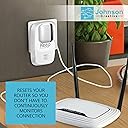
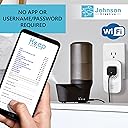
The Keep Connect MAX Router Wi-Fi Reset Device automates router and modem reboots to ensure continuous internet uptime. It monitors your connection 24/7, sends optional text or email alerts on resets, and supports scheduled periodic resets for optimal performance. No app is required for setup, but premium cloud services enable remote multi-site management and ISP outage notifications. Compatible with 2.4GHz routers, it’s a must-have for smart home reliability and hassle-free connectivity.


| ASIN | B07MCRQPCS |
| Antenna Location | Home |
| Best Sellers Rank | 189,423 in Computers & Accessories ( See Top 100 in Computers & Accessories ) 1,676 in Network Repeaters |
| Box Contents | Keep Connect Device |
| Brand | Keep Connect |
| Brand Name | Keep Connect |
| Compatible Devices | Personal Computer |
| Compatible devices | Personal Computer |
| Connectivity Protocol | Wi-Fi |
| Connectivity Technology | Wi-Fi (802.11b/g/n) |
| Control Method | App |
| Controller Type | iOS |
| Coverage | Continuous |
| Customer Reviews | 4.2 out of 5 stars 839 Reviews |
| Frequency | 2.4 GHz |
| Frequency Band Class | Single-Band |
| Frequency band class | Single-Band |
| Global Trade Identification Number | 00860002944500 |
| Has Internet Connectivity | Yes |
| Is Modem Compatible | Yes |
| Item Dimensions L x W x H | 12.7L x 7.6W x 7.6H centimetres |
| Item Weight | 0.15 Kilograms |
| Manufacturer | Johnson Creative |
| Maximum Upstream Data Transfer Rate | 600 Megabits Per Second |
| Model Name | MAX |
| Model name | MAX |
| Number of Items | 1 |
| Operating System | Ios |
| Other Special Features of the Product | WPS |
| Router Network Type | wireless |
| Security Protocol | WPA2-PSK |
| Special feature | WPS |
| UPC | 860002944500 |
| Unit Count | 1.0 count |
| Wi-Fi Generation | 802.11n |
| Wireless Compability | 2.4 GHz Radio Frequency |
| Wireless communication standard | 2.4 GHz Radio Frequency |
D**L
It dose what it promis.
Works well. I do recomend it.
P**L
Not suitable for UK
In big letters, up front and center, the description should say "Not suitable for the UK" Its embarrassing that someone gets paid to promote these items on Amazon UK. I now have to waste my time and money sending this back.
M**E
Works as advertised
Works well
A**R
HIGHLY recommended, excellent unique network management device
These work GREAT for monitoring/managing/rebooting flaky routers/access points/devices, absolute life saver. I have a pretty complicated spread out home network with some access points and devices way out in fringe locations and my numerous Keep Connects reliably keep everything online. People seem to focus most on this device's automatic ability to reset your router if it drops connectivity -- that's a great capability -- but with the pretty-cheap premium subscription you can remotely control any Keep Connect to trigger a power cycle on anything you want -- this is unbelievably/miraculously helpful if you have a critical wifi-connected device that sometimes disconnects (e.g. when your internet service/main router/etc. cycle off for 5 seconds at 2AM and that remote device then fails to reconnect). Via the subscription web portal you can quickly verify that the Keep Connect that device is plugged in to IS connected and send a power-cycle command forcing the remote device to reboot and reconnect -- I have a 100% success rate with recovering connectivity to ornery devices that otherwise would have been a big hassle to deal with. I see some negative comments about setup/ease-of-use -- this is probably not the device for grandma who gets wifi mixed up with bluetooth, you need to initially connect to the device's wifi signal and configure it manually with a browser -- if you have moderate technical proficiency these are EXCELLENT devices, quick easy one-time setup and they run stable for years. HIGHLY RECOMMENDED.
D**T
Works great to make sure my internet always comes back.
It works great. My router often stops resolving DNS lookups, causing loss of connection, and never recovers unless I unplug it. Annoying when I'm home and have to run over to it; worse when I'm away and need to reach my Smart Home devices and cannot. Keep Connect has detected every outage (28 so far in three months) within 5 minutes and has reset it. Note: Initially it didn't work. I went into the advanced settings and looked at them. I changed one, then decided to change it back. After doing this it worked fine.
M**E
Game Changer
This thing is a game changer. Many times, if you need a device like this, you've got a bigger problem going on with your internet or equipment. I'm pretty sure that's the case with me. However, until I figure that out, I'm tired of my internet cutting out right when I'm in the middle of my vacation, rendering my cameras useless while I'm 1,000 miles away from home. Setup is easy. I did not buy the app service. I simply set it up to text me when it does a reset. That's exactly what it did and it reset my router and I was back up and running in no time. In fact, the cameras didn't even send out the offline notification. For the price, yes, get it. It's peace of mind. In the long run, I'm going to look at DNS conflicts coupled with an aging gateway modem router but until that happens, I'm happy with this unit.
Z**S
This appears to be just the device I was looking for
Update 2/19/25 - It’s been over 4 years and the 254 resets that Keep Connect has performed have kept my connection available every singe one of those days. That’s a phenomenal accomplishment. Bravo Zulu Keep Connect! Update: 8/7/23 - It’s been over 2.5 years and Keep Connect has worked flawlessly. I’ve not experienced any prolong outages since deploying it. Sure beats having to drive 150 miles every month or so to reset my router as I had to do before Keep Connect. Update: 11/16/22 - I’ve been using Keep Connect for almost 2 years now. It’s working better and more often than ever. I recently switched from a mom and pop AT&T bandwidth reseller to T-Mobile’s Home Internet. My old connection almost never went down so I would go months without Keep Connect having to do its thing. This T-Mobile connection has many more problems and Keep Connect is sometimes kicking in several times a day to keep the connection up. I appreciate this device more than ever. Update: 8/28/22 - another year has passed and Keep Connect is still working flawlessly for me. More importantly, my remote connection has remained available. Update 4: 7/15/2021 - Keep Connect has been working for me as advertised for about 7 months. I have it set to power cycle my LTE router once a week and it has handled the occasional connectivity issues just fine. No complaints at all. Update 3: 1/27/2021 - In a previous update, I mentioned that you can set Keep Connect to automatically cycle power on a particular day and time. Turns out that isn’t entirely accurate. On a Tuesday I set mine to automatically cycle power every 7 days at 10:00am. One might think that this would cycle power every Tuesday at 10 :00am thereafter. However, what it actually seems to do is to cycle power seven days from the previous power cycle. So if Keep Connect cycled power on a Saturday (unscheduled) due to a connectivity issue, the next automatic scheduled power cycle would be seven days from Saturday, unless of course their is another unscheduled event in the meantime. Update 2: 1/9/2021 - My LTE internet connection had some hiccups this morning, which Keep Connect recognized and in response power cycled my router. The power cycle did reestablish the connection. The text I received when this happened is attached. Bumped my original 4 star rating to a 5. Update: 1/5/2021 - I have my Keep Connect setup to automatically power cycle my router every Tuesday at 10:00am. That functionality seems to work as advertised. I received a text message from them informing me of the auto reset. I am using this device to keep an LTE-based internet connection up at a remote cabin. Before purchasing this device, I tried several different but similar devices, none of which worked for more than a few months. These other devices were more brute force. They simply cycled power on a device on a predetermined schedule. Keep Connect differs from those other devices in that it is intended to join a WiFi network and monitor it for certain connectivity issues. It then is supposed to power cycle the device plugged into it in response to those connectivity issue. It does also have the capability to cycle power on a schedule. The included configuration documentation and the information provided on their website is pretty sparse. When you first plug-in the Keep Connect device, it creates a new, temporary WiFi network to join in order to configure the device. When you connect to that temporary SSID (I used an iPad), a configuration page will automatically pop up in a web browser. From this configuration page you select Configure WiFi and then on the subsequent page, select the Wi-Fi network’s SSID you want the device to join and monitor. You will also need to provide your WiFi network password. You can also provide a cell phone number for Keep Connect to send texts to on certain events, such as when it power cycles your router. I left all other options on the main configuration page at default values. I suggest you also select the Advance Configuration option at this point. From the Advance Configuration section you can select a schedule to power cycle your device, among other options. If you later want to change any of the configuration options, you must hit the main button on the front of the device and reconfigure from scratch. It’s not a difficult or time-consuming process though. Once you save your configuration, you should receive an automated text message from Johnson Creative (assuming you entered your cell phone number) which lets you know that their back-end set up is complete. It also provides a code which can be used from their website to remotely query your device. None of the information returned from this functionality was sensitive, but you should be aware that Johnson Creative is remotely communicating with your Keep Connect device. The information returned is essentially the date and time of previous power cycles and a timestamp of the last time they communicated with your KeepConnect device. I intend to update this review once I know that it consistently does what it claims. The reason for my initial 4 star review is that I currently lack that information.
Trustpilot
2 weeks ago
3 days ago