
DOWNLOAD THE APP


Customer Services
Copyright © 2025 Desertcart Holdings Limited
DOWNLOAD THE APP

🖥️ Elevate your workspace: 4 screens, zero compromises.
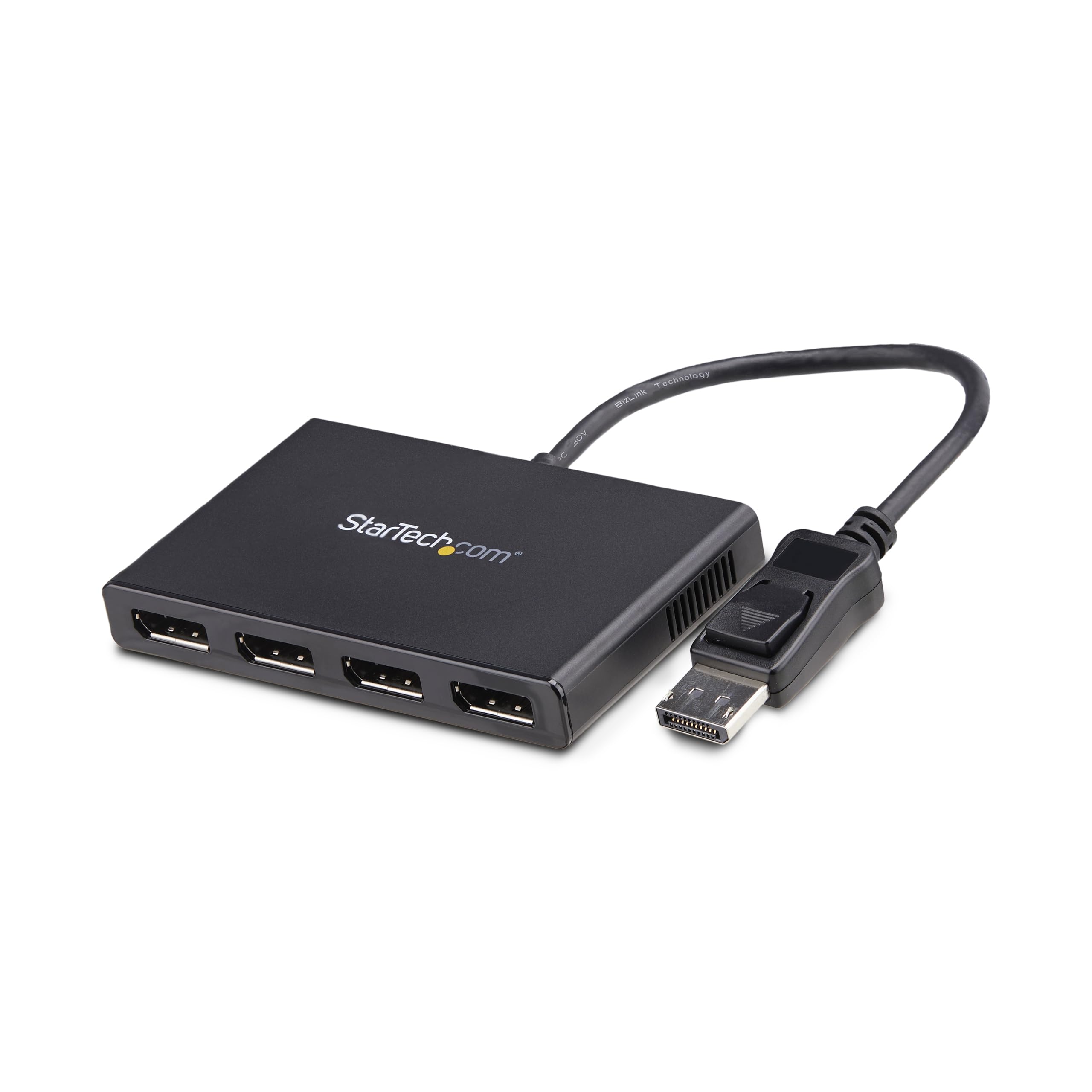
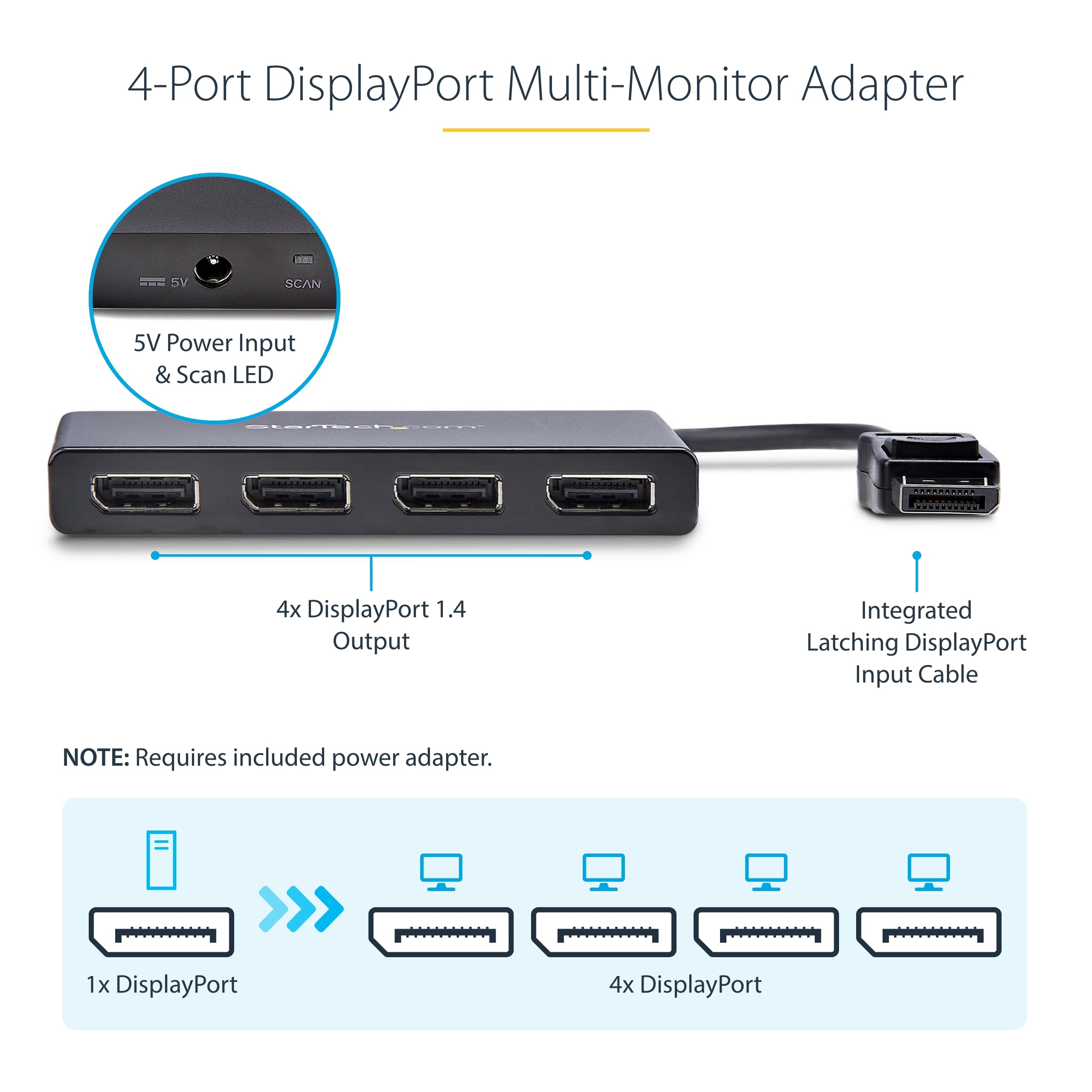
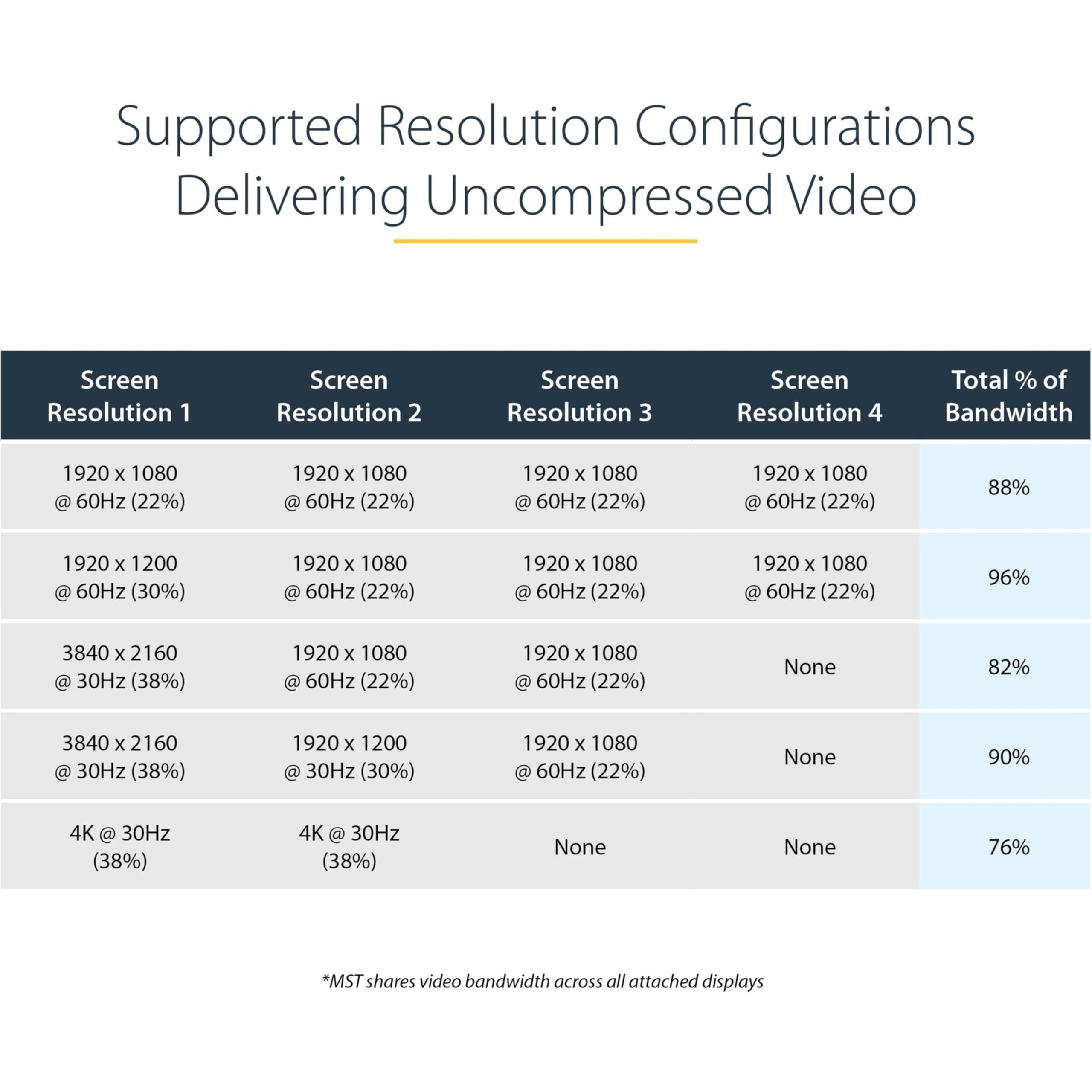
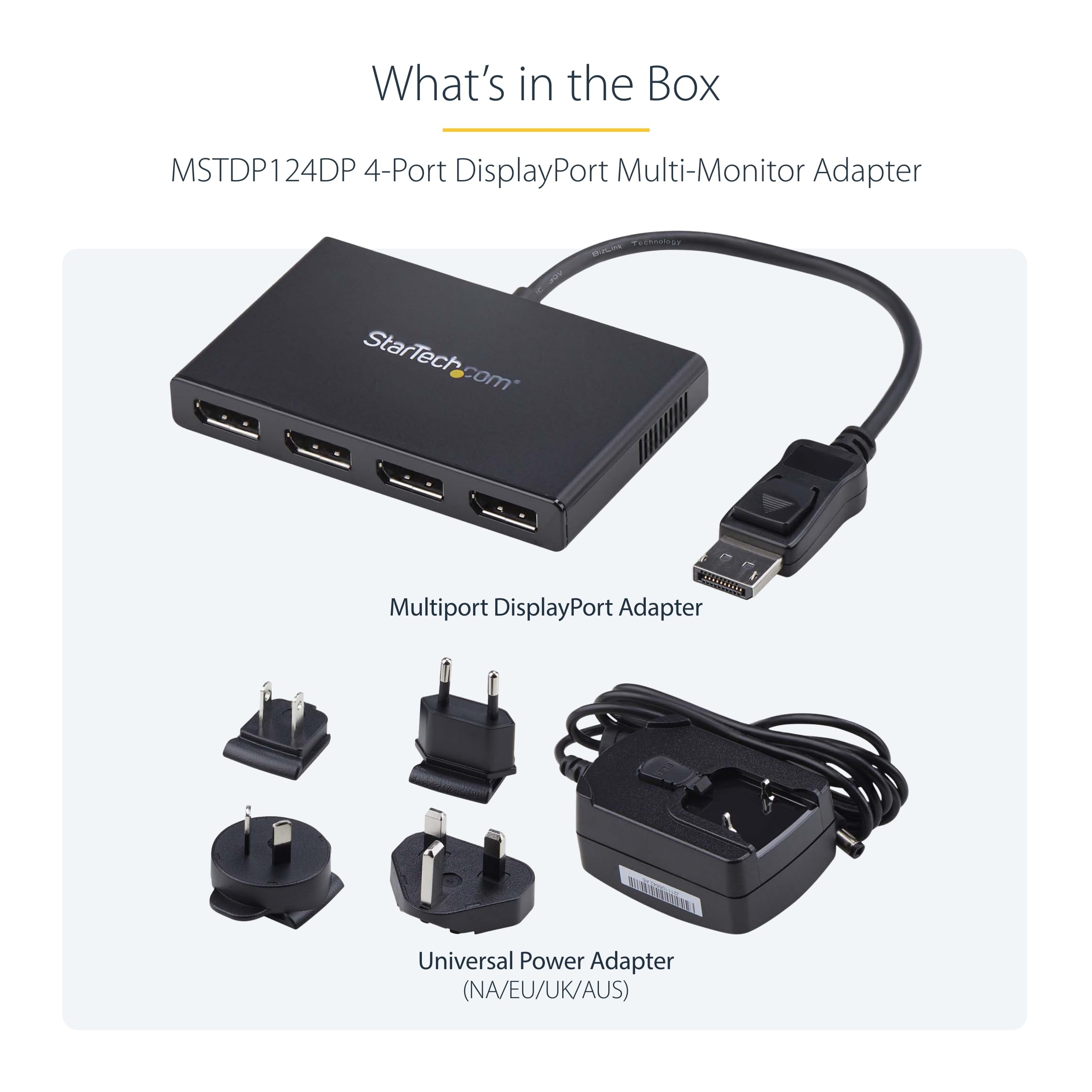
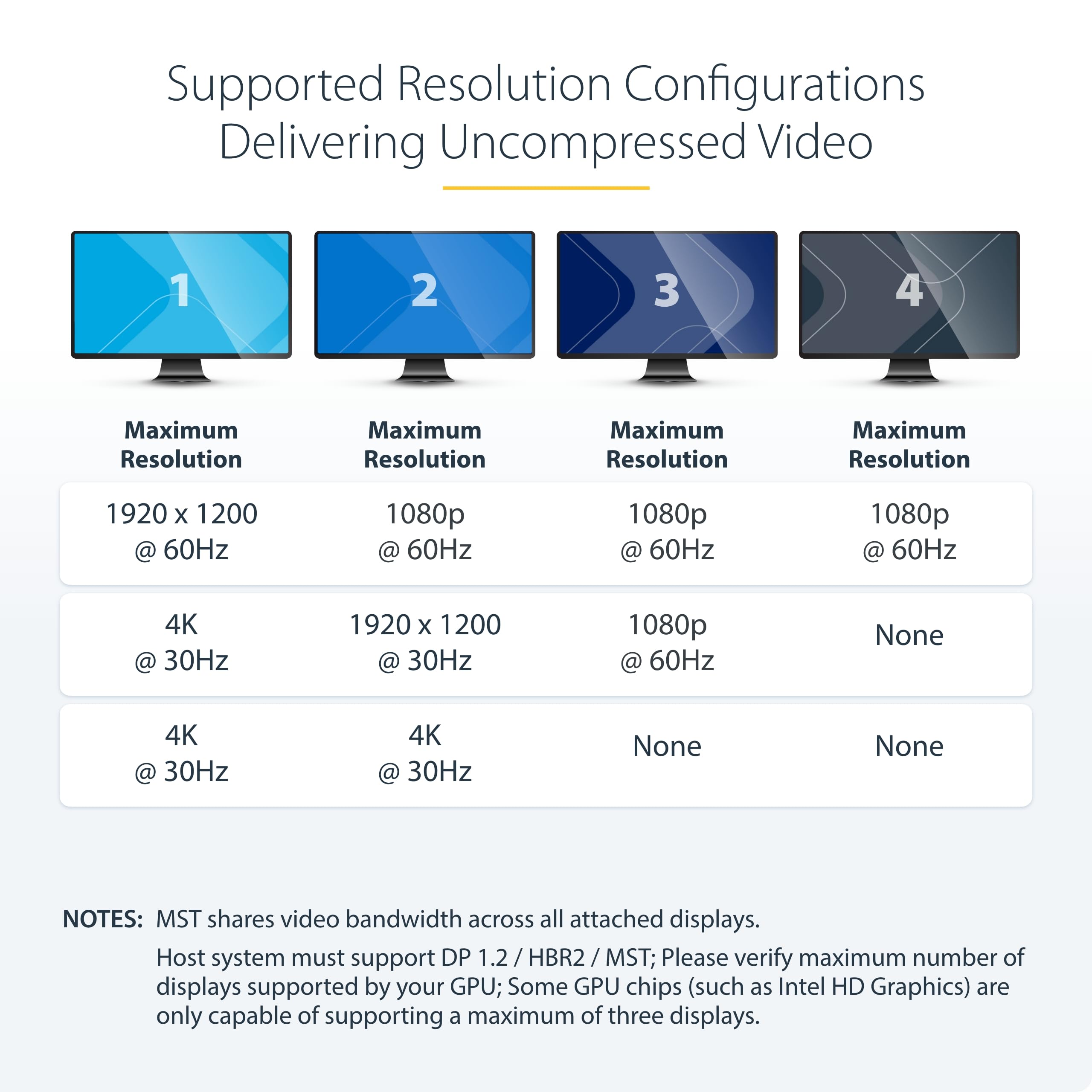
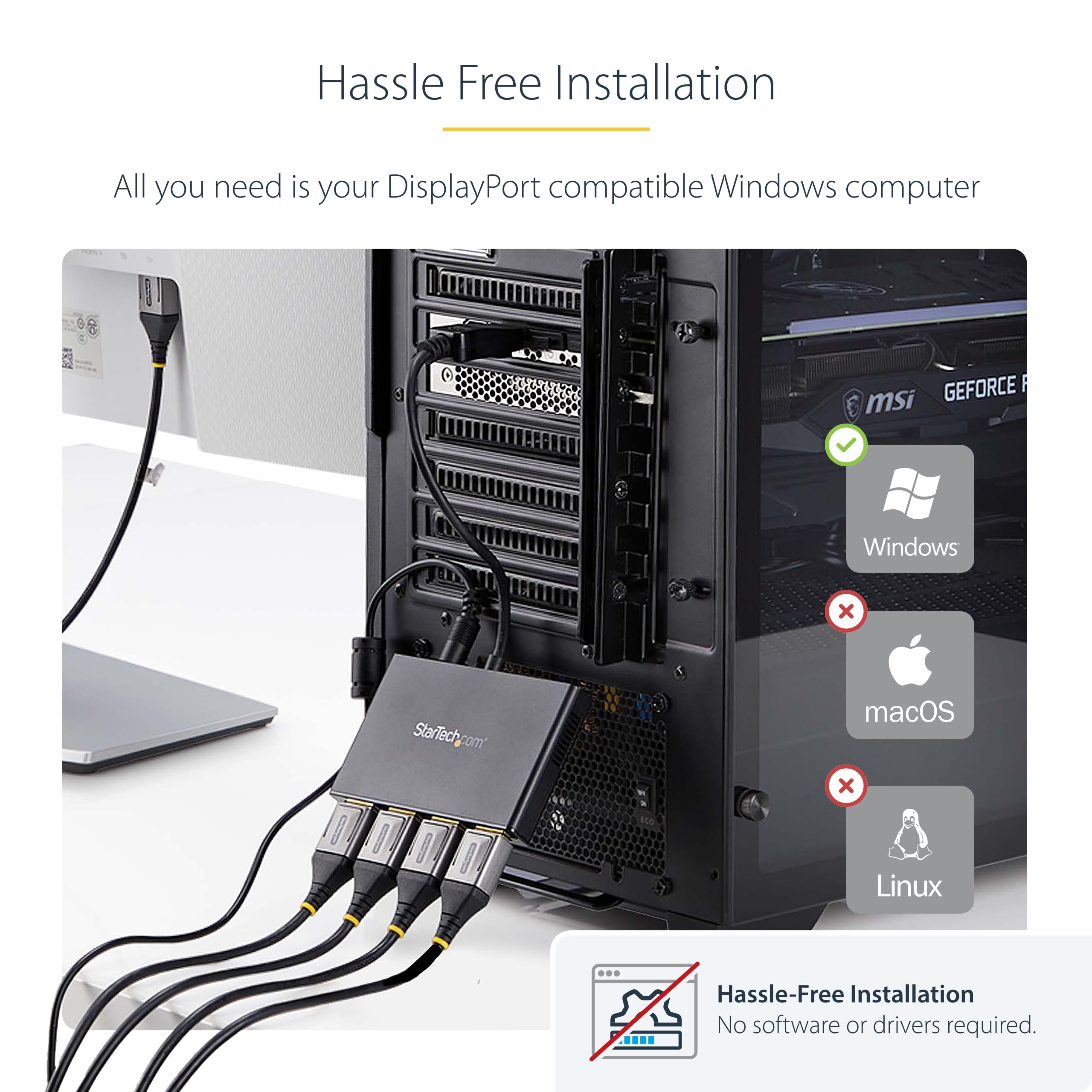
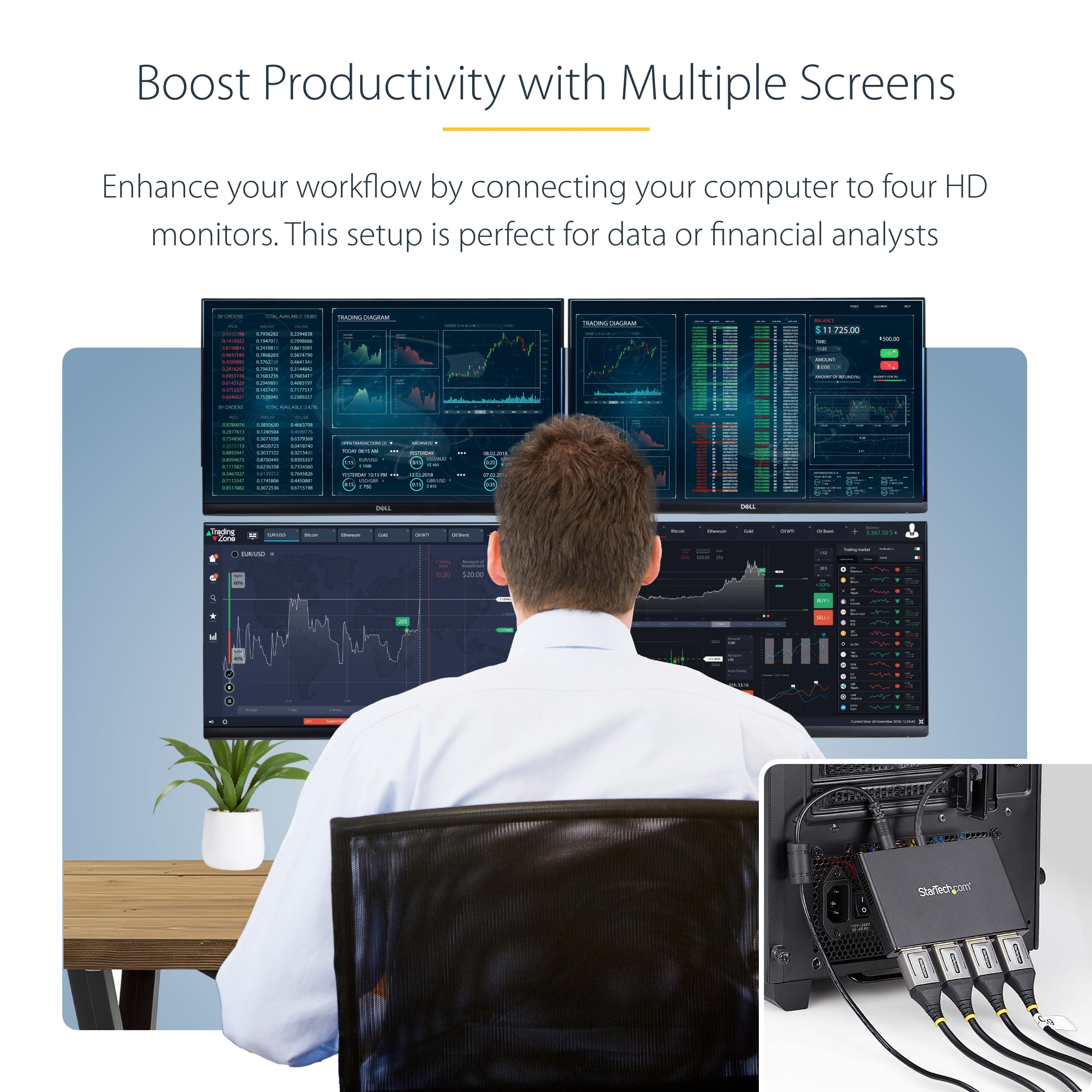
The StarTech.com 4-Port DisplayPort 1.2 Splitter is a robust MST hub that transforms a single DisplayPort output on Windows PCs into four independent 1080p 60Hz displays. Designed for professionals craving enhanced productivity, it requires no drivers, supports major GPU brands, and features secure latching connectors. Ideal for multitasking-heavy environments, it includes IT-friendly tools and a universal power adapter, backed by a 3-year warranty.


| ASIN | B00XXPYTAG |
| Brand | StarTech |
| Brand Name | StarTech |
| Colour | Black |
| Compatible Devices | Desktop |
| Compatible devices | Desktop |
| Connector Type | DisplayPort |
| Connector type | DisplayPort |
| Current Rating | 1.2 Amps |
| Customer Reviews | 3.9 out of 5 stars 1,422 Reviews |
| External Testing Certification | CE, FCC, RoHS |
| Global Trade Identification Number | 00065030860581 |
| Input Voltage | 240 Volts |
| Item Dimensions | 38.6 x 6.6 x 1.5 centimetres |
| Item Type Name | Signal Splitter |
| Item Weight | 0.28 Pounds |
| Item dimensions L x W x H | 38.6 x 6.6 x 1.5 centimetres |
| Manufacturer | StarTech |
| Model Number | MSTDP124DP |
| Number of Items | 1 |
| Number of Ports | 4 |
| Package Quantity | 1 |
| Power Plug Type | No Plug |
| Product Finish Type | Matte |
| Specific Uses For Product | personal |
| Specific uses for product | personal |
| UPC | 065030860581 |
| Unit Count | 1.0 count |
| Warranty Type | Limited |
I**N
instantly drive three monitors from one displayport socket
Brilliant device. Turned a single displayport connector on the back of the PC into three separate monitors. In my case two of the monitors are Full HD and a third is only 1280x720, and it all works fine. Windows immediately recognises three separate displays just as if the PC had three outputs directly on the back. I use a cheap Displayport->HDMI adaptor on one of the outputs and that works fine too. Worth mentioning that the device needs power, and it comes with a multi-country adaptor in the box for that, but you will need a spare mains socket near the PC for it - without the power none of the extra outputs work.
M**S
Works really well.
Works really well.
T**V
Good works well
Good item worked well and straight away, the only issue will be your dock
G**T
Good service, problems with product design
Firstly, I have just been on an online webchat with David from customer service and he was superb. Unfortunately couldn't resolve the issues but tried everything. Noteworthy good customer service. I have had this a week now and had a few issues I would like to share to help others. 1. When my PC resumes from sleep, all the monitors do not always fire up. They are all manually set to the correct input, not auto. The workaround is to press the scan button on the hub, then everything works fine within a second or two. The issue is the location of the hub behind my desktop under the table as many other peoples will be. Not convenient. If you are happy doing this then I found the hub worked fine with my three 1080p monitors. 2. So I tried a 3rd party 2m DP male-female extension lead between the PC and the hub, so that I could have the hub on the desk with the scan button accessible. In no configuration does this work; 3 monitors, 2 monitors or 1 monitor. Since it doesn't work with one I don't think it is an attenuation/bandwidth issue with the extension lead. Using the extension lead between the monitor and the hub, however, works fine! TLDR; You have to press the scan button every time the PC wakes from sleep and you can't use a DP extension cable between the PC and the hub.
D**G
Phenomenal device
One of the first in-depth comments I've written about anything on Amazon because I'm that impressed. I've recently completed a house build and have been WFH using my 13" laptop in various improvised settings like the wife's make-up table, our dining table and couch. Finally, with an office to call my own I go on a spending spree and buy some LG 27" 1440p 144Hz Ultragear monitors... Both monitors have 2 * HDMI and DP. It wasn't my intention to use 144Hz for work - I knew that was a none-starter. But I wanted 60Hz minimum and I'd have 144Hz for my personal rig. Anyway, the fun then begins. I have an HP Elitebook 840 G3. It's getting on a bit, only has one DP, a VGA which I never use, and the ability to use DisplayLink using an appropriate dock on the USB A SS to drive 2 * 1080p displays - which I did when I was based in the office, however the market is littered with docks which range from random Chinese poor quality 30Hz 1440p if you're lucky all the way through to £200 powered docks which *may or may not do 60Hz 1440p*. Minefield widens - the USB C is standard, not Thunderbolt so that rules out all those docks dependent on it. Likewise, I didn't really want to drop a couple of hundred on an aging work laptop. The 840 G3 manual mentions, very briefly, and not with any sort of confidence that it supports MST over DP - the ability to drive two displays using DP 1.2. Some monitors include a second DP to act as a 'daisy-chain' over to the next monitor, however the ones I bought don't so I couldn't attempt it. There were question marks about the laptop's graphics ability to drive 2 * 1440p displays at 60Hz anyway. I was about to give up - I didn't fancy starting buying 10 different products on the off-chance one worked, so was kind of resigned to one monitor and laptop by the side. It'd be a country mile better than what I had. But, I stumbled across this. Gave it a shot. Glad I did. Out of the box, with no drivers to worry about (if like me your work laptop is limited installing stuff), instantly driving 2 * 1440p 60Hz displays. So there you go, even on relatively old hardware, if your graphics setup has a DP 1.2, you'll more than likely be able to drive 2 * 1440p @ 60Hz using this. And with no separate power source to worry about, even better. P.S. I have a daughter who insists on her coloured drawings as backgrounds. My work laptop may be neutered, but at least they let me choose a custom desktop background!
M**P
Shortcomings meant unsuitable for docking station
Looking at the meagre alternatives to the StarTech series, it seems that Displayport spanning is a technology still in its infancy. I bought this splitter / tap /adaptor to use with an HP laptop dock. The first thing I noticed was that the unit is USB powered. Nothing wrong with that, but when my laptop is undocked, it loses power, something this product really does't like. The first thing I did was to find a spare USB wall charger to power it. That should have solved the main shortcoming of this device, which is it requires a DisplayPort 'handshake' to resume working after sleep or standby (or in my case, undocking). If power to it is lost then you need to completely reboot the machine for it, and the connected screens, to be recognised. I could have lived with that except that 2-3 times per week (I am undocking it on most days once), the device is not detected, and I have to go through the process of rebooting. The customer support at Startech was helpful in confirming that this is a known issue. The workarounds they supplied were not helpful for my case (don't put the machine on standby, ever). They also advised using the single button on the unit labelled 'scan', but this made no difference. As a result it had to go back. Hopefully the technology will improve in future and I will reinvest in another Startech product.
F**S
StarTech DP 1.4 Split, to 2x DP Multi-Monitor, Dual 5K 60Hz MST Hub, MS Only (MST14DP122DP)
Used on dual 4k, with no issues. USB-Micro B powered via USB-A lead. If using StarTech USB-C to DP 8k adaptor, recommend purchasing USB-C male to USB-A female adaptor. Basically a short USB-C OTG adaptor as frees up other USB-A ports on computer.
G**.
sent it back as my monitor was dropping out randomly
I got one of these reduced as "opened" through amazon. After 2 weeks I sent it back as my monitor was dropping out randomly. Felt a good quality but mine just didnt work.
Trustpilot
1 month ago
2 weeks ago