Desertcart purchases this item on your behalf and handles shipping, customs, and support to Netherlands.
🎮 Elevate your game with precision, speed, and style — don’t just play, dominate!
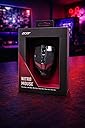
The Acer Nitro Gaming Mouse III is a wired 6-button optical mouse designed for gamers and professionals seeking high precision and responsiveness. Featuring a 7200 DPI sensor with 6 adjustable sensitivity levels, a fast 125 MHz polling rate, and 20G acceleration, it delivers smooth, accurate tracking across game genres. Its 7-color breathing LED lighting and sleek black finish add a premium aesthetic to any setup. The mouse’s wired USB connection ensures stable, lag-free performance without the hassle of batteries, making it ideal for extended gaming or work sessions.


| ASIN | B0BHL92SD5 |
| Additional Features | Programmable Buttons |
| Antenna Location | Gaming |
| Are Batteries Included | No |
| Are Batteries Required | No |
| Battery Average Life | 50 Hours |
| Best Sellers Rank | #78,663 in Computers ( See Top 100 in Computers ) #2,121 in Computer Mice |
| Brand | Acer |
| Button Quantity | 6 |
| Color | black |
| Colour | black |
| Compatible Devices | Personal Computer |
| Connectivity Technology | USB |
| Connectivity technology | USB |
| Customer Reviews | 4.6 out of 5 stars 258 Reviews |
| Embellishment Feature | Lighted Logo |
| Enclosure Material | Plastic |
| Finish | Glossy |
| Hand Orientation | Ambidextrous |
| Hardware Platform | PC |
| Included Components | GP.MCE11.02N |
| Item Dimensions L x W | 12.5L x 7.3W centimeters |
| Item Weight | 0.55 Pounds |
| Manufacturer | Acer |
| Mfr Part Number | GP.MCE11.02N |
| Model Name | Acer Nitro Gaming Mouse III |
| Model Number | NMW200 |
| Mouse Maximum Sensitivity | 7200 Dots per Inch |
| Movement Detection | Optical |
| Movement detection technology | Optical |
| Number of buttons | 6 |
| Operating System | Windows OS (Windows 7 y superior) y MAC OS |
| Power Source | Corded Electric |
| Range | 5.0 meters |
| Special features | Programmable Buttons |
| Style Name | Nitro Mouse III |
| Theme | Video Game |
| UPC | 195133167208 |
| Unit Count | 1 Count |
| Warranty Description | 1 Year Manufacturer |
J**S
Fairly nice gaming mouse
UPDATE: This mouse drives me crazy from a few design issues, so I'm dropping a star from the rating. I do not like how the scroll wheel isn't the center click button like almost every other mouse. If you accidentally click the scroll wheel it switches between freewheeling and clicky scroll. Well, at least it's supposed to, but sometimes, it doesn't change modes. The other annoyance, is that the mouse won't turn on when I power on my laptop. I have to unplug the mouse and plug it back in, once the computer has booted up. I've never experienced that with any mouse! ------------------- I was in the market for a new mouse, so I decided to go with this gaming mouse. The specs of the Acer Predator Cestus 335 are impressive, and the DPI performance and functionality of the mouse is good, but not great. It's a good looking mouse and the LED lighting and button customization functionality of the mouse is pretty good. The scroll wheel changes from infinity scrolling to clicky scrolling by pressing down on the scroll wheel. While a neat function, it seems to interfere with actually using the scroll wheel button. The software to configure the mouse only appears to be available for Windows, and if you follow the URL listed in the product manual, it downloads a version of software which didn't recognize the mouse on my 64bit Win10 system! I had to uninstall it, and go to the support section of the Acer website in order to find the version for my OS, and that one worked. I use Linux as my primary operating system 98 percent of the time, and there unfortunately doesn't appear to be a utility provided by Acer to support my preferred OS. The software itself offers a lot of features, but it clunky in the way it works with the set number of presets. I thought it was okay, until my son had me compare the setup software for his Logitech gaming mouse, and the Logitech software was much nicer. I then compared the Acer Predator Cestus 335 to my son's Logitech G502 gaming mouse. First off, the Logitech just feels better, as if the plastic has a nicer texture. The scroll wheel lock on his mouse has a separate button, which I like much better than the Acer, as it doesn't interfere with the click function. The weight of the G502 seems nicer and more balanced then the Cestus 335. What surprised me after using the Cestus 335 for a while, is that it is slight too wide for my big hands (size XL gloves). Although I didn't realize it at first, the extra width was annoying, and would be even worse for someone with smaller hands. As I mentioned earlier, the Acer setup software is just a bit clunky. It lets you set all of the features (if you're running Windows), but the Logitech software was much easier to use. I do like the braided USB cord of the Cestus 335 mouse, and the plug seemed pretty beefy. I guess that I'm not a gamer, as I see no need for the ridiculous high DPI of the mouse. I asked my son, who is a gamer to use the mouse for a bit, and he immediately customized all of the DPI values to be below 1000. I asked why you would need the high DPI values, and he said he doesn't. He said the mouse seemed nice, but he preferred his Logitech G502.
C**O
Ótimo
Chegou perfeitamente!
A**A
Worked well
Though a little bit more expensive than I expected, this product worked well for my grandson's gaming activities. It was lightweight and comfortable to use. I'm not sure about the value.Because I thought that it was expensive. It was responsive though in its use.
B**N
Good mouse.
Works well.
D**M
Un buen mouse
Muy cómodo, buena sensibilidad, y bonitos los colores.
Trustpilot
1 month ago
2 weeks ago