


๐ฏ Master your media kingdom with one tiny dongle!
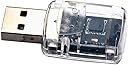
The FLIRC USB Dongle is a compact, plug-and-play device that enables universal remote control compatibility for Raspberry Pi and XBMC media centers. Weighing just 10 grams and measuring 2.03 x 4.06 x 1.12 cm, it transforms any remote into a powerful media controller without the need for cables or batteries.
| ASIN | B00BB0ETW8 |
| Age Range Description | Adult |
| Age range (description) | Adult |
| Antenna Location | Home Entertainment |
| Box Contents | Protective Case |
| Brand | Flirc |
| Brand Name | Flirc |
| Cable Features | Without Cable |
| Compatible Devices | Raspberry Pi, Media Centre |
| Connectivity technology | usb |
| Control Method | Remote |
| Control Type | Remote Control |
| Controller Type | remote |
| Customer Reviews | 4.2 out of 5 stars 125 Reviews |
| Global Trade Identification Number | 00090281102562 |
| Included components | Protective Case |
| Manufacturer | FLIRC |
| Model Name | FL-09028 |
| Model Number | FL-09028 |
| Model name | FL-09028 |
| Network Connectivity Technology | usb |
| Number of Items | 1 |
| Product Features | Lightweight |
| Specific Uses For Product | Home Entertainment, DIY Projects |
| Specific uses for product | Home Entertainment, DIY Projects |
| Theme | Home Entertainment |
| UPC | 090281102562 632963021367 |
A**R
The icing on my media cake!!!
I have owned the Flirc dongle now forabout a month and it simply does exactly what it claims. I use the dongle on an openelec raspberry pi installation and have the Flirc accessed via a harmony one remote. So working through the setup, openelec had no problem in handling the dongle when inserted into the pi and no additional setup was needed. All I needed was a reboot and then I was up and running. The harmony remote is sometimes a pain to get going but connected remote to laptop and used the preprogrammed Flirc mapping for the xbmc, a quick reorder of the touch screen and the remote was updated. The final part was mapping the Flirc to the remote. I initially went for the basic setup but quickly wanted to add the additional buttons so reconnected the Flirc to my PC and it was struggling to find the dongle. I was quite gutted at first to see my little investment had died, so got on the forum and tried a few things out to no avail so I tried the support link and my was I glad I did. I got through to Jason whose gadget this is, and within two quick emails the remote was up and runming and configured spot on. Seriously I can't praise this gadget and Jason enough, this is his spare time thing but his standards are HUGE the guy makes a quality product and supports it second to none. If you are wondering if this is worth a punt then don't hesitate, if you want an all in one solution to a media center, then get it. It works. This gadget let's my wife simply watch TV, DVDs, or listen or watch the content on the media centre with one remote. She was never keen on using her phone or tablet to control openelec but with the remote the media centre is always on playing music or movies. This is down to the Flirc, if you want the same setup and with the price and support its a no brained. Do it and enjoy!
K**L
Why isn't this better publicised I don't know! Excellent!!
Although I use another wireless keyboard to operate my system outside of my media centre (XBMC), this little beauty is perfect for the day to day running of any media centre and has not been publicised widely enough. I have rarely seen this mentioned on forums for XBMC/Boxee or any of the others but it should be! I run a win7 system with XBMC as a front media centre connected to my TV for watching TV Series/Films and listening to music through a dedicated AV receiver. For the past year or so I have used a few different wireless keyboards, a tablet (running Yatse/XBMC controller over HTPC and unified remote to control windows), however I now use my AV remote (Onkyo) for controlling my TV, Receiver and my XBMC. It works perfectly with no problems as yet (will update if needed). The programming could not be easier. The software is downloaded from the official website and has built in configurations for standard keyboard, XBMC, Boxee, Basic navigation and others. I believe custom ones can be made but have not explored this. However using the keyboard option I was able to programme every single function I need for XBMC simply by pressing the representative 'button' on the software and then pressing the desired button on the remote controller. I was up and running within 3 minutes. I wish I had of known of this little gem when I first began running my media centre as it would have saved me buying a tablet and previous wireless keyboards. I now only need one remote by my side for normal watching (I would guess, and have seen it mentioned on forums that this works with Harmony One and pretty much any other standard remote) and I only need to get out anything else if I want to browse windows (for adding things to the libraries mainly). I use this in conjunction with this woreless keyboard: http://www.amazon.co.uk/gp/product/B005C71L5Y/ref=oh_details_o02_s00_i00?ie=UTF8&psc=1 for general windows use. Paired together they are everything I need and save a lot of space. All indications say this works with Raspberry Pi, which I would love to move over to next for space saving (and geeky fun) purposes. I currently use an Acer Revo 3600 connected to my AV receiver through HDMI. Unless the FLIRC develops a fault and stops working this item receives a very strong recommendation if you wish to control your media centre using your normal TV/DVD/Uni/AV remote. This underrated item needs more publicity; I didn't even know it existed until one person mentioned it on a forum somewhere and I happen to Google it and couldn't believe how simple the idea was and how I had not yet been aware it existed. Five stars for product, delivery and packaging.
M**S
Great idea but needs more work
I had my eye on this product for a long time but could not justify buying it when I had perfectly fine Logitech IR remote working. So when the battery leaked and destroyed my remote I was in market for new remote. Love the idea that you could use any remote control with FLIRC . Device arrived in plastic packaging and this sure is "frustration free" packaging taken to the extreme. It was not sealed and dongle fell out of it when I picked it up. So since was not sealed I have no way of knowing if this really was new product or refurbished/second hand. There is no instructions or manuals FLIRC dongle itself is solid build. See-through plastic on the FLIRC is not my cup of tea but it doesn't take away from functionality. First thing you need to do is go to FLIRC web site and download software for configuring FLIRC with remote control. While you at it do firmware update on FLIRC Another thing I would like to mention is if like me you have your minipc media station/server/XBMC attached to back of the TV you will need to purchase USB extension cable to be able to place FLIRC in front of the TV for remote control to work. Software is very simple and easy to use. First I went to configure FLIRC with my old Sony DVD remote and this resulted in FLIRC transmitting same command twice every time. No troubleshooting could fix it. Ok, next I moved to old spare Sky box remote I had. After configuring each button I had left , right up and down, play was working. OK, BACK , PAUSE not working. Nothing. Tried number of times to reconfigured it and same results every time. Next I moved on Hauppauge remote , here FLIRC recognised every press when configuring it but once connected to media PC not a single key press worked. Now I took my LG DVD remote control and configured it with FLIRC. This one WORKED! All key presses worked as they are supposed to except SHUTDOWN did translate into left move. I can live with this.. So the bottom line is great concept in theory. In practice its hit and miss and would not recommend this product unless you have lots of unused remote controls around the house.
J**R
A really clever idea
Has enabled me to use a Sky + remote with Windows Media Center 7. It takes a little while to hunt down all the necessary codes for the functions you want to program buttons to do and also takes a while to find the appropriate remote that has the necessary buttons for the functions too, but once up and running it works well. Needs to be evolved as it is not really discrete enough to be sticking out of the front USB port of a neat media centre case. Ideally this would be something that could be installed in a case.
M**P
I wish I'd known about this sooner!
I found this completely by accident while looking for an IR receiver for my old MCE remote. I read about this device and that it could learn any other remote so I decided to grab one and test out with my WDTV SMP remote seeing as WD are seemingly trying to kill that media player off with bad firmware after bad firmware. So I built a new HTPC which I'm wanting to use with Plex and Kodi (XBMC) and gave this a go. It arrived and within five mins I'd downloaded the software from the FLIRC website (no software comes with the packaging as it's just a tiny plastic container) and was up and running programming the FLIRC with my remote. The GUI is really basic and anyone could work it out - basically it starts off in the minimal view and then you change the view and program all of the buttons you wish to use. The FLIRC from Amazon was running firmware 2.5 and at the time of writing 3.1 is available. When I launched the FLIRC software it prompted me straight away to say there was an upgrade and it literally takes seconds (if that) before it's complete. It then took about five minutes to program all the WDTV keys onto the XBMC profile and that was it - I unplugged the FLIRC from my Mac, plugged it into my HTPC and it just worked - no messing around with drivers or anything. I now have remote control of Kodi and Plex HT via my WDTV remote control - bear in mind some of the keys don't map exactly between the two - for example what brings up CPU stats in Kodi does not do the same in Plex HT, but other than that one key it works fantastically and with no latency whatsoever. Location wise it's really good too - I have the HTPC behind the sofa behind me feeding a projector and there are no issues with the signal from the WDTV remote being bounced off the wall in front and back to the HTPC which sometimes caused issues on the WDTV itself - this is much better! So now I've gotten rid of the WDTV SMP and have a much superior experience with Kodi and Plex HT and I need to just look into how to get this working with Netflix in Chrome etc but I'm really happy. It's a shame this isn't more widely known as it's a fantastic little device and really gives any HTPC the wife acceptance factor - i.e. she could use it to watch Coronation St via Kodi and the VU+ plugin - she's not allowed though as that would be a waste of my HTPC and Enigma 2 box :)
G**K
Best thing since sliced bread...
I've been using XBMC since the days when it was an app for a modified Xbox and I've come to rely on it for watching video and even playing music. I now run XBMC on a mini-PC (an Acer Revo & Zotac Zbox ID41) and the one thing which I dread when coming to either upgrade XBMC or install it on another box is getting the remote control to work. For the last few years, I've been using the old Xbox DVD remote, coupled with the old Xbox IR receiver (converted to USB using an adapter I sourced from eBay) and I've recently spent hours trying to get this working with the latest incarnation of XBMC ("Frodo"). Despite posting in the XBMC forums, asking friends who are more knowledgable than I am and trying all the suggestions which were given, I had to admit defeat and give up. That's when I purchsed an FLIRC dongle. Taking this out of the box the other day, my new XBMC install was working with my old Xbox DVD remote within 15 minutes! Basically, this is a USB IR receiver which you plug into any HTPC; this isn't only for use with XBMC, you can plug it into any PC you want to use a remote control with (the GUI used to program the IR receiver includes an XBMC 'template' to make it easier but it'll work with just about anything). You plug the dongle into your PC (there's a Windows and OSX installer) and run the GUI software; then, you pick what key press you want the specific button on the remote control to issue to the PC, then the IR receiver stores it for that specific remote control. Once plugged into your HTPC, this clever little thing advertises itself as a keyboard (or 'Human Interface Device') which is how it gets to work with so many systems. Pressing the button on the remote gets converted to a key press by the FLIRC dongle and hey presto...your remote just works. The GUI is functional but leaves a little to be desired from a user friendlyness perspective (and it's very low on help, although not that much coaching is needed and there's lots of help on the FLIRC forums), which is why I haven't given it five stars. The beauty of this, apart from being able to use it on almost anything, is that you can program pretty much ANY remote. If my Xbox DVD remote fails, I could just as easily program my Blu-Ray player remote to control XBMC; the only caveat to this is (of course) you wouldn't be able to necessarily use a remote for a device which is on and required, at the time you're using it to control the HTPC (for example, I couldn't program my amp remote because the amp provides the video/audio passthrough for my HTPC, so the FLIRC dongle would pickup buttons and translate to XBMC but as the amp is physically next to the HTPC, the amp would also be picking up the IR signals). All in all, this has been money well spent and if you use any iteration of XBMC, you simply HAVE to get one of these as it'll make your life so much easier. *** UPDATE *** It may be the remote I'm using but the FLIRC dongle doesn't appear to have the widest receiving angle for the IR signal. I often have to point the remote at a significantly downward angle in order for the commands to be 'seen' and sometimes even have to lower my arm so the remote is further to the ground. Regardless, all I said above still stands and I'd definitely purchase this again.
B**N
Works exceptionally well
I don't normally bother with product feedback but this is so specialist I thought I should. To set this product up I used a windows 8 machine. I downloaded the software from the Flirc website and then sat baffled for 5 mins as to why it kept saying in the setup software that its disconnected even when I could clearly see in the windows hardware summary screen that it was detected. Basically you need to run the software as administrator. Right click the .exe file and 'Run as administrator'. The setup is easy, select a keyboard button that you want to map and then point your remote (any remote at all) and press the corresponding button and it will learn the IR code and map it to that keyboard press. This is the really clever part, once its set up you can plug it into anything and it will be seen as a keyboard and act in the same way. All of the config is stored in the dongle itself with nothing running on the device/pc its plugged into after its set up. I use it with an Intel NUC running Openelec for XBMC. Its works absolutely flawlessly, the sensor is very sensitive picking up IR commands even with the sensor obscured behind a soundbar. Its also neat looking, most of the windows remotes and IR sensors have large ugly receivers trailing USB cables. Part of the reason I had been putting off shifting from my WDTV to XBMC was the hassle configuring decent controls. This does away with all of that, I can even carry on using my WDTV remote that I am familiar with and really like. In short, it works really well, solves an annoying problem with XBMC and remote controls and looks nice.
U**A
Must be faulty - it can't be this bad surly ?
I bought this so I could use my apple remote (silver) with plex. Set up was easy you can't really get it wrong - you install the software and plug in the device. Run the software and configure all 6 buttons your allowed, then thats where it all goes pear shaped. The remote is hit and miss, some times it works other times it won't, I have tried many remotes - they are all good remotes with new batteries but give poor results with the flirc. Then the thing started randomly selecting stuff by its self, to stop it I had to cover the sensor, and it was not in a bright area either. No remote I have in the house works with this thing, its the worst thing of 2016 so far. I can't imagine it would be that bad - is it faulty ?
Trustpilot
2 weeks ago
3 days ago