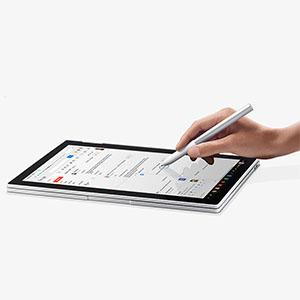
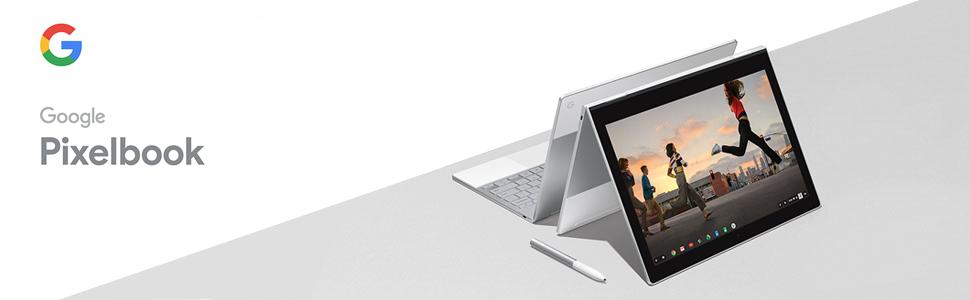
🖋️ Elevate your Pixelbook game—write, draw, and ask like a pro!
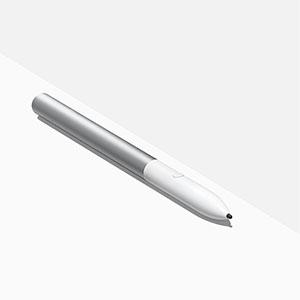
The Google Stylus Pen is a precision-crafted accessory designed exclusively for Pixelbook and Pixel Slate users. Featuring pressure sensitivity, tilt support, and minimal lag, it delivers a natural writing and drawing experience. Integrated with Google Assistant, it enables quick access to information and task management directly from the pen. Powered by a replaceable CR2 battery, this sleek silver stylus enhances productivity and creativity across multiple compatible apps.


| ASIN | B075KNT5CY |
| Are Batteries Included | Yes |
| Batteries | 1 CR2 batteries required. (included) |
| Battery description | Lithium-Ion |
| Best Sellers Rank | 1,761 in Stylus Pens |
| Brand | |
| Colour | Silver |
| Computer Memory Type | Unknown |
| Connectivity Type | Wi-Fi |
| Customer Reviews | 3.8 3.8 out of 5 stars (341) |
| Date First Available | 18 Oct. 2017 |
| Front Webcam Resolution | 2 MP |
| Guaranteed software updates until | unknown |
| Item Weight | 18.1 g |
| Item model number | C0B |
| Lithium Battery Energy Content | 5 Watt Hours |
| Lithium Battery Packaging | Batteries contained in equipment |
| Lithium Battery Weight | 0.85 Grams |
| Manufacturer | |
| Number Of Lithium Ion Cells | 1 |
| Product Dimensions | 1.07 x 14.68 x 1.07 cm; 18.14 g |
| Rear Webcam Resolution | 1 MP |
| Series | Pixelbook PEN |
J**S
Pixel Perfect
I wasn't sure if I needed a pen and I'd read some mixed reviews but I love it. Really enjoy writing with it on my Pixelbook using Chrome OS 85s new handwriting-to-text feature.
T**)
Useful for digital art
Expensive, not essential for everyday tasks, but worth getting if you are a digital artist. Combined with a program such as Digital Painter, and folding the keyboard back, it turns your Pixelbook into a good art tablet.
D**S
Great but cannot get Google Assistant mode to work
Pen is great. As comfy if not more so being it's not shiny like the Apple Pencil and as responsive, ignore the reviewers saying it's not responsive, it is. If we are all using Pixelbooks (and mine is the i5 version), then we're all going to experience the same thing, unless the pen is broken. However, and this could be for the same reason I cannot get Google Play Store to activate so I can download Android apps, my account is a business one, so maybe Assistant is deactivated for security reasons and one has to dive into G Suite settings? Great pen for drawing and operating the Pixelbook anyway! 5 stars when the aforementioned issue is resolved.
A**N
The pen works perfectly. It obviously is only for the Pixel Book Chrome OS device. It works flawlessly. It is pressure sensitive, you can easily tell it is quality built. It came with a single AAAA battery for the pen. It's sturdy and easily held. The feedback from the button is thought out and well set up.
N**R
On one hand, this item is extremely overpriced. On the other hand, I have owned many pen and/or touch-based laptops over the years as well as having used both passive and active stylus' on phones and tablets - even had an external USB Wacom pad too - but this coupled with a Pixelbook is by far the best pen computing experience I have ever had. Awesome detection and sensitivity. Superb, smooth writing. Useful button. Works great with Android apps. Good size and weight compared to most others. My only wish is that it could be stored in/on the Pixelbook itself somehow, because at this price, I'm terrified of losing it. (Like I lost my Stilo 2A. Not available anymore and I really miss it.)
M**O
Pixelbook を使うのならこのペンは必須です。タッチパネルで矢印を動かすのが唯一の方法と思っていたが、このペンを使うことで使い勝手が格段に向上します。
N**I
looks great. A holder would be lovely.
T**R
Works as expected.
Trustpilot
3 weeks ago
2 weeks ago