
DOWNLOAD THE APP


Customer Services
Copyright © 2025 Desertcart Holdings Limited
DOWNLOAD THE APP

🚀 Triple your screens, not your clutter — power, speed, and connectivity in one sleek dock!
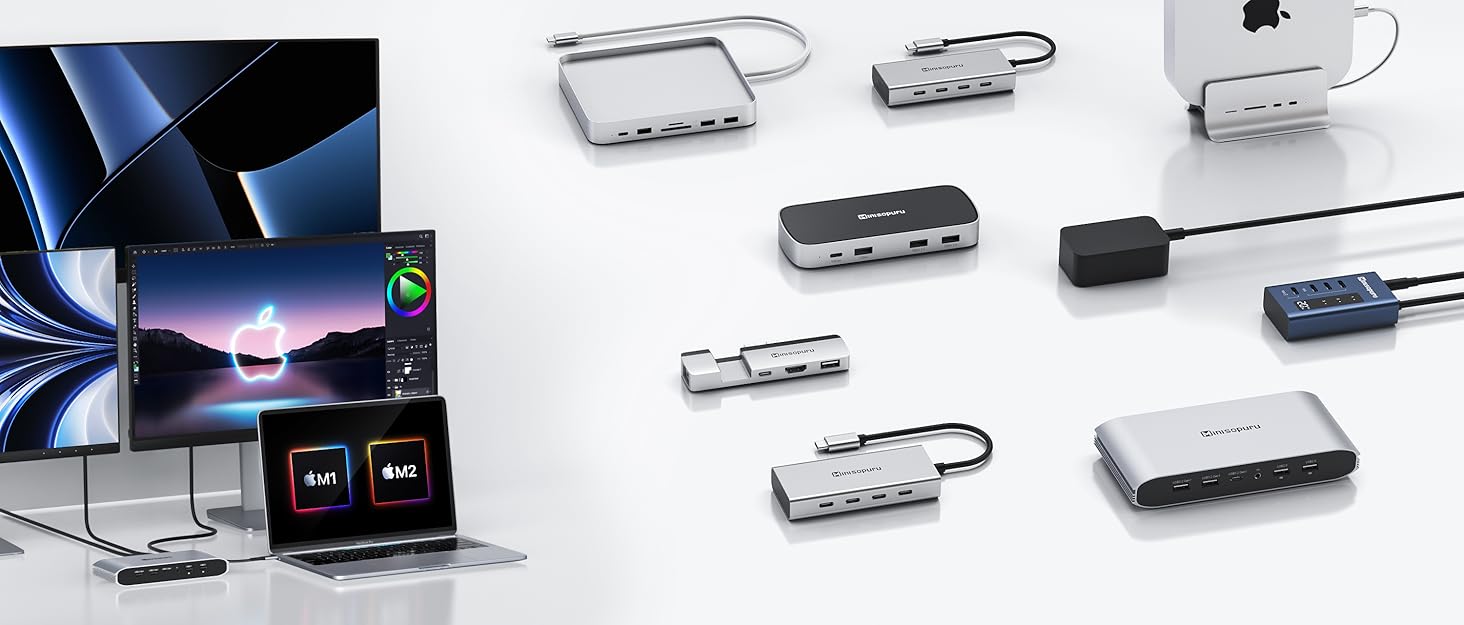
The Minisopuru DisplayLink Triple Display Docking Station transforms your MacBook M1/M2/M3/M4 or Windows laptop into a powerhouse workstation by enabling up to three 4K external monitors via 2 HDMI and 2 DisplayPort outputs. It delivers 100W USB-C charging, superfast 5Gbps data transfer through multiple USB-A and USB-C ports, and stable Gigabit Ethernet connectivity. Compatible across multiple operating systems with DisplayLink driver support, this compact dock consolidates 12 essential ports including audio, making it the ultimate productivity hub for professionals craving seamless multi-display setups and robust peripheral integration.








| ASIN | B0BJ28RQ2N |
| Best Sellers Rank | #8,411 in Electronics ( See Top 100 in Electronics ) #134 in Laptop Docking Stations |
| Customer Reviews | 4.3 4.3 out of 5 stars (733) |
| Date First Available | October 13, 2022 |
| Item Weight | 1.15 pounds |
| Item model number | DS808 |
| Manufacturer | minisopuru |
| Product Dimensions | 6.61 x 3.15 x 1.06 inches |
M**S
Amazing Docking Station to portray your Monitors!
Amazing Docking Station! Bought this to connect 4 monitors - 3 via HDMI, 1 by DP. After downloading and installing the graphics display, works perfectly to link all 4 monitors to my MacBook. The setup was very easy to follow and the items that came with the product were useful as well. Great quality for a reasonable price! Decent amount of ports available and charges good, too. Very happy with my purchase!!!
M**K
Excellent Docking Station – Triple Display Works Perfectly!
I've been using the Minisopuru DisplayLink Triple Display Docking Station with my MacBook and Steamdeck and it's been fantastic. I was initially skeptical because Macs—especially the M1 and M2 chips—are notoriously tricky when it comes to supporting multiple external displays, but this docking station completely solves that issue. Setup was straightforward. After installing the DisplayLink driver (which the included instructions walk you through), everything connected seamlessly. I now run three external monitors using the combination of 2 HDMI and 2 DisplayPort options, and all displays are crisp, lag-free, and stable. This dock also gives me tons of connectivity: 100W charging keeps my MacBook powered without needing a separate charger. The USB-C and four USB-A ports are super handy for accessories. Ethernet connection is solid for when I need a more stable network. Even the audio jack is a nice touch for quick headphone plug-in. I use this for both work and creative projects, and it’s streamlined my whole setup. The build feels solid, and everything works as expected. Highly recommend this for anyone looking to expand their MacBook's capabilities—especially if you're aiming for triple displays. Totally worth it!
G**S
Works perfectly with my M2 MacBook and dual monitors
I’ve been using this Minisopuru triple display docking station with my MacBook (M2) connected to two external monitors, and it’s been working perfectly. Setup was straightforward and everything was recognized right away with no issues. The displays are stable, no flickering, and performance has been solid for daily work. I was a bit skeptical after reading mixed reviews on similar docks, but this one has been a great experience so far. Build quality feels good and it does exactly what it claims. Highly recommend if you’re looking to run multiple external displays with a newer MacBook.
J**O
Almost Perfect
This dock is almost perfect. It was easy to setup and has a useful number of ports. It worked cleanly to power two monitors from my MacBook using DisplayPorts. I do occasionally have trouble with it properly connecting to my 3.5mm speaker. Because the included power adapter is only 35w, It does not change the laptop through the 'host' USB-C unless you additionally plug the power charging cable into the PD port. This is both positive and negative. There isn't a large transform to power the dock but also feels like this is a missing feature.
J**O
Compact and functional
The Minisopuru Displaylink Triple Display Docking Station works as described and is small. I don't have three monitors to connect at once, but I have tested all other functions, including two monitors at once. Video is sharp and fast, both HDMI and DP. Currently, I'm using it to dock a MacBook Air to my TV via HDMI and charge it simultaneously. The docking station is well-designed, with front USB ports, leaving what will stay plugged in less visible in back. If you want to charge your laptop with it a separate charger must be connected by USB-C, but most of us have a few of those lying around.
C**S
Unreliable & VERY Glitchy - Buyer BEWARE
I purchased this Minispuru DS808 DisplayLink docking station at the end of May 2023. It barely lasted a year before the display out ports started to fail on the back. I thought perhaps it was the cables, but despite trying different brand new HDMI cables, and even trying different monitors, the display out functions started to intermittently fail until they stopped working all together in December of 2024. I filed a support claim, and their customer support is atrocious. I had to send REPEATED emails to get their attention, and then once they agreed to replace the unit (only after I sent my defective one back mind you)… I never got any tracking numbers OR any confirmation emails saying that they sent it out! I had to email bombard them after not receiving anything for weeks until I FINALLY got a confirmation that they’d not forgotten about my replacement. I finally received the second unit, and then starting in August of 2025, one of my two displays started cutting out again and everything would default back to one display! RIDICULOUS. I am now starting the painful process of getting it replaced, although I have half a mind to dispense with Minisopuru all together for literally any other option. For those wondering, yes, I’ve always made sure my computer OS was up-to-date, AND that I downloaded and had installed the latest version of the DisplayLink drivers. These units are built poorly, the performance is even worse, and the Minisopuru Customer Service is ABYSMAL.
L**'
Compatible with Macbook Air M2!
This was a great purchase! Price is good compared to other docking stations and it works for my Macbook Air M2 laptop. I have two older Dell model monitors that does not have HDMI, it only has VGA and DP. I needed a docking stations with at least 2 Dport ports or VGA and Dport. This has two DP ports, my monitors work great and I can use my dual monitors no problem! The dock also has many USB ports so I was able to hook up my camera, Logitech mouse and Logitech keyboard. Im not a fan of the apple keyboard or apple magic mouse so I like that I’m able to use my previous PC accessories. There is no lag and good quality. Definitely recommend if you’re looking for something affordable and compatible for your macbook.
T**F
So there are a few docking stations listed on this ad currently - this review is for the 13 in 1, that doesn’t say it’s display link, but it is in the title. I’d assume it applies to the display link one too, but, I’m not 100% certain. This is a hybrid display link docking station. 1 video output isn’t display link at all - which allows you to use it without the drivers. This also allows it to be used with your phone - and boot up samsung DEX, or just have a larger screen with a keyboard and mouse. At least one of the other two outputs do use display link, and as such you need to install the drivers for it. The great thing about display link is that it works like an external graphics card. This means it’s not loading up your usb c port, and also means you can run that video output off of a USB A for these displays. The third great thing is for the Mac guys that can’t run different things on multiple displays. If you don’t need display link for one of these reasons, then you should be saving yourself $100+ and buying something else. I do love that the guides and manuals are listed in the ad and can be downloaded prior to purchase. I wish more companies did that! The unit itself is solid and has some weight behind it. It’s just a little bigger than my cell phone and about twice as thick. It comes with it’s own power supply, which needs to be used, but powers the unit only. USB charging your laptop requires a second power supply - which worked fine for my computers that draw 65w (rated at 100W). The unit itself draws about 2.2W when not in use, and about 3.3 when it is. It does get a little warm, but definitely not hot. I love that it comes with the necessary drivers on a USB key - and it also includes a usb A to USB c adapter if you are using it with an older computer (like I am). On that note - I used the drivers, and everything worked - except if the computer went to sleep I would get no monitors when it turned back on. I’d have to do a hard reset. Even after unplugging it I had the same issue. This was with windows 11, however a system restore fixed it back up (temporarily I just had to do a hard reset). The next time I used the display link drivers found on the internet and didn’t have that issue. It may have been a one off, or unrelated, but I would still suggest using the ones online, and they do direct you there in the literature as I don’t think I’m supposed to/allowed to endorse/link other websites in a review. Like I said in the title - nothing fancy about it - it just works. Using USB A I did get a max of 4k at 30Hz, so I went to 2k at 60 Hz. This restriction doesn’t apply to usb C applications. It included everything I needed - the usb c double ended cord, USB A to C adapter, and the required 12V 3A power supply with barrel connector.
D**R
Nach langem Suchen nach einer Lösung, die wirklich drei unabhängige 4K-Bildschirme an meinem MacBook Pro M4 ermöglicht, bin ich bei dieser Dockingstation gelandet – und ich bereue keine Sekunde. Die Installation des DisplayLink-Treibers war in unter fünf Minuten erledigt, danach liefen sofort alle drei Monitore (2 × HDMI + 1 × DisplayPort) mit flüssigen 4K@60Hz und komplett unabhängigen Desktops. Kein Mirror-Modus mehr, endlich echtes Extended Display auf allen drei Bildschirmen – genau das, was Apple mit seinen Chips sonst verhindert. Die Bildqualität ist hervorragend: scharfe Farben, keine Latenz beim Bewegen von Fenstern und selbst bei Videobearbeitung oder mehreren 4K-YouTube-Streams gleichzeitig bleibt alles butterweich. Auch unter Windows 11 an meinem zweiten Laptop funktioniert die Triple-Display-Funktion ohne weitere Treiberinstallation sofort – plug-and-play in Reinform. Die Anschlussvielfalt ist ein Traum: Fünf USB-Ports (davon zwei schnelle 5 Gbps und zwei mit Ladefunktion für Maus, Tastatur und Smartphone), Gigabit-Ethernet, das stabil und schnell läuft, sowie ein kombinierter 3,5-mm-Klinkenanschluss für Headset. Besonders praktisch: Das 100-W-PD-Laden versorgt mein MacBook gleichzeitig mit voller Leistung, selbst wenn alle Ports belegt sind – kein Akkuverlust mehr bei intensiver Nutzung. Verarbeitung und Design sind top: Das Gehäuse aus Aluminium fühlt sich wertig an, wird kaum warm und steht dank Gummifüßen bombenfest auf dem Schreibtisch. Die Status-LEDs sind dezent und nicht nervig hell. Kurz gesagt: Wer mit einem M1/M2/M3/M4-MacBook oder einem Windows-Laptop ernsthaft produktiv mit drei externen Monitoren arbeiten möchte, bekommt hier eine absolut zuverlässige, zukunftssichere Lösung, die hält, was sie verspricht. Für mich das beste Dock, das ich je hatte – klare Kaufempfehlung für jeden, der seine Multi-Monitor-Träume endlich wahr machen will!
S**H
Nice Docking Station for multiple display output from Apple M1 /M2 chip devices or windows using DiplayLink Driver Software where only one external display given. It can output 3 external monitors. But I bought it little costly as now it is cheaper .Overall nice product and easy to use using manual .
D**O
Excelente hub funciona perfectamente tengo una macbook pro M2 y pude conectar 2 displays externos independientes, solo se necesita instalar el driver de displaylink, pense que tendria un retraso pero me sorprendio que funciona perfectamente, definitivamente lo recomiendo
A**O
Ich habe die Dockingstation von Minisopuru nun einige Wochen im Einsatz und bin insgesamt positiv überrascht. Die Verarbeitung ist wirklich sehr gut, das Metallfinish wirkt hochwertig und das ovale Design hebt sich von vielen anderen Modellen angenehm ab. Besonders praktisch finde ich die Möglichkeit, mehrere Bildschirme anzuschließen. Ich nutze ein MacBook Pro mit M1-Chip und betreibe daran zwei selbst gebaute 5K-Displays – das funktioniert problemlos und ohne Verzögerungen. Ein großer Pluspunkt ist außerdem, dass ein Netzteil inkludiert ist, das das MacBook mit Strom versorgt. Laut Produktbeschreibung sollen 100 Watt bereitgestellt werden, tatsächlich kommen bei mir allerdings nur rund 85 Watt an. Vermutlich benötigt die Dockingstation selbst auch etwas Leistung, aber da die M1-Prozessoren sehr energieeffizient sind, reicht die Stromversorgung dennoch aus. Einen kleinen Kritikpunkt habe ich: Mir fehlen einige USB-C-Anschlüsse mit hoher Datenrate (10 Gigabit). Gerade bei einer Dockingstation mit mehreren USB-C-Ports wäre es angenehm, wenn diese direkt an der Station vorhanden wären. Wer also auf viele schnelle USB-C-Anschlüsse angewiesen ist, sollte sich nach Alternativen umsehen. Für alle, die vor allem eine solide und einfach zu nutzende Dockingstation für mehrere externe Bildschirme suchen, ist dieses Modell aber eine gute Wahl. Insgesamt gebe ich vier von fünf Sternen.
Trustpilot
4 days ago
2 months ago