Buy anything from 5,000+ international stores. One checkout price. No surprise fees. Join 2M+ shoppers on Desertcart.
Desertcart purchases this item on your behalf and handles shipping, customs, and support to Netherlands.
🎥 Elevate your stream game — control, customize, conquer!
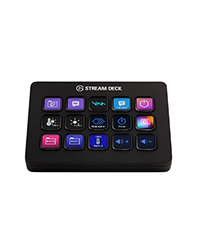
The Elgato Stream Deck Plus is a premium production console designed for content creators and streamers, featuring 8 customizable LCD keys, 4 multifunctional rotary dials, and a touch strip. Compatible with Mac and PC, it supports powerful plugins and smart profiles to streamline audio, video, and lighting control. With USB-C connectivity and a rich ecosystem of downloadable assets, it transforms any setup into a professional-grade studio controller.


| ASIN | B0BJL8SJ59 |
| Audio Input | USB |
| Best Sellers Rank | #189 in Musical Instruments ( See Top 100 in Musical Instruments ) #1 in Digital Audio Workstation Controllers |
| Brand | Elgato |
| Brand Name | Elgato |
| Connectivity Technology | USB-C |
| Customer Reviews | 4.6 out of 5 stars 3,666 Reviews |
| Frequency | 20 KHz |
| Included Components | USB Cable |
| Item Dimensions D x W x H | 5.51"D x 5.43"W x 4.33"H |
| Item Weight | 470 Grams |
| Manufacturer | Corsair |
| Manufacturer Part Number | 20GBD9901 |
| Model Number | 20GBD9901 |
| Output Connector Type | USB Type C |
| Power Source | Corded Electric |
| Product Dimensions | 5.51"D x 5.43"W x 4.33"H |
| UPC | 840006645146 |
| Unit Count | 1.0 Count |
| Voltage | 1 Volts |
| Warranty Description | 2 year manufacturer. |
M**E
A Game-Changer for New Streamers
First Impressions: Right out of the box, the Stream Deck Plus felt solid and well-made. Setting it up was a breeze, and I customized it to fit my needs in no time. What I Liked: • Ease of Use: The 15 programmable LCD buttons let me set up hotkeys for quick access to essential functions, making managing my stream and other apps much simpler. • Extra Controls: The rotary knobs and touch screen add flexibility for adjusting audio and other settings. Now, I can easily tweak my mic volume or switch scenes in OBS without hassle. • Customization: Being able to personalize each button with icons and even GIFs is awesome! My Stream Deck now looks just the way I want it. What Could Be Better: • Software: Occasionally, the Elgato software can be glitchy. Some plugins have crashed or didn’t work correctly, and the plugin installation site can be slow. But overall, it’s manageable. • Price: For a newbie streamer, the cost might seem steep. However, considering its functionality and build quality, I think it’s a worthwhile investment. Conclusion: The Elgato Stream Deck Plus has become an indispensable tool in my streaming setup. Despite a few minor issues, I’m thrilled with the purchase. If you’re starting out in streaming and want to enhance your broadcasts, I highly recommend checking out this device. Hope my review helps! Good luck with your streams!
M**X
LOVE IT!!!!!!
Okay so I work from home and am a bit of a gamer so, I spend OODLES of time at my computer (and I have the carpal tunnel and cubital tunnel syndromes to prove it lol) and basically all I do all day long is type out the same stuff over and over and dont move... Theres a lot of time to be saved from not having to type the same sentence out over and over again randomly (and for someone like me, remembering key combos isnt in my wheelhouse).... i originally bought a knockoff version of this company's stream decks and I really changed my life, however I really should have just spent another $40 and just bought this in the first place. It took about 30 minutes of messing around once I simply plugged it in and its basically ready to go. It was SO much easier than the other device I got to get it working. Their marketplace is pretty decent and there are like a million plug ins to find and try out. Basically I refuse to write an essay about how this thing works because if your reading reviews I am pretty sure you know WHAT your looking at/for and this thing is AWESOME! The price initially put me off despite thinking it would be useful... it was worth EVERY penny (and they do seem to have deals from time to time). I HIGHLY recomend this (I guess I'd recommend any of their stream decks that suit your particular needs as this one does for me). Love the dials. SUPER nice quality and clicky and tactile (and dont feel like your going to accidentally scroll one of them too far)... As some other reviews said, if your on the fence, DO IT!
M**E
Great addition to stream setup
This helped with streamlining the streams and making it a little smoother, setup was easy, navigating the available plugins was a bit confusing at first but now I am familiar with the setup of different functions. I chose this version because of the dial knobs that I can adjust volumes of various things within my streaming software without needing to fuss with OBS studio and I can adjust wavelink software with these knobs or buttons. Size is fairly compact works perfectly for a smaller stream setup in my opinion.
R**R
A must have for anything you might do. Not just for Content Creation!
First off, the hardware is top-notch. The buttons are easy to press and have a nice illuminated design. The tactile dials are a brilliant addition, and their ability to both turn and be pressed for functions like muting or switching inputs is fantastic. The interactive touch screen above the dials works seamlessly and adds a clean and modern touch to the device. The solid stand with a rubber grip ensures it stays firmly in place on your desk. The angle of the stand is just right, giving you a clear view of the Stream Deck+ without requiring an additional stand. Plus, the USB cord is conveniently designed for easy plug-in. Now, let's talk software. While there might be a learning curve, the effort is absolutely worth it. The Stream Deck software and the accompanying Wave Link software provide immense customization options. You can make this device work exactly the way you want it to. Whether you're using it as a controller for specific applications or for various tasks, the customization options are limitless. You can change the look of your Stream Deck+ and fine-tune how individual buttons function, such as launching apps, adjusting volumes, starting streams, and more. I must emphasize that the Elgato Stream Deck+ is not just for streamers. I personally use it for various tasks, including volume control, productivity, and even gaming. It's a versatile powerhouse that caters to a wide range of needs. In summary, if you're contemplating getting the Elgato Stream Deck+, do it without hesitation. It's a premium device that delivers on all fronts. Whether you're a content creator, gamer, or simply someone who values efficient control over your digital tasks, this device has it all and more. It's a true game changer, and I wholeheartedly recommend it to anyone seeking a versatile and powerful control solution.
F**A
Overall great stream companion unit, but not perfect
I've been using this unit for some time in both macOS and Windows machines, and while it seems like a solid unit and well designed overall it has some issues. The buttons are a bit squishy (but same as other stream decks). I wish these were upgraded to feel a bit more premium. The rest of the unit feels a lot better. The volume like buttons are well built and provide nice feedback for small adjustments. The touch screen seems to work great and allows fast navigation between pages, allowing me to do things faster. Giving 4 stars mainly because of the squishy buttons and some times when connecting the unit it shows everything (buttons and touch screen) black and only shows icons when I press the buttons. It seems to be related with software issue, but it happens a lot and I need to open stream deck software for it to "refresh". Hopefully it will be addressed with a software update. The plugins for the software also don't seem to be prepared for these kind of units, so I'm looking forward for those to be updated hopefully soon.
B**E
Overall great product.
The StreamDeck+ is honestly one of the more impressive pieces of technology I've used. It is very versatile. I've only had it for a couple days and am obsessed with the customizability. The software makes this feature incredibly easy to do (if you're somewhat tech savvy). Build quality is really impressive. Dials & switches have nice texture, look & feedback. I am running both my headphones & XLR microphone (With the XLR backplate) & it's increased my sound quality, & microphone quality. The only con is NOT based on the product itself - it' s still a relatively new piece but the plugins/features are rapidly increasing in quantity & quality. I'm excited to see what future capabilities will be. I'd say worth the cost if you just enjoy techy stuff.
M**K
Elgato never misses!
Works well. The software is great. Very customizable. Works great for streaming and even simple commands. Software is beginner friendly as well.
L**N
Customizable Controller with user defined graphic key-top displays
Great, customizable control. - Easily implemented for a Windows 11 A/V console using OBS, Zoom, and PTZ Camera, all under one-button control (including pre-positioned/zoom'd and focused Stage Right, Center, and Left buttons). Converted an otherwise skilled operation into a simple push-button operation.
S**.
Un peu cher mais super quali !
Top
R**M
Love quick access to short cuts like volume and mute
Perfect piece if gear. Exactly what i was looking for. Have not looked at all the features yet
E**C
Solid build
Quick delivery! Solid build, great for productivity and not just streaming!
R**I
Strumento versatile e potente per streaming e produzione live
Ho recentemente aggiunto l’Elgato Stream Deck + al mio setup di streaming e produzione live, e si è rivelato uno strumento fondamentale per aumentare produttività e controllo durante le trasmissioni. Qualità costruttiva e design Il dispositivo è solido e ben costruito, con una base stabile che non scivola durante l’uso. I tasti LCD e la striscia tattile personalizzabile offrono un feedback immediato e chiaro, rendendo intuitivo l’accesso alle funzioni. Funzionalità e flessibilità Le manopole e i tasti programmabili consentono di gestire mixer audio, scene di streaming, effetti visivi, applicazioni e scorciatoie in maniera estremamente rapida. Personalizzare i comandi secondo le proprie esigenze è semplice e molto potente. Compatibilità e integrazione Funziona perfettamente sia su PC Windows che su Mac, integrandosi senza problemi con OBS, Streamlabs e altri software di streaming. L’integrazione con app e plugin esterni amplia ulteriormente le possibilità di automazione e controllo. Utilizzo pratico Durante le sessioni di streaming ho potuto cambiare scene, regolare volumi, lanciare effetti sonori e interagire con alert e chat in modo quasi immediato, riducendo notevolmente i tempi di reazione e aumentando la qualità delle trasmissioni. Pro Tasti LCD e striscia tattile personalizzabili Manopole aggiuntive per controllo audio preciso Facilità di programmazione e automazione Compatibile con Mac e PC Ottima integrazione con software di streaming Contro Prezzo elevato rispetto a soluzioni base Richiede un minimo di tempo per configurare al meglio tutte le funzioni Conclusione L’Elgato Stream Deck + è un investimento eccellente per content creator, streamer e chiunque voglia un controllo rapido e personalizzabile del proprio setup. Aumenta efficienza e professionalità, rendendo le sessioni live più fluide e coinvolgenti. Assolutamente consigliato.
N**A
No sealed box
Product arrived not sealed
Trustpilot
1 week ago
1 month ago