



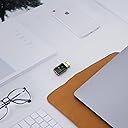


Archer T2U
Product ID: 48587638
Details
- BrandTP-Link
- ColourPiano Black
- Compatible devicesDesktop Laptop
- Data link protocolUSB
- Data transfer rate600 Megabytes
- Hardware interfaceUSB
💾Up to 600 Mbps Speed
📶Dual Band AC600 WiFi
🖱️Compact Mini USB Design
Desertcart purchases this item on your behalf and handles shipping, customs, and support to Netherlands.
🚀 Upgrade your WiFi game with sleek speed and style!
The TP-Link Archer T2U is a compact dual-band USB WiFi adapter delivering up to 600 Mbps wireless speeds with 802.11ac technology. Its mini design makes it ultra-portable and ideal for professionals needing reliable, lag-free HD streaming and gaming. Featuring easy WPS security setup and broad OS compatibility, it’s a stylish, high-performance upgrade for any desktop or laptop.


| ASIN | B00K11UIV4 |
| Best Sellers Rank | 1,528 in Computers & Accessories ( See Top 100 in Computers & Accessories ) 15 in USB Computer Network Adapters |
| Brand | TP-Link |
| Brand Name | TP-Link |
| Color | Piano Black |
| Colour | Piano Black |
| Compatible Devices | Desktop, Laptop, Tablet |
| Compatible Operating System Family | Windows |
| Compatible devices | Desktop, Laptop, Tablet |
| Country of Origin | Netherlands |
| Customer Reviews | 4.3 out of 5 stars 13,690 Reviews |
| Data Link Protocol | USB |
| Data Transfer Rate | 600 Megabytes Per Second |
| Data link protocol | USB |
| External Testing Certification | Grau 1, Não aplicável |
| Hardware Interface | USB |
| Hardware interface | USB |
| Item Dimensions L x W x H | 41L x 19W x 9H millimetres |
| Item Part Number | 6935364089917, ARCHERT2U |
| Item Weight | 0.01 Kilograms |
| Manufacturer | TP-Link |
| Manufacturer Part Number | Archer T2U V1 |
| Minimum Required Operating System Version | Windows XP |
| Model Number | Archer T2U |
| Product Warranty | 3 years |
| Product dimensions | 41L x 19W x 9H millimetres |
| Unit Count | 1.0 count |
G**E
Excellent Compact Upgrade for WiFi and Bluetooth
I am very pleased with this TP-Link Archer TX10UB Nano as it provides a perfect balance of performance and functionality for my setup. The speed of the WiFi 6 connection is impressive and I have noticed a significant improvement in stability even when downloading large files. It was incredibly easy to set up and the compact size makes it a very practical addition to any desktop or laptop.The Bluetooth connectivity is outstanding and allows me to connect multiple devices simultaneously without any dropouts. I was particularly impressed by the sound quality when using my wireless headphones because the audio remains crisp and clear with no noticeable lag. Considering the modern features like Bluetooth 5.3 and WPA3 security included in such a small device it offers fantastic value for money. It is a reliable and well engineered product that I would highly recommend to anyone looking for a fast and stable network upgrade.
A**S
Excellent quality WiFi/Bluetooth adapter
Setup on my Windows 11 laptop was quick & easy. Dual band WiFi is stable & drop-out free, & the Bluetooth connection is the same. An excellent product; highly recommended.
A**K
Works Well on Ubuntu Server Despite Not Being Plug-and-Play
I bought the TP-Link Archer TX10UB Nano AX900 WiFi 6 USB adapter to provide Wi-Fi connectivity for an Intel NUC running Ubuntu Server in a headless configuration. Installation under Linux was not quite the "plug and play" experience advertised on the packaging, but I wasn't expecting it to be. It took a little effort to get working, although with the help of AI-assisted troubleshooting the setup was ultimately successful. Since installation, the adapter has performed very well. The Wi-Fi connection has been stable, with no dropouts observed, and any reconnections appear to happen seamlessly in the background. For my use case as a headless server, reliability is far more important than raw speed, and the Archer TX10UB has delivered exactly that. I have not yet tested the Bluetooth 5.3 functionality, so I can't comment on its performance. However, given how well the Wi-Fi side has worked, I have no particular reason to expect any issues. Overall, this is a compact and capable Wi-Fi adapter that works well under Ubuntu Linux once configured. If you're a Linux user, be prepared for a little initial setup, but after that it has proven to be stable and dependable. I'd rate that review around 4 out of 5 stars—losing one star only because Linux installation required manual intervention rather than being truly plug-and-play.
N**C
Bundle of joy?
If you need to add or upgrade WiFi and bluetooth on a laptop you get a capable 2-on-1 product at a very reasonable price from a well-known brand. No need for the budget conscious to go for a grey market/un-branded alternative. Worked first time with both a Windows 10 and 11. Wifi range seems ok at home through a couple of partition/stud walls. Happy with previous T2UB but wanted a wifi-6 compatible device.
D**I
Perfect
Exactly what I needed and works perfectly. Set up was super easy too.
M**N
Beware of the bandwidth limitations of USB
These are, in theory, great little devices. They're easy to set up and very effective in bringing WiFi 6 and WPA3 security to a legacy device via USB. But therein lies the problem: Unless your WiFi network is ridiculously slow netowrk performance is very likely to be severely limited by the bandwidth of USB on your old device. For example, I found the throughput of both USB 3.0 and 3.1 actually made performance much worse than the built in WiFi on two different Laptops. I summary; really great devices, but they're not going to bring WiFi 6 bandwidths due to the constraints of USB, so tread carefully and do your sums before you buy.
C**O
Bought as my old laptop wifi 5 dongle struggled with a new wifi 6 router. Problem solved.
Bought this to replace the same wifi 5 one in my 9 year old laptop. I switched broadband provider from a wifi 5 to a wifi 6 router which my laptop was not complatible with. The old wifi 5 adapter still worked but there was a noticeable drop in speed which wasn't sufficient for my uploads and downloads. So I purchased this to tide me over till I buy a new laptop later in the year. This is so easy to install. Just unbox and plug into usb port and it automatically installs itself with drivers etc. Just remember to switch off your devices internal wifi/network adapter so that your device uses this one instead. My speeds immediately increased again, to even higher with the same device but with the wifi 5 adapter. After a Windows auto update, for some reason this adaptor wouldn't auto switch on when I fired up my laptop. I had to manually go to my network settings and enable it again. However, all I did to fix this was to go to the Support section of the TP Link website, find this adaptor and redownload and install the drivers again and problem solved. So little affordable dongle has saved me from panic buying a new laptop much sooner than I wanted to. Has given me much more time to research new laptops. I haven't used the bluetooth side of it yet as I haven't had to but based on the wifi performace, I'm pretty sure the bluetooth side would be an improvement too. Highly recommend this.
S**S
Range is excellent
Easy to use, works great, room is about 50ft from router in garage in upstairs bedroom.
B**Y
WiFi adapter
Werkt erg goed en is snel
J**1
rapido y eficaz
perfecto.-
M**A
Ottimo prodotto a un ottimo prezzo
Ho preso questo prodotto perché il mio notebook ha la scheda wifi danneggiata e prima di pensare alla spesa di un nuovo notebook ho voluto provare l'alternativa. Sono già fedelissima alla marca Tp-link perché già uso dei wifi repeater e mi sono sempre trovata benissimo, ma di questo prodotto davvero sono contenta. Installazione abbastanza facile, e cmq aiutata dalle istruzioni. L'ho configurato abbinandolo al mio router direttamente dal PC attaccato via LAN e accoppiato così. Di per sé funziona ed è anche molto stabile. Prende la rete 5ghz dal router che è in un'altra stanza separata da un ulteriore stanzino (quindi due pareti) ed è anche molto stabile. Purtroppo non la sfrutto a pieno perché il notebook non è più performante quindi ogni tanto si blocca e per fare ripartire la chiavetta devo riavviare il PC (colpa del PC). L'ho infatti attaccata a un mini PC che ho e lì nn ho riscontrato nessun problema. Direi quindi che sono pienamente soddisfatta ma quasi non avevo dubbi con questa marca. Lo consiglio!
J**N
Win 8.1 bedingt kompatibel
Servus, habe mir diesen AC Wlan Stick zugelegt um das 5Ghz Netz nutzen zu können und weil er der kleinste AC Stick ist den ich finden kann. Installation etc. läuft problemlos. Die Windows eigenen Treiber führen dazu dass das 5Ghz Netz nicht erkannt wird. Somit lädt man sich entweder die Treiber von der Website oder nutzt die mitgelieferte Mini CD. Das Problem ist allerdings, dass größere Datenmengen nicht an einem Stück ankommen. Weder auf 5Ghz noch auf 2,4 Ghz. Sprich: Downloads (egal ob Downloadmanager oder direkt über Internet Explorer oder FireFox) halten einfach an. Wenn es möglich ist die Downloads zu pausieren und fortzusetzen, dann kommt man evtl. am Ende an. Aber ansonsten halt nicht. Wer bestimmte Download Manager, nutzt wird beobachten dass der Download nach ein paar Minuten wieder von alleine anfängt, aber nach 10 Sekunden auch wieder aufhört. Bei Youtube äussert es sich so dass es zu einem gewissen Punkt lädt und dann aufhört. Man kann nun entweder neu laden und hoffen oder man setzt den Regler einfach ein Stück nach vorne, woraufhin das Video erneut anfängt zu laden. Ich hatte bereits Kontakt mit TP Link. Sie wissen leider nicht woran es liegen könnte. Ich habe 2 verschiedene Systeme geprüft und es kam dabei das gleiche raus. Die TP Link Entwickler sind wohl gerade wegen Nationalfeiertag in China einige Zeit nicht da und hoffe dass ich bald neues Berichten kann. Auf einem Win 7 Pro System konnte ich dieses Verhalten nicht feststellen, habe es aber auch nicht ausführlich getestet. Sollte hier jemand problemlos mit dem Stick und Win 8.1 arbeiten können, dürft Ihr gerne ein Kommentar hinterlassen. Wenn der Kram funktioniert, gebe ich auch die 5 Sterne her :) 25.11.14 edit: Nachdem ich das System neu installiert habe funktioniert der Stick auch wunderbar. An einem zweiten Win 8.1 System macht der Stick nach wie vor Faxen, was mich nicht weiter stören soll. Der Support war auch sehr zuvorkommend und hilfreich. (Auch wenn er mir dennoch keine Lösung bieten konnte). Woran das Problem letztendlich lag, konnte ich leider nicht rausfinden. Bezüglich -Hitzeentwicklung angeht: Der Stick wird zwar bei intensiver Benutzung warm, aber sicher nicht heiss -5 GHz Netz: Ich kann in den erweiterten Einstellungen problemlos den Kanalbereich auswählen. Zu beachten ist aber dass keine Einstellung das gesamte Spektrum zur Verfügung stellt. Dadurch dass ich meinem Router einen festen Frequenzbereich zugewiesen habe, habe ich auch kein Problem mit Verbindungsverlust bei Änderung des Sendekanals.
L**I
Qualidade muito boa
Funciona muito bem
Trustpilot
2 days ago
2 months ago