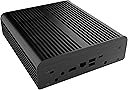
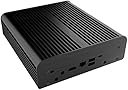
🖤 Elevate your NUC game with silent, sleek, and smart cooling.
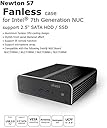
The Akasa Solid Aluminum Fanless Case is a precision-engineered enclosure designed specifically for 7th Generation Intel i3 and i5 Baby Canyon NUC boards. Crafted from solid aluminum, it offers passive cooling with zero noise, a compact footprint, and compatibility with both Linux and Windows systems, making it the perfect silent powerhouse for professionals seeking efficient, stylish computing.
| ASIN | B0725DWZZW |
| Additional Features | LEDs |
| Aspect Ratio | 16:9 |
| Best Sellers Rank | #4,477 in Computer Cases |
| Brand | Akasa |
| CPU Model | Intel Core i7-11700K |
| CPU Model Number | A-NUC35-M1B |
| Color | black |
| Connectivity Technology | USB |
| Cooling Method | Air |
| Customer Reviews | 4.5 out of 5 stars 24 Reviews |
| Display Resolution Maximum | 3840x2160 |
| Global Trade Identification Number | 04710614538153 |
| Graphics Card Description | Integrated |
| Graphics Card Interface | Integrated |
| Graphics Coprocessor | Intel UHD Graphics 630 |
| Graphics Description | Integrated |
| Graphics Ram Type | Shared |
| Hard Disk Description | SSD |
| Hard Disk Interface | USB |
| Hardware Interface | USB |
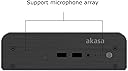
| Human-Interface Input | Microphone |
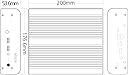
| Item Dimensions | 7.87 x 6.95 x 2.11 inches |
| Item Weight | 1.6 Kilograms |
| Keyboard Description | No keyboard included |
| Keyboard Layout | QWERTY |
| Manufacturer | Akasa |
| Memory Storage Capacity | 1 TB |
| Model Name | Newton S7 |
| Model Number | A-NUC35-M1B |
| Model Year | 2017 |
| Native Resolution | 1920 x 1080 |
| Number of Component Outputs | 1 |
| Operating System | Linux, Windows |
| Personal Computer Design Type | Mini PC |
| Power Plug Type | No Plug |
| Processor Brand | Intel |
| Processor Count | 1 |
| Processor Series | Intel Core i7-11700K |
| RAM Type | DDR4 SDRAM |
| Resolution | 3840 x 2160 |
| Specific Uses For Product | Business |
| Style Name | Fanless NUC housing |
| Total Usb Ports | 2 |
| Video Output | HDMI |
| Video Output Interface | HDMI, DisplayPort |
| Video Processor | Intel |
| Wireless Technology | Infrared |
R**I
Keeps nuc7 cool without any active fans
I purchased it to replace the old case for my nuc7. My nuc7 was overheating over 100C since the CPU fan failed. This new case is really amazing, with new noctua Thermal Compound Paste applied now its temperatures are kept within 40-70C. Just in case for hot summers I purchased additionally a Noctua NF-A12x25 120mm, which I connected externally via USB and put it on top of this akasa case.
J**K
Five Stars
good fanless system!
V**D
i5-7260U too hot for it
Well made, but doesn't work with i5-7260U under full prolong load (>10mins) in horizontal position at least: CPU temperature reaches 93C, while box itself is 63-65C. For regular movies watching should be OK, though.
G**R
The case does what it should. And I have ...
The case does what it should. And I have tested it in reasonably hot environs. 1 star removed because 1) the microphones could not be fitted 2) the routing of the cable for the spinning hard disk is horrid. (I did not build it myself but had fastrepair in mountain view do it for me)
C**S
Great case
The fanless cooling on this case is quite effective. I have maxed out the processors to the point where the case is quite hot, yet the system keeps on running flawlessly. Great fanless design!
P**S
Great for a repackaged NUC
This case is working great with an Intel Atom i3-5010U (15W TDP). The re-packaging was needed as the OEM Intel NUC NUC5i3RYH case has poorly placed/performing Wi-Fi antennas. Distance and wall construction mandated higher gain external antennas which this case supports.
S**O
Ottimo case
Il case è solido, pesante e ben rifinito. Ero un po' scettico riguardo le temperature, non pensavo riuscisse a tenere fresco il nuc 7i5 e invece...!! Con il case originale la CPU toccava i 91°C sotto stress, con questo non supera i 70! Veramente ottimo
Y**X
Très bon boitier fanless pour NUC
Utilisé pour rendre fanless un NUC7i5BNB, équipé d'un i5 7260U et d'un disque interne mécanique. Très bonne expérience dans l'ensemble, cela prend bien une heure et demie et le matériel adéquat (petits tournevis cruciforme, pincettes si vous avez de gros doigts) pour réaliser la transplantation. Les températures sont nickel, au contraire de ce qu'indiquait un utilisateur US qui a tenté l'expérience il y a un an, car Akasa a changé de pratique en matière de thermal pad pour le CPU : ils incluent maintenant une pate thermique qui fonctionne bien mieux ! Mesuré avec Realtemp 3.7, 45° en IDLE, 85° en charge max. Ca m'a également permis de constater la tonne de poussière se trouvant entre le ventilateur et le radiateur du CPU, pas étonnant qu'il ait été aussi bruyant depuis quelques mois. La changement condamne le port SDcard, et il faut penser à acheter des antennes Wifi (non incluses) pour conserver le bluetooth et le wifi actif. Les microphones internes sont transplantables également, il suffit d'avoir un peu de patience pour les décoller de l'ancien boitier, et d'un peu de scotch pour les coller dans le nouveau, dans les emplacements prévus. Seul regret : le boitier étant exigu, les prolongateurs USB de façade sont très tordus, alors qu'ils sont très rigides à l'origine. On verra comment ça tient dans le temps.
N**F
AMAZING.
7th gen NUC(NUC7i3BNK) and zoom meetings on top of 30-40% workload equals thermals of 90C to thermal throttle. After installing the Akasa A-NUC35-M1B the system hovered around 55-60C.- Now that's great but 'summer is coming' so add a Noctua NF-A12x25 5V PWM with a Noctua NA-FC1 on top of it with an optional 120mm fan grill and keep it completely silent with 35-40% speed. Unless you run bench-marking software for over 20 hours your NUC will stay >42C.
C**N
Endlich Stille! Danke dem großen Brocken.
Im Prinzip ist dieses Akasa Newton das fehlende Gehäuse zum NUC 7I5BNK. Im komplett passiven Akasa ist keine Mechanik und kein Lüfter drin, somit herrscht endlich Stille am Schreibtisch. Sehr, sehr angenehm. Positiv: + Stille! Hält was es verspricht. + der Hersteller hat alles an Zubehör beigelegt, inkl. u.a. SATA-Kabel, Wärmeleitpaste, Wärmeleitpads, Schrauben + nur Schraubendreher (2 Größen) braucht man zur Montage + mein NUC hat Optane-Speicher, und dafür (und alles was in den m.2 passt) liegt ein extra zwei Finger großer Alu-Block bei samt + Von der 1. Generation zur 2. wurde das Design minimal verändert, und so klärt ein Beilegezettel auf, dass und wie Wärmeleitpaste wo genau verwendet werden soll. + Gut bebilderte Anleitung; Einbau-Richtung und Reihenfolge gehen klar daraus hervor + Bohrungen für WLAN-Antennenanschlüsse vorhanden + Aussparungen für Mikrofone vorhanden; die vorhandenen können einfach eingesteckt - oder beim Umbau weggelassen werden + Paranoiker werden bedient: auch die WLAN-Antennen können beim Umbau weggelassen werden + Umbau und Transplantation braucht weniger als eine Stunde + das Design! Herrlich unauffällig. Neutral: o nicht ganz billig o Umbau ist nicht für Ahnungslose - schon einiges Feingefühl nötig. NUC muss komplett demontiert und alle Teile (RAM, m.2, 2,5'', WLAN-UFL-Steckerchen) ausgebaut werden o Das Gehäuse ist halt groß. Muss man sich mit abfinden. Wer das Ding per VESA hinten an den Monitor schrauben kann ist noch glücklicher (geht bei mir nicht weil Dell 😭). o Allzu häufig sollte man das Gehäuse nicht auseinandernehmen - die klebenden Wärmeleitpads (zumindest die am m.2-Modul) müssten dann evtl. ersetzt werden Nicht gelungen: - es gibt keine Verlegehilfe o.ä. für die verkabelten Mikrofone. Bis man das Kabel so verlegt hat, dass beim Anbringen der Frontplatte _kein_ Kabel geklemmt wird vergeht einige Zeit mit Fummelei. Weil man das aber nur ein einziges Mal machen muss gibt es keine Abwertung. Zusammenfassend, nach 2 Tagen Gebrauch: gute Wahl. Knapp 100 EUR bezahlt - hat sich schon jetzt gelohnt. Der massive Kühlkörper wird bei Last durchaus heiß, so dass man nicht mehr anfassen mag. Der Lüfterlärm wäre über die Zeit nur mehr geworden, denn im originalen Gehäuse sammelte sich dank des Lüfters der Staub am Kühlkörper; siehe Foto. Das Problem ist ein für allemal beseitigt.
0**S
Good but not perfect
Unfortunately there isn't a lot of options in fanless cases for Intel NUC's. I really wished there was so I didn't have to pay a premium for this case. I have the i5 version and this case fits it without issues. Unfortunately the USB cables that are internal in the case are way too long. I really have to put extreme 'S' bends in them to be able to attached them to the NUC board. The SATA cable for the optional hard drive is also too long and it was tricky to get this cable routed to allow the hard drive to sit properly. It looks like this case can fit different boards and they really should have provided different length USB cables for different NUC boards. The instruction sheet wasn't that great and you kind of have to figure out what screws to use and where. The bags with the screws aren't numbered so you have to figure this out for yourself. Lastly they added a change from the thermal pad for the CPU to thermal paste. Luckily I saw this before using the thermal pad. Lastly I was charged $50 import duty because the case ships from the UK. Of course this wasn't obvious when I purchased the case so beware. Overall the case is working good. It's sitting next to me and not making any sound at all. The first time starting it was odd because there is no fan noise. Now I don't have to open up the NUC every year or so to clean out all the dust clogging up the fan. The CPU is running a steady 40 degrees Celsius.
Trustpilot
4 days ago
1 month ago