🚀 Elevate your home network to pro-level speed and coverage!
The ASUS ZenWiFi XT9 is a cutting-edge tri-band WiFi 6 mesh system delivering ultra-fast speeds up to 7,800 Mbps with a 160 MHz channel. Designed for whole-home coverage, it supports multiple devices simultaneously, ensuring seamless connectivity for busy professionals and smart homes alike.


| ASIN | B0BD8G1LGX |
| Antenna Location | Home |
| Antenna Type | Internal |
| Best Sellers Rank | 20,006 in Computers & Accessories ( See Top 100 in Computers & Accessories ) 69 in Whole Home & Mesh Wi-Fi Systems |
| Box Contents | ASUS ZenWiFi XT9 WiFi 6 Mesh System - 1 Pack |
| Brand | ASUS |
| Brand Name | ASUS |
| Colour | White |
| Compatible Devices | Gaming Console, Tablet, Security Camera, Printer, Personal Computer, Smartphone, Smart Television, Smart Thermostat, Smart Home Devices |
| Compatible devices | Gaming Console, Tablet, Security Camera, Printer, Personal Computer, Smartphone, Smart Television, Smart Thermostat, Smart Home Devices Compatible devices Gaming Console, Tablet, Security Camera, Printer, Personal Computer, Smartphone, Smart Television, Smart Thermostat, Smart Home Devices See more |
| Connectivity Protocol | Wi-Fi 6 |
| Connectivity Technology | Ethernet, Wi-Fi |
| Control Method | App |
| Controller Type | App Control |
| Coverage | Large homes and multi-storey homes |
| Customer Reviews | 3.8 out of 5 stars 237 Reviews |
| Data Transfer Rate | 7.8 Gigabits Per Second |
| Frequency | 5 GHz |
| Frequency Band Class | Tri-Band |
| Frequency band class | Tri-Band |
| Global Trade Identification Number | 04711081471479 |
| Has Internet Connectivity | Yes |
| Has Security Updates | Yes |
| Is Modem Compatible | No |
| Item Dimensions L x W x H | 16L x 7.5W x 16.2H centimetres |
| Item Type Name | wifi system |
| Item Weight | 0.74 Kilograms |
| LAN Port Bandwidth | 2500000000 bits per second |
| Manufacturer | ASUS |
| Manufacturer Part Number | 90IG0740-MO3B60 |
| Maximum Upstream Data Transfer Rate | 7800 Megabits Per Second |
| Model Name | ZenWiFi XT9 |
| Model Number | 90IG0740-MO3B60 |
| Model name | ZenWiFi XT9 |
| Number of Antennas | 4 |
| Number of Items | 1 |
| Number of Packs | 1 |
| Number of Ports | 4 |
| Operating System | Linux |
| Other Special Features of the Product | Compatible with AiMesh routers |
| Product Warranty | 3 Years Manufacturer |
| RAM Memory Installed | 512 MB |
| Router Firewall Security Level | Advanced |
| Router Network Type | wireless |
| Security Protocol | WPA3 |
| Special feature | Compatible with AiMesh routers |
| Wi-Fi Generation | Wi-Fi 6 |
| Wireless Compability | 2.4 GHz Radio Frequency, 5 GHz Radio Frequency, 802.11ax |
| Wireless communication standard | 2.4 GHz Radio Frequency , 5 GHz Radio Frequency , 802.11ax |
M**H
Huge improvement in WiFi speeds!
I live in a three floor new build property and annoyingly the broadband connection comes into a study on the middle floor. Wifi speeds in the downstairs corner of the house was terrible with the stock router from Sky so I decided to invest in my own networking kit. I first thought I could improve connection speeds by using a Devolo Magic 2 powerline adapter system. However the performance of this kit was dissapointing, even though it was expensive. My house has good wiring however the speeds I was getting via the powerline in the corner of the house was about 100Mbps though my broadband speed is 500Mbps. Also the Wifi mesh provided by these devices also performed poorly, they seemed to be limited by the speed of the powerline adapters. So I decided to buy the XT9 nodes and couple them with an Asus ROG GT-AXE11000 router. With just the router I was still getting poor wifi speeds in the corner of the house. However once I set-up the XT9 nodes with the new router using a dedicated WiFi 6 wireless backhaul, I was now getting 500Mbps in the far corner. Hence needless to say I am very impressed and their performance exceeded my expectations. I can recommend these devices!
G**Y
There is no point in having more than one of these…
The “main” one (i.e. the one connected to the Internet) works just fine and covers the majority of the house. The “second” one (which should extend the mesh to ensure a strong signal everywhere in the house) will randomly and repeatedly (at least once a week) fail to connect to the “main” one (when this happens the light fast-flashes blue). It’s not a signal strength issue (it happens even if the devices are 1m apart). I can resolve the issue by restarting both of them (sometimes several restarts are needed). These were expensive and sold as a premium product. I will not be buying ASUS networking products in the future.
P**S
Provides excellent WiFi signal throughout a house with thick concrete walls
I have a Virgin Media Hub 3, located in the lounge downstairs of a 2 storey 3 bedroom house. I have an office upstairs (I mostly work from home) and was getting relatively poor WiFi speeds - I'm on Virgin's M350 plan, which gives a theoretical 350Mbps download speed and 36Mbps upload speed. With my laptop in the lounge, I was was getting a little over 300Mbps download speed and 36Mbps upload speed over WiFi, but upstairs in my office was only getting about 80Mbps downloads (though was able to get around 36Mbps upload speed). With the ZenWifi XT9 pair setup (which was very easy using the dedicated app, once I'd put my Hub 3 into "Modem Mode"), with one in the lounge and one in the corridor at top of the stairs, I'm now able to get 392Mbps(!) download speed and 37Mbps upload speed over WiFi when my laptop is in the upstairs office, even with the door shut. The units themselves look smart and discrete (and you can even turn off the status leds, if desired) and the mobile app has a modern design, is easy to use and provides loads of options. Updating the firmware was straightforward. From what I've read, if the going for a Mesh setup with Wireless backhaul (i.e. you're not connecting the Mesh units with ethernet cable), you're actually best going with a triband Mesh Wifi 6, rather than Wifi 6E setup (i.e. no 6Ghz band), as there's really no benefit - can be worse in fact, as the 6Ghz band has shorter range and struggles with thick brick/concrete walls (like we often have in the UK), although can notionally be faster. The Zen Wifi XT9 (which is triple band and Wifi 6) has 3 bands - 2.6Gz, 5Ghz (1) and 5Ghz (2) and uses the 5Ghz (2) band exclusively for the Backhaul (i.e. not shared with your other devices). The XT9 also has 160Hz bandwidth on both the 5Ghz bands. The slightly cheaper older XT8 only has the 160Hz on the 5Ghz (S) Backhaul band, is 80Hz max on the 5Ghz (1) band and a slightly slower CPU (only 1.5 Ghz quadcore vs 1.7Ghz quad core. Also the XT9 has Google Assistant support (as well as Alexa), whereas the XT8 only has Alexa support. The XT9 also supports the following additional Wireless security standards compared to the XT8 - WPA-Enterprise, WPA2-Enterprise, WPA3, WPA3-PSK, WPS. Highly recommended all round!
D**9
Really impressed.
I feel kinda bad giving these 4 stars, I wanted to give them 4.5 stars, but I can't, so unofficially they're a 4.5 from me. I live in a smallish 3 bed terraced, in the UK, so walls separating rooms are made of bricks. As is typical the Internet comes through the front wall, into the front room and so Wi-Fi range is inadequate for the back bedroom, which is where I work from, during the week. I previously got around this with a pack of 3 BT Wholehome discs, I had those around 5 years and didn't have too many issues, once or twice a year the 3rd disc would disconnect, my laptop just automatically connected to the next closest disc, but the printer, completely refused to find the network. The thing is, I hardly ever use the printer, but as is always the case, when I needed it, it wouldn't connect as the 3rd disc was playing up. My EE broadband contract was coming to an end and about a year ago full fibre became available down my street, so I decided to upgrade the mesh to take advantage of the faster speeds I'd be getting. This is my 4th set of mesh routers, having sent 3 back (sorry, Amazon). Initially I got the ASUS XD4 plus routers, they were fine for Wi-Fi, just 2 nodes served the whole house, flawlessly. The issue was I also wanted parental controls, as I can restrict what my daughter accesses at the hardware layer, but that's all moot when she has friends over, using their devices on my Internet, as they could simply access anything. Not that they were, just I like to be cautious. The routers were advertised as having content restrictions for parental controls, but it turns out they don't have AIProtection Pro, so you could only set time scheduling. In fairness to Amazon, I actually checked the ASUS site which said I could block certain content on that model, so ASUS were to blame for having misleading features advertised. I had to send those back as they didn't do what they said. Then I ordered the XD6 2 pack, which I believe were faulty. They connected fine on initial set up (they need to be close by for initial pairing), but once I unplugged the 2nd node to move to the next room, they wouldn't connect again and I spent 2 hours faffing around, to no avail. So I sent those back. Then, I thought I'd try eero, so I got 2 6E routers. They seemed fine from a hardware perspective, especially as Initially I still only had fibre to the cabinet. They wouldn't work with Alexa, like I couldn't say "Turn on the guest network" I'd installed the skill, but eero confirmed this wouldn't work. Not really a deal breaker, just an annoyance. The thing I found most annoying was the parental controls. My (teen) daughter was off school for a few days, ill, so I wanted to block access to TikTok and SnapChat during school hours, so I created a group, popped her phone and iPad in the group and set the rules. I checked and all seemed good, nothing would load in those apps. At one point I caught her messaging on TikTok, on her iPad, which was surprising. Initially I thought she'd been quite smart and used the neighbour's Wi-Fi, but nope, it turns out that when you block TikTok with eero, it does block all the videos and what not, but the messages can bypass the restrictions, at least on iOS, I didn't check with Android. Now, £100 per year for parental controls that didn't work properly seemed too hard to stomach, so I was regretting my purchase. Yes I did correctly set everything up, I know what I'm doing. Then the fibre got installed, I ordered a 500Mb up and down package. Next to the primary node I was getting full speeds, but we don't use that room. Close to the second node I was getting half speed download and full speed upload, which was a bit odd. In the back bedroom I was only getting 80 ish upload, the second node just needed to transmit through floorboards and 2 always open internal doors, so that seemed a bit poor. But as that 80Mb was faster than what I had previously anywhere in the house, it would have been fine for work. There's an Echo Dot in that room which actually acted as a 3rd node, so it wasn't a huge problem. The parental controls were though, if the parental controls were free or worked properly, I'd have kept the eero units as I had adequate speeds, not close to what I'm paying for in the rooms that need it, but more than adequate. Then I ordered these, Wow, just wow. Set up was easy, like 5 or so minutes. Unplugged the second node to place in the adjacent room, plugged it in and a couple of minutes later it had reestablished its connection. In the room with the primary node I get full speed up and down, in the room with the second node, again, full speed. Quite interestingly no hand off occurs, my phone stays connected to the first node, even though I'm closer to the second and there are obstructions in the way, 2 closed doors and a wall. It's only once I go into the kitchen that my phone moves to the second node and speeds are virtually identical. To the office I go, I check on my phone, I'm connected to the second node and getting around 440 up and down, I check on my laptop and I'm getting similar. I then bind my phone to the primary node, just to see, I actually get 120 up and 80 down, it has 2 brick walls, 2 open doors and floorboards to get through, at a distance of perhaps 12 - 14 metres. It actually smashed the set of eero and the Echo Dot all by itself over a larger distance with several additional obstructions in the way. If my ONT was in the middle room, one of these badboys would be more than adequate. The obstruction penetration seems amazing in comparison to the others, they're overkill for my house, they really are. But betrer to have overkill than flaky Wi-Fi. The parental controls and everything are free, well done ASUS. They don't quite have the granularity of the eero ones, more just pick a level than block specific apps. The app is OK, it's nowhere near as polished as the eero app though, but it's ok. So why just 4.5 stars you may ask? It annoys me that you can't put parental controls on the guest network, it also annoys me you can't auto add new devices to a default group. You couldn't do those things with the eeros either, but I gave them 3 stars. As kids get more tech savvy, they will of course learn about MAC randomisation, figure out they can actually see the network password in their phones etc, I just wish that there was a way to auto dump new devices into a quarantine group, where parental controls were set and I could allocate them manually through the app. I know I could get a Firewalla for that or just do that for the whole network, but I don't want to restrict my own Internet, just hers and her friends. Overall, extremely pleased with these, fantastic bit of kit for those of us where wired backhaul isn't an option. Extremely strong Wi-Fi signal, free security and parental controls for life, easy to set up. Quite expensive though, I paid 400 for 2, which is more than I wanted to spend, but I've now actually managed to get solid Wi-Fi performance throughout the house.
J**L
Steep learning curve, buggy firmware
Looking for the perfect router setup and, after much research, brought the 2-pack WiFi 6 AX7800. What I should have done was dig a little deeper—but hindsight is 20/20. The setup was a breeze—using the mobile app, I had everything up and running in no time. I configured the system with an Ethernet backhaul so I could use both 5GHz bands for devices. The speeds are amazing and roaming works beautifully, with a granular level of customisation that ensures devices latch onto the right node at the right time. One thing I quickly learned is to switch to the web GUI for fine-tuning, as the app doesn't have everything and is a little buggy. That’s where the good points end. I updated the firmware during setup (as any responsible tech enthusiast would), only to find myself constantly restarting the router and node due to instability. The router seems to suffer from some kind of memory leakage—running out of RAM (hovering at 90%+ usage) and then promptly dropping various connected devices. A full factory reset? No dice. Within a day, the same problems reared their ugly heads—random disconnections, drops and unhappiness. Cue a deep dive into settings—tweaking control channels, disabling beamforming, turning off 160MHz bands among other things. I was on the edge of returning the whole thing when, as a last-ditch effort, I rolled back the firmware to an old version after searching Reddit and forums for an answer—a nearly two-year-old relic that some users seem to have stability with. And, lo and behold, it seems to have worked. RAM usage is now at a respectable 60-80%, and for the first time in days, I’m not contemplating throwing this thing out the window. But let’s be real—needing to run ancient firmware just to achieve basic stability? Not really acceptable for a premium priced product. If you enjoy tech tinkering and have the patience, this setup might still be for you. Performance and features-wise, ASUS kit really does reign supreme, which is the only reason I haven’t given up entirely. But if you want a router that just works without a side quest in troubleshooting, look elsewhere. --------------------------------- EDIT: Ended up returning these as I was still having problems with Apple HomeKit devices dropping off the network. The XT8/XT9 range is just too buggy. I upgraded to 2 x ET12's - they're expensive and slightly resent giving ASUS more of my money, but so far they're rock solid! The range is amazing (I probably only needed one!) and with an ethernet backhaul I have the benefit of a 6GHz for newer devices. For features and performance ASUS routers can't be beaten, I just wish the firmware was better.
K**X
Best solution for a garden office - worth the extra money over TP-Link Deco
When I upgraded to full fibre broadband at 500Mbps from a 70 Mbps broadband service, I found the speeds I was getting in my garden office no better than before - around 30Mbps - using a TP-Link Deco S4 mesh wifi setup. So I decided to upgrade my mesh wifi so I could get the most out of my new speedy internet service. It was much more difficult than I expected - I tried a couple of supposedly faster TP-Link Deco systems but they were no better, even a Wifi 6 model. And then I tried the ASUS ZenWifi XT9 and suddenly everything got faster - it was a night and day difference. I can now get around 200Mbps in the garden office, and speeds around the house are better too. It's a brilliant mesh wifi setup and I recommend it. The app gives you good control and the option to change all sorts of settings but it is mostly plug-and-play.
A**R
Super Quick setup, Fast and Reliable
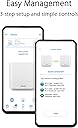
Bought the twin pack in white a few months ago and it was super easy and quick to set them both up in a mesh - the instructions and guidance in the management app is excellent. I’ve been really impressed with the coverage and quality of signal over a 5 bedroom, 3 storey house. I have just now bought a 3rd unit that I have placed at the very back of the house that gives me good coverage in the back garden because that was a dead spot due to lots of aluminium patio doors. It took just 5 minutes to add and all I had to do was plug it in and tell the app to add it! Goodbye messy stressful setup! Note there are lots of tweakable settings in the console app but you don’t need to bother if you just want great extendable coverage.
A**T
Careful - range of a node is pathetic
This is not what it seems as advertised. I used to have a Tenda mesh network in previous home and so know what to expect from a 1GB mesh network. These nodes however are pathetic for range. Within 3-4 metres direct sight you drop a bar on signal strength. Go more than that the other one then says “weak” signal one bar literally only 4 metres from The other one. To cover a detached house you’re going to have to buy several (!) more nodes. At this super high price for only two that’s madness. You have to anchor one node by the free modem and router of course and the range wasn’t that different at all from the terrible router I got free and that only leaves only the other node to put somewhere helpful. My previous Tenda mesh network had 4 small nodes for £150 and worked so well, I just thought I’d change it due to hacking reports in general and the child safety functionality that this advertises. I am so irritated I have to go through the hastle of retuning it. These nodes are also pretty big mmm too so there’s not much chance of hiding them. I wish they were what they said they were!
A**B
Bra, men inte 100% nöjd
Ganska lätt och snabbt att koppla upp på nätet. Fick ett mycket snabbare WIFI på datorer några rum bort. Däremot är täckningen i garaget något sämre, trots att vi inte har i närheten av så många kvadratmeter som är begränsningen. Men funderar på att köpa ytterligare en till för att få riktigt bra täckning.
ع**ى
سهل ورائع جداً
رائع جداً
A**L
Very very good mesh for me, great coverage and great speed
For now, worth waiting. Speeds are really good. I have 300/150 Mbit link. My house have 2 floors, 13,5x10m, brick and concrete walls. Both XT9's are on the first floor. Mesh is set with wireless backhaul. In every part of house i have around 300/150 Mbit - full speed I got from provider. My son works from home and he didn't experience any glitches. I haven't tested network speed (NAS, shared disk) because I haven't time to set up everything.
B**I
Oldukça yararlı
25 çeken yer 300 seviyelerine çıktı speedtest'te. Gayet güzel çalışıyor
Z**M
ASUS ZenWiFi XT9 White - Pakiet 1 szt
Sprzęt zgodny z oczekiwaniami , parametry jak na dom 140 m2 wystarczające . Zasięg w każdym miejscu,
Trustpilot
2 weeks ago
5 days ago