
DOWNLOAD THE APP


Customer Services
Copyright © 2025 Desertcart Holdings Limited
DOWNLOAD THE APP
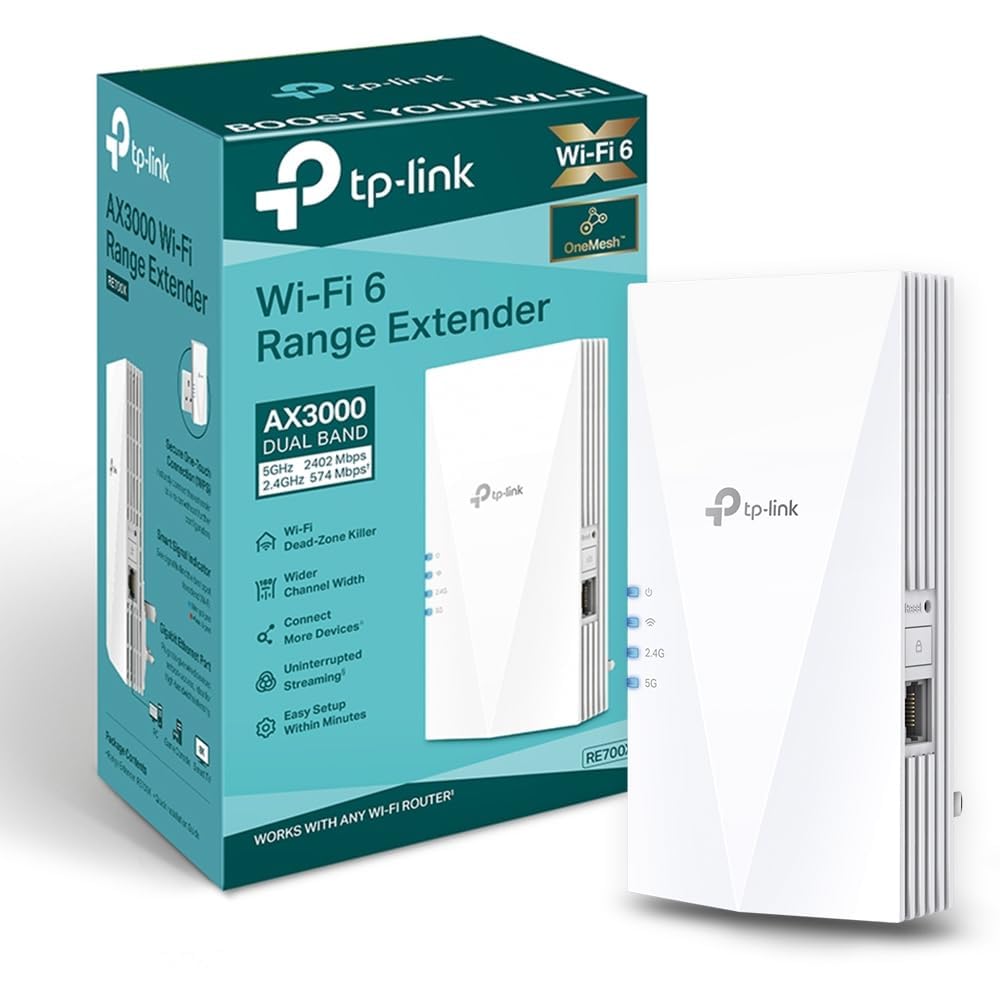
🚀 Boost your WiFi, banish dead zones, and stay effortlessly connected!
The TP-Link RE700X WiFi 6 AX3000 Extender delivers ultra-fast dual-band speeds up to 3000 Mbps, supports EasyMesh for seamless whole-home coverage, and features a Gigabit Ethernet port for wired access. With smart adaptive path selection and app-controlled setup, it’s designed to eliminate dead zones and optimize your home network effortlessly.


| ASIN | B0B649T4TZ |
| Best Sellers Rank | 274 in Computers & Accessories ( See Top 100 in Computers & Accessories ) 5 in Network Repeaters |
| Box Contents | RE700X |
| Brand | TP-Link |
| Brand Name | TP-Link |
| Colour | White |
| Compatible Devices | Wi-Fi enabled devices (e.g. routers, smartphones, tablets, laptops, computers, smart TVs, gaming consoles, printers, security cameras) |
| Connector Type | RJ45 |
| Country of Origin | China |
| Customer Reviews | 4.3 out of 5 stars 23,090 Reviews |
| Data Transfer Rate | 574 Megabits Per Second |
| Data transfer rate | 574 Megabits Per Second |
| Frequency Band Class | Dual-Band |
| Frequency Bands Supported | 2,4 GHz, 5 GHz |
| Frequency band class | Dual-Band |
| Item Dimensions D x W x H | 7.3D x 7.8W x 15.9H centimetres |
| Item Weight | 400 Grams |
| Manufacturer | TP-Link |
| Range | Varia, dependiendo del estándar inalámbrico y la frecuencia específicos utilizados, típicamente en el orden de decenas a cientos de metros meters |
| Special Features | Access Point Mode |
| Special feature | Access Point Mode |
| Wireless Compability | 2.4 GHz Radio Frequency, 5 GHz Radio Frequency |
| Wireless communication standard | 2.4 GHz Radio Frequency , 5 GHz Radio Frequency |
S**I
Sorted out my dead zones!
I was struggling with a weak signal in the bedroom, but this has made a massive difference. Setup was a breeze using the Tether app. It’s a bit bulky, but the speeds are solid and it hasn't dropped the connection once since I plugged it in. Definitely worth the investment if you’re working from home.
D**H
Easy set up for a tech hater
I hate technology and this extender was set up and working within 5 mins, no swearing, no launching across the room, no rise of blood pressure. Easy set up info using the App so I’d recommend 100%
F**X
Works well as a WiFi extender
Pretty good. Device needs a host name so you don't have to hunt the IP address it is using. Sometimes gets corrupted and even after reset does not pair well with the Vodafone Powerhub (WPS) thus need to resort to an ethernet cable. Does not mesh with the Vodafone Powerhub, but works well as an extneder sharing the same SSID. Good Power O/P and RF coupling to the Powerhub.
R**I
Excellent AX3000 Extender for Seamless Home Working
This TP-Link RE700X was definitely needed as a booster for working from home. I was particularly pleased that it allowed me to easily create a mesh network with my compatible router, ensuring seamless coverage across the house. I noticed a definite increase in both speed and reliability immediately after setup. It's now great for streaming high-quality video and working in rooms where I previously suffered from spotty coverage. Considering the performance and ease of use, I think this is good value for money as well. Highly recommend for eliminating dead zones!
V**S
Easy set up, reliable signal
Extends wifi signal really well, reliable - even in the brick garage, we haven't had any issues since we set it up months ago. Easy to set up.
J**N
Brilliant extender - Fantastic purchase
After buying 2 other - cheaper - extenders that did not work - thankfully refunded by Amazon. I decided to try once more with this extender. Simple to set up and instantaneously the signal improved - almost shocked how quickly everything improved. Also super easy to connect your devices to the extender. Instructions were super clear and the unit itself looks great - no annoying things sticking up! Highly recommend.
S**.
Enables excellent wifi coverage
Fantastic product and so superior to our previous extender. This one gives remarkable coverage and so far, we've not found a single black spot. I highly recommend this product and my only regret is that I didn't buy one sooner!
S**E
Not perfect but have their advantages
I have 5 of these over two homes. These are not perfect but compared to other extenders I've used, less problematic. The good points, pretty simple to set using the 'Tether' app (more on that later). Separating the 2.4 & 5 bands was also no issue as was allocating the SSID to be extended. The app is better than the utterly awful Netgear/Nighthawk one. Tether does have issues seeing 5ghz networks - my holiday home has a Teltonika RUTX50 5G router and despite every other device seeing the 5Ghz band, the Tether app just stopped seeing it. This means these can't extend the 5GHz band - extremely frustrating. At my main home the 5GHz on my ASUS RT-BE92 (WiFi 7 - 1Gb FTTP) router is seen, no problem. The next issue is the random drop outs of the signal. No rhyme or reason, it just drops out, sometimes momentarily, but less often for a minute or so. It seems to just lose its handshake with the router. Transmit speeds are decent enough - 5GHz average 300 - 400 Mbps & 2.4GHz up to 100 -150Mbps. Both measured about 10ft away from the extender, in another room. I initially set these up as mesh but found it easier to manage/monitor as separate extenders with their own IDs. With the app, these can be managed remotely via the cloud which is really great. I have a few wireless cameras that use the extenders so if there is a connectivity issue I can sort via my phone.
Trustpilot
5 days ago
2 months ago