Buy anything from 5,000+ international stores. One checkout price. No surprise fees. Join 2M+ shoppers on Desertcart.
Desertcart purchases this item on your behalf and handles shipping, customs, and support to Netherlands.
🔇 Light up your meetings with MuteMe — mute smarter, not harder!
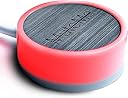
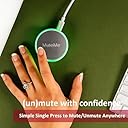
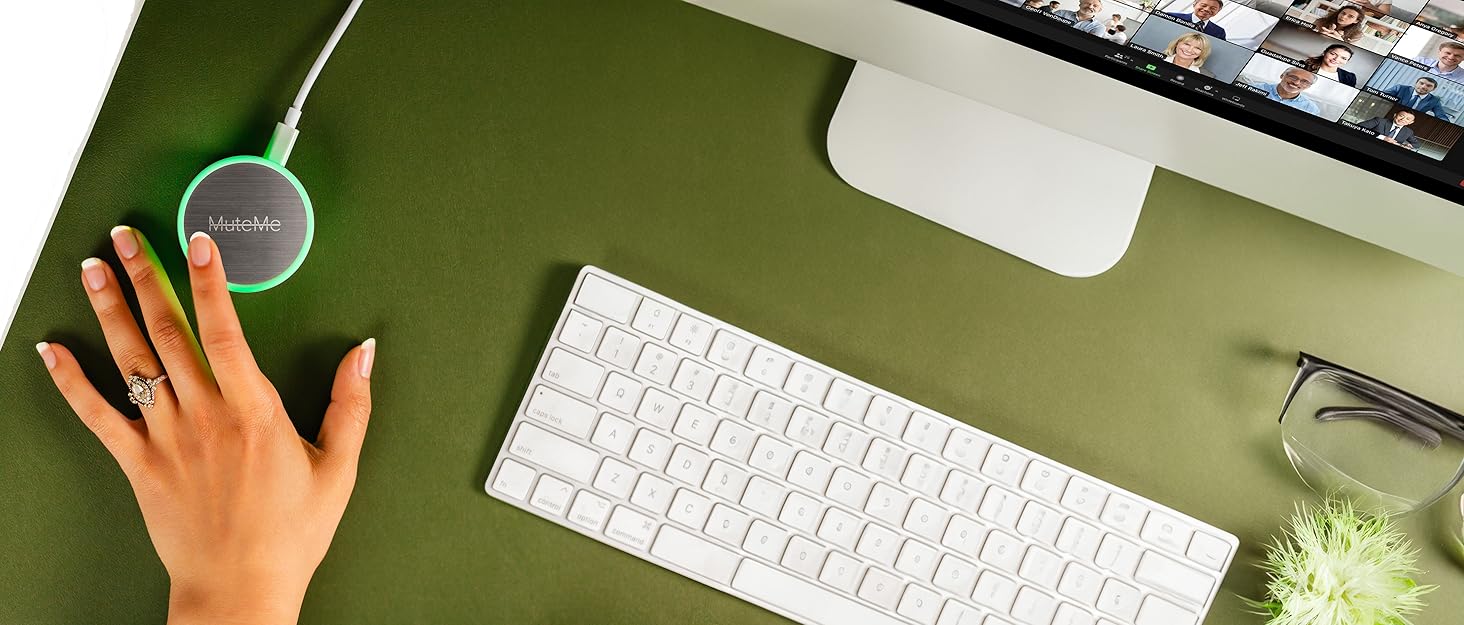
MuteMe is a sleek, stainless steel capacitive touch mute button designed for professionals who demand seamless control over their microphone during virtual meetings. Compatible with Windows 10/11 and macOS 11+, it connects via USB Type-A or Type-C and syncs effortlessly with major platforms like Zoom, Teams, and Google Meet. Featuring 8 customizable LED colors to visually indicate mute status, MuteMe enhances productivity by reducing interruptions and enabling instant mic toggling. Backed by free software and responsive customer support, it’s the ultimate productivity hack for the modern remote worker.


| ASIN | B0B6HPPBXV |
| Best Sellers Rank | #65 in Computer Microphones #5,253 in Laptop Accessories |
| Brand | MuteMe |
| Brand Name | MuteMe |
| Circuit Type | 1-way |
| Color | 8 Customizable LED Colors |
| Compatible Devices | Headsets, Mac, Microphones, PC |
| Connectivity Protocol | USB |
| Connector Type | Usb Type-a, Usb Type-c |
| Contact Material | Stainless Steel |
| Contact Type | Normally Open |
| Control Method | App, Touch |
| Control Type | software |
| Customer Reviews | 4.4 out of 5 stars 762 Reviews |
| Included Components | USB C Female to USB A Male Adapter, USB C to USB C Cord |
| Item Dimensions | 2.3 x 2.3 x 1 inches |
| Item Type Name | Physical Mute Button for Zoom, Teams, WebEx and More |
| Item Weight | 40 Grams |
| Manufacturer | MuteMe |
| Material Type | Stainless Steel |
| Model | Batch 07+ |
| Number of Items | 1 |
| Number of Positions | 1 |
| Operation Mode | ON-OFF |
| Part Number | Batch 07+ |
| Switch Type | Push Button |
| Terminal | Usb |
| UPC | 756014335590 |
| Warranty Description | Please visit manufacturer's website for warranty information |
A**R
Great addition for anyone who spends a lot of time on meetings.
Purchased in June 2024 and it has worked great. Easy setup and very configurable. I really like that you can customize the colors so it is easy to know at a glance when you are NOT mutee. It works reliably and makes muting/unmuting during video conference calls quick and effortless with a simple one-touch button. I use speakers rather than a headset, so having a clear visual indicator is especially helpful during meetings. Definitely a great addition for anyone who spends a lot of time on video calls.
D**N
Easy, convenient, and pretty much perfect
I do a zoom book club with some friends and i just have a cheap little home studio and the MuteMe is invaluable for when we are recording. Not only does it work great as a quick cough button, its terrific for when my cat decides to be a nuisance in the background. Being able to quickly and easily mute myself with such a convenient device has made my little passion project so much better. Set up is easy, and actual use is a dream. If anyone is concerned about it being illuminated, you can easily turn that off in the settings, and you have full control of the colors for both the muted and unmuted states
D**E
This has changed EVERYTHING!
The first time I looked at MuteMe they didn't have Level 3 support for all three apps I use daily; Teams, Zoom and Slack. After checking back a few months later more and more platforms were supported at the highest sync level, so I gave them a try. After the straightforward setup of the device and each platform, I was immediately experiencing what I was hoping for within minutes of my first test meeting. Not a single issue on any of those platforms. I've only experienced one status sync issue out of nearly a hundred meetings so far and that was ironically immediately after updating to v0.25.8 and using it in Zoom. Tapping the puck forced a resync and since then it has been fine. The peace of mind knowing I am muted (or not) when multitasking on a video call is such a game changer. The stress and bandwidth of not having to worry about that when meeting is so helpful. I'm more present in my meetings and productive as a result. I don't want to have a meeting without it! I'm gifting these to a number of those in my circle as a little QOL improvement or hack. The team at MuteMe is small but their doing big things in this space. The value, ease of use, feel and build quality exceeded my expectations, which were high and why I held off initially. I wouldn't hesitate to give it a try. I picked up the combo pack with the mini for when I am on the go. There is no looking back!
S**K
It's Alright - Accomplishes What I Need
My wife and I join the same MS Teams meetings on different devices while sitting next to each other. We usually just share my audio / microphone. I bought this so that she can easily control and feel confident about whether the mic is on or muted. So far it has worked really well for this purpose. Being able to set the light color and even a pulsating color makes it easy to see what the mic status is. The app installed easy and setup was pretty easy, although I wouldn't say it is super simple. I was initially disappointed because for a $40 button I really wanted some tactile feedback when I pushed it. Whether feeling a click or vibration, something. There is no tactile feedback, just lighting. Maybe they thought it would be too noisy on meetings? I would've liked the option either way. I've had at least one failure with this on Zoom. The button changed color like it was muted but Zoom did not mute. That's a pretty big deal because even one time thinking your muted when you're not, can be catastrophic. This is not a device where occasional failure can be an option. That's the main reason for only 4 stars. I have not had any failures on Teams yet though, which is my main meeting app, so I am going to keep using it. Overall, I'm happy that it's fulfilling its primary purpose of allowing another meeting attender at my location to control my microphone and feel more enabled to participate freely.
M**K
Wonderful for online teaching and anxious people
This little thing is amazing! Not only does it work on Teams and Zoom, I use it for my virtual classroom. While I wasn't sure it would work with Engageli (it doesn't say it would on the website) it works with my computer microphone. So while my classroom UI might not show I'm muted, the button still works for it and I just use to get to my mic quickly. My husband joked about getting this as a gag gift for someone, but when I talked about my anxiety about remembering if I'm muted or not (especially if my kids are home and I'm not right by the computer), he suggested it as an actual tool for me. I'm so glad he did! Being able to see what color it is and know I'm muted from across the room is wonderful. It was easy to install. I followed the directions on their site to have it interface with Teams and Zoom. When it wasn't working in my classroom, I realize it was because you DO need to have the app open on your computer while you're wanting it to do its thing. You can minimize the window it's in, you just need to make sure it knows it needs to be running, basically. It's the perfect size and weight to not get moved around by papers and such on a desk (about the size of a paper weight). I really love this thing! It's worth a try for sure, especially if you forget you're on mute all the time or have anxiety about constantly checking the tiny button on meetings to see if your mic is on. Also...it's not an actual button, just a touch "button" where the silver part is. Picture is MuteMe between a 3X3 Post-It dispenser and Google earbud case for reference.
J**A
It just works.
Why did you pick this product vs others?: This thing is literally perfect. You tap the top of it to mute and unmute, and it has different color indicators that you can choose-- I chose dim red for when I'm muted and bright green for mic on. It's designed with 'levels of integration'; on the deepest level, it will fully sync it to Zoom (that way if you happen to click mute or unmute on the Zoom window rather than by using the device, the device will still change to the corresponding color), or if you don't want anyone to see that you're muted, you can do a lower level of integration (and you can change back and forth between the levels of integration in the mute me app!!) so that the device is muting your whole system. This is what I do. It took me a couple days to remember not to use mute/unmute on the Zoom window, but now it's seamless. If you care about still being able to use the onscreen controls, be sure to double check the specific app that you use to see what level of integration is available. I sometimes use Google Meet if a student has a poor internet connection, and for that one, the deep integration is unavailable-- you can still use the device, but if you mute yourself using the google meet window rather than the device, the device will still indicate that mic is on. Buttons: You lightly touch the top of the device. It's very responsive and works every time. I'm someone who will spend money on a single-purpose device if it works really well, and I'm in Zoom all day, so this was totally worth the money for me. I also bought a macro key that works with Better Touch Tool and coded that to switch from my face camera to my whiteboard camera, and these two devices together have made me so much more efficient.
B**I
Cool, when it works!
This is a really cool device that can help prevent embarrassing moments when you think you are muted, but you are not. However, you can't 100% trust it. This morning I was on a teams call unmuted and speaking, but the device showed I was muted - showing red as can be. There's sometimes a 30-second delay when I press muteme and it actually mutes me, which is also concerning. So, I like it, but I don't trust it. I still find myself double-checking it.
D**E
It's AMAZING! Get it!
Oh, the number of times I can't find the right screen to unmute! For anyone who has an office job, taking conference calls most of the days while also having to manage multiple monitors and tons of apps - this is your savior! I love that I can visually see this button and know instantly whether I have a hot mic or not. I also love how easy it is to mute/unmute as I can also eat on conference calls without having to worry about co-workers hearing it. I love that I can customize the colors to whatever makes sense to me. I use it multiple times a day with Teams and Webex, but suspect it works with any of the major conferencing tools. As is clearly mentioned - you have to be able to install apps on your computer so for some reason when I got it, I was able to but I wanted to buy these for my whole team but the first person who got it, couldn't so it doesn't work for her. I got my husband one too and he loves it. This is my favorite work tool!
S**N
Does not work *all* the time.
I bought this product, because I wanted a visual queue to know when I was being listened to (eg accidentally left my meeting open or mic on), I lost confidence after a few days of use when the button was red, and people could still hear me. That should never happen in a product like this, do not buy if you are serious about your privacy. Also don't get this if you have multiple users on the same computer, you will have to get the other user to log back in and turn off the app before it will work on your account
A**R
I recommend
Very good!
R**.
Bei mein einfache Nutzung funktioniert alles.
Setze es nur auf ein Geschäftsrechner ein (wo ich kein Admin-Rechte habe) und nur für Teams. Funktioniert wunderbar. Die Software lies sich ohne Problemen installieren und Status wird synchronisiert. Alles läuft schnell, ich bin zufrieden.
M**T
Super useful
Great little device that gives me quick access to the microphone without worrying about which window is active. Also super easy to setup
K**様
とても残念。。。
MS Teamsで誤認識します。使えないと分かったので処分しました。とても残念です。
Trustpilot
1 month ago
1 month ago