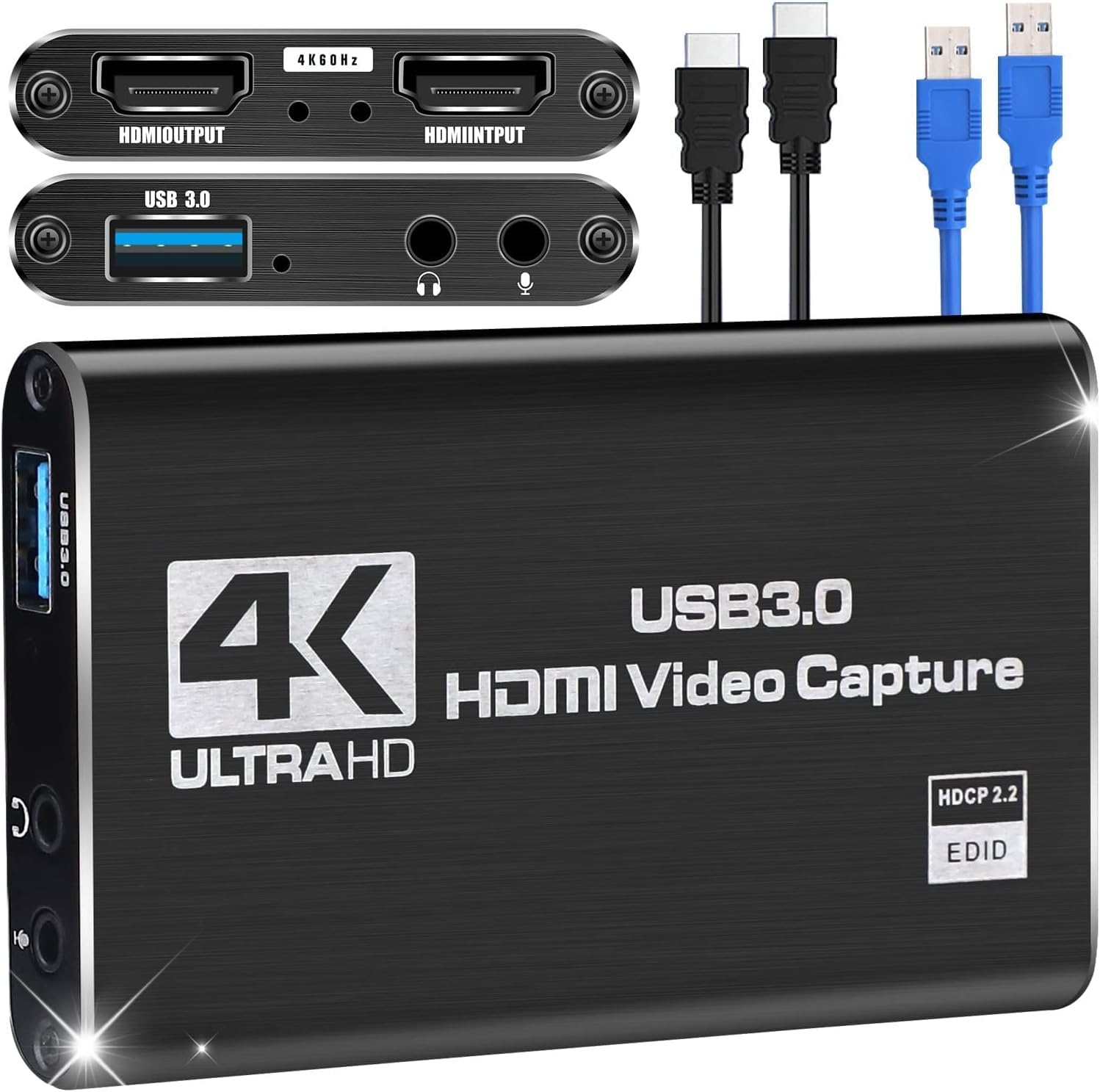
🎥 Capture Every Frame, Stream Every Moment — Stay Ahead of the Game!
The Microware 4K HDMI Game Capture Card is a lightweight, portable USB 3.0 device designed for professional-quality 1080P 60FPS video capture and live streaming. Featuring zero-latency HDMI loop-out and broad OS compatibility (Windows, Linux, Mac), it supports major consoles and streaming platforms without requiring drivers or external power. Perfect for gamers and content creators seeking smooth, high-definition recording and seamless broadcast experiences.


| ASIN | B08D9441R8 |
| Best Sellers Rank | #61,829 in Computers ( See Top 100 in Computers ) #82 in Internal TV Tuner & Video Capture Cards |
| Color | 4K HDMI Capture USB 3.0 |
| Customer Reviews | 3.7 3.7 out of 5 stars (133) |
| Date First Available | 24 July 2020 |
| Item Weight | 18.1 g |
| Item model number | A |
| OS | Windows, Linux |
| Other display features | Wireless |
| Product Dimensions | 8 x 4 x 8 cm; 18.14 g |
| Special features | Lightweight, Portable |
| Whats in the box | AV Adapter, TF Card Reader |
O**R
not full hd, working, seems stable
no issue with hdmi output to screen, recording is not full hd
H**D
Grt...value for money
H**H
too much heating,but streaming is excellent.i buy this product it is heated too much and loss is actions divice not working
G**.
I was a bit sceptical before buying this product as the product's description said that it supported 4k at a very cheap price which seemed a bit sketchy to me, but after looking at other options I finally bought this one and it did not disappoint me. It works great for the price. Do buy.
C**O
I purchased this device primarily to record gameplay on my The C64, a Commodore 64 emulator console from Retro Games, which comes with an HDMI port. I plugged it in and tested it using a Windows 10 PC. The capture device was recognized immediately and within a few seconds it was ready for use. Windows identifies it as "USB 3.0 HD Video Capture", and that is how it appears when choosing your capture device using Windows software. I tested recording using Video Proc, Cyberlink Screen Recorder 4, and OBS Studio without any hitches; there is no video or audio lag, picture quality is great, no quality loss. The box includes the device and a short USB 3.0 cable; you will need to supply your own HDMI cables. The device also includes one headphone and one mic jack. There's a red LED that turns on when there's an HDMI signal received from the output device (monitor screen). I did notice that there is no volume control for the capture device's output jack. Volume has to be controlled from the headphones. This may seem obvious, but my headphones do not have volume control, I always managed this through the monitor. The sound is quite loud coming from the capture device, so my solution for now is to keep the headphones connected to the monitor. I couldn't test the mic jack on the capture device since I have a USB microphone, however, you don't need to plug in a microphone to the device in order to record your voice; you can still use whatever you have available as long as you make sure to select it through your recording software. The capture device gets pretty warm when in use; make sure to place it in a cool, or ventilated area, away from anything that is affected by heat, like -ahem- chocolate candy bags. I'm happy with the results obtained with this capture device. Installation was smooth on Windows, video and audio quality are excellent, and you can't really tell you have this device connected while using it. Recommended.
S**.
Good product. Works as expected. I am using for lower resolution for Hyperion. It works like a charm. I am not sure about its 4k capability.
Trustpilot
2 weeks ago
1 day ago



