

Desertcart purchases this item on your behalf and handles shipping, customs, and support to Netherlands.
🖱️ Elevate your workflow with silent precision and all-day comfort — don’t get left behind!
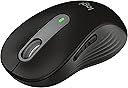
The Logitech Signature M650 L is a large-sized, right-handed wireless mouse designed for professionals seeking ergonomic comfort and productivity. Featuring an adaptive SmartWheel for precise or rapid scrolling, SilentTouch technology for near-silent clicks, and a remarkable 24-month battery life, it connects effortlessly via Bluetooth or USB receiver. Compatible across major OS platforms and crafted with recycled plastics, it blends sustainability with seamless performance.


| ASIN | B09KX9P829 |
| Additional Features | Lightweight, Portable, Soundless, Wireless |
| Antenna Location | Gaming, Office |
| Battery Average Life | 24 months |
| Best Sellers Rank | #19 in Computer Mice |
| Brand | Logitech |
| Button Quantity | 3 |
| Color | Black |
| Compatible Devices | Personal Computer |
| Connectivity Technology | Bluetooth, Wi-Fi |
| Customer Reviews | 4.5 out of 5 stars 7,476 Reviews |
| Enclosure Material | Rubber |
| Hand Orientation | Right |
| Hardware Platform | Linux, Mac, PC |
| Item Dimensions L x W | 4.65"L x 2.58"W |
| Item Weight | 111.2 g |
| Manufacturer | Logitech |
| Mfr Part Number | 910-006265 |
| Minimum Required Operating System Version | ChromeOS 137 |
| Model Name | M650 L |
| Model Number | 910-006265 |
| Mouse Maximum Sensitivity | 4000 dots_per_inch |
| Movement Detection | Optical |
| Movement Detection Technology | Optical |
| Number of Batteries | 1 AA batteries required. (included) |
| Number of Buttons | 3 |
| Operating System | Chrome OS, Linux |
| Pattern | Large Size | Right Handed |
| Power Source | Battery Powered |
| Range | 30.0 feet |
| Special Feature | Lightweight, Portable, Soundless, Wireless |
| Style Name | Right Handed |
| UPC | 097855167941 |
| Unit Count | 1 Count |
| Warranty Description | Manufacturer’s warranty can be requested from customer service. |
A**H
Good for 1.5 Years so far. Was a bit off then easily fixed it.
Jul 2025 Update: Had it at four stars, but changed it to five. After a few days I was able to open the mouse easily with two screws and fix and dust it very easily. The button was misaligned because of the plastic flexing weird? Love repairable and maintainable tech. Now the buttons are all back to normal. I'll update again if this changes. If it makes it to two years it'll be worth the cost. $20 per year is average these days. Some of the logitech G series mice don't even last this long without issue. ----- Jul 2025: I have been using this mouse for a year and five months now. It was good but if I knew it was going to last 1.5 years, I would have spent the $35 dollars towards a mouse that would last 3 years instead. If it was $15-20 it wouldn't be so bad. I love how quiet the clicks are. Never really had a problem with it until today. When the left click button started to have problems. I am used to computer mouse lasting longer than this. Some mice from the 90s still work, so I don't know why modern mice should be different. Pros: Ease of setup: Plug and play Scrolling speed: decent, you can change it in settings Battery Life: Amazing Size: L version fit my large hands well. Sleek: Good for any purpose or setting. No bright lights Some issues I had: Accuracy: There were some issues with the accuracy at times but turning it on and off fixed it. Dongle: When I used the USB dongle on Linux the system detected it as a wireless receiver which would interfere with wireless connectivity of the computer. Passing it through a USB hub prevented this issue somehow. Life: Lasted 1.5 years of office work and browsing. My next mouse will probably be an upright mouse for better ergonomics.
M**M
Perfect ergonomics, good features.
i tested multiple logitech mice, including mx anywhere 3, m720, mx master 2s, m705, g502 hero, and the m650L, and m510. in terms of comfort i would rate them (higher is better): m510: 5 m650L: 5 g502 hero: 4.8 m705: 4.5 mx master 2s: 4.3 mx anywhere 3: 3.8 m720: 1.5 *my hands are glove size, large in terms of features: mx master 2s: 5 g502 hero: 4.6 mx anywhere 3: 4.5 m650L: 3.8 m720: 3.8 m705: 3.5 m510: 1.5 closest to perfect: the g502 and mx master 2s. g502 is more comfortable, has 3x as many programmable buttons, and has quiet clicks, but lacks the magspeed wheel and wireless. the mx master 2s has the most useful features but is a bit less comfortable. The 650L is also great as it has better ergonomics than other Logitech mice, has Bluetooth, has silent clicks, and the semi - free - scrolling wheel is great. the m705 is another recommendable choice. It's extremely comfortable and has the free scrolling ability (though without the magspeed). the main drawback with this mouse is that the pads on the bottom are rough compared to other mice so it doesn't glide as smoothly. the mx anywhere 3 is an interesting choice as it has the magspeed wheel and while it doesn't provide support for your hand it's not so small as to be painful to use for long periods, but it was the most expensive mouse I tried by a big margin, and the price doesn't seem justified. I think it's important to point out that the number of features a product offers is not as important as the usefulness of each feature to the individual consumer. E.g. The 650L has fewer features than some of the other models but I would still strongly recommend it for its practical day-to-day usability. features that i cared about in order of their usefulness are as follows (grouped into 3 tiers) Features that mattered most to me: magspeed wheel (automatically switches between ratcheted and free scrolling) basic free scrolling wheel semi-free scrolling wheel (m650L) Smoothness of gliding Features that I liked but don't use often bluetooth wireless number of programmable buttons bluetooth connection memory for up to 3 computers. features i didn't really care about or that made no observable difference: high dpi support rechargeability
D**A
Great Mouse, Excellent Value
Very nice mouse for a mid-range price—and I got it at an extra discount. It feels great in the hand, and the wheel and buttons are surprisingly quiet. It also comes with some extra tech features, which are a nice bonus even though they weren’t what I was primarily looking for. The only thing I wish it had is PTFE skates, but at this price, I really can’t complain. It’s a bargain. I love it.
J**R
Good mouse, for the price, but could be a lot better
I'll give it four stars overall, and most of that is earned due to the low price. For starters, even though I ordered the large version, I was surprised at how small it is. It's barely bigger than a generic mouse that comes with a new desktop computer. It's noticeably smaller than my G502x plus, and that one is already a bit smaller than what I would prefer for my larger hands. I would consider this M650L as a medium size, at best. The ergonomics are also mediocre, at best. The mouse itself is symmetrical, with the only difference between the right and left handed versions being the side that the back/forward buttons are placed on. There is no ergonomic angle differences between the right or left handed versions, so prolonged use will eventually be just as painful as any other generic mouse. I do appreciate that this mouse has Bluetooth support, which is sorely lacking on the G series gaming mice. I wanted something with Bluetooth to avoid having to carry, and potentially lose, a separate dongle, as I plan to use this with my MacBook while traveling. This mouse does include a dongle for those who don't have bluetooth on their computer. The mouse clicks are pretty quiet, which is nice. The mouse also worked right out of the box with my Macbook; with the exception of the back/forward buttons. I had to install the Logitech software to get those working. That is kind of annoying as I don't like installing extra bloatware, just to get basic features working. Again, this is a mediocre mouse, and the only thing pulling it up to 4 stars, for me, is the low price. If they charged any more for it, then it wouldn't be worth it at all.
J**E
Not Bad At All
Pretty nice little mouse. I work a computer job from home so a comfortable mouse is pretty important. I normally use a wired steel series mouse for gaming and work because I love how comfortable it is, the speed and the responsiveness. However it’s not great for when I have to go to the office occasionally and attend conference room meetings. It’s loud and the wire is annoying. Hence why I ordered this wireless mouse. Right off the bat, feels pretty solid. Looks decent and tracks pretty well. It’s also very comfortable as it has a higher arch. I can tell it’s not as quick as my wired steel series but that’s obviously to be expected. Still very good. The clicks are super quiet, you can still feel it but very slightly. Not a huge fan of that but that’s just personal preference and also me coming from a very clicky steel series gaming mouse. I can’t speak to this logitechs long term reliability but if it lasts as long as my last one (5 years) then I’ll be happy. Also…to those complaining how they dropped it and it quit working, that doesn’t say anything about it build quality. Drinking glasses are going to break if you drop them on the floor. They’re not made for that and neither are computer mice or computer hardware in general. So far, I recommend it!
N**Y
Great Mouse
This mouse has been fantastic so far. I love the larger size and the Bluetooth capabilities were an added bonus. The optional USB plug can be stored inside of the mouse which is very convenient. I did have to get used to the silent clicking, but overall I am very pleased.
C**L
Silent mouse - this is a dream come true in a quiet office with coworkers! They all need one!
I LOVE this mouse so much. It glides and is completely silent with each click. It makes office time with coworkers and myself very bearable now. I can't stand how many clicks photo editing and browser scrolling takes. I bought this because it was white and Logitech is one of the best mouse brands ever. The size is perfect in my female palm so I don't get any hand fatigue and can work on a computer alll day long. The scroll wheel is also silent, what a dream! This is a really great mouse and I highly recommend. I'm going to replace all my wireless mouse with this one.
L**W
Okay mouse, but not *great*
This mouse (M650) is quite good. Clicking is silent, the shape of the mouse in hand is okay. I appreciate the dual connectivity (bluetooth + USB dongle) even if it should have a bluetooth disable switch. Notes: - Yes, the clicks are silent, but the left-right actuators don't have enough resistance. It is too easy to click unintentionally. Some of that is learning curve, but some of it is not. The actuators need more resistance to prevent unintentional clicks. - The scroll-wheel functionality is not implemented with finesse. It is not a hyperscroll wheel, but more something in between a regular incremental scroll and hyperscroll. It does allow you to flick the mouse wheel for faster scroll through pages, etc., but the flick force required is too great and not as easily controlled. There is something about how the flicking force range that isn't optimally calibrated. It's kind of like being in the shower on a cold day, and having a 180 degree range of movement on your faucet valve, but then the only tolerable range is less than 1 degree in movement to get it at the right temp. - The "butt" of the mouse that resides in your palm is a bit too wide in relation to the front part where the left-right buttons are. A bit too cello-shaped. Proportion is a bit off in my opinion, which leads to less control for your fingers on the left-right buttons. Logitech needs to not discontinue great mice like Anywhere MX that has hyperscroll and USB dongle only connectivity. People would buy and continue to buy mice like that. There are not enough mice out there with hyperscroll as it is, and discontinuing their best implementations of that is not in anyone's interest.
M**I
My favourite Productivity Mouse
𝐓𝐋;𝐃𝐑 In my no non-sense pursuit of the perfect productivity/office mouse at ANY price point, the Logitech M650 is my top pick, especially compared to highest-end model in the market, the Logitech MX Master 3S. Despite, the fact that this is a mid-tier or budget pick according the same manufacturer. The M650 is a reliable productivity mouse, especially for users who prefer a palm grip. It offers a comfortable side-scroll feature, long-lasting battery life, and quiet, tactile clicks. While the Bluetooth connectivity is limited (only one device at a time), and the Logitech software can be bloated, it is a reliable piece of tech with stellar value, that is nearly approaching perfection. 𝐂𝐎𝐌𝐏𝐀𝐑𝐄𝐃 𝐓𝐎 "𝐓𝐇𝐄 𝐁𝐄𝐒𝐓" This is my favourite mouse in the whole productivity category, and I have tried many, here is how it compares with my previous mouse, the very reputable MX Master 3S. It is better than the MX Master 3S in my opinion, despite this being the budget option and the MX Master 3S being the premium pick, that is because I find that the MX Master 3S has a weird "ergonomic" angle, placing the hands like a handshake, and I could not get used to it. It seems that I prefer a symmetrical or ambidextrous mouse. The MX Master 3S is considerably heavier, more than ideal for a mouse, with a wide base that generates a lot of friction, plus it has a slow side scroll with an unreasonably high resistance. 𝐒𝐈𝐃𝐄 𝐒𝐂𝐑𝐎𝐋𝐋 (𝐭𝐡𝐞 𝐛𝐞𝐬𝐭) Speaking of side scroll, did you know that you can hold either of the two side buttons on the M650 and scroll up or down and it will horizontally scroll on your screen!! This is a major huge big deal!! That makes it better side scroll mechanism than a dedicated side scroll, since thumbs do not easily reach up over the hand compared to pinching in under the palm, making side scroll more comfortable and actually quicker, you will find yourself using it more, especially in spreadsheets. Any mouse that has a dedicated side scroll is now simply irrelevant due to this genius design. The MX Master 3S has a nice fidget scroll wheel that is made of a chunk of metal and has several seconds of momentum. But, while this one is not as quick, it’s still super quick in its own right, I like to think that it is more precise and sensible at all scrolling speeds. 𝐒𝐈𝐋𝐄𝐍𝐓 𝐂𝐋𝐈𝐂𝐊 Both have a quite innovative, very silent and tactile click that I found to be very reliable or durable since the click feel did not change overtime between the left and right click. Definitely, another major plus for Logitech quality control. 𝐁𝐀𝐓𝐓𝐄𝐑𝐘 The battery is very long lasting, and replacing it every few years makes it practically better than charging every few months. Don’t get it wrong charging is a downgrade compared to AA batteries that lasts years. 𝐂𝐎𝐍𝐍𝐄𝐂𝐓𝐈𝐕𝐈𝐓𝐘 I wish it could connect to more than one Bluetooth device at a time. but I bought one for each location because it was that good, and affordable. Note, that you cannot pair to a Bluetooth device and the USB receiver. It’s almost as if the USB receiver is also a Bluetooth device and the mouse can only pair to one (USB or device) and it will forget the other. So, expect one mode of communication, otherwise you will need to pair again every time you switch to and from. I found the connection to be reliable and a non-issue. 𝐓𝐇𝐄 𝐌𝟕𝟓𝟎 𝐎𝐏𝐓𝐈𝐎𝐍 I later learned at the end of 2024 that there is a new mouse called the M750 that has multi device connectivity and a DPI setting (have not purchased), but I also noticed that Logitech has realized that they have built a really good mouse and they are raising their prices. Honestly, I will begrudgingly say that this is fair. In terms of perfection, the M750 with the DPI button and multi device connectivity, addresses all the problems I can think of with a productivity mouse. 𝐂𝐎𝐋𝐎𝐑 I found the black one to only be available here on amazon (in Canada), not even on Logitech's own website. And it is real deep Black not grey-like as the Graphite. 𝐒𝐈𝐙𝐈𝐍𝐆 The mouse has two sizes, the large one is really large and the small one is really small. Don’t let a single centimeter difference fool you, the large size is wider at the palms and wider at the fingertips and is also higher into the palms, so in terms of volume it will feel much larger or smaller. If you are a lady with average hands, I very strongly recommend only going with the smaller size, and entirely avoiding the larger model. 𝐆𝐑𝐈𝐏 𝐒𝐓𝐘𝐋𝐄 In terms of grip style, I find the M650 is best for a 'palm grip', since it has a bulbous shape and a high peak at the rear third of its length, that reaches the palms even at any other grip style, and just offers to rest your wrist and palms on it. 𝐂𝐎𝐍𝐒𝐓𝐑𝐔𝐂𝐓𝐈𝐎𝐍 𝐀𝐍𝐃 𝐃𝐄𝐓𝐄𝐑𝐈𝐎𝐑𝐀𝐓𝐈𝐎𝐍 𝐎𝐕𝐄𝐑𝐓𝐈𝐌𝐄 The plastic does indeed shine a lot, especially at the fingertips, just like the MX Master 3S. Quite noticeable on the black models. The mouse does not feel cheap at all, in fact with the rubber sides and tight construction, this mouse feels simply premium. 𝐁𝐋𝐎𝐀𝐓𝐄𝐃 𝐋𝐎𝐆𝐈𝐓𝐄𝐂𝐇 𝐒𝐎𝐅𝐓𝐖𝐀𝐑𝐄 I do not like the Logitech software at all, although it is simple, beautiful, and very feature rich, and that is because it is also heavy on the PC. You can use the software to remap the side buttons to virtually anything, really powerful. It will also install an excel add-in without permission that will make opening excel a bit slower every time. Fortunately, you do not need to download the app if you do not need the features. I hope Logitech and other brands start keeping those utility apps in the browser that way they can easily improve on it, and we don't have to install anything on Windows (the worst OS that we are forced to use). 𝐁𝐄𝐒𝐓 𝐃𝐄𝐂𝐈𝐒𝐈𝐎𝐍 𝐅𝐎𝐑 𝐈𝐓 𝐀𝐃𝐌𝐈𝐍𝐒 This mouse is not flashy or groundbreaking, but it absolutely nails the fundamentals, with great value for mass deployment to your PC fleet, if you are an IT admin. 𝐂𝐎𝐍𝐂𝐋𝐔𝐒𝐈𝐎𝐍 I very highly recommend this mouse for productivity, it is a boring reliable machine of near perfection, just be absolutely sure that you are content with the shape and size. I purchased a Black M650L at 39 CAD pre tax on April 20th 2024.
R**L
Top quality and worth the money.
I think I've bought 3 of these now, I use two computers at home and I've just replaced my dad's mouse with this one. It is well worth the money, fits really well in you hand and with decent batteries it will last months before you need to change them. No issues with connection or use, it's the only mouse you'll ever need.
D**K
The zero mouse click noise
Great mouse, still using the battery i got with it after a few months of use. never had any connection problems with it being wireless. The rubber grip areas are wearing through a touch. The click was the reason i bought it though as its easily the quietest click that has ever clicked no sound at all. It does take a while to get used to. The scroll wheel does make a shed load of noise if you really fast scroll it though
M**O
souris reconditionnée
Commande passée pour un produit neuf et réception d'une souris reconditionnée au prix du neuf !
M**K
Recommended
Very good quality, silent and fast
Trustpilot
2 months ago
2 weeks ago