We remain fully operational. Our teams are working around the clock to ensure your deliveries continue safely.

DOWNLOAD THE APP


Customer Services
Copyright © 2025 Desertcart Holdings Limited
DOWNLOAD THE APP

⚡ Power your smart lifestyle effortlessly!
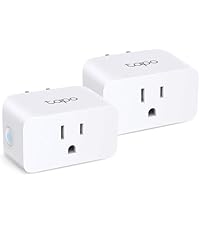
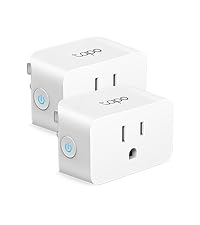
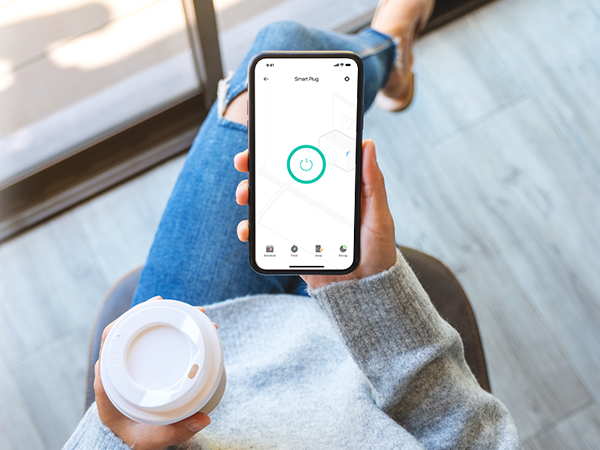
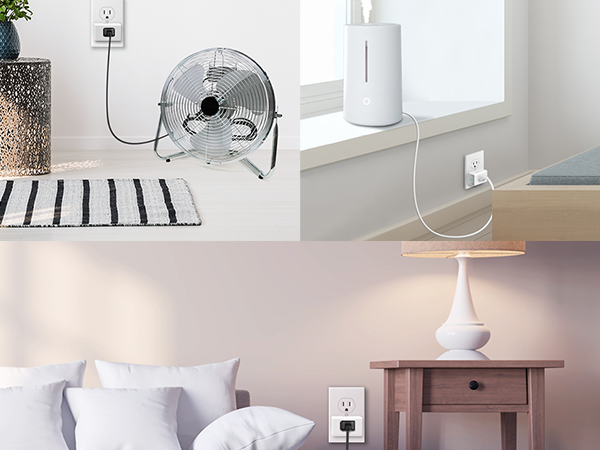
The Kasa Smart 15A Ultra Mini Plug (2-pack) offers reliable, hub-free Wi-Fi control for your home electronics. Compatible with Alexa, Google Home, and IFTTT, it enables voice commands, remote access, and scheduling via the Kasa app. Its compact design preserves outlet space, while UL certification and a 2-year warranty ensure safety and trust.








| ASIN | B091FXQQMQ |
| Best Sellers Rank | #94,801 in Tools & Home Improvement ( See Top 100 in Tools & Home Improvement ) #199 in Smart & Remote Controlled Plugs |
| Item model number | EP10P2 |
| Manufacturer | Kasa Smart |
| Product Dimensions | 5.99 x 5.16 x 3.81 cm; 132 g |
L**R
Great little Smart Plug. Not expensive and small enough to allow you to use the second outlet. Download the Kasa Smart app from the App Store or Google Play, plug the Smart Plug into the outlet and follow the step by step instructions. Easy to follow and understand. No codes to enter and no holding your phone up to the Smart Plug. No tech knowledge needed. Using the app to connect the plug to my wifi was super simple, and setting up an automated on/off schedule in the app was a breeze. Even adding the two smart plug devices I purchased to my Google Home to enable voice commands took two minutes. I was using an iHome Smart Plug before getting this one, but it was always disconnecting from my wifi and reconnecting it was a nightmare. I got so fed up with it that I almost threw it out the window. Very happy with this purchase!
R**E
Muy buenos, funcionales.
T**Y
Pros: Super easy and fast to set up Works well Works with Alexa, Google Home, IFTTT Cons: No Apple Homekit A bit more difficult to set up Google Home than other devices This Kasa smart switch by TP-Link was a pleasure to set up. I had it set up literally in less than 5 minutes, and about as long to link to Alexa and Google Home. The set up instructions are really nothing more than a card telling you to download the Kasa app on your smartphone and adding the switch to the app. The set up is easy. As with most WiFi controlled devices, the device goes into AP mode for configuration and then into device mode for operation. Unlike other devices, and seemingly any that support HomeKit, it simply has you connect to that access point on the phone, then go back to the app. The app connects to the device and scans WiFi. You select the WiFi SSID (network name) you want, enter the password, and done. At this point the switch can be controlled from the app. To add Alexa you select the Works with Kasa option in the app, select Alexa. Then enable in Alexa, and done. Google home is a bit less direct, and a bit more clumsy than other devices, but still pretty easy. You need to go into the Google home app, add a device, search for Kasa, then log into Kasa, then configure. A few more steps, but overall not that bad. It also supports IFTTT, and Samsung Smart home that I didn't set up. It does not support Apple HomeKit. That is probably why it was easy to set up. I really would like to be able to use HomeKit, but almost nothing works well with HomeKit. The whole set up with the code mostly doesn't work, and if it does it then gets disconnected. This brings me to why I bought the Kasa in the first place. I had a WeMo (Belkin) smart switch, the equivalent product to this. I couldn't get it to connect after multiple attempts. I called WeMo support (surprisingly a human on a phone). After well over an hour I was finally able to get the WeMo to connect, then get it to connect to HomeKit, Alexa, and Google home. Great. I had the switch in an easy to access socket to set up. I unplugged it to move to where it needed to be and the WeMo stopped connecting to WiFi. After factory resetting the WeMo I was able to get it to connect back to WiFi, but as soon as it was unplugged and plugged back in, it wouldn't connect again. At this point I just gave up and ordered the Kasa based on other reviews. It was night and day to set up. Similar to the WeMo, I used an easy to access socket to set up, then unplugged it and moved it to the location where the light to be controlled is. With the Kasa, no problem. This is the same location, and the same WiFi network. The Kasa works. The WeMo doesn't. Part of the problem is HomeKit. HomeKit compatible devices use the HomeKit set up on iOS devices. Some devices sort of let you bypass this, with the WeMo being one of those devices. This is how I initially got it to connect with customer service, by connecting directly to the switch. If it fails though HomeKit recognizes the WiFi AP as a connected device for at least 15 minutes. You need to wait 15 minutes to try again. The whole thing is a mess. I really like Apple devices, but HomeKit is just way more trouble than its worth. Ironically, the only device that I've found that works with HomeKit is a Sony Android TV! That TV now controls the light plugged into the Kasa switch with Google Home. Again, the setup on the Kasa was really easy, the way it should be. The competing WeMo was hours of frustration with no results. This was the second WeMo (it was part of a 2-pack like the Kasa), and the first one was also difficult and unreliable. Unless you absolutely can't live without HomeKit, buy this Kasa. The Kasa just works.
D**G
Excellent produts, already bought 4 pairs of these products to have the same timer control for the home. Very easy to install and link to wifi from the mobile, very reliable
G**C
Nice small timer that is easy to program and can be used manually by pushing the button if you need to turn it on or off at another time
Trustpilot
4 days ago
2 months ago