Buy anything from 5,000+ international stores. One checkout price. No surprise fees. Join 2M+ shoppers on Desertcart.
Desertcart purchases this item on your behalf and handles shipping, customs, and support to Netherlands.
✨ Light up your life, command your vibe! 🎮
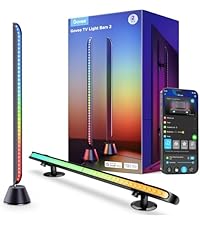
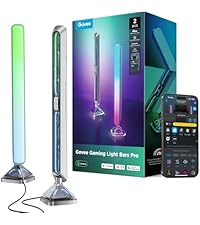
The Govee Smart LED Light Bars feature advanced RGBICWW technology delivering over 16 million colors with dynamic presets and DIY modes. Equipped with a high-sensitivity mic, they sync lighting effects to your music and gaming audio without needing extra hubs. Compatible with Alexa and Google Assistant, these WiFi-enabled bars offer hands-free voice control and app customization. Designed for monitors under 45 inches, they provide versatile mounting options and a 106-inch cord for flexible placement, making them the perfect upgrade for immersive gaming, work, or ambient room lighting.


| ASIN | B096WZXKZP |
| Amperage | 2 Amps |
| Batteries are Included | No |
| Best Sellers Rank | #2,287 in Tools & Home Improvement ( See Top 100 in Tools & Home Improvement ) #22 in LED Strip Lights |
| Brand Name | Govee |
| Bulb Base | E26 Medium |
| Color | Black |
| Color Temperature | 2200 Kelvin |
| Customer Reviews | 4.6 out of 5 stars 7,194 Reviews |
| Finish Type | Polished |
| Finish Types | Polished |
| Included Components | Light kit inlcuded |
| Item Dimensions L x W x H | 7.87"L x 8.66"W x 8.66"H |
| Item Weight | 0.79 Kilograms |
| Light Output Maximum | 350 Lumens |
| Light Source Special Features | Color-changing, Sound-activated |
| Light Source Type | LED |
| Manufacturer | Govee |
| Manufacturer Part Number | H60561D1 |
| Manufacturer Warranty Description | One year. |
| Material | Acrylonitrile Butadiene Styrene (ABS) , Plastic |
| Material Type | Acrylonitrile Butadiene Styrene (ABS), Plastic |
| Model Number | H6056 |
| Mounting Type | Table Mount |
| Number of Light Sources | 192 |
| Power Source | Corded Electric |
| Set Name | Base Kit (2 RGBICWW Wifi Lights) |
| Shade Material | Polycarbonate (PC) |
| Shape | Rectangular |
| Smart Home Compatibility | Smart Home Compatible |
| Specification Met | FCC |
| Style Name | Base Kit (2 RGBICWW Wifi Lights) |
| Unit Count | 1 Count |
| Voltage | 12 Volts |
| Wattage | 18 watts |
O**A
Love it
Works as intended, I use them behind my PC, you can change the colors any color you want, great brightness, installation was easy, very fun and good.
B**N
Great lights for a great price
This is a fantastic product with a reasonable price tag. My home office needs to be low light for the type of work I do on the computer, and I realized I was getting eye strain from the lack of backlight behind my monitors. I ordered these lights in order to get some relief, and I am very pleased with the quality and performance. Just for clarification, the lights come attached to one another (one power cord connects to both lights). These can be mounted vertically or horizontally, and can be attached to the back of a TV or monitor easily by the included adhesive bracket. There are numerous color options and brightness levels. It can be set for a daylight type of setting or can have a more warm color. The product includes an attached controller which is simple to use, with only three buttons. To power the lights on or off, just press the top button. This has drastically improved my eye strain, and as a bonus, I can now set my office ambiance to whatever mood I’m in!
S**.
These are Very Versatile and Adjustable Accent Lights
This is the fifth Govee product I’ve purchased. I have four of Govee’s LED light strips, and bought these light bars because my other Govee products have worked so well and been a good value. I bought these light bars to provide accent light behind two of my computer monitors. One thing to point out: the two light bars are attached to the controller via a Y-shaped cable. The y-cable, however, leaves you plenty of room to space the bar lights as you like. The triangular shape of the lights lets you place them at just about any angle you want. In addition, the stands/brackets that are included in the box give you very flexible mounting/positioning options. The total amount of time from opening the box to having them mounted in their final resting spot was easily less than 30 minutes. They can be controlled by the physical switch the light bars attach to, they can be controlled by the Govee app which installs on your phone, or they can be controlled via voice commend through the Amazon Alex app or any Amazon Echo device. Once I had these plugged in and turned on the Alexa app on my phone found them almost immediately. The Govee app gives you almost infinite effects and color combinations to choose from. You can choose from a wide array of colors for these lights bars, so you can match them to your décor. What I like best is they are bright enough (350 lumens at 100%) to really light up a space, but they can be dimmed using the app or a voice command. I’ve literally spent hours playing around with the app and all my Govee lights, checking out all the colors, themes, effects and brightness combinations. These did exactly what I wanted them to. They are excellent accent lights and a great value for the price.
J**N
Magical TV Backlight With Amazingly Accurate and Vivid Colors
I had very high expectations for this Govee 3 Lite backlight and it surpassed all of them by a mile. This Govee 3 Lite with proper set up, calibration and correct settings looks absolutely magnificent with beautiful and accurate colors that it adds so much to my TV viewing experience. Most of the "bad" reviews on here is USER ERROR because the person can't bother to do even the most basic research therefore he/she doesn't know how to set it up, calibrate and adjust settings correctly. So here are some tips and settings that may help others: For accurate colors it's vital to set your white light accurately first since all other colors blend off of white. Also, ALL of your TV SETTINGS like BRIGHTNESS, COLOR TEMPERATURE, PICTURE MODE, COLOR, CONTRAST, etc. has an impact on the LED strip brightness, vividness, accuracy and density as well. So play around and pause a scene on your TV that's really colorful and then turn your individual TV settings all the way up and all the way down to see how it affects your Govee lights. Now I have an LG OLED and OLED's have perfect black levels and near perfect colors out of the box, so you may not get the exact results I did. But it doesn't hurt to give it a try and see if it helps your Govee set up if you are not satisfied with your colors. 1. Put the camera dead center of your TV and at 90 degrees (or as close as you can). 2. Install the light strip as close as you possibly can to the edge of your TV. I've seen youtube videos where people install them 2" to 3" inward from the edge (I get it if you have no choice because your back panel has a weird shape or is not completely flat along the edges) and that gives such a tiny light spread on the wall and also leads to dead spots in the corners because the light is set too far away and that causes the TV's corners to cast a shadow on the wall leaving a dead spot. 3. When you calibrate with the orange squares make sure the gray box ends up looking either like a rectangle or a bow tie. I added pictures of my actual calibrations of both shapes to my review to give you an idea of what I'm talking about. If your TV is wall mounted or on a TV stand where there's nothing underneath the camera that may interfere with it, I'd probably go with a rectangle shape which is the ideal shape according to Govee. But after playing around with the calibration I discovered that for my set up a bow tie shape gives me the most accurate and uniform colors because I have a semi-glossy TV stand and it helps to prevent the camera from seeing past the bottom edge of my TV and catching whatever colors that are reflecting back up off my TV stand so it doesn't interfere with the actual colors coming from my screen. 4. When you adjust the "color calibration, saturation, white balance, etc." in the app do it in a dark room. 4a. "Saturation" setting needs to be dropped way down to give you accurate colors. I keep mine between 1%-5%. If you're one of many people that's having problems with your white light looking green, dropping the saturation down a lot should fix that problem and give you a nice white light that will go a long way in giving you accurate colors across the board. 5. "White balance" default is 50% but it looks a little too blue on my LG OLED so I keep my white balance a little more on the red side at 70%-75% and I get a nice slightly warmer white that works wonders in getting accurate colors all around. Google "pure white" background and use that to adjust your white balance and saturation. 6. "Relative Brightness" default is 50%. I set mine all the way up to 100% on all four sides and then I control the brightness level with the main brightness slider which when it's a bright room I set it to 100% and when it's a dark room I set it to 47% because that's the percentage I found that when the screen or parts of the screen goes dark so do the corresponding lights which only adds to the immersive viewing experience. 7. If you want your lights to show all the different colors as you watch TV you need to choose "part" in the app. If you choose "whole" you will get only solid colors on all four sides. 8. You can choose either "movie" or "game" but personally I leave mine to "movie" 90% of the time even if I'm gaming. The difference between them is with "game" the colors switch a little faster but that leads to a lot more flickering which can be very distracting. With "movie" it's a softer and smoother transition. 9. I love that I can connect my Govee kit to my Alexa app by adding it in the "skills" section which allows me to control the backlight with voice commands for things like turning the LED strip on and off or the brightness up or down or setting a timer/routine to turn the LED strip on or off at a certain time of day I set. Thankfully I had a few weeks to do a lot of research and also check out youtube videos before Prime Day when I was able to purchase this kit for $46 for the 40"-50" size. And it was in doing this research that made my set up super easy with no problems at all when my kit arrived. All told it took me about two hours from start to finish to install and set up my backlight settings to get it perfect for my LG OLED TV. It took me longer than most people since I went all OCD when figuring out the exact placement, spacing, height and measurements of the lights to get the best possible light spread on my wall and it was all worth it since my LED's look fantastic because I have a full and wide light spread and the colors are so evenly dense with no dead spots in the corners like I've seen on so many other set ups. I was worried that the whole calibration thing would be a PITA since a lot of reviewers seem to struggle mightily with getting it right. For me, it was super simple because through my research I learned what not to do and avoided all the pitfalls that plague others. The proof is in the pudding. I've added screenshots of the settings I use and a sample video with those settings and my lights are mesmerizing and gorgeous. Check it out!
G**.
Brighter than what I expected
I chose this product beacuse I have know the brand for a while and I know that their devices are made with a good quality. I used these lights as a night light on my bedroom since an old led strip had just finished its useful life. This was a considerable upgrade over that led strip. The device came in a neat box by Govee, it was well organized and devided into separate sections the lights, the two cables and two mounts. There were two cables, one that conects the light to the control and another that conects the power to the control. There were provided two mounts, one for placing upright on some type of flat surface and another one with two sided 3m branded tape which can be used to mount the lights to vertical surfaces. The setup was quite easy as I had already the Govee app and I just had to search for the devices wifi and connect to it and open the app and insert some info about the local wifi. Thats the set up. Probably finished the set up in less than three minutes. The lights are really cutomizable, as with both combined you can show up to 12 different colors using both lights (six colors per light). The app has some useful features as changing the different colors and sections that will light up. You can costumize a timer, brightness and how the light will change with a beat of the music. Integrating the lights to Alexa or google is relatively simple. With both assistants, they can change the brightness, color, music color changing modes and you can even pair the Alexa so that it will gradually turn on the lights brightness before the alarm goes of in the morning. Overall, great light and under the normal lighting (bright white, warm white and mixed) they are really bright. However, bear in mind that with the colors the brightness will vary.
D**I
Amazing party lights
I got these mainly for the music sync mode and these are the first lights I've owned that actually do a good job with matching the beat. They are super bright as well and for the price I was expecting way worse to be honest. App is great although I did have some issues setting up the wifi connection so if that happens to you just find the update firmware and do the update and then I was able to connect to wifi and bluetooth.
S**5
Better than Hue (at least for this type of light)
Sometimes my attention to detail is not as best as it should be, but I was pleasantly surprised to see that two came with this package! Even as someone that has a Hue Home Hub set up for the rest of the house. I wish I bought another package of these instead of the similar Hue product (only one for $70). These lights are really easy to set up (put on behind my computer monitor) and also are easy to operate with the Govee app to set schedules, etc. Really great value for the $50!
M**S
Good, affordable and controllable rear lights
These are nice backlights for your tv and at an affordable price. Linked to Alexa it is easy to voice control the lighting. I like them and can highly recommend them. I have them attached to the rear of our television.
G**A
Chiquérrimo
Não tenho Alexa nem Google Assistiant, mas controlo pelo app da Govee. Dá um tchan sim pra ver TV no escuro, tem umas opções estáticas e umas que ficam parecendo balada. Fiquei uns 15 minutos configurando um modo pra ver Batman (muito customizável) e deu uma enriquecida na experiência. Tranquilo de usar, tudo nos conformes.
H**O
RGB sutil y elegante para ambientar tu escritorio
Verdaderamente me gustaron mucho estas luces, son muy buenas en relación calidad precio. No iluminan de forma excesiva, son más bien una opción de RGB suave para personas que no buscan tanta ostentosidad en su set up. A mí me vinieron geniales para mi escritorio en el que buscaba un poco de luz ambiente, pero nada tan luminoso.
G**L
Affordable RGB LED Light Bars with Vibrant Colors and Easy Installation
After two years of using these LED lights I’m genuinely impressed. Not only are they priced significantly lower than competing products, but they also don’t skimp on quality or functionality. Vibrant Colors: The colors emitted by these bars are incredibly vivid and bright, bringing a dynamic ambiance to any room. Whether you’re looking to create a relaxing atmosphere or energize your space, these lights deliver with a wide range of color options. Easy Installation: Setting up these light bars was a breeze. The installation process is straightforward, and the bars can be easily positioned to suit any setup. They come with everything needed for a hassle-free setup, making them perfect for DIY enthusiasts. App Customization: One of the standout features is the accompanying app, which opens up a world of customization possibilities. It’s intuitive and offers a plethora of options to tailor the lighting to your exact preferences. The community feature, where users can share their favorite color combinations, is a fantastic addition. It’s great for finding inspiration or showcasing your creative setups. Perfect for Any Setup: These LED bars are versatile enough to enhance any setup. They’re perfect for backlighting your TV in the living room, adding an immersive experience to movie nights, or elevating your gaming setup with vibrant, customizable lighting. The effect is stunning and adds a professional touch to your space. Conclusion: For anyone in the market for RGB LED light bars that offer both affordability and quality, these are a must-buy. With their vivid colors, ease of installation, and extensive customization options through the app, they offer incredible value for money. Highly recommended for anyone looking to add a splash of color and personality to their space, be it for entertainment setups or simply to create a more inviting atmosphere in their home.
J**E
Perfectas
Perfectas el brillo ideal para la pantalla ni más ni menos
N**K
Vibrant colors and easy setup, just plan for cable management
Using these behind a PC monitor and the lighting quality is excellent. Colors are vibrant, well diffused, and look clean even at higher brightness. Setup was quick and the app works well enough that I rarely use the inline controller. Build quality feels solid, but the cables are quite long for a desk setup and add extra cable management. I also wish there was an option to skip the inline controller entirely. Overall, great ambient lighting if you plan ahead for cable routing.
Trustpilot
4 days ago
2 days ago