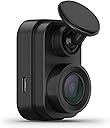
🚗 Tiny Cam, Huge Peace of Mind — Stay Ahead, Stay Protected!
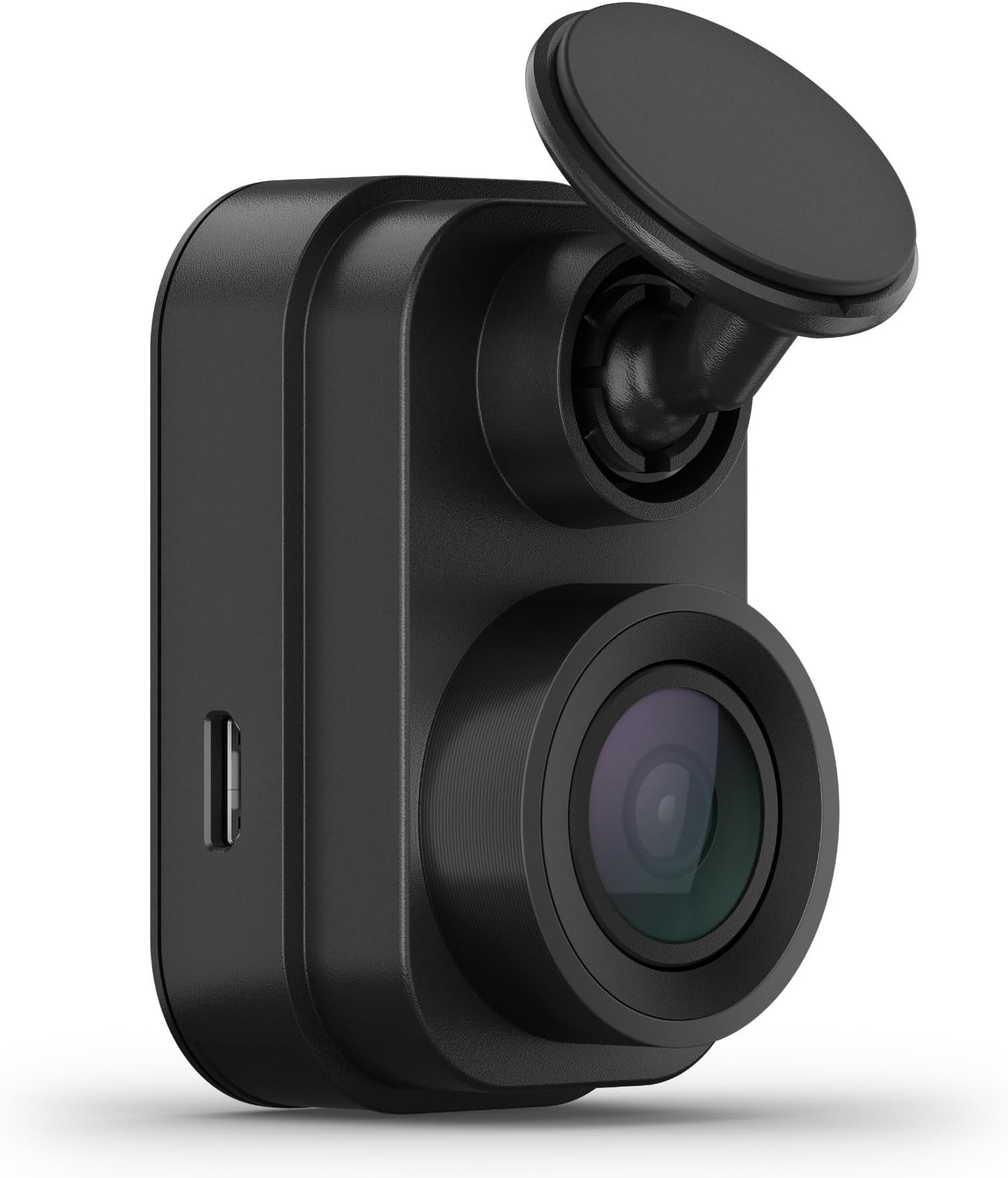
The Garmin Dash Cam Mini 2 is a compact, car key-sized dash camera that discreetly mounts behind your rearview mirror. It records crisp 1080p video with a 140-degree wide-angle lens and features voice control in multiple languages for hands-free operation. With Wi-Fi connectivity, it automatically uploads footage to Garmin’s secure Vault and offers remote Live View monitoring via the Garmin Drive app. The Parking Guard feature actively monitors your parked vehicle and alerts you to incidents, making it an essential, low-profile security companion for modern drivers.


| ASIN | B0931YZ82P |
| Auto Part Orientation | Front |
| Auto Part Position | Inside Center |
| Best Sellers Rank | #64,264 in Electronics ( See Top 100 in Electronics ) #1,029 in Car On-Dash Mounted Cameras |
| Brand | Garmin |
| Built-In Media | Garmin Dash Cam Mini 2, low-profile adhesive mount, dual USB power adapter, power cable, USB cable and documentation |
| Color | Black |
| Compatible Devices | Smartphone |
| Compatible with Vehicle Type | Car |
| Connectivity Technology | USB |
| Control Method | App |
| Customer Reviews | 4.0 out of 5 stars 4,800 Reviews |
| Field Of View | 140 degrees |
| Flash Memory Supported Size Maximum | 512 GB |
| Flash Memory Type | microSD |
| Frame Rate | up to 30 FPS |
| Item Dimensions D x W x H | 1.23"D x 1.14"W x 2.09"H |
| Item Type Name | Dash Cam |
| Item Weight | 1 ounces |
| Manufacturer | Garmin |
| Memory Slots Available | 1 |
| Memory Storage Capacity | 512 GB |
| Mfr Part Number | 010-02504-00 |
| Model Name | Garmin Dash Cam Mini 2 |
| Model Number | 010-02504-00 |
| Mounting Type | Windshield Mount |
| Number of Items | 1 |
| Other Special Features of the Product | Compact Design |
| Real Angle of View | 140 degrees |
| Screen Size | 2 |
| Special Feature | Compact Design |
| UPC | 753759269357 |
| Unit Count | 1 Count |
| Vehicle Service Type | Car |
| Video Capture Resolution | 1080p |
| Warranty Description | 1 year limited warranty |
M**E
Does what it says on the box
Use case. Bought this device for our daughter's car, so she has evidence of road events and can defend herself against scoff laws trying to pin fault on her. More and more nowadays, ppl run lights, are aggressive and lack civility on the road. Then they try to blame others. Wants: small form factor, no display on device, multiple means to access files and playback. Reasonably priced. Needs: Hardware and software reliability. Automatic impact event recording with storage in protected memory. No paid subscription. Positive surprise: Saved files are stored both on the Garmin cloud (they call this feature "Vault") and on my phone's storage. The Vault is limited to 24 hours for their free service. This is plenty adequate. Saved files on my phone can be kept as long as I want. Negative surprise. The housing was warm to touch. Too warm in my opinion. Not sure why it is so warm, but this will shorten the life of the components. Upload latency takes too long on wifi (wifi 6, 450mbps bandwidth) when parked at home, well within range of our strong wifi signal, the app seemed to.take many minutes to connect and upload files. Initial impression.after one day . Order delivery was exceptional. We ordered the part around 2pm. It was delivered to our porch about 5 hours later. Nice. Box came with the camera, power cable, 12V DC plug with 2 sockets. Cable is 4 meters long. This is adequate for most passenger cars. Also, they include a data cable to attach device to a PC and a spare mounting bracket . I bought a 128GB microSD class 10 chip which is easily formatted on the device. The Garmin app, "Drive" downloads from Google Play (used an Android S23). Didn't try to pair with an Apple phone, yet. You can save 30 second clips in two ways. One, press the save button on the device. Two, say, "OK Garmin, save video". The device confirms the command with an audible chime. I understand the device will also automatically save a file in the event of an impact. This is essential as you cannot assume you can issue a command or be able to press a button if struck by another vehicle. I didn't test this feature, obviously. Overall, I'm pleased. Garmin has clearly thought this through, and have executed pretty well. The only negatives so far are the excess heat and wifi file upload latency. Will follow up in a few months after we've have some more time to really judge.
W**N
With pro install it's almost invisible even from the front.
✅ Incredibly inexpensive for what you get ✅ Lowest profile camera available ✅ Very durable design ✅ Sync with up to three other Garmin cams ✅ Mesh resulting video with free app +PiP ✅ Add date/timestamping to video seamlessly ✅ MPEG4 native, GLV quick view ✅ Simple quick install ✅ Near invisible pro install ✅ Autosaves video when power removed ✅ Voice Commands 💵 MicroSD card (up to 512GB) 💵 Anti-Glare Lens 💵 Stepdown Coupler and/or OBD patch 💵 MicroSD-USB interface for quick copy/view ❗️Garmin app works, but is slow ❗️Vault service is time-sensitive (use above interface instead) ❗️Requires higher level Garmin Cam to embed GPS/Speed data ❗️Initial BT and WiFi setup sometimes requires multiple attempts, but will be solid once initialized Purchased for $99 and was impressed for what I got. Comes with mount kit and angled USB A-to-MiniB cables. You'll want either a stepdown(6v) connector (ex 10pin type A) or some other low profile method of reducing cable footprint. Supports connections using these couplers to Rear View mirror. Camera performance is very good (1080p) with some light blooming present, correctable with a lens-addon from Garmin. License plates are viewable in the immediate 40° range in front of vehicle. Enhancement software can help a bit. Road signs are very legible, allowing for easy viewing from a longer distance. Sound quality is excellent. Video track @30fps also very good. App is functional and is somewhat slow, but can sync other cameras from this manufacturer. It can receive GPS and Speed overlay data but cannot produce it by itself (wasn't marketed as such anyway but pooling of reviews makes this a confusing point). Timestamping and synching are native to this and all cameras from this manufacturer though. Pro tip with using this product: get yourself these items- Garmin Lens Attachment A Fast 512GB miniSD (almost 50 hours) A PGYTECH Createmate (or similar combo card storage/reader/universal interface) to quickly transfer video either to another card, your laptop or tablet for quick viewing without loss. Attempting to assemble the video using the app on a time crunch (say, a trooper wants to view it) might not be ideal. Overall, a solid product at the price.
J**.
Thanks, I hate it
I bought three of these cameras two years ago for myself, my brother’s car, and my boyfriend’s car. We’ve had the same issues consistently with all three cameras for the last two years. 1. It doesn’t save video or photos consistently. It doesn’t recognize voice commands for me, EVER, so I normally will click the “button” on the camera. This works for me maybe 3 out of 10 times. Often times I will click the button, but the save process will lag at least ten seconds, and then the incident I wanted to save doesn’t actually end up getting saved. In the summer when temperatures are warmer, it stops working all together. 2. It doesn’t always connect to the app on my phone. I often have to reset the Bluetooth multiple times a week. I don’t want to have to spend five to ten minutes sitting in my car resetting all the Bluetooth settings when I want to be able to just get in my car and go. 3. It will recognize if I say “okay Garmin” and then go deaf. Several near hits from other drivers that I wanted to save on the memory card and none of them were stored on time because of the fact I was trying to just get the damn thing to save. 4. The parking guard often will notify me saying it captured footage, then when I check the app, there is never any footage. What is the point, I ask. Considering I bought this for safety, it’s pretty unacceptable it only seems to work a quarter of the time, if that. It’s literally good for nothing. So thanks, I hate it. Should have returned it when it first gave us problems, but I thought it was user error until it was too late to return it. Do yourself a favor and buy a simple camera with a small screen that you can view on that saves your entire trip to an SD card.
G**0
Discrete dash cam that does the job, but the app could be better
The camera is easy to install and works as advertised. The app is ok, but sometimes has connection issues. I have 3 of these, using in 2 cars. One complaint -- I wish the camera would send a warning when the memory card fails. I'm using SanDisk 256GB High Endurance microSDXC card on all. But one of the card had died after about 2 years of usage. I did not reformat the card every 6 months as instructed, so perhaps this was the problem. The camera stops working and doesn't connect to the app when the card fails, so it was hard to troubleshoot the issue. I wish the app would also prompt me to reformat every 6 month if this is a critical maintenance. Or at least send a clear message if the card had failed.
A**Y
Pretty solid camera, especially just for basic security and peace of mind
Just installed it in my car, played around with the app a little bit, and so far so good! One thing that surprised me is just how small it is!! I read reviews of people complimenting the size and discreetness but I didn’t realize HOW small it was until I opened the box and was pleasantly surprised. It mounts well and is pretty well hidden behind my rear view mirror. I have just enough space to hit the save/mic button if needed or I could use the voice commands. I checked from outside and it is difficult to see it especially because it blends in well with the black mirror backing and also the sun glare on the windshield. I agree with another reviewer who said it’s hard to see unless you’re looking for it. As for wire management, I had to snake the long wire around the side of my windshield using those tiny Command hooks but I had a bunch on hand because I recently hung up some fairy lights using them as well. They’re clear so they don’t stick out too much, and the wire is able to hide snuggly along the window like in my pictures. I ended up routing it all the way to underneath my glove compartment and stuck all the excess wiring between the passenger seat and the middle console. In terms of functionality, I’ve only tested it a little so far but it starts recording about 5-6 seconds after I turn on the car, and stops right when I turn off the car. I tried the “ok Garmin” voice commands to turn on/off audio recording, and also take a picture. In the live view on the app the video isn’t as high quality, but I read on other reviews once you save video it uploads to correct quality. Also the picture I took via voice command showed up crystal clear in the app when I viewed it. Could perfectly read my mom’s license plate that was sitting in the garage in front/diagonal left of me. I imagine it would be as good on the road to take a quick pic. Also the beeps it makes are very subtle and satisfying to know that it recognized something. It beeps to turn on/off, also when you say “ok Garmin” and then once again after the command following. I could see it getting annoying if you use it a lot but for me it’s very comforting to know that it heard 1) me calling it and 2) what I wanted it to do. I’ve read people complaining about the app and while it’s a little slow, it’s not that bad. Like another review said, give the camera a minute to connect to your phone when you’re pairing it. I haven’t tested video download/upload speeds yet but I don’t think it’ll be that hindering, even if it is slow, because the only case you’d want to download videos is when something happens. By then you just gotta be patient, the whole process of an accident is going to be stressful and video download speed is not the top of the worry list I’m sure.
D**H
Things I wish I knew-Bright red light and iPhone & Wireless Car Play is an issue with Garmin App
The compact size is great and non-obtrusive*. I don't need a screen of my driving on or a large block in my site line. I only want a camera in case of an incident. This fit the bill. I bought 2 of these, the first was for a '20 Mustang without all the Safety sensors and nanny systems tied into the rear view mirror. I liked that it was compact and I put it on the passenger side behind the mirror. More recently, I bought a new Jeep GC 4xe with all the nanny systems. I already had an EZPass tucked on the passenger side with all the sensors spreading into the passenger side, there was no room to tuck the camera like I did on the Mustang. So, I put this latest Mini 2 on the diver's side, using a hard wired Donger USB port (highly recommend) on the driver side. Several issues I have. First is the red light* at night. There is a steady red light indicator that is too bright. I thought I did a good job putting the camera behind the mirror, but I did not account for the little red LED causes a glare, looking like a brake light in my peripheral vision. I had to move the mirror out of my comfort zone to block it. You can tell me to readjust or move the camera but it's a lot of work. Why? Because the next issue is with wireless Apple Car Play. It is not easy to set up with Apple Car Play being wireless because the Bluetooth on my iPhone 13 is a slave to the Car Play. You have to un-pair from Car Play completely to set up your Garmin view, then re-pair with the Car Play (no issue with the hard wired Car Play version in the Stang). So the issue is the Garmin app and wireless Car Play cannot co-exist; you will not get a "live view" if connected to wireless Car Play- you will need to disconnect your phone from your car to get the live view. The camera's WiFi shows up on the phone, it just doesn't give the video feed. Not sure if I will keep this one for the Jeep. So be aware of the bright little tiny light and Apple Car Play.
J**J
Remote Live View feature is a scam. 24/7 Recording Doesn't work.
Update 2: This dashcam does not record 24/7 even running of a continuous power through a power bank. There is a folder called Unsaved Videos where 24/7 recording should go that isn't in the Vault. Only a handful of videos show up there but missing hours of footage. I've searched the Micro SD card and no 24/7 recording. There is an accessory that plugs into the OBDC port to supply continuous power to the dashcam but I did not want to go that route because it's more expense for another accessory, it will draw power from and drain the car battery instead of a power bank, and I am already using that power for a different purpose. An independent power bank should work for continuous power. If Garmin crippled using anything other than the OBDC port accessory then they are shooting their product in the foot because continuous power should work as long as the correct power specs are supplied. Being forced to buy a less desirable solution that can kill your car battery is not an ideal choice. And the dashcam is useless for 24/7 monitoring if nothing is being recorded regardless of whether it detects something or is triggered somehow. Update: Live view is hit or miss but not that reliable. Upgrading to 3 stars. More details after using it for awhile: There is an annoying quirk with the app. You are forced to turn on Bluetooth in order to connect to the camera regardless of distance. It would make sense to connect to it when you are a few feet away from the device but makes no sense if you want to view it remotely from a location far away. The reason they do this is to make it "easier" for users to connect and set it up when near it but there is no option to turn this off. The Bluetooth after detecting the Mini 2 then asks you to join its WiFi. A problem with this is you cannot test and use remote live view if you are a few feet away. It forces you to connect directly over Bluetooth and then over the Mini 2's WiFi. But sometimes this is not what you want to do. If you want to test remote live view, then you'll need to walk a distance outside the reach of its Bluetooth just to test it. This gets annoying when you have to constantly test or troubleshoot it because remote live view is not Live View over WiFi. Those are two different things, which can confuse some users thinking Live View is working when they meant Remote Live View a distance away. Original review: Got this during Black Friday week 2024. I did some indepth research and was led to believe that you could monitor your Mini 2 dash cam remotely using Live View. Even their manual and online support section and app has this misleading claim you can do this. I don't want to store anything in the cloud with yet another cloud subscription I don't otherwise need. The only thing I want is to view through the camera remotely and Live, not pre-recorded. That's it. The Mini 2 does not have any LTE radios so the support site is wrong about that because they are mixing product documentations. The Mini 2 can connect to WiFi hotspots but you are only limited to uploading your dashcam videos remotely with a paid subscription to their Vault. I have tried every setting I could find and dig further. The only way to have "Live View" is when you are within a few feet away with Bluetooth and Wifi on your phone enabled in order to align the camera and change settings. This does not count as remote view. But remotely, far away from the camera, you cannot do any of this even if the Mini 2 is actively connected to a hotspot. This is why it is pointless. This thing is a big disappointment. Unless you like it for its size to be less conspicuous, that is pretty much all it is. The misleading Live "feature" had me sold but it doesn't work on this model. I might keep it for the pre-recorded videos and since I got it on Black Friday it did not cost full price.
J**H
Compact Companion on the Road: Mini Garmin Dash Cam
The Mini Garmin Dash Cam has quickly become an indispensable companion during my daily drives. Its small size, unobtrusive design, and impressive recording capabilities make it a must-have for capturing important moments on the road. While it boasts many advantages, I'll delve into its strengths and address a minor concern I've encountered. Compact Size, Big Performance: The standout feature of the Mini Garmin Dash Cam is undoubtedly its compact size. Its unobtrusive nature means it can be discreetly mounted behind my rearview mirror without obstructing my view. Despite its small dimensions, it manages to pack a punch in terms of performance. Crystal Clear Recording: The Mini Garmin Dash Cam's recording quality is nothing short of exceptional. It captures crisp, clear footage in various lighting conditions, ensuring that even minute details are recorded accurately. This level of clarity is vital when it comes to capturing license plate numbers, road signs, and other important information. Effortless Installation and Usage: Setting up and operating the Mini Garmin Dash Cam is a breeze. The user-friendly interface and intuitive controls make it easy to navigate through settings and review footage. The included mounting equipment is simple to attach securely, further enhancing the overall user experience. Uninterrupted Recording: One of the most crucial aspects of a dash cam is its ability to capture continuous footage. The Mini Garmin Dash Cam excels in this regard, utilizing loop recording to ensure that no critical moment goes unrecorded. The dash cam automatically saves important footage when an incident is detected, which is a reassuring feature for both safety and legal reasons. Connectivity Quirk: While the Mini Garmin Dash Cam's performance is commendable, I have encountered occasional issues with its connectivity. There have been instances when the dash cam struggled to connect to my smartphone or computer for footage retrieval. While this is a minor inconvenience, it's worth noting for those who prioritize seamless data transfer. Final Verdict: In conclusion, the Mini Garmin Dash Cam is a remarkable piece of technology that fits seamlessly into any vehicle without compromising on recording quality. Its compact size and unobtrusive design allow for discreet installation, while its clear recording capabilities ensure that every detail is captured accurately. The user-friendly interface and intuitive controls make it accessible to drivers of all experience levels. Despite a minor connectivity concern, the Mini Garmin Dash Cam stands out as a reliable and effective tool for enhancing road safety and providing a sense of security while driving. Whether you're a seasoned driver or a commuter, this dash cam is a valuable asset that offers peace of mind and the ability to capture important moments on the road.
İ**Z
Çok güzel
Daha önce kameralar kullandım bundan daha iyisini bulamadım gayet güzel kullanışlı fakat polarizasyon filtresinin beraberinde gelmesi uygun olurdu herkese tavsiye ederim....
E**O
Ótima imagem e fácil instalação.
Foi muito fácil o procedimento de instalação e as imagens são muito boas.
J**E
Excelente
Buen producto súper funcional y discreto
E**N
Perfect for rental cars
Compact n does the job but wish garmin included a removable suction mount holder instead of another mount with semi permanent double sided tape to attach to windscreen- for obvious rental car reasons. Connect with the long cable to be able to use iphone for live view etc.
A**E
Easy to install and hardly noticeable
This has been working flawlessly for 2 years. It takes a bit of fiddling to set it up through the app but once it's done, you shouldn't have to bother with it again. I attached it behind my mirror and then, working BACKWARDS from the USB plug, I snaked it behind the glovebox, along the edge of the dash, up the side of the window, and along the edge of the roof. The cord easily fit into all of the grooves and is now essentially hidden from sight. I say to work backwards because the cord was still 18" too long so it was easy to shove all of that extra stuff into the roof section (there's not as much room around the glovebox, at least in my case). I can see about 4 inches of cord at the USB plug, 4 inches by the passenger door, and another 4 inches at the device itself. Even when someone KNOWS there's a camera in my car, they have a hard time spotting it both from the actual thumb size camera and the lack of cord. For the first time in 2 years I had to check on something from the camera and I was very pleased with the results. I did this through my desktop because it wasn't "an incident" where it is automatically saved. So, you just have to take the SD card from the camera and insert it into an SD card reader in your computer. Once there, you just open the file and there's your whole driving record (well, as much as your SD card can save, which for me was 3 weeks) in 1 minute segments. They were clear, easy to access, and captures everything that happens wherever the camera is pointed. It was as if I was in the car a second time!
Trustpilot
5 days ago
3 weeks ago