
DOWNLOAD THE APP


Customer Services
Copyright © 2025 Desertcart Holdings Limited
DOWNLOAD THE APP

🚀 Carry Speed, Security & Durability Wherever You Go!
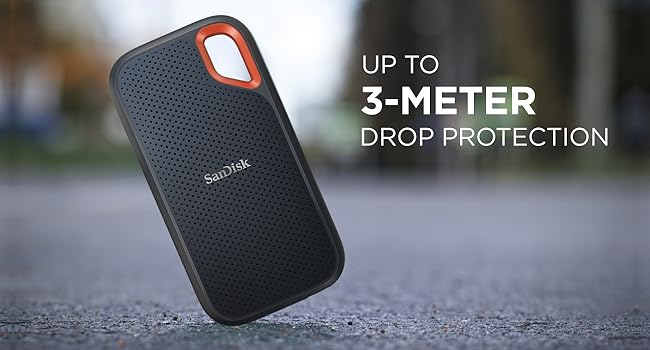
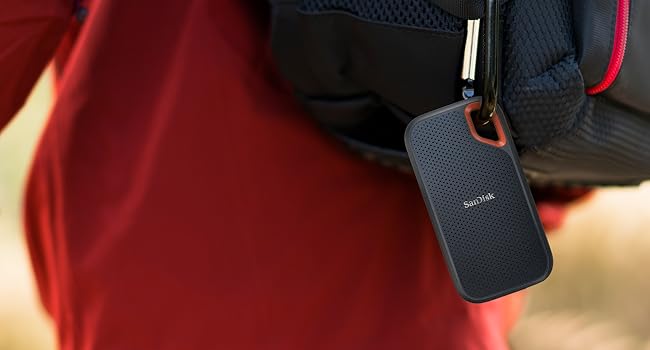
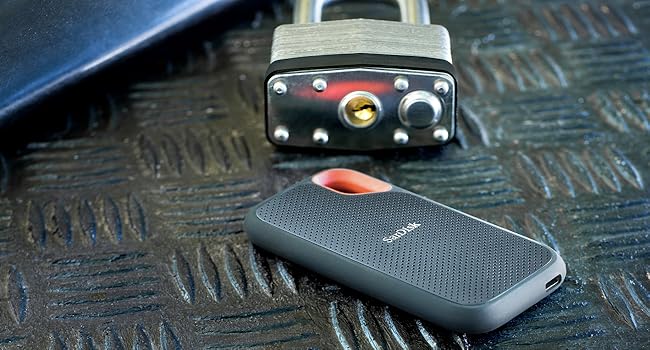
The SanDisk Extreme Portable SSD 4TB delivers NVMe solid-state performance with blazing fast 1050 MB/s read and 1000 MB/s write speeds. Engineered for professionals on the move, it features IP65-rated dust and water resistance, 3-meter drop protection, and 256-bit AES hardware encryption to safeguard your data. Its compact, durable design with a silicone shell and carabiner loop makes it the ultimate portable storage solution, backed by a 5-year warranty for peace of mind.



| ASIN | B08RX4QKXS |
| Best Sellers Rank | 190 in Computers & Accessories ( See Top 100 in Computers & Accessories ) 1 in External Solid State Drives 78 in Components & Replacement Parts |
| Box Contents | SSD |
| Brand | SanDisk |
| Brand Name | SanDisk |
| Cache Memory Installed Size | 1050 |
| Color | Extreme Black |
| Compatible Devices | Laptop, Desktop |
| Connectivity technology | USB |
| Country of Origin | Taiwan |
| Customer Package Type | FFP |
| Customer Reviews | 4.5 out of 5 stars 103,122 Reviews |
| Data Transfer Rate | 5 Gigabits Per Second |
| Digital Storage Capacity | 4 TB |
| Digital storage capacity | 4 TB |
| Enclosure Material | NAND Flash |
| Form Factor | 2.5-inch |
| Global Trade Identification Number | 00619659184704 |
| Hard Disk Description | Solid State Hard Drive |
| Hard Disk Form Factor | 2.5 Inches |
| Hard Disk Interface | NVMe |
| Hard disk form factor | 2.5 Inches |
| Hard disk interface | NVMe |
| Hard-Drive Size | 4 TB |
| Hardware Connectivity | USB 3.2 Gen 2 |
| Installation Type | External Hard Drive |
| Item Dimensions L x W x Thickness | 10.1L x 5.3W x 1Th centimetres |
| Item Weight | 0.11 Pounds |
| Manufacturer | SanDisk |
| Media Speed | 1000 MB/s |
| Model Name | SDSSDE61-4T00-G25 |
| Model Number | SDSSDE61-4T00-G25 |
| Network Connectivity Technology | USB |
| Number of Items | 1 |
| Product Features | Dust Resistant, Portable, Water Resistant |
| Product Warranty | 5 year manufacturer |
| Read Speed | 1050 Megabytes Per Second |
| Special feature | Dust Resistant, Portable, Water Resistant |
| Specific Uses For Product | Business, Multimedia, Personal |
| UPC | 619659184704 619659212629 |
| Unit Count | 1.0 count |
V**S
I love it
Been using this for a bit now and it’s been great. Really fast when moving big files and doesn’t lag at all. Small, lightweight and easy to carry around. Does exactly what I need it to do, no issues so far, very good for content creation that need more and more space.
M**I
excellent performance
Blazing fast portable SSD with excellent performance. Read speeds are very impressive and transfers are quick and smooth. Compact, rugged design makes it easy to carry everywhere. Reliable storage and well worth the price.
A**T
Very good
very fast ssd, it so tiny and portable, no wonder its expensive the quality is so so good. I use to save my editing work on mac. Thanks
K**H
Works with iphone and ipad
My main reason for buying this 1TB ssd was for when I travel and and have lots of camera footage to backup from my shoots. Portability was a big factor, and hoping it would work with iphone (since there isn't a lot of info on it) The ssd itself works well however max transfer speed I've seen so far is approx 270 MB/S on magicbook pro using default hardware, nonetheless faster than my other HDD's. I have noticed it heat up a lot in use, more than the 500gb version. In terms of wire / usb-c port connection, it feels a little flimsy and weak. The ssd has a front patterned surface and a rubber back both of which seem to attract dust. Now onto iphone connection...I have tried both the 1TB and 500GB versions (with the supplied usb-c to usb adapter), both work with iphone (12 mini) via a genuine Apple Lightning to USB 3 Camera Adapter (make sure adapter is original as fake / defective wires have given me an unpredictable intermittent connection). In my experience the 1TB ssd loaded faster than 500GB on iphone. Now Iphone allows you to view ssd contents BUT as soon you start saving iphone files onto it or tinkering with the ssd's data you get the infamous 'This accessory requires too much power' sign. Even if you re-connect the ssd, once the sign appears once it keeps coming back. What worked to reverse it for me was actually connecting it to a laptop and deleting the iphone files saved on the ssd or the folders where data was altered. Another option is to scan for errors (whilst plugged into the computer), even if there are no errors I found that often the ssd starts working without needing 'extra power'. Another option to try, this has given mixed results tbh is to connect the ssd to iphone whilst it is switched off then turn it back on and see if the sign reappears. If you definitely want 2-way iphone-ssd use then you will need a power hub to power the hardrive (and also bypass the '...requires too much power' message, or if none of the above options work to get rid of the message). I bought the '...RSHTECH 5 Port USB 3 Hub with 4 USB 3.0 Data Port + 1 Fast Charging Port Portable USB Splitter with 12V/2A...' because it provided more power i.e 24W compared to similarly priced 5-port power hubs - so far so good! As a bonus iphone was able to read both ssds (1TB + 500gb) at once when plugged into the power hub. In terms of folder load time there was no difference for me using a power hub vs none. I didn't notice a difference in performance or predictability between an old iphone lightning cable vs latest lightning to usb-c cable. I have tried iphone (with ssd connected) plugged into a usb wall socket vs plugged into an apple 30w adapter, again no obv difference. Another point to mention, with big folders around 90gb (raw files/4k videos) my iphone struggled to read the content despite loading for 20+ mins? The successful cut off for me has been around 65gb folder size max, anything larger definitely gets divided into smaller folders. I did notice some large 4k videos load slowly and freeze midway, but the ssd did let me save them directly on my iphone despite this so was able to view them better that way. My Sandisk ssd-iphone experience so far (in summary): Option 1 - viewing/saving ssd content on iphone -> no power hub required Option 2 - deleting/altering ssd content and/or saving iphone content onto ssd -> power hub required Hope that helps, I struggled A LOT to find info on iphone sandisk ssd connection so thought I'd share all of my recent findings. On a sep note - the ssds worked absolutely fine with ipad Air 4th gen utilising it's usb-c port so no adapter required. Literally a case of plug and play - and definitely a lot faster than on iphone.
S**Z
Great Storage Capacity From A Reliable Company
I have used this particular brand of storage for years with the same trustworthy results. The unit is small and compact yet boasts the saving of a massive 2 Terabytes of data. Now comes with a cable end converter that allows both USB 2.0 and USB 3 connection, which should facilitate almost all computer connections. The data transfer is quite fast and the process to use is simple. Once plugged into a PC, whether Apple or Windows, the window opens up to display the pre-installed software that should be activated to make the drive secure. Once this is set up you should create a simple password for first time use. This then allows the unit to be protected against data loss. It can be configured to 'remember' certain PC's so as it does not ask for the password every time used. This feature is great because if you lose the unit - it will not allow access to your data without the password. The unit is lightweight and small enough to slip into any laptop pouch or a pocket or handbag. More than happy to recommend.
S**K
Very good ext hard drive
Great drive. Fast too. Compact and sturdy
P**W
These Drives have an ongoing fault PLEASE READ BEFORE PURCHASE
READ THIS BEFORE YOU CONSIDER THESE SANDISK EXTREME SSD DRIVES I purchased 2 of these one for a main removable drive for my music one for a backup for the main collection, As a DJ I have to carry a lot of music there was approximatly 60,000 tracks on the drive and a clone copy on the 2nd in case of emergencies, the day before my New Years Eve gig I went to work on my playlists and there is no data on the master drive not one file, not a problem I have a clone backup, however that was empty too, how the hell can two drives empty themselves of 60k music files, this resulted in a NYE gig cancellation lost fee and a club with no DJ my repuatation with this club has gone. These drives had a decent write up combine this with a 5 year warranty and a good price its a complete no brainer, however after a heated discussion with Sandisk the refund warranty is only 30 days they are not responsible for data loss and consequencial loss due to failed devices the 5 year warrantly is worthless I have done some research and Im far from alone hundreds of people have sufferred the same fate and there are now multyple lawsuits going after Sandisk I have now jumped on one as I had zero help from the company itself. I initially contacted Sandisk and had to buy, (yes buy from them) a data recovery tool, this resulted in zero files being recovered I used a third party data recovery tool and managed to find 43k of my music files sadly they were corrupt and unusable, I was lucky i have a full backup on Dropbox so apart from some receent purchases i have gotten most back, when you think a music track is approx 1 pound thats 60k pounds in music a £1500 NYE gig loss and 2 days trying to sort this out saving 20 pounds per drive has become an expensive saving, Use Samsung Kingston or Crucial and don't get stuck like me instead of a recall they dropped the price and tried to offload them, thats not how duty of care to customers works. I really hope this helps one of two of you, any questions im happy to help Paul Law
G**S
Sandisc ssd 1TB - PERFECT
Nice and small, just what i wanted, used for backup of main computer
Trustpilot
3 days ago
2 months ago