💡 Light up your life—smart, sleek, and always connected.
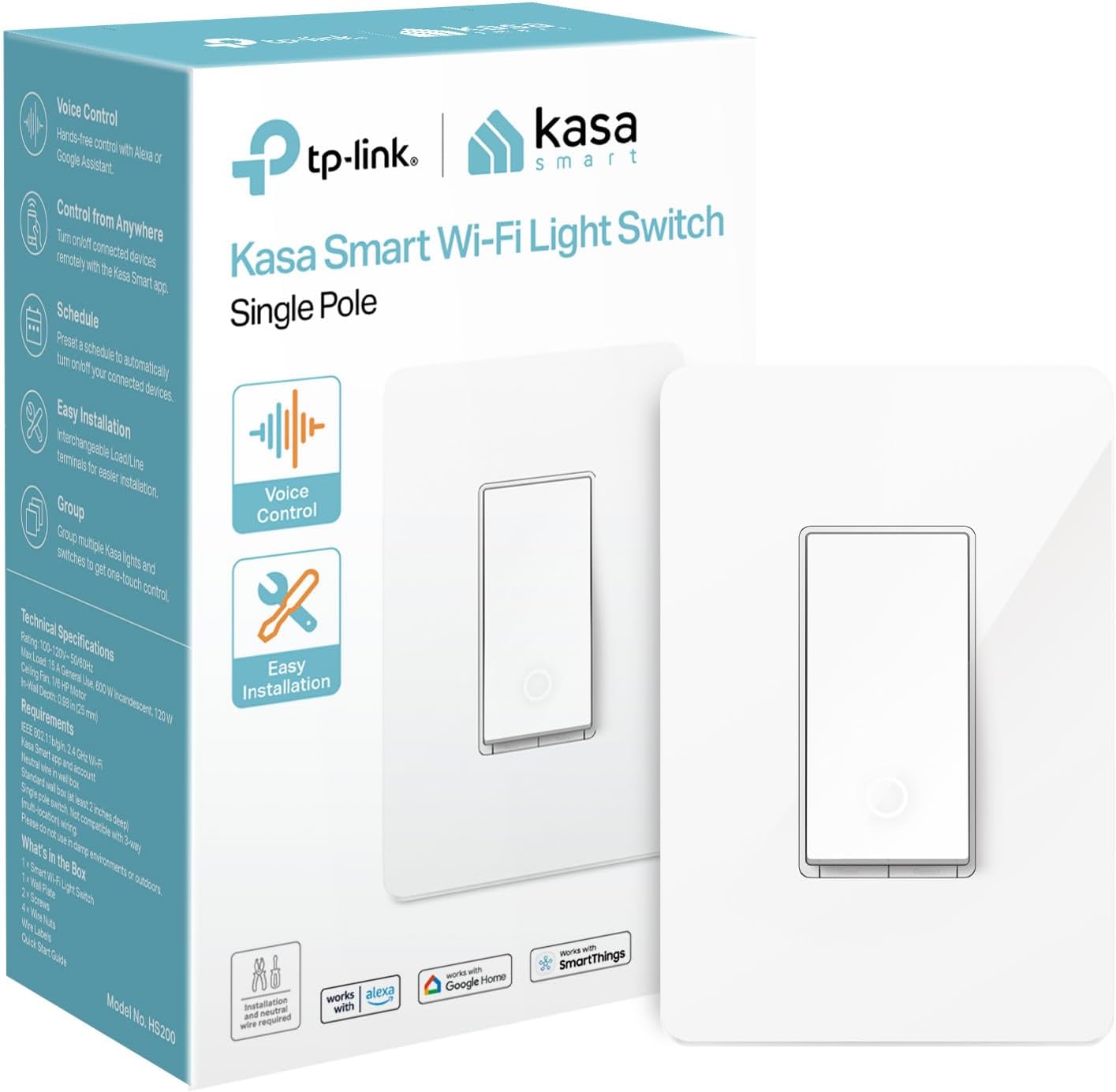
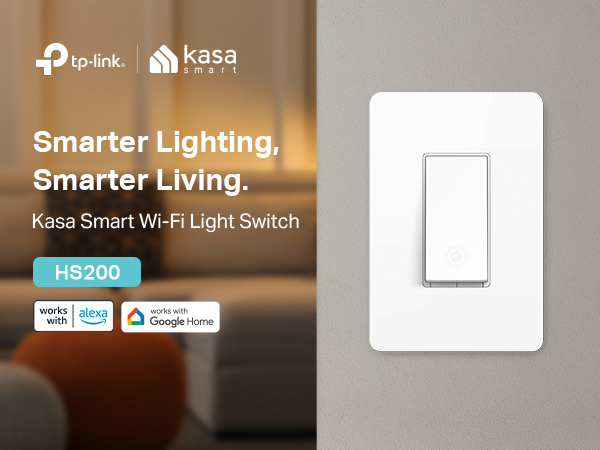
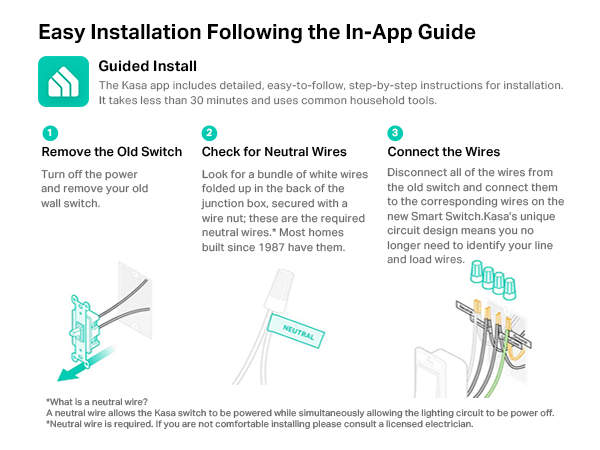
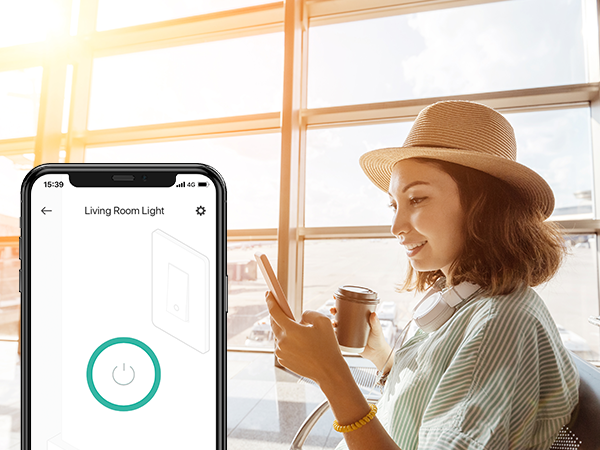
The Kasa Smart Light Switch HS200 is a UL-certified, Wi-Fi-enabled single-pole switch designed for seamless integration into your smart home. Compatible with 2.4GHz networks and requiring a neutral wire, it offers app-guided installation, remote control, voice activation via Alexa and Google Assistant, and customizable scheduling features. Trusted by over 4 million users, this compact, durable switch delivers reliable performance and enhanced home security without the need for a hub.


| ASIN | B01EZV35QU |
| Actuator Type | Push Button |
| Best Sellers Rank | #372 in Tools & Home Improvement ( See Top 100 in Tools & Home Improvement ) #1 in Electrical Light Switches #2 in Home Automation Devices |
| Brand | Kasa Smart |
| Brand Name | Kasa Smart |
| Circuit Type | 1-way |
| Color | White |
| Connectivity Protocol | Wi-Fi |
| Connector Type | Screw |
| Contact Material | Copper |
| Contact Type | Normally Closed |
| Control Method | Voice |
| Controller Type | Amazon Alexa, Android, Google Assistant, iOS, vera |
| Current Rating | 15 Amps |
| Customer Reviews | 4.5 out of 5 stars 43,186 Reviews |
| Global Trade Identification Number | 00845973096113 |
| Included Components | smart light switch |
| International Protection Rating | IP00 |
| Item Dimensions | 1.5 x 3.3 x 5 inches |
| Item Weight | 5.28 ounces |
| Lower Temperature Rating | 32 Degrees Fahrenheit |
| Manufacturer | TP-LINK USA |
| Material Type | Polycarbonate |
| Model | HS200 |
| Mounting Type | Pole,Wall,Mount |
| Number of Items | 1 |
| Number of Positions | 2 |
| Operating Voltage | 120 Volts |
| Operation Mode | OFF-NONE-ON |
| Specification Met | UL |
| Switch Type | One-way |
| Terminal | Spst |
| UPC | 845973096113 840460604949 |
| Unit Count | 1.0 Count |
| Upper Temperature Rating | 104 Degrees Fahrenheit |
| Warranty Description | 2 years |
| Wattage | 600 watts |
J**P
Works Great – Easy Smart Upgrade
The Kasa Smart Light Switch HS200 worked perfectly for me. Setup was straightforward, and it connected to my 2.4GHz Wi-Fi without any issues. The size is just right to fit in a standard wall box, and it feels solid and well-built. Performance has been great so far — accurate control, responsive, and it works seamlessly with the Kasa app for scheduling or remote control. Overall, this was a great deal and totally worth it if you want to upgrade to a smart switch. No problems so far, super easy to use, and works exactly as expected.
M**4
great smart switch
I purchased two; they work excellently since I have other Kasa stuff. It was easy to add these to the app. I love all of Kasa products. They have an easy app to work with and understand. The black color switches looks very contemporary and futuristic.
B**L
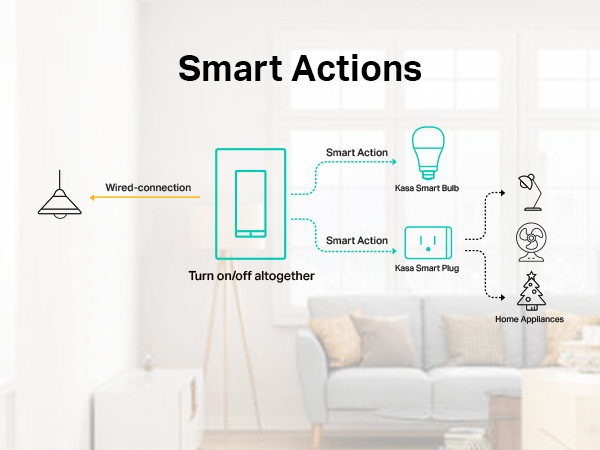
Paired switches to turn on multiple lights from 1 switch
Our townhouse has an attached garage. The garage has 2 exterior lights that can only be turned on from inside the garage but not from inside the house. Near the garage is our front door. Inside the house there is 1 switch for the single exterior light near the front door. I was searching for a way to turn on all 3 lights using just the 1 interior light switch by the front door. I bought (2) Kasa Smart Light Switches (HS200) which I then added to my new Home Assistant setup (not required) and it works great and was easy to install / setup. Installing these switches cost less than $30. You do need to be comfortable replacing and wiring a light switch. You need to have a “neutral” wire in the light switch box. If you have an older house this might not work for you. Our town home was built in 2001 so it’s not that new but not that old either and had the appropriate wires needed. You can install these switches and use the native app on a smart phone to program a variety of tasks. There is no need for a home automation system / hub. From the app I was able to set the switches so that if I turn on/off one switch it turns on/off the other switch. Essentially pairing them together. They still function as individual light switches (non-smart switch) if the wifi goes out - so the pairing feature only works with an Internet connection but they still function as single light switches if the Internet is down. This smart switch has a small circular indicator light on the bottom of the switch which I set to only turn on if the lights are on. So, if I forget that the outside lights are on - the indicator light on the wall switch will be on. I like the visual clue so I don't leave them on all night. I like being able to use the smart switch just like a regular non-smart switch by pressing the switch - mostly because my wife won't bother with voice or phone app controls so we need a physical switch. I think it's fun to be able to control the lights from my phone and also from Google Home / Assistant. I can ask Google (or Alexa or my Home Assistant) to turn the lights on or off with voice commands too. They can also be programmed to come on/off at particular times of the day but I haven't used this feature. Another cool thing is that I can turn the lights on or off remotely with an internet or data connected phone - if I'm not at home. I use this feature if friends or family are going to arrive at my place before I do and I want to have the lights on for them. These smart switches were just the thing I was looking for and it gave me a real sense of accomplishment since it took me a few years to get around to solving this issue. I can now turn on 3 lights using 1 switch without having to hire an electrician and without running new wires in the house. For under $30 this was an outstanding value and I'm very pleased with the results.
E**E
Easy to install but do your research first
Easy to install as long as your existing wiring includes the required ground connection. If you don’t know if you have ground wiring, I recommend having someone knowledgeable look at your existing wiring before you order these. Make sure that your wifi will support these devices. I have over a dozen switches/plugs and they all work great on my wifi. The Kasa app supports a variety of smart switches and plugs. I use both. The app has an “away” feature that will randomly turn lights, TVs, radios, etc on and off during time periods that you determine.
C**N
Works great; install is the same as for a dimmer module - UPDATE: I'm downgrading these
UPDATE 3: It's now been long enough for me to believe that TP-Link has successfully corrected the problem I referenced in UPDATE 1 below. My units have continued to work successfully for well over a month now, including self recovering once power was restored from a power outage. All have continued to work flawlessly with all of my my Echo (Alexa) devices and I've been able to verify I can use the Kasa app to turn lights on and off from anywhere I have internet access on my cell phone. While I'm at it I should note that one limitation for these is that they are strictly single pole (SPST) switches, which means they can't be installed in place of a 3-way (SPDT) switch . It would be nice if TP-Link offered a 3-way version of the product for those of us who might want to use one with a multi-switch installation. UPDATE 2 (upgrade 1 star): I'm raising my previous 2 star downgrade to a 1 star downgrade since TP-Link finally recognized they had a serious disconnect between their Kasa app and Amazon's Alexa app (it sure took them long enough). It appears (for now) that they have corrected whatever caused the problem, but I won't trust their Smart Home devices to retain their settings until my devices behave as advertised for at least a month. After the fix, for a plug I originally named "Back Porch" in the Kasa app and which I subsequently renamed "Porch", the Alexa app, even after rediscovery, insisted on looking for "Back Porch" from the Kasa app instead of "Porch" until I deleted it from the Alexa app and rediscovered it; i.e., there are still bugs. Otherwise, it's been so far so good, but I'm not convinced it won't revert again to the erratic behavior I experience over a period of about 3 weeks, long enough that I was tempted to scrub the whole kit and kaboodle. If TP-Link keeps their Smart Home devices squeaky clean for about the next 6 months, my confidence in them will be sufficiently restored to revert to my original 5-star assessment. UPDATE:1 (downgrade 2 stars): I'm lowering my review from 5 stars to 3 because these simply do not consistently behave. I have become expert at factory reset to get them operating again, but the key point is that I can't trust them to remain operational for more than a few hours before I get messages from Alexa that a device is not responding, or from the Kasa app that it can't find the device, sometimes after having set it up just a few hours earlier, and that's for a plug within a few feet of the my wi-fi range extender. It would appear TP-Link needs a firmware upgrade. I suppose I could replace my wi-fi router and range extender with one from TP-Link, but that seems stupid since my wi-fi works just fine with lap top, cell phone, TV, etc. Make no mistake, these represent a very cool idea, but as currently being sold they are way too finicky. Original review: I have 3 versions of the TP-Link Smart Home technology distributed within my house. Being able to control outlets and switches using them is perhaps the major reason I have that many. This is just one of a number of Smart Home products an Echo can handle. It differs from the plug ins in that you install it permanently in place of an existing manual wall switch. Installation is no different than installing any other wall switch, except this one is smart, at least in the sense that it can be operated by wifi as well as manually. The form factor is actually smaller than that of most dimmer modules, so it should fit in most switch boxes. After installation, you set it up for wifi via the (free) Kasa app (a very intuitive exercise) and from there tie it to your Echo system as a Smart Home product. In the Kasa app you can change the name to whatever you want and then have the (free) Echo app "discover" the new name. Operation is flawless and is entertaining (e.g., "Alexa, turn on the patio light", where "patio light" is the name you selected for the smart switch). You can operate it manually via the Kasa app, or via Alexa as you wish! You can also program it for automatic operation. Any one of my Echo's can operate it. It does require reasonable access to your home wifi network to work as advertised. I now have a number of Smart Home products installed, and the software does not seem to have any issues keeping them sorted out (far more reliably than the obsolete X-10 system I used to rely on). Here's my take on the steps for installation of the switch: 1) first turn off the circuit breaker that controls the existing switch (easy to test, since if the switch doesn't work, the power to it is off); 2) your existing switch should be across the "hot" line that supplies power to the load (a lamp or whatever), one black (hot) line for power coming in, and one black line for power passed on from the switch to the load. You simply remove the existing switch, disconnect its two black wires, and use wire nuts to hook them to the black wires for this switch (order doesn't matter). 3) the "return" that completes the circuit is through the "neutral" white line (always present unless you have some really squirrely wiring). You hook the white wire to the neutral line using a wire nut, cutting/stripping the neutral wire as necessary (usually not necessary since most installations will already have a wire nut connection for the neutral line). 4) if there is a ground line (a bare wire in the switch box) connect the green line to it using a wire nut (if not, don't bother, but insulate it using one of the wire nuts or electrical tape). 5) turn the circuit breaker back on and verify the smart switch works as a manual switch, then go through the set up procedure. NOTE: 4 wire nuts are included in the package in case your current installation is one with the black wires attached directly to the old switch. A switch plate is included that you have to snap off for installation. The switch has the Decora form factor, so if your existing switch is not Decora style, you will need to use the included plate or pick up one from some place like Home Depot to match your needs.
A**R
Stars – Simple, Affordable, and Reliable Smart Switch
I’ve installed multiple Kasa HS200 smart switches throughout my home, and they’ve quickly become one of my favorite smart home upgrades. 🧠 Works with Alexa and Google Assistant — No Hub Needed What I love most is the simplicity—this switch connects directly to 2.4GHz Wi-Fi without needing a hub (highlighted in the title and comparison chart on page 4). Once installed, it syncs seamlessly with Alexa or Google Assistant for voice commands like “turn off the kitchen lights.” 🔧 Straightforward Installation (If You Have a Neutral Wire) The product clearly states it requires a neutral wire (see "About this item" on page 1 and install guide on page 3), and that’s the only catch. Once you’ve got that, setup takes about 15–30 minutes with just basic tools. The Kasa app walks you through each step. 📱 Reliable App Control and Smart Features The Kasa app gives me full control over lighting from anywhere. Features like “Away Mode,” grouping, and scheduled routines (shown clearly in visuals on page 3) add a lot of convenience and security. ✅ Pros: No hub required, works over 2.4GHz Wi-Fi Alexa/Google Assistant compatibility Intuitive app with scene, timer, and away mode features Responsive and consistent operation ❌ Cons: Requires a neutral wire Slight learning curve if you’ve never installed a switch before Overall: This is a fantastic entry-level smart switch. It's dependable, integrates well with other Kasa devices, and is priced affordably. Highly recommended for anyone modernizing their home’s lighting without the hassle of a hub.
S**X
I'm buying my 5th one
I'm buying my 5th one. Wife keeps finding new switches she wants me to make accessible with Google Home. Install is easy if you do any electrical work, and it works consistently and well.
V**Y
READ THIS: If you are having trouble completing the setup process
I've had one of these switches for many, many years. It works fine in all aspects, and at the time of setup, I didn't have any trouble connecting to my network and completing the setup process. Fast-forward to November 2025, I needed another one. The HS200 model. For the life of me, I could not complete the setup. I tried restarting it. I tried resetting it. Turned off my Battery Saver. Nothing would work. I was exasperated and ready to send it back to Amazon, thinking I had a defective smart switch. But then, on a hunch, I looked at the available WiFi connections on my phone. There was one that said "TP-Link" and a bunch more letters and numbers, as far as I can recall. My Android 16 Pixel 7 phone also said that the TP-Link WiFi SSID did not have an Internet connection. Bingo! That is the temporary WiFi SSID for the TP-Link Smart Switch that enables its setup connection. But Android 16 will only connect to a non-Internet connection for a few seconds before switching back to another WiFi that does provide Internet. So, I connected to the TP-Link WiFi again via Android WiFi settings connections, but this time a checked the box that said to stay connected regardless of it not having Internet access. Eureka! That did it! I went back to my Kasa app and resumed the new device setup. This time, when Kasa searched for my new smart switch, it was able to make a permanent connection to the smart switch's non-Internet WiFi and stay connected. The rest of the setup went as expected. The switch was NOT defective. It was just how Android decides to "help" a user to not stay connected to a non-Internet WiFi connection. This help consists of disabling that connection after a few seconds, and switching back to one that does have Internet. And that is what was making the setup process fail. If you were having trouble, I hope you found this helpful.
Trustpilot
1 week ago
1 month ago