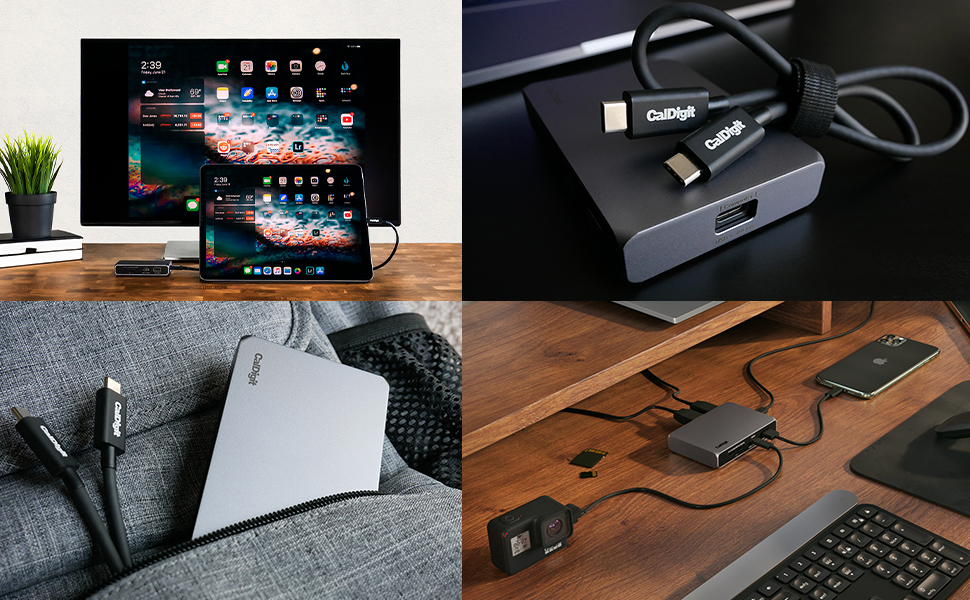
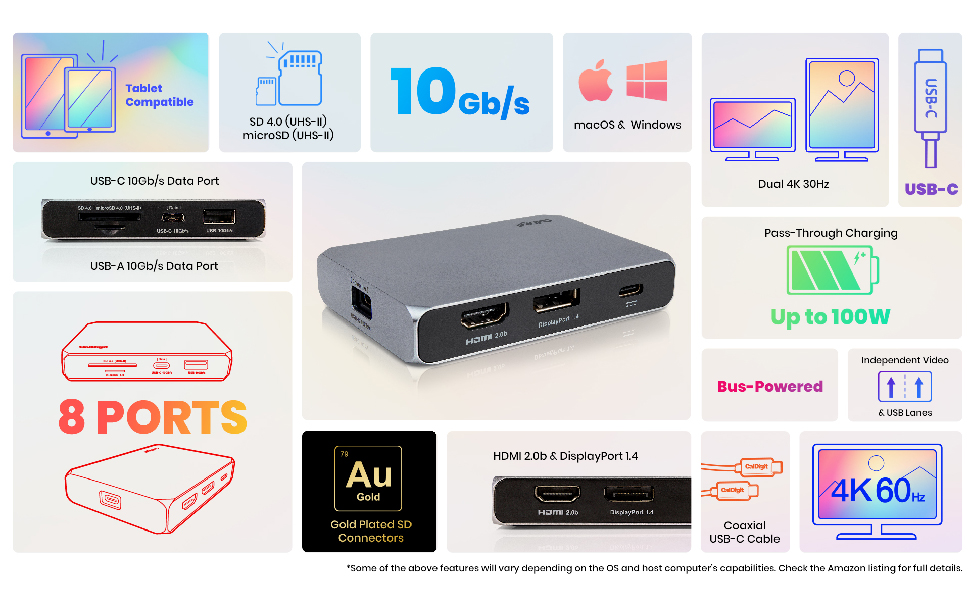
🚀 Power Your Productivity with 8 Ports of 4K Brilliance!
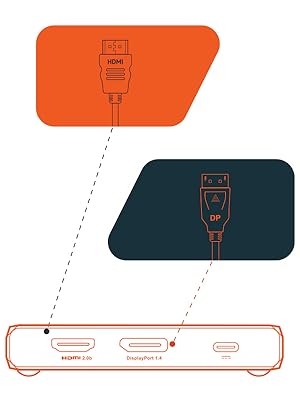
The CalDigit USB-C 10Gb/s SOHO Dock is a premium, bus-powered docking station featuring 8 versatile ports including USB-C, USB-A, HDMI 2.0b, and DisplayPort 1.4. It supports crisp 4K 60Hz video output on single or dual displays, ultra-fast UHS-II SD/microSD card transfers at 312 MB/s, and passthrough charging. Designed for professionals and creatives, it’s compatible with Mac, Windows, Steam Deck, and more, offering a sleek, durable all-metal design with a replaceable USB-C cable for long-term reliability.


| ASIN | B08FF3BDW5 |
| Best Sellers Rank | #66,764 in Computers ( See Top 100 in Computers ) #1,197 in USB Hubs |
| Country of origin | Taiwan |
| Item model number | USBCSOHODock-US-AMZ |
| Manufacturer | CalDigit |
| Product Dimensions | 21.41 x 8 x 2.49 cm; 191 g |
5**X
The greatest selling point of this hub is that the primary connector isn't soldered to the hub, which means if the time comes the connecting cable breaks, you can always swap it out. Not having an ethernet port is a bit of a loss, though I find an ethernet to usb/c dongle works similarly with competitive gaming-level results. Also works great with a steam deck. I did notice that sometimes, the hdmi port wants to be plugged after the steam deck and the external power has been plugged into the hub before it starts working. Not a dealbreaker since it doesn't affect transfer speeds. The displayport never had this issue for me though. Item feels solid, the all-metal housing feels great to hold and very clearly dissipates heat well during usage. Despite getting warm, it never got painfully hot, even after 12 straight hours of use. I'd recommend it for people who want a hub with two good ports for display outputs, and the assurance of a long-term replaceable main cable for their USB hub. As someone who uses their steam Deck daily, this has been an absolute godsend. Can definitely recommend it. If I had to be nitpicky about it, I'd say the lack of an RJ45 port feels weird, but again, it's not a big deal.
S**K
Mine is MacBook Pro 2020 with 4 thunderbolts model, and no matter what I do there it only supports 30hz and can't get up to 60hz as promised. I have tried both HDMI and Displayport cables. Unfortunately, it doesn't work.
A**N
I was frustrated to read reviews for this high quality and well engineered CalDigit. At least I assumed it was as high quality as the larger brother CalDigit I already owned. Happily, as it turned out, my assumptions were correct. This smaller CalDigit hub is clearly a labour of love from CalDigit, not some lowest common denominator product from a no-name company. It works flawlessly with my MacBook Air and an external 27" monitor running at 2560 x 1440 pixels. There was, however, one setting on my Mac that I needed to adjust. MacOS assumes it can run the monitor at refresh rate of 144Hz -- this is a setting easily found in Preferences > Displays > Refresh rate. While the monitor can cope, the CalDigit was not entirely happy and the screen would chop and change. It was clearly an issue such as refresh rate. I was able to see enough to try an adjustment or two and as soon as I tried just one setting down, from 144Hz to 120Hz, the problem went away. Permanently. Since setting MacOS, in Preferences > Displays, to 120Hx refresh rate, this CalDigit has been perfect. This is not surprising given CalDigit clearly state: "All of CalDigit’s docks are fully compatible with the new M1-based Macs including the ability to charge a laptop and more". Compared to the larger hubs made by CalDigit, this one, for the money, is excellent value, lacking in one area only that I miss; audio out. But a quick check and I found that by connecting a display over HDMI rather than DisplayPort, means audio is sent to the monitor, and from there I can get an audio out and elegantly keep my one cable solution for plugging in my MacBook Air. I have no affiliation with CalDigit, I have just worked with I.T since before the PC was sold (CP/M days) and I know a good piece of engineering when I meet it. I would re-buy this unit immediately if I needed another. Thanks CalDigit.
M**A
The Soho Dock Works perfectly. It output 2 display signas and the transfer speeds are really good. But sometimes the windows USB-C Drivers get mess up and the SOHO Dock May Stop Working. Beware of this issue with the drivers, it could let you think that de DOCK its dead but it isnt. It Happend to me. Worked for 30 Days... them one morning it died completly with out warning. Tried to update the firmware and changing the USB-C cables, and didnt work. The USB Dock isnt even recognice by the software updater. Its like its not there... it just simply died on me. Them i tried out my dock with an Macbook Air M1 and it worked perfectly... so it wasnt the Dock fault.. Windows update messed up the USB-C Drivers and literaly didnt recongnice it anymore. Had to contact my Laptop Manufacturer for the correct drivers, because windows keep installing faulty ones, even if I reinstalled windows or did the factory reset.... Now with the new drivers from the manufacturer, it work perfectly again... Can Power 2 Displays (QHD + FHD) with an external RAID Enclosure with no problems. The SOHO Docks works.... Windows Updater doesnt..
D**H
I primarily bought it for my M1 pro 16 inch MacBook but it doesn't work when two displays connected. It works flawlessly with chromebook though so giving 4 stars.
Trustpilot
1 month ago
2 months ago