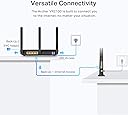
๐ Unlock lightning-fast, future-proof Wi-Fi that keeps your home connected and ahead of the curve!
The TP-Link Archer VR2100 is a high-performance AC2100 dual-band VDSL/ADSL modem router featuring Super VDSL technology for internet speeds up to 350 Mbps and Wi-Fi speeds up to 2.1 Gbps. Equipped with MU-MIMO for simultaneous multi-device streaming, OneMeshโข compatibility for whole-home coverage, and four Gigabit Ethernet ports plus a USB 3.0 port for ultra-fast wired connections, it offers easy setup via the Tether app and robust security features, making it an ideal choice for busy, connected households.
| ASIN | B0851D1MF3 |
| Antenna Location | Home |
| Antenna Type | Fixed |
| Best Sellers Rank | #96,182 in Computers ( See Top 100 in Computers ) #1,302 in Routers |
| Brand | TP-Link |
| Built-In Media | Archer VR2100 |
| Color | Black |
| Compatible Devices | Laptop, Personal Computer, Smart Television, Smartphone, Tablet |
| Compatible devices | Laptop, Personal Computer, Smart Television, Smartphone, Tablet |
| Connectivity Protocol | Wi-Fi, Ethernet, USB |
| Connectivity Technology | Ethernet, USB, Wi-Fi |
| Control Method | App |
| Coverage | whole home |
| Customer Reviews | 4.2 out of 5 stars 456 Reviews |
| Data Transfer Rate | 350 Megabits Per Second |
| Frequency | 5 GHz |
| Frequency Band Class | Dual-Band |
| Frequency band class | Dual-Band |
| Has Internet Connectivity | Yes |
| Has Security Updates | Yes |
| Is Modem Compatible | Yes |
| Item Dimensions L x W x H | 21.6L x 16.4W x 3.7H centimeters |
| Item Weight | 1.13 Kilograms |
| LAN Port Bandwidth | 1000 Mbps |
| Manufacturer | TP-Link |
| Maximum Upstream Data Transfer Rate | 350 Megabits Per Second |
| Mfr Part Number | Archer VR2100 |
| Model Name | Archer VR2100 |
| Model Number | Archer VR2100 |
| Model name | Archer VR2100 |
| Number of Antennas | 2 |
| Number of Ports | 4 |
| Operating System | Windows |
| Other Special Features of the Product | Access Point Mode |
| Router Firewall Security Level | High |
| Router Network Type | DSL and Wireless |
| Special features | Access Point Mode |
| Unit Count | 1 Count |
| Voltage | 12 Volts |
| Warranty Description | 3 year manufacturer |
| Wi-Fi Generation | Wi-Fi 5 |
| Wireless Compability | 802.11ac |
| Wireless communication standard | 802.11ac |
G**S
The product is good
I used it as an internet connection between my computer destop and the modem.
C**A
Power Compatibility Issues.
Modem was delivered in Australia with a UK plug hard wired to the transformer that is incompatible with Australian power outlets. You will need to source either a bulky UK/AUS adaptor to connect to power outlet OR a different transformer with an Australian power plug. I 'borrowed' a transformer with compatible specs (12V/2amp) from a PVR already in the home. Thereafter the installation and setup went well enough.
P**O
Upgraded From Sky Q Hub
Ever since upgrading to Sky Q we've had issues with our broadband. Drop outs, buffering when watching prime video, even the WIFI signal on my PC was terrible, resulting in poor latency and slow download speeds. I tried power line adapters, which work fine with my wife's work PC, but mine is on the other side of the house so the signal crosses over the main power junction box, so the connection is pants (although even my laptop was rubbish, even when sat 2 foot from the router) I'd had enough, so did a bit of research. I had read a few things about modems needing certain settings/features to work with Sky, so I was a bit apprehensive about committing to something that might not work. I bit the bullet on this model (VR2100) and I'm so glad I did. The router feels great, build quality is nice, nice big antennas and the setup was easy as pie. I plugged it in, followed the instructions, selecting the Sky option, and... it just worked. I downloaded the app to my phone so now I can easily see what devices are connected to the network, I've labeled each device up in the app so I can see exactly what each one is (kids tablets, Sky box, mine and the wife's phones etc) and set up a seperate guest network for people who come over. The user interface is so easy to use, and now I can control connections, set time limits on devices, even block and kick devices from the network. I did turn the auto switching off, I found my phone was struggling switching between the two frequencies, so I have stuff that's static/in the same room as the router connected to the 5ghz band, the rest is on the 2.4Ghz. I also bought a low profile USB drive and plugged it into the USB port on the side of the router, you can barely even see it in there but now I have network attached storage, so I can easily transfer files between PC/Laptop without using the cloud, and back up photos or other things. I would absolutely recommend this to anyone. My PC download speeds are now running at full speed (we're on a 40 meg connection) and my connection when gaming is solid and ping/latencies are really low. If you have a Sky Q router, just do yourself a favour and throw it in the bin. Get one of these, you won't regret it!
S**T
Sloppy Android Apps, Terrible set up, poor TPLINK help desk
(Update 28/11/2020). Working continuously for two or so weeks. Since I re-configured (factory reset) the router via my lap top and ethernet connection, the system has been stable with about 20 devices on it. There remains an interoperability problem between the two apps that set up the S4's and separately, the Vr2100. Why two are needed I really don't know. It looks like we now have a system that is fit for the purpose I spent ยฃ300 on. But the process was too hit and miss, disgracefully time consuming and buggy. TPLINK support was and is very poor when I went through their support channels. While not giving out any meaningful advice, they kept asking for more and more granular detail - without any response when I did. Rude. Ironically, this kit and the larger Deco mesh system is likely to prove to be really very good, but one star reflects a non-resiliant set up process, crappy apps and a non-existent support function. So here is the rest of the painful history....... (Update 12/11/2020). Mesh network hung with 4 devices and light surf workload. The previously perfect login page to the router (direct connect via ethernet) flashed up the login background page but no user or password fields. Tether app didn't work (never has actually). So the utterly clumsy solution was to factory reset and plug the parameters back in. Needed three power cycles to get the modem to link with the primary (connected) S4. The apps are total crap for diagnostics and seem to be designed for one hit perfect config every time. I bought this VR 2100 to accompany three Deco S4's to create a wifi mesh system. It hasn't been plain sailing so I have had to use the "tether" android app for the modem/router and the separate "Deco" app for the mesh system. Now that an app seems the only way to set tplink kit up (certainly the S4's) these apps need to be bombproof. THEY ARE NOT. Configuring a new network can be challenging. To configure with new technology is doubly so. Configuring for a customer with little downtime available is utterly nerve racking. Here is my root problem. If I am logged in to the router I cannot log into the tether app. And vice versa. I go to the TPLINK cloud to get a new password, and it came to pass that I am now locked out the router. Repeat ad nauseum. This is a known problem from at least this summer and not a finger has been lifted. UTTERLY DISGRACEFUL & LAZY. The router was bought so that absolute compatibility was ensured between the components. So ยฃ250 down the road we have this absurd problem. (Apparently you have to factory reset the router and plug the info in again. Not all folk say this works). So this gets the 1 star. The kit so far is working fine and I really was hoping that we would have a true app-driven plug and play as TPLINK make a big deal of. Right now undertaking diagnostics or remedial actions on the network is a nightmare. In this day and age we should not be pioneers at the bleeding edge of technology. An interoperability defect in recently released kit from the same manufacturer is contemptuous. The router is, I'm sure very good but the ecosystem I'm forced into by the manufacturer is not fit for purpose
C**R
A good value option for personal home use
After changing to an ISP with a business line, I originally purchased a TP-Link C2300 router with an expensive modem from another brand, expecting really reliable performance, only to experience no end of trouble, needing to restart the modem frequently as the speed would grind to a halt on a regular basis. After more than a year of frustration I was reluctant to buy another separate modem, so I decided to give this a go as a cheap option and it worked pretty much flawlessly straight out of the box. The set up was easy and all the previous hassles experienced with the other modem disappeared immediately. The tether app on the smartphone makes set up practically automatic. There are a couple negatives though and the main one is lack of support for WPA3 security over wi-fi. I hadn't read the small print and just assumed it would be there at time of purchase, so I was rather dismayed to find that missing. Later on my wife started working from home with her work computer and it refused to connect for more than a few seconds before kicking her off. The reason was that her IT department had set WPA3 as a minimum requirement, so if you are bringing home a work laptop, this may not be a good option for you. I actually solved this after having a brainwave and setting it up to operate purely as a modem in bridge mode, then connect it to the C2300 router, which offers better security and a stronger signal, so finally it all works brilliantly. It looks a bit strange having both devices there, but the combination works well and the C2100 is quite flexible in the sense that it can be used as a standalone modem, router or both together, as will be the case for most users. If it had better wi-fi security I'd give it 5 stars at this price.
Trustpilot
1 month ago
1 month ago